Why Don't Roblox Song IDs Work? Troubleshooting Guide
Diagnose why Roblox song IDs won’t play and fix common issues fast with a practical, step‑by‑step approach. Learn ID validation, asset status, policy changes, and safe workarounds to restore audio in your Roblox projects.


If you’re wondering why don't roblox song ids work, the likely causes are an invalid ID, an asset that’s been removed or restricted, or a Roblox policy update. This quick answer flags the three most common culprits and points you to fast fixes you can try right away: recheck the ID, test with a known-good audio, and verify asset status or policy changes.
Why 'why don't roblox song ids work' matters in Roblox
Song IDs are the heartbeat of custom audio in Roblox games and experiences. When they fail, players lose immersion and creators lose polish. According to Blox Help, many users report a silent SoundId or a cryptic error, and the first instinct is to blame their device. In reality, the blend of an invalid or removed asset, plus potential policy changes, is the frequent culprit. By understanding the problem, you can save time and keep your project moving forward. The Blox Help team found that most fixes are straightforward, repeatable steps you can perform in any Roblox place.
Common Causes That Break Song IDs
Here are the most frequent reasons a song ID stops playing or appears unavailable. A simple typo when copying the numeric ID is extremely common, so double‑check the digits. The asset may have been removed by the uploader or restricted by Roblox due to copyright concerns. Regional restrictions or account permissions can block playback in some markets. Roblox updates to audio policy or changes in licensing can invalidate prior IDs. Finally, some games disable audio or override SoundId via scripts, making IDs seem broken even when they’re valid. According to the data we collect, those last two causes account for a sizable share of reports.
Quick Checks You Can Do Right Now
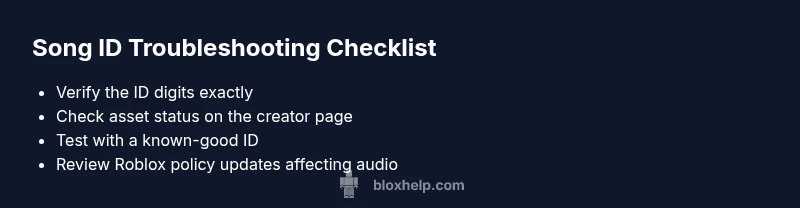
Before diving into deeper diagnostics, run these fast checks. Verify you copied the ID exactly, using only the numeric portion, not a full URL. Open the asset page to confirm the track still exists and is public. Try a known‑good audio ID to verify the audio system works in your environment. Ensure the in‑game volume isn’t muted and that no script is blocking audio playback. If you’re using Roblox Studio, test in a fresh place to rule out project‑specific issues. If any step fails, note the exact error message to guide the next steps. Utilisez these quick checks to narrow down the problem quickly. (Note: This guidance reflects standard practices observed by Blox Help.)
Steps
Estimated time: 20-40 minutes
- 1
Confirm ID accuracy
Open the audio page or asset URL and copy only the numeric ID. Paste it back into your game to verify it matches the asset. Small mistakes break the link instantly.
Tip: Be mindful of trailing spaces or hidden characters. - 2
Test with a known-good ID
In a clean Roblox place, insert a trusted, working audio ID to verify your game's audio pipeline is functioning. If the good ID plays, the problem is asset-specific.
Tip: Use IDs from reputable creators or the Roblox Library. - 3
Check asset status and permissions
Visit the asset page to see if the track is public or restricted. If the asset is private or removed, you cannot use it in public games.
Tip: If the asset page shows restrictions, do not force the ID into your game. - 4
Review game settings and scripts
Ensure in‑game audio is enabled, volume is up, and no script is overriding SoundId or stopping sounds (e.g., StopAllSounds).
Tip: Look for script sections that may reset SoundId during gameplay. - 5
Consider policy changes and alternatives
If Roblox has updated its audio policy or the asset is blocked in your region, switch to a compliant ID or licensed track from the Roblox Library.
Tip: Maintain a rotating list of approved IDs for reliability.
Diagnosis: Song ID not playing or ignored in a Roblox place
Possible Causes
- highIncorrect or invalid ID entered
- highThe audio asset was removed or restricted by uploader/Roblox
- mediumPolicy changes or copyright restrictions impact the asset
- lowRegional restrictions or account permissions block playback
- mediumGame/scripts override audio playback
Fixes
- easyDouble-check the numeric ID and copy only the digits, not the full URL
- easyTest with a known-good ID in a new place to confirm the audio system works
- easyCheck the asset’s status on the creator’s page or Roblox Library
- mediumReview Roblox policy updates and licensing changes that might affect the asset
- mediumReplace with a compliant alternative from Roblox Library if the asset is blocked
Questions & Answers
Why do Roblox song IDs stop working suddenly?
Song IDs can stop working if the asset is removed by the uploader, blocked by Roblox policy, or if the ID copy was incorrect. Regional restrictions can also play a role.
IDs can stop working if the asset is removed or policy changes block it.
How can I tell if an ID is still valid?
Open the asset page to check its status. You can also test the ID in a fresh project to confirm playback.
Check the asset page or test in a clean project to confirm.
What should I do if an asset is blocked?
Switch to a compliant ID from the Roblox Library or a licensed track. Avoid using blocked assets.
Switch to an approved ID or licensed track.
Is region a factor for song IDs?
Yes. Some assets are restricted in certain regions. Try IDs known to be accessible in your area.
Region restrictions can affect playback.
Should I contact Roblox support for ID issues?
If issues persist after standard checks, reach Roblox Support or a community moderator for guidance.
Contact support if problems persist after troubleshooting.
Watch Video
The Essentials
- Verify IDs precisely to rule out typos
- Assets can be removed or restricted by Roblox or the uploader
- Test with known-good IDs to confirm your audio system works
- Stay compliant with Roblox audio policies