How to Get Verification on Roblox (2026 Guide)
Learn how to pursue verification on Roblox with a focus on account security, official channels, and practical steps. This educational guide explains what verification means, how to avoid scams, and what to expect in 2026.


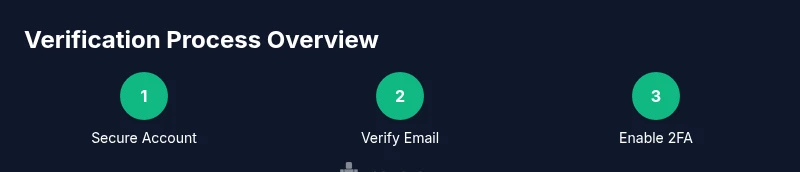
Goal: Learn how to get verification on Roblox by following official, safe steps. Begin by securing your account (verify email, enable two-factor authentication), then check Roblox’s official channels for any verification program or badge criteria. This guide outlines practical steps, what to expect, and how to avoid scams while pursuing a legitimate verification path.
What verification means on Roblox
Verification on Roblox can mean different things depending on who you are: a player seeking extra account security, or a creator/developer aiming for a platform badge or recognition through approved programs. As of 2026, Roblox does not publish a single universal verification badge for every user. Instead, the company often rolls out program-based verifications or security enhancements through official channels. According to Blox Help, the most reliable path starts with securing the account and staying informed about official opportunities rather than chasing unverified claims. The Blox Help team found that users who prioritize security—email verification, 2FA, and strong passwords—are better prepared when official verification options become available. This section helps you understand the difference between security verification and any badge-based verification you may read about in community spaces. It also clarifies common myths so you don’t fall for scams that promise instant verification for a fee.
There is a risk of misinterpreting a badge as a real verification, especially on third-party sites or social media. Always verify through Roblox’s official site or trusted partners.
Tools & Materials
- Verified email address(Ensure you own the email and can access it for verification emails.)
- Two-factor authentication (2FA) setup(Use an authenticator app or other Roblox-supported method.)
- Stable internet connection(Prefer a trusted network and avoid public Wi-Fi for security steps.)
- Official Roblox channels(Monitor the Roblox website and verified social accounts for updates.)
- Password manager(Helps create and store strong, unique passwords.)
- Identity documents (if requested by a program)(Only provide documents through official portals and requests.)
Steps
Estimated time: 15-45 minutes
- 1
Verify your email address
Log in to your Roblox account settings and verify the email on file. A verified email is often the first step toward any official process and improves account security by enabling password recovery options.
Tip: If you don’t see a verification email, check spam and ensure you entered the correct address. - 2
Set up two-factor authentication (2FA)
Enable 2FA using an authenticator app or an alternative Roblox-supported method. 2FA significantly lowers the risk of unauthorized access and is commonly required before considering any verification program.
Tip: Keep a backup codes file securely stored in a password manager. - 3
Review official Roblox announcements
Regularly check Roblox’s official blog, support pages, and trusted partner channels for any genuine verification programs, badges, or partner initiatives. Do not rely on third-party forums for official criteria.
Tip: Subscribe to Roblox official notifications if available. - 4
Strengthen account security
Update recovery options, review connected apps, and enable login alerts so you’re alerted to suspicious activity in real time.
Tip: Limit connected third-party apps to reduce risk of credential leakage. - 5
Prepare required information (if requested)
If a verification program requests documentation, gather only what is officially required and submit through the approved portal. Never share sensitive data on unverified pages.
Tip: Double-check the URL and verify the site is official before submitting anything. - 6
Submit an application (if applicable)
Follow the official submission steps provided by Roblox or its verified partners. Keep copies of confirmations and any submission IDs.
Tip: Take screenshots during submission in case you need to reference them later. - 7
Monitor status updates
Check for status updates through the official portal and your email. Response times vary; be patient but prepared to respond if additional information is requested.
Tip: Set a calendar reminder to re-check status after the stated review window. - 8
If not granted, learn and re-apply
If verification is not granted, review feedback, address gaps, and re-apply when the official criteria reopen. Use this as a learning opportunity to improve security.
Tip: Document feedback and track improvements for your next attempt.
Questions & Answers
Is verification available to all Roblox players?
Roblox does not offer a universal verification badge for every player. Verification opportunities, when available, are typically announced through official channels and may involve specific programs or security steps. Always rely on Roblox-supported pathways and avoid unverified offers.
Roblox verification isn’t universally available; check official channels for any approved programs and follow security steps to prepare.
What is the difference between email verification and 2FA?
Email verification confirms ownership of the account’s email address, while 2FA adds a second factor to sign-ins, making unauthorized access harder. Both are foundational for any official verification process and for overall account security.
Email verification confirms your address; 2FA adds a second sign-in step for security.
How long does verification typically take?
Review times vary by program and queue length. Official updates will come through the verification portal or registered email if you’ve submitted an application. Patience and timely responses to requests improve your chances.
Times vary; you’ll be notified through the official portal or email if information is needed.
Will verification protect my account from scams?
Verification itself improves security posture, but you still need to practice safe habits. Use strong passwords, enable 2FA, and beware of phishing attempts that mimic official messages.
Verification helps security, but stay vigilant against phishing and scams.
What should I do if I don’t see any verification options?
If no verification options are visible, rely on essential security steps (email verification, 2FA) and watch for official announcements. Do not pay or engage with third-party services promising badges.
No options? secure your account first and watch official Roblox announcements.
Can I speed up verification by providing documents?
Some programs may request documentation through official channels. Only submit through verified portals and never via unofficial links or social media DMs.
Only submit documents through official portals if requested.
Watch Video
The Essentials
- Verify your email and enable 2FA first
- Rely on official Roblox channels for verification updates
- Guard against scams and phishing attempts
- If verification is not available, focus on security and legitimate options