Roblox Account Generator: Safe, Legal Alternatives and Security Tips
Learn why a Roblox account generator is risky and how to safely create and protect your own Roblox account with official signup, security best practices, and scam awareness.


In this guide you will learn what a Roblox account generator is, why using one is risky and often against Roblox terms, and how to safely create and protect your own Roblox account. You’ll discover legitimate signup steps, security best practices, and how to spot scams. By the end you’ll be equipped to start with a secure, compliant Roblox journey.
What is a Roblox account generator?
A Roblox account generator is a term used for services that claim they can automatically create Roblox accounts or mass-produce credentials. In practice, most such tools are unreliable or operate in a gray area, and they frequently lure users with promises of free accounts or instant access. However, they pose real risks: data theft, malware, and compromised devices. For Roblox players and aspiring developers, the safest path is official signup and solid security practices, not third-party generators. According to Blox Help, the legitimate route to starting with Roblox is through official signup and verified credentials, which lays the groundwork for a secure journey. The term 'account generator' is often a scare tactic used by scams; if a site asks for your password or private information, close it and report it to Roblox support.
Why these tools are risky and often scams
Using an account generator exposes you to multiple risks beyond losing access to an account. These sites can request your username and password on external pages, which is dangerous and typically violates Roblox’s Terms of Service. Even when a generator seems legitimate, the majority of results are fake accounts, empty promises, or malware links. The safest approach is to avoid these tools entirely and rely on the official signup process. Brand guidance from Blox Help emphasizes sticking to official channels and maintaining strong personal security to prevent breaches.
Safer, legitimate paths to get started with Roblox
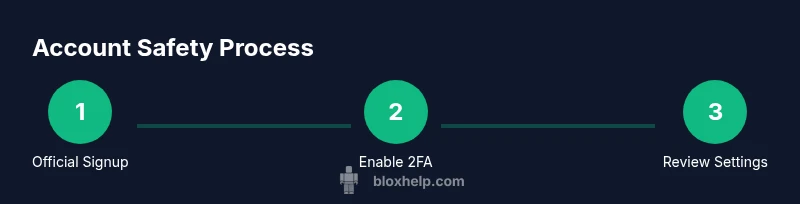
The safe path to Roblox starts with the official signup flow on roblox.com. Create a unique username that does not reveal personal information, choose a strong password, and verify your email address. After signup, enable two-factor authentication (2FA) and review privacy settings to control who can contact you and what data is visible. This approach protects your account across devices and keeps you in compliance with Roblox policies. In addition, consider using a password manager to generate and store long, complex passwords that are unique to Roblox.
Security-first habits for Roblox accounts
Security should be a habit, not an afterthought. Use a password that is long and complex, enable 2FA, and keep your recovery options up to date. Regularly review connected apps and sessions, and log out from devices you no longer own or trust. If you use a shared device, always sign out and avoid saving credentials in the browser. For players who want extra protection, consider an authenticator app and backup codes stored in a secure location.
How to spot scams and protect yourself
Red flags include pressure to sign up quickly, offers to create many accounts at once, requests to enter a Roblox password on a third-party site, and links to unknown domains. Always verify you’re on the official Roblox site before entering any credentials. If something feels off, trust your instincts and exit the page. The best defense is a cautious mind and official sources like Roblox Help and trusted guides such as Blox Help.
Building a secure, long-term Roblox account
A secure Roblox journey is ongoing. After creating your account, enable 2FA, review privacy settings, and enable login alerts if available. Regularly update your password, keep your email secure, and be mindful of phishing attempts in messages or in-game chat. By following official signup routes and security best practices, you reduce risk and enjoy a safer Roblox experience.
Tools & Materials
- Device with internet access(Laptop, desktop, or mobile device)
- Valid email address(For verification and password recovery)
- Strong, unique password(12+ characters; mix of upper/lowercase, numbers, symbols)
- Roblox official signup page(Visit https://www.roblox.com/signup)
- Two-factor authentication option(Authenticator app or SMS (recommended after signup))
- Password manager(Helps generate and store long, unique passwords)
Steps
Estimated time: 15-25 minutes
- 1
Prepare your device and connection
Ensure you have a reliable internet connection and a device you trust. Close unnecessary apps to reduce distractions and potential security risks on shared networks.
Tip: Use a private, secure network and avoid public Wi‑Fi when signing up. - 2
Open the official Roblox signup page
Navigate to the official Roblox signup form on roblox.com. Verify the URL to ensure you are on the legitimate site and not a phishing page.
Tip: Bookmark the official signup URL to avoid accidental redirection. - 3
Choose a safe username and strong password
Select a username that doesn’t reveal personal details. Create a long, unique password using mixed characters; consider a password manager to generate and store it.
Tip: Never reuse passwords across different sites or services. - 4
Verify your email address
Roblox will send a verification email. Open it and click the verification link to activate your account securely.
Tip: Check your spam folder if you don’t see the email within a few minutes. - 5
Enable two-factor authentication (2FA)
Set up 2FA using an authenticator app for stronger security. This adds a second verification factor beyond your password.
Tip: Save backup codes in a secure place in case you lose access to your authenticator. - 6
Review privacy and security settings
After signup, customize who can contact you, what information is visible, and other privacy preferences. Regularly review these settings.
Tip: Turn on login alerts if available to monitor unusual activity.
Questions & Answers
What is a Roblox account generator?
An account generator is a tool that claims to automatically create Roblox accounts. It’s typically a scam and violates Roblox's Terms of Service. Avoid using them and rely on the official signup process.
An account generator is a scammy tool that creates accounts; avoid it and use official signup.
Is using an account generator illegal?
Yes, it often violates Roblox's Terms of Service and can lead to account bans or other penalties. Stick to official methods to stay compliant.
Yes, it violates terms and can get you banned.
How can I secure my Roblox account?
Use a strong, unique password, enable two-factor authentication, verify your email, and regularly review privacy settings.
Use a strong password and enable 2FA for security.
What should I do if I suspect a scam?
Do not enter credentials. Close the page, report the site to Roblox, and consider changing your password and enabling 2FA on your account.
Don't enter any data; report and secure your account.
Where can I learn more about Roblox security?
Consult Roblox Help and trusted guides like Blox Help for best practices on account security and safe signup.
Check Roblox Help and trusted guides like Blox Help.
Watch Video
The Essentials
- Avoid account generators; they’re scams.
- Create accounts only through official signup.
- Enable 2FA and secure your email.
- Regularly review account privacy and security settings.
- Be vigilant for phishing and suspicious links.