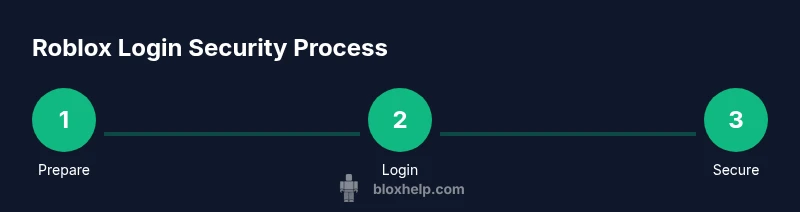
www roblox login: Secure Access and Account Safety
Learn to log in securely to www roblox login, verify the official URL, enable 2FA, recover access, and protect your Roblox account. Practical steps, tips, and safety checks.


You will securely log in to www roblox login by confirming the official URL, entering your username and password, and enabling two-factor authentication for extra security. If you forget credentials, use the password reset flow via your linked email or phone. Always avoid sharing codes and check device permissions.
Understanding the login flow and security basics
Your Roblox account login is more than entering a username and password. When you initiate www roblox login, your browser talks to Roblox servers over HTTPS, exchanges session cookies, and creates a signed-in state. If the domain or page isn’t legitimate, your session could be hijacked. This is why following best practices matters. According to Blox Help, most security incidents come from phishing, reused passwords, or weak device security, not because Roblox’s servers were breached. A disciplined approach—checking the URL, keeping passwords unique, and enabling protections—reduces risk and makes www roblox login safer for most players. In practice, treat login like a small security checkpoint rather than a routine keystroke, and you’ll lower your chances of account loss.
Verified entry points and URL verification
The official Roblox login page is reachable via secure links from Roblox’s own domain. Always type the address yourself or click from a trusted source; never paste or open login links from unsolicited messages. Verify the URL begins with https://www.roblox.com/login and look for a padlock icon in the address bar. Be cautious of look-alike domains (e.g., roblox-login.net) or shortened links that redirect to unfamiliar pages. If you’re ever unsure, close the page and navigate to Roblox by typing roblox.com in the address bar. A quick habit is to bookmark the correct login URL and use it directly from your bookmarks bar. Maintaining this discipline pays off in avoiding credential theft and impersonation attempts, especially when you’re playing on shared devices or public networks. In short, the official path is your best path for www roblox login.
Creating and managing your Roblox account credentials
Your username is public, but your password should be private and strong. Use a unique password for Roblox that you don’t reuse elsewhere. A strong password typically blends uppercase and lowercase letters, numbers, and symbols, and runs 12+ characters. Consider using a password manager to generate and store these secrets securely. Do not write passwords on sticky notes or save them in plain text files. If you use email-based recovery, ensure your email account is protected with its own strong password and 2FA. When you review your credentials for www roblox login, remove any saved autofill data on shared devices to reduce risk of shoulder surfing. Consistency in credential hygiene is critical to long-term account health.
Enabling two-factor authentication (2FA) and account security
Two-factor authentication adds a second barrier between an attacker and your Roblox account. On most accounts, you can enable 2FA using an authenticator app (like Google Authenticator or Authy) or a secure email/phone method offered by Roblox. Once enabled, you’ll be asked for a time-based code or a prompt approval during sign-ins. Save backup codes in a safe place, ideally in a password manager or a physical backup that only you can access. For www roblox login, 2FA reduces the odds of successful phishing or password theft, because a stolen password alone won’t grant access without the code from your device. Regularly review 2FA settings and revoke access for old devices.
Password recovery and reset flows
When you forget your Roblox password, don’t panic. Use the official password reset flow immediately by clicking the “Forgot password or username?” link on the login page. You’ll typically receive a reset link at your verified email or phone number. Complete the reset with a strong new password and update any connected apps. If you don’t receive the reset email, check your spam folder, and verify that you used the correct Roblox account email or username. After resetting, sign in to www roblox login and reenable 2FA if needed.
What to do if you can't access your account
Sometimes you’ll be locked out due to a compromised account or lost 2FA access. Start with the recovery options and check for any active security alerts in your Roblox account page. If you can’t recover access, use Roblox Support channels and provide identifying information to verify ownership. Always avoid creating new accounts to bypass restrictions; this could violate Roblox terms and make recovery harder. Document recent login attempts and any unusual activity to help support diagnose the issue quickly. According to the Blox Help team, patience and precise information speed up resolution.
Protecting your account from phishing and social engineering
Phishing attempts commonly arrive via email or social media messages that resemble Roblox communications. Always inspect sender details and links before clicking. Do not enter credentials on pages received through unsolicited messages, even if they appear to come from official sources. A common trap is a fake login prompt that asks for verification when you haven’t initiated a sign-in. Keep browser protections enabled and install security updates promptly. If you suspect a phishing page, exit immediately and report it to Roblox Support through the official site. For www roblox login, stay vigilant and rely on the official domain.
Best practices for device and browser security
Keep your devices and browsers updated with the latest security patches. Use a reputable password manager, enable automatic updates, and run malware scans on devices you use for Roblox. Avoid using public Wi-Fi for login without a VPN, and consider enabling network-level protections. Clear cookies after signed-in sessions on shared devices and use separate profiles for gaming. When possible, enable biometric logins where available to reduce keystrokes that could expose credentials. A secure setup around www roblox login reduces exposure to common attack vectors.
A roadmap for ongoing account hygiene and recovery readiness
View login security as an ongoing practice rather than a one-time task. Schedule periodic password changes and review recovery options every few months. Keep a small set of trusted devices and revoke access on devices you no longer own. Maintain a simple incident response plan: know where to go for help, have backup codes saved, and know how to verify a login attempt. By integrating these habits, you’ll strengthen your Roblox account’s resilience against theft and ensure you can recover quickly if something goes wrong. The routine is worth the effort, especially for players who rely on their Roblox experience for social play and potential development work.
Tools & Materials
- Device with internet access(Stable browser or Roblox app on a computer, tablet, or phone.)
- Active Roblox account email or phone number(Needed for password resets and 2FA verification.)
- Authenticator app (e.g., Google Authenticator, Authy)(Preferred 2FA method; enables time-based codes.)
- Password manager(Strongly recommended to store complex passwords securely.)
- Backup recovery codes(Store offline or in a secure vault for emergency access.)
- Updated web browser or Roblox app(Keeps security features current and reduces risk.)
Steps
Estimated time: 25-40 minutes
- 1
Open the official Roblox login page
Navigate to the official login URL using a trusted device. Verify the address begins with https://www.roblox.com/login and ensure the padlock icon is present. Do not click login links from unsolicited messages.
Tip: Tip: Always type the URL yourself or use a bookmark to avoid phishing redirects. - 2
Enter your credentials securely
Enter your username/email and password on the secure page. Do not save passwords on shared devices and avoid autofill on public machines. If you accidentally type in a typo, backspace and re-enter before submitting.
Tip: Tip: Use a unique password that you don’t reuse on other sites. - 3
Complete 2FA when prompted
If you have 2FA enabled, provide the time-based code from your authenticator app or approve the sign-in prompt. Save backup codes in a safe place in case you lose access to your device.
Tip: Tip: Keep a backup code in a secure password manager entry. - 4
Review devices and sessions
After signing in, check active sessions and revoke tokens for devices you no longer use. Consider marking your current device as trusted if you control it securely.
Tip: Tip: Periodically audit connected devices to minimize risk. - 5
Recover if you can’t sign in
If you can’t log in, use the forgot password flow and ensure you have access to your recovery email or phone. Follow the prompts exactly and avoid creating new accounts unless Roblox Support confirms it’s safe.
Tip: Tip: Start recovery quickly to reduce risk of permanent lockout. - 6
Contact Roblox Support if needed
If other options fail, reach Roblox Support through the official site and provide ownership verification details. Follow their guided steps and avoid sharing sensitive data in insecure channels.
Tip: Tip: Collect identification details and recent activity to speed up resolution.
Questions & Answers
How can I verify I'm on the official Roblox login page?
Always check that the URL is https://www.roblox.com/login and look for the secure padlock. Avoid clicking links from untrusted emails or messages and consider typing the URL directly or using a bookmark. If in doubt, navigate to roblox.com first and select Login.
Always verify the URL is official and use a bookmark to log in; if you’re unsure, go through the main roblox site to reach the login page.
Is two-factor authentication required for all users?
Two-factor authentication is highly recommended and widely supported, but Roblox may not require it for every account. Enabling 2FA significantly reduces risk from password theft, especially on shared devices or public networks.
2FA is strongly advised; it adds a second barrier even if your password is compromised.
What should I do if I forget my password?
Use the official password reset flow from the login page, receiving a reset link at your verified email or phone. Create a new strong password and update 2FA if needed.
Use the reset flow on the login page, then set a new strong password and re-enable 2FA if necessary.
Can I log in on mobile without the Roblox app?
Yes, you can sign in via mobile browsers or the Roblox app. Ensure the site is secure, and avoid saving passwords on shared devices.
You can login from mobile browsers or the app; keep your device secure and avoid saving credentials on shared devices.
What should I do if I suspect my account was compromised?
Immediately run through password reset and 2FA recovery options. Check for unauthorized changes in account settings and review recent login activity. Contact Roblox Support if access cannot be restored quickly.
If you think you’ve been compromised, reset, re-verify with 2FA, and contact Roblox Support if needed.
How do I start recovery if I lose access to my email or phone?
Use Roblox’s official recovery paths and provide ownership verification details. If you can’t verify, wait for guidance from Roblox Support rather than creating a new account.
If you’ve lost access to recovery options, go through Roblox Support and provide required ownership details.
Watch Video
The Essentials
- Enable 2FA on your Roblox account for stronger protection.
- Always verify the official login URL to avoid phishing.
- Use unique passwords and a password manager for every account.
- Know how to recover access via the official reset flow.
- Regularly review devices and security settings for www roblox login.