Roblox com log in: Your complete sign-in guide
Learn how to log in with roblox com log in, recover forgotten credentials, and protect your Roblox account across web and mobile. This step-by-step guide covers troubleshooting, platform differences, and safe login practices.


Welcome to the Roblox login guide. This article explains how to log in with roblox com log in, recover your password, and secure your Roblox account across web and mobile. You’ll learn where to sign in, common error messages, and the essential steps to verify your identity so you can jump back into your games safely.
What is Roblox Login?
Roblox login is the process by which you authenticate your identity to access your Roblox account, avatars, saved progress, in-game items, and settings. Your account is tied to a unique username and password, and signing in grants access to the Roblox ecosystem—whether you're playing on the web, mobile app, or compatible consoles. Understanding the login flow helps you avoid phishing sites and reduces the risk of credential theft. Always verify you are on the official domain (roblox.com) and use legitimate apps to sign in. By following secure login practices, you protect your account and ensure a smooth gaming experience across devices.
If you share a device, sign out when finished and consider enabling two-factor authentication (2FA) if available. This adds a second layer of verification beyond your password, making it harder for unauthorized users to access your account.
How to Access the Roblox Login Page
Accessing Roblox login is straightforward, but where you sign in depends on your device. On a computer, open a web browser and go to roblox.com/login. On mobile, launch the Roblox app and tap Sign In, which redirects to the same login flow. Ensure you’re connected to a secure network (look for https in the address bar) and avoid saving credentials on shared devices. If you land on a page that looks like a sign-up form, navigate to the proper login link at roblox.com/login. For extra convenience, you can bookmark the login URL for quick access during gameplay sessions.
When troubleshooting, check that you’re not on a phishing page by inspecting the URL and the site’s certificate. If you bookmark the site, use the official URL rather than through third-party shortcuts.
Credentials and Account Recovery Basics
To sign in, you’ll typically need a Roblox account with a username and password. If you forget either, use the built-in recovery options. Roblox primarily relies on username-based login, with password recovery sent to the registered email or phone number. Having up-to-date recovery options helps you regain access quickly when you’re locked out. It’s also wise to keep your email address current and enable 2FA if your account supports it. If you don’t recognize a password reset email, check your spam folder and confirm the sender’s address before clicking any links.
Keep a mental note of your username to avoid confusion, especially if you have multiple Roblox accounts for testing or development purposes. A secure password manager can help you remember complex passwords without writing them down or storing them insecurely.
Troubleshooting Common Login Issues
Login problems can arise from several sources. Common causes include mistyped credentials, an expired password, or a misconfigured two-factor authentication setup. Network issues or maintenance on Roblox servers can also prevent sign-in. Start by double-checking your username and password for accuracy, ensuring the Caps Lock key isn’t on, and confirming you’re connected to the internet. If 2FA is enabled, verify you have access to your authenticator app or backup codes. If you still can’t log in, try resetting your password and re-authenticating your 2FA settings.
When signs indicate a broader outage, check Roblox’s official status pages or trusted social channels for updates. Avoid making multiple rapid login attempts, which can trigger temporary account blocks.
Using Roblox on Different Platforms
Roblox supports web, mobile, and certain consoles, with the login flow designed to be consistent across platforms. On the web, you sign in at roblox.com/login and access your library from a browser. On iOS and Android, you sign in through the Roblox mobile app, which then syncs your progress with the web account. On consoles like Xbox, login may involve linking your Roblox account to your console profile. Regardless of platform, ensure you’re using the official Roblox app or site and keep your app updated to avoid compatibility issues that could affect sign-in.
If you encounter platform-specific prompts, follow the on-screen instructions for device-linked sign-ins or password updates. Some platforms may offer optional biometric login, which provides quicker access while maintaining security.
Remember to sign out on shared devices and review connected devices in account settings to manage where you’re signed in.
Security and Account Safety Tips
Security should be a constant consideration whenever you sign in. Use a strong, unique password for Roblox and avoid reusing passwords from other services. Enable two-factor authentication where available, and keep backup recovery options current so you can regain access if you lose a device. Be cautious of phishing attempts—never enter your credentials on unexpected pages or after clicking suspicious links. Check for the padlock icon and verify the site’s certificate before entering sensitive information.
Regularly review your account activity for unfamiliar sign-ins and promptly revoke access on devices you no longer use. If you suspect a breach, reset your password immediately and contact Roblox support through official channels.
Resetting Passwords and Email/Phone Verification
If you forget your password, use the Forgot Password option on the login page. Roblox will guide you through sending a reset link to your registered email or phone number. Follow the link and create a new password, then sign in again with the updated credentials. If you do not receive the reset email, check your spam folder and ensure you have access to the registered recovery options. After resetting, review your account security settings, including enabling 2FA and updating any outdated recovery information.
If your account is linked to an old or inaccessible email, contact Roblox support with proof of ownership to recover access. Always confirm the official support channel to avoid scams.
Best Practices for a Smooth Login Experience
To minimize friction during sign-in, keep your browser and the Roblox app up to date, use a strong password, and enable 2FA if available. Maintain a single, reliable recovery email and phone number, and avoid saving passwords on shared devices or in web browsers without encryption. Consider using a password manager to securely store credentials and auto-fill login data only on trusted devices. Periodically review connected sessions and revoke access from devices you no longer use.
By adopting these habits, you’ll reduce the chances of login failures and improve overall account security while enjoying uninterrupted access to Roblox games and creator tools.
Immediate Next Steps After Logging In
After you’ve signed in, take a few quick steps to secure your session. Verify that you’re on the official Roblox site or app, check your account activity for anything unusual, and enable 2FA if you haven’t already. Update your password if it feels weak or has been reused across other services. If you plan to sign in from multiple devices, ensure each one is secured with a recent OS update and a trusted authentication method. Finally, take a moment to review your privacy and security settings so your Roblox experience remains safe and enjoyable.
Tools & Materials
- Device with internet access(PC, smartphone, or tablet)
- Roblox account username(Your registered username)
- Password(Current Roblox password)
- Recovery options (email/phone)(Access to registered email or phone)
- Two-factor authentication setup(Recommended for extra security)
- Web browser or Roblox app(Updated version preferred)
Steps
Estimated time: 20-40 minutes
- 1
Open the Roblox login page
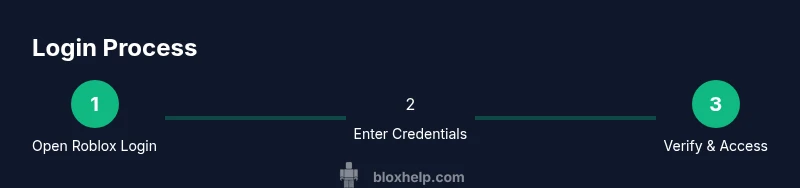
Open a trusted browser or the official Roblox app and navigate to roblox.com/login. Confirm you’re on the legitimate page by checking the URL and certificate. If you’re using a shared device, don’t save credentials and close the app when you’re done.
Tip: Bookmark the official login URL to avoid phishing sites. - 2
Enter your username and password
Type your Roblox username and password exactly as registered. Watch for caps lock and keyboard layout changes. If you frequently mistype, consider enabling a password manager to autofill securely.
Tip: Double-check spelling before submitting to prevent lockouts. - 3
Complete two-factor authentication if enabled
If 2FA is set up, enter the code from your authenticator app or backup method. Some prompts may request approval on your device. If you don’t receive a code, request a new one and ensure your time sync is correct on the authenticator.
Tip: Keep backup codes stored in a secure location. - 4
If sign-in fails, use the Forgot Password flow
Click 'Forgot Password' on the login page and follow the prompts to reset your password. You’ll receive a reset link via your registered email or phone. Complete the steps to regain access.
Tip: Check spam/junk folders if you don’t see the reset email within a few minutes. - 5
Reset your password and verify recovery options
Create a new strong password and sign in again. Review your recovery options to ensure you can regain access if you’re locked out again. Update two-factor settings if you changed devices.
Tip: Use a unique password that isn’t reused across sites. - 6
Secure your session after logging in
Sign out from shared devices, monitor recent activity, and enable 2FA if not already. Keep your app and OS updated to reduce security risks.
Tip: Regularly review connected devices in account settings.
Questions & Answers
What is Roblox login and where do I access it?
Roblox login authenticates your identity to access your account, games, and settings. Sign in at roblox.com/login or via the Roblox mobile app.
Roblox login is how you sign into your account on Roblox. Use roblox.com/login or the Roblox app to sign in.
Why can’t I log in even after entering my credentials?
Common causes include incorrect password, locked account, or 2FA issues. Verify your credentials, check for account security prompts, and try resetting your password if needed.
If you can’t log in, check your password, ensure 2FA isn’t blocking access, and reset your password if necessary.
How do I reset my Roblox password?
Click Forgot Password on the login page, follow the sent link to reset, and create a new password. Check your email spam folder if you don’t see the message.
Go to the login page, choose Forgot Password, and follow the steps to reset.
How do I enable two-factor authentication for Roblox?
Go to account settings, find the 2FA or security section, and set up an authenticator app or backup methods. You’ll need to enter codes during sign-in.
Enable 2FA in your account settings and follow the prompts to pair an authenticator app.
I forgot my username. How can I recover it?
Use Roblox’s account recovery options to locate or recover your username, typically via your registered email or phone. If needed, contact support with proof of ownership.
If you forgot your username, use the recovery options or contact support with proof of ownership.
Is it safe to log in from a mobile device?
Yes, as long as you use the official Roblox app or the legitimate website and keep your device secure. Avoid saving passwords on shared devices.
Logging in from mobile is safe with the official app, just keep your device secure.
Watch Video
The Essentials
- Sign in securely with roblox com log in.
- Enable 2FA to protect your account.
- Use recovery options to regain access quickly.
- Regularly review connected devices and account activity.
- Follow official channels for password resets.