Does Roblox Have a Discord Server? A 2026 Practical Guide
Explore whether Roblox maintains an official Discord server, how to join safely, and practical alternatives for community engagement, with insights from Blox Help.


Does Roblox Have an Official Discord Server?
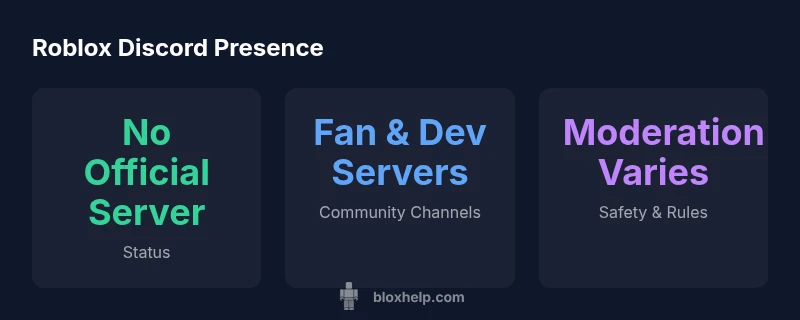
When players ask does roblox have a discord server, the reality is that there is no single official Roblox-wide Discord server run by Roblox Corporation. In 2026, Roblox communicates through its official site, Roblox News, the Developer Hub, and the Roblox Blog. The active Roblox community, however, has created numerous Discord servers for general chat, game development collaboration, and fan events. These spaces are run by community admins and sometimes verified moderators from popular developers. Always verify legitimacy and avoid invites from dubious sources. In this guide, we examine what exists, how to participate safely, and sensible alternatives for Roblox enthusiasts.
As a rule of thumb, rely on official Roblox channels for critical information and use community Discords as a supplementary space for discussion and learning. The phrase does roblox have a discord server is common, but the accurate answer is nuance: there is no centralized Roblox-managed Discord presence. This distinction matters for safety, moderation, and trust in server content. },
Official Roblox Channels vs. Discord
Roblox maintains a strong official presence across its primary platforms: the Roblox site, Roblox’s official Twitter/X accounts, the Roblox Blog, and the DevForum. These channels provide verified announcements, event notices, and developer-focused guidance. Discord, by contrast, hosts a broad ecosystem of fan servers, developer circles, and community clubs. These spaces vary in moderation quality and safety standards, and they are not endorsed as official Roblox channels. If you encounter a server claiming to be “Roblox Official,” treat it with skepticism unless Roblox themselves has publicly endorsed it. Always cross-check with Roblox’s official pages before joining.
For players who want direct access to official-stamped information, stick to Roblox’s own announcements and the DevForum. Discord can be a valuable supplementary venue, but it is not a substitute for official Roblox communications. This separation helps lessen exposure to misinformation and phishing attempts commonly seen in large, unverified communities.
How the Roblox Community Uses Discord
Community Discord servers excel at real-time chat, event planning, and rapid feedback loops among players and developers. In practice, you’ll commonly find:
- General chat rooms where players discuss games, scripting tips, and updates.
- Developer channels where new project announcements, beta tests, and feedback threads occur.
- Event and tournament hubs that coordinate times, teams, and prizes.
- Q&A sessions with developers or experienced players who share tutorials and debugging help.
Despite the utility, the breadth of these servers means rules, moderation quality, and safety standards differ dramatically from one server to another. It’s important to examine server rules, moderator presence, and user reports before engaging deeply. Community Discords often provide valuable learning opportunities but can also host scams or inappropriate content if not properly moderated.
Safety, Moderation, and Verification on Discord
Safety should be a priority when exploring Discord for Roblox. Some best practices include:
- Only join servers with clear moderation policies and visible rules.
- Do not share personal information, account credentials, or payment details.
- Verify server authenticity by checking official Roblox references or community leader endorsements.
- Be cautious with links and file downloads; hover links to preview destinations before clicking.
Moderation standards vary, and phishing attempts are common in large communities. If a server does not display a public moderation team or fails to present clear rules, it’s prudent to disengage or report it. If parents or guardians are involved, enable safety features and discuss online behavior and privacy expectations with your child.
How to Find Legitimate Discord Communities
Locating credible Discord spaces requires a careful approach:
- Look for links shared on official Roblox pages, the Roblox Blog, or reputable community guides.
- Check if the server has a staff roster, moderator channels, and a posted code of conduct.
- Verify that the server’s name includes recognizable Roblox community identifiers and that invitations come from trusted sources.
- Start with smaller, well-moderated communities to learn the norms before joining large public servers.
Remember: scammers frequently impersonate official channels. When in doubt, pause, verify through official Roblox references, and seek guidance from trusted Roblox content creators or moderators.
Alternatives to Discord for Roblox Community Engagement
Discord is just one avenue for community engagement. Other platforms offer robust support and official information:
- Roblox DevForum: a developer-focused space for technical discussions, documentation, and project feedback.
- Roblox Blog and Roblox News: official announcements, patch notes, and feature previews.
- Social channels like Twitter/X and YouTube: quick updates and tutorials from official sources.
- Community forums and Reddit communities dedicated to Roblox games and scripting.
Using a mix of official channels and smaller, moderated communities can provide a balanced experience with safer learning opportunities.
Best Practices for Participating in Roblox-Discord Communities
If you choose to participate in community Discords, follow these guidelines for a positive experience:
- Respect server rules, moderators, and fellow members.
- Verify any claims about game releases, features, or updates with official Roblox channels.
- Be mindful of spoilers and community drama; switch to topic-focused channels when possible.
- Use separate accounts or privacy-friendly usernames to protect your personal information.
Finally, consider setting up parental controls if younger players are involved and discuss what information is appropriate to share in public chats. These practices help maintain a constructive space for Roblox learning and collaboration.
What Roblox Has Officially Confirmed About Future Discord Presence
Roblox has historically communicated through its own official platforms rather than a centralized Discord server. While community Discords thrive for real-time discussion, there has been no public, authoritative statement confirming an official Roblox-run Discord presence. The best approach remains to monitor official Roblox channels for any future announcements and to participate in community spaces that maintain strong moderation and clear safety guidelines. This stance aligns with Roblox’s emphasis on reliable information dissemination through established channels.
dataTableCaptionDescription