Roblox and Discord: A Practical Community Guide for Fans
Explore how Roblox and Discord work together for communities, with official tools, best practices, and tips for safe, engaging spaces for players and creators.


According to Blox Help, a well-structured Discord server paired with Roblox links and roles usually delivers stronger community engagement than standalone forums. When you align roblox and discord together, you streamline announcements, roles, and cross-platform events while maintaining safety. Official Roblox tools support basic integration, but the real value comes from clear moderation, role-based access, and safe channels for announcements, events, and help. In most cases, a balanced mix of automation and human oversight wins.
Why Roblox and Discord Complement Each Other
Roblox and Discord operate in complementary spaces: Roblox is the platform for gameplay and game creation, while Discord serves as a social and coordination hub. For players, this pairing offers a seamless bridge between in-game activity and community interaction. For developers, it creates a testing ground for ideas, feedback channels, and early access discussions. The collaboration between Roblox and Discord accelerates learning, retention, and collaboration by providing real-time communication, moderated spaces, and cross-platform announcements. roblox and discord synergy is not just about linking accounts; it’s about designing a community rhythm that respects both platforms’ strengths, policies, and safety needs. In 2026, many successful communities emphasize structured channels, roles, and clear guidelines to avoid confusion and maintain a welcoming atmosphere.
Key Concepts for Alignment
- Clarity of purpose: Define what belongs in Roblox channels versus Discord channels.
- Role-based access: Create roles that reflect in-game status, participation, or contributor levels.
- Safety first: Implement age-appropriate channels, language filters, and reporting workflows.
- Consistent branding: Use consistent naming conventions and visuals to connect Roblox content with Discord discussions.
- Data privacy: Avoid collecting unnecessary personal information and respect player privacy norms.
When you design around these concepts, you create a cohesive ecosystem where players feel seen, informed, and protected.
Integration Options: From Light to Rich
There are multiple ways to connect Roblox activity with Discord, ranging from simple links and announcements to robust automation. Light integrations include posting Roblox-related news, events, or updates in a dedicated Discord channel. Rich integrations expand this by using bots to assign roles when players complete in-game milestones, post real-time status updates, or grant access to special channels during events. The choice depends on community size, available moderation resources, and the desired level of automation. A gradual approach—start with announcements, then add role-based access and event automation—helps maintain control while scaling.
Moderation and Community Governance
Effective governance is the backbone of a healthy Roblox-Discord ecosystem. Establish a written code of conduct covering behavior, spoilers, banned content, and age-appropriate interactions. Use a mix of automated moderation (filters and bots) and human oversight to catch subtle issues that automation might miss. Regularly review channel permissions, bot logs, and user reports. Document escalation paths so moderators know when to take action and how to communicate decisions to members. This disciplined approach reduces disputes and builds trust across both platforms.
Engagement Mechanics: Events, Q&As, and Giveaways
Cross-platform events are a powerful way to boost participation. Plan in-Discord Q&As tied to Roblox releases, livestreams, or new game updates. Schedule announcements in both spaces ahead of time to maximize visibility. Use channels dedicated to events, behind-the-scenes looks, and feedback collection. Giveaways and rewards can be tied to in-game milestones or exclusive Roblox items, but ensure fairness and transparency. Tracking participation metrics (without exposing personal data) helps refine future events and demonstrates value to the community.
Safety, Privacy, and Age Considerations
Communities that mix Roblox and Discord must prioritize safety. Enforce age-appropriate access, separate channels for different age groups, and implement strict moderation rules for chat, DMs, and content sharing. Provide clear guidance on reporting abuse and phishing attempts. Encourage players to link accounts only through official channels and avoid sharing sensitive information in public spaces. Ongoing education about scams and safe practices protects younger players and builds long-term trust in the community.
Content Strategy: Balancing Roblox Content with Discord Culture
Strike a balance between in-game content, fan art, tutorials, and community discussions. Create dedicated spaces for different content types: gameplay clips from Roblox, fan-made creations, and technical guides. Use pinned messages and regular rounds of Q&A to maintain focus. Encourage collaborations between developers and players, such as co-creating game guides or hosting mentorship threads. Remember to keep a consistent posting cadence so members know where to find updates and how to contribute.
Case Study: Hypothetical Setup for a Roblox Community
Imagine a mid-sized Roblox group that wants to strengthen its community on Discord. They create a server with a clear structure: a welcome hub, announcements, a game-discussion channel, a help desk, a role-based access system, and a dedicated events channel. Bots handle basic moderation, role assignment after linked accounts, and automatic reminders for events. The team publishes a simple code of conduct and runs monthly community feedback sessions. Within weeks, user participation rises as members feel seen and supported, while moderators experience fewer conflicts due to clearer rules.
Pitfalls to Avoid: Common Mistakes and How to Fix Them
One common pitfall is overcrowding channels without clear purposes. Start with a lean structure and expand as needed. Another issue is over-reliance on automation that misses context, leading to misfilters or unfair moderation. Regularly review bot configurations and moderation policies, especially after major Roblox updates or Discord policy changes. Finally, neglecting privacy and safety basics can erode trust; always prioritize staff training and transparent communication with members.
Quick Start Checklist for Beginners
- Define goals: community growth, education, or collaboration.
- Map channels: Roblox updates, general chat, support, events.
- Set roles: member, moderator, mentor, VIP.
- Choose tools: a few reliable moderation bots and a basic integration bot.
- Establish guidelines: code of conduct, privacy policy, reporting flow.
- Plan a first event and create a feedback loop to refine the setup.
Comparison
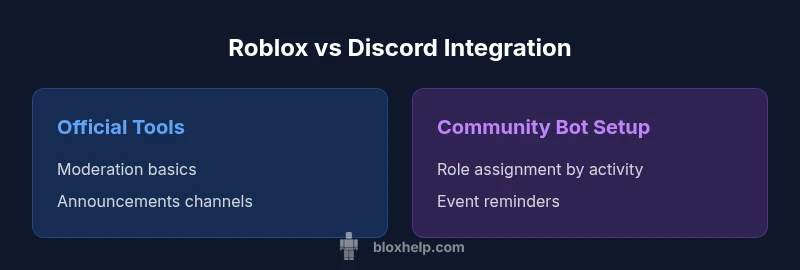
| Feature | Official Roblox Tools & Integrations | Community-Driven Discord Setup |
|---|---|---|
| Integration Depth | Basic linking and status | Rich integration with roles and events |
| Moderation Scope | Standard moderation via built-in tools | Full moderation with custom rules and bots |
| Event Support | Announcements and basic channels | Live events, role-based access, bots |
| Community Customization | Limited; official workflows | Highly customizable with bots and workflows |
| Cost & Maintenance | Low to moderate | Moderate; ongoing moderation required |
| Best For | Small to mid-size communities seeking simplicity | Active communities needing deep customization and control |
Benefits
- Brings together game and community in one place
- Supports event coordination and announcements
- Enhances safety with structured moderation
- Boosts engagement through cross-channel activities
What's Bad
- Requires ongoing moderation and resources
- Potential for information overload if channels are poorly organized
- Not all Roblox features are fully supported in Discord
- Age-appropriate safety concerns in mixed audiences
Integrated Roblox-Discord setups work best for active communities; start with official tools and scale with custom bots
A balanced, phased approach yields the most sustainable results. Begin with reliable official tools, then layer on bots and governance as your community grows.
Questions & Answers
Is there an official Roblox integration for Discord?
Roblox provides basic linking features and API hooks; there isn't a single official all-in-one Discord integration, but supported workflows exist for common tasks like announcements and role-based access.
Roblox offers basic tools for Discord, not one big official integration, but you can accomplish a lot with supported workflows.
How can I link Roblox accounts to Discord roles?
Use bots and verification flows to assign roles based on in-game activity or linked accounts. Ensure privacy compliance and limit data you collect from players.
You can award roles via bots after players link their accounts, while keeping privacy in mind.
What are best practices for moderating Roblox-Discord communities?
Establish clear rules, use a mix of bots and human moderators, separate channels by topic, and enforce safety standards. Regularly review reports and adjust policies.
Set clear rules, balance automation with humans, and keep channels organized and safe.
Are Roblox-Discord communities safe for younger players?
Yes, with strict rules, age-appropriate channels, message filters, and active moderation. Stay vigilant for scams and phishing attempts.
Safety improves with strict rules, supervision, and ongoing education about scams.
What tools do I need to run a Roblox-Discord community?
A solid Discord server, reliable moderation bots, and clear community guidelines. Optional Roblox-related bots can be added to enhance integration as needed.
Get a good server, solid moderation bots, and a clear policy; add Roblox bots later if needed.
The Essentials
- Define goals before building channels
- Prioritize clear roles and moderation policies
- Use official tools first, then extend with bots
- Plan events that cross-promote both platforms
- Regularly review safety and privacy settings