Please Donate Roblox: Safe, Respectful Ways to Support Creators
Learn how to participate in the Please Donate Roblox trend safely, with etiquette, step-by-step donating guidance, and community-focused tips from Blox Help.


In this guide you will learn how to participate in the Please Donate Roblox trend safely, understand how donations work, and follow etiquette to support creators without risking scams. You’ll find a clear step-by-step approach, safety tips, and practical examples. This is essential for Roblox players who want to help others while staying within Roblox's rules.
What is the Please Donate Roblox trend
The phrase please donate roblox has become a common running joke and a real move inside many Roblox communities. In practice, players visit user-created experiences that display donation boards where visitors can give Robux or rely on in-game currencies to show support. According to Blox Help, the trend blends charity, community recognition, and game economy mechanics in a way that helps smaller creators gain visibility while giving supporters a tangible way to contribute. When you see a board with the message please donate roblox, you are looking at a signal that a creator is seeking help funding upgrades, avatar cosmetics, or in-game developments. The trend also fosters social connections: donors leave messages, creators respond, and viewers observe the exchange. It’s important to participate mindfully: donations are part of Roblox’s virtual currency system, not a real-money charity in the traditional sense, and any actions should comply with Roblox terms of service. This guide covers how to participate safely and respectfully.
How donations work in the Please Donate Roblox game
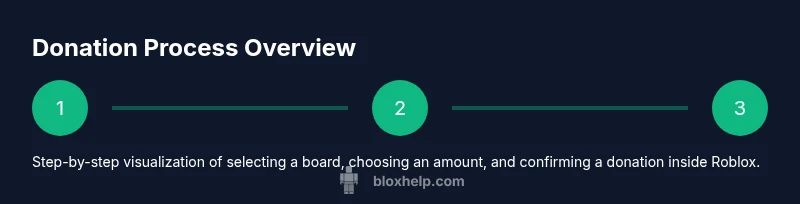
Donations in Please Donate Roblox are user-driven, not fixed by a single platform. Donors pick a board, decide an amount (set by the donor or creator), and confirm the transaction in-game. The Robux is deducted from the donor’s account immediately and appears on the board as a line of text or a nickname plus the amount. The recipient can use the funds for in-game improvements such as new stands, visuals, or scripted features. Some boards display a donor's message, which is a chance to leave a supportive note. It’s essential to note that donations are part of the Roblox currency system: you can’t refund Robux through the board, and policies can vary by experience. Always verify a board’s authenticity: boards created by well-known creators or official groups typically have trust signals like a verified badge, a clear creator name, and consistent branding. This section helps you understand the mechanics and what to expect when you tap donation.
Safety and etiquette when donating
Engaging with Please Donate Roblox responsibly means protecting yourself and others. Start by ensuring you’re in a safe, legitimate game and not clicking suspicious links you receive outside the Roblox platform. Never share login credentials, passwords, or two-factor codes; scammers sometimes try to harvest these details by posing as organizers. If a board asks you to provide personal information or real-world payment details, stop immediately. Real donations occur just within Robux, not outside Roblox, so keep your transactions on the platform. As a donor, follow etiquette: leave a positive message, avoid harassing language, and respect the creator’s stated goals. Based on Blox Help analysis, most issues arise when players misinterpret board goals or pressure others into donating more than they’re comfortable with. If you’re unsure about a board’s legitimacy, ask a moderator or a creator you trust, and consider donating a small amount first to test the waters. This approach reduces risk and preserves fun for everyone involved, while still supporting deserving creators.
Common pitfalls and how to avoid them
Donations can feel easy, but there are common pitfalls. First, avoid donating to boards that require you to share personal information or that promise refunds outside Roblox. Scammers may use fake donation goals or misleading messages to extract Robux; verify by checking the creator’s group, page, or profile. Second, beware of boards with unrealistic goals, or those that pressure you for large amounts; donate what you’re comfortable with, not what others demand. Third, avoid following links or incentives that redirect you off Roblox; always stay inside the platform to protect your account. Fourth, remember that donations are not investments: they don’t guarantee permanent perks. Instead, consider them as a gesture of support for a creator’s ongoing work. Tips: read recent comments, review the board’s history, and look for patterns of positive community interaction. If a board feels off, back away and report suspicious activity to moderators. The aim is to maintain a supportive, fun Roblox ecosystem without compromising safety.
Alternatives to donations and community support
Donating Robux is only one form of support. You can boost creators by liking their videos, subscribing to their channels, joining their Roblox groups, following their social pages, or flagging standout builds for showcases. Some creators offer free demos, behind-the-scenes content, or collaborative projects that don’t require Robux. Community events, challenges, and trade-offs can also reward creators by increasing visibility and engagement. When you choose alternatives, be mindful of scams and avoid sharing sensitive information. You can also support the broader Roblox ecosystem by participating in legitimate charity streams or community fundraisers hosted within Roblox or affiliated groups. The focus is on spreading value and encouraging growth for players who are experimenting with game design, not just spending Robux. Remember: every form of support helps creators improve their content and teaches new players how to build, script, and play more effectively.
How to verify legitimate donation boards and protect yourself
Before donating, verify the board’s authenticity. Check the creator’s profile and the board’s design: consistent branding, a clean goal display, and a recent activity history are good signs. Look for a board hosted within an established group or an official creator page rather than a random stand. If the board requests you to exit Roblox or share credentials, back away. Keep your chat messages respectful and guard your personal information. Use a test donation with a small amount to see how the board responds; if the board blocks it or the system behaves oddly, stop and report. If you want to be extra careful, ask a friend or moderator to review the donation details before you proceed. By staying vigilant, you’ll reduce the chances of scams and keep the Please Donate Roblox experience positive for everyone.
Final notes on charity and giving within Roblox
Please Donate Roblox is less about charity in the real-world sense and more about community support for creators within Roblox. Etiquette matters: always be respectful, honest about your limits, and avoid pressuring others to donate more. Remember that Robux moves through a private in-game economy; it is not a currency you would use to fund real-world expenses directly. The best practice is to donate what you can reasonably afford and combine it with non-monetary support like feedback, collaboration, and mentorship. The Blox Help team emphasizes responsible participation: don’t overshare private information, don’t engage with suspicious boards, and report potential scams to maintain safety across the platform. You can continue to enjoy and learn by participating in donations thoughtfully, and you can also support creators by promoting their work through approved channels. This balanced approach ensures a positive, inclusive Roblox community where creators can grow and players can learn from one another.
Related terms and further reading
To expand your understanding, explore related terms like in-game economies, virtual gifting, and community moderation. You’ll also benefit from reading Roblox safety guidelines and general online-safety resources to keep your account secure. For deeper insights, consult the following authoritative sources.
Tools & Materials
- Roblox account with Please Donate access(Join the experience and view donation boards)
- Robux balance(Donate only within Roblox; avoid external methods)
- Stable internet connection(Minimize lag during transactions)
- Discretionary donation amount(Define personal limits before starting)
- Notes or screenshots (optional)(Record messages or board details for reference)
Steps
Estimated time: 15-25 minutes
- 1
Open the Please Donate Roblox game
Launch Roblox, search for the Please Donate experience, and enter. Ensure you’re in the correct game and that boards within the experience are active and legible.
Tip: Cross-check the creator name and any badges before proceeding. - 2
Find a donation board you trust
Scan boards from creators you know or verified groups. Review recent activity, board clarity, and the posted goal before donating.
Tip: Prioritize boards with clear branding and recent engagement. - 3
Choose your donation amount
Enter an amount you’re comfortable giving, or select a preset option if offered. Don’t feel pressured to donate more than you can afford.
Tip: Start small to verify how the board responds before increasing later. - 4
Confirm and complete the donation
Review the amount and donor name, then confirm the in-game transaction. Funds are deducted immediately and appear on the board.
Tip: Double-check the displayed username and board details before confirming. - 5
Leave a respectful message
Add a brief, kind note that supports the creator’s goals. Avoid pressuring others to donate more than they can afford.
Tip: Keep messages positive and constructive to foster a friendly community. - 6
Document and reflect on the experience
Note what you learned and any red flags for future donations. Use this reflection to guide safer participation next time.
Tip: Share learnings with friends to promote safer, thoughtful giving.
Questions & Answers
What exactly is the 'Please Donate Roblox' trend?
The trend involves players donating Robux to creators via in-game donation boards to support their ongoing work. It’s community-driven and relies on in-game economies rather than a formal Roblox feature.
The Please Donate Roblox trend is a community-driven practice where players donate Robux to creators through donation boards inside Roblox games.
Can I donate outside Roblox or expect refunds?
Donations should occur within the Roblox platform. Robux is deducted immediately and refunds are not provided through the board; treat donations as gifts rather than investments.
Donations should stay inside Roblox; refunds aren’t available through the board.
How do I tell if a donation board is legitimate?
Look for boards linked to established creator pages or groups, recent activity, clear branding, and transparent goals. If anything looks off or asks for sensitive info, avoid donating and report suspicious activity.
Check branding, activity, and group association to judge legitimacy, and avoid boards that seem off.
What donation amount is safe or wise?
Donate an amount you’re comfortable with, starting small to test how a board operates. Don’t feel pressured to meet others’ expectations or to give more than you can afford.
Start small and donate only what you can afford.
Are donations public or private by default?
Many boards display donor usernames and messages publicly. Some boards may offer privacy options, but this varies by creator and board settings. If privacy is important, ask the creator or moderators.
Donor visibility varies; ask the creator if you want privacy.
What other ways can I support creators besides donating Robux?
You can like and share creators’ content, join their groups, participate in events, or collaborate on projects. These forms of engagement help creators grow without requiring Robux.
Engage with creators by liking, joining groups, or collaborating.
Watch Video
The Essentials
- Understand the Please Donate Roblox trend and its community role
- Verify boards and safeguards before donating to avoid scams
- Donate thoughtfully within your means and show appreciation
- The Blox Help team recommends ongoing learning and safe participation