How to Search Roblox Users: A Practical Guide
Learn how to search Roblox users across platforms, using exact usernames, privacy settings, and filters. A practical, beginner-friendly guide by Blox Help.


Learn how to locate Roblox users across web, mobile, and app interfaces. This guide covers when to search by username vs display name, how privacy settings affect results, and how to use filters and advanced search tips to find the right players or developers quickly. Whether you’re building, trading, or just gaming with friends, this quick answer helps you start confidently.
Understanding Why People Search Roblox Users
Search roblox users is a common need for reconnecting with friends, evaluating potential collaborators, or discovering developers whose games you enjoy. In practice, most players perform targeted searches to verify identities, join groups, or invite others to play. The ability to locate someone by their username can save time and reduce confusion, especially when display names are shared by many accounts. Remember that you should always search roblox users with respect for privacy and safety—never impersonate or harass others. This section lays the groundwork for using search effectively across platforms and contexts, so you can move from casual discovery to purposeful outreach.
Key idea: the more precise your query, the faster you’ll find the right Roblox user, especially when you know their exact username.
How Roblox's Search Works
Roblox search is designed to help you locate people, games, and groups, but it isn’t a full-blown people directory like some social networks. The search index often prioritizes exact usernames, recent activity, and public profile visibility. Display names can be shared by multiple users, which may lead to ambiguous results if you don’t specify the underlying username. Privacy settings also affect what you can see; some users restrict who can view their profiles or contact them. When you search roblox users, try to be explicit: use the username when possible, and add context (e.g., the game they created or their role) to filter results more effectively.
Privacy and Safety Considerations When Searching
Privacy is a core consideration when searching for Roblox users. Many players keep profiles private or limit what information appears in search results. If you don’t immediately locate someone, it might be due to privacy settings, low visibility, or a username difference. Always respect player boundaries and avoid attempting to contact players outside Roblox’s built-in tools. If you encounter suspicious activity or potential impersonation, report it through Roblox Support and rely on official channels for communication.
How to Search for Users on Different Platforms
Across platforms—the Roblox website, iOS, and Android apps—the search bar is typically located at the top of the screen or within the Explore tab. Start by entering the exact username if you know it. If you only know the display name, try a broader search and scan results carefully for the correct profile picture and bio. On mobile, use the filters or advanced options if available; on desktop, leverage keyboard shortcuts and the browser’s find function to compare usernames quickly.
Using Advanced Filters to Narrow Results
Advanced filters can significantly reduce clutter when you search roblox users. When present, apply criteria such as user type (player vs. developer), join date, or activity in a game. Filters are especially helpful when the platform allows you to search within a specific game or group. If filters aren’t available, rely on precise keywords and cross-check profiles by viewing recent activity, favorites, and groups to confirm identity.
How to Interpret User Profiles
A Roblox user profile provides more than a name and avatar. Look for join date to gauge familiarity, visible games or groups to understand interests, and following/friend status to assess connections. Check the bio for hints about achievements or role (e.g., game developer or tester). Always cross-check with in-game activity or published games to ensure you’re connecting with the intended person when you search roblox users.
Common Mistakes and How to Avoid Them
Common pitfalls include using only a display name, not verifying the username, and ignoring privacy settings. Relying on a single search result can lead to misidentification, especially for popular names. Double-check by comparing profile avatars, game history, and group associations. If you’re not finding who you’re seeking, broaden the search to adjacent keywords or search within a known friend’s follower list.
Practical Tips for Builders and Developers
Developers often search roblox users to find testers, collaborators, or audience members. Use username-based searches to locate known testers, then review their past projects and feedback. Consider sharing your own project links in relevant groups or forums within Roblox to attract the right audience. When reaching out, use official channels and respectful messaging to keep engagement constructive.
Case Study: Finding Friends vs. Finding Developers
Finding a friend usually requires locating a known username or a mutual contact, while finding a developer often involves reviewing published games and the creator’s profile. Start with the username you have, then look for recent activity or games you’ve both interacted with. For developers, check their published titles, their follower count, and any studios they belong to. This practical approach helps you search roblox users effectively in real-world scenarios.
Tools & Materials
- Device with internet access (PC, tablet, or smartphone)(Stable connection; avoid public Wi-Fi for privacy.)
- Active Roblox account(Ensure your account is in good standing.)
- Web browser or Roblox mobile app(Use up-to-date software for best results.)
- Optional: screen recording or note-taking app(Helpful for keeping track of findings.)
Steps
Estimated time: 10-15 minutes
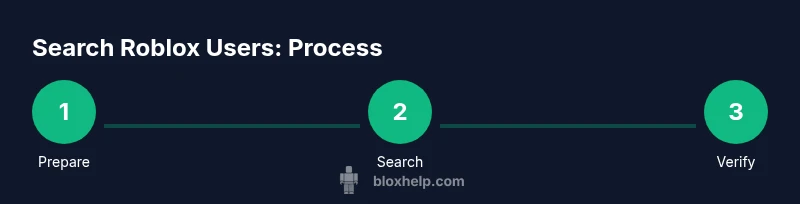
- 1
Prepare your device and account
Log into Roblox on your preferred platform and ensure your account is accessible. Update the app if needed and have a clear goal for who you want to search roblox users for (friend, developer, tester).
Tip: Having a specific username reduces ambiguity. - 2
Choose your search approach
Decide whether you know the exact username or only the display name. Username search yields precise results, while display name searches can return multiple matches.
Tip: Always start with the most precise identifier you know. - 3
Enter the username in the search field
Type the exact username if available. If you only know a display name, enter it and scan the results for the correct profile picture and bio.
Tip: Use copy-paste to reduce typos. - 4
Review search results
Check profile avatars, bios, and recent activity to identify the right user. Compare game history where shown to confirm identity.
Tip: Ignore profiles with suspicious activity or incomplete information. - 5
Open and verify the profile
Open the candidate profile and verify by cross-referencing published games or groups. Look for consistent indicators of the person you want to reach.
Tip: If unsure, leave a note and revisit later. - 6
Save or contact through official channels
If you find the right user, follow, friend, or use Roblox Messages/official contact methods to connect. Avoid external links unless provided by Roblox.
Tip: Respect privacy and consent.
Questions & Answers
Can you search by display name or username?
You should search by the username for precise results. Display names can be duplicated, leading to multiple matches. If you only know a display name, use broader keywords and verify identities carefully.
Search by username for precision; display names can be duplicated, so verify identities.
Why can't I find some players?
Some players restrict profile visibility, have deactivated search indexing, or use different usernames. Privacy settings can prevent certain searches from returning results.
Profiles may be hidden or indexed differently; adjust by checking known games or groups.
Is there a difference between searching on web vs mobile?
The core search works across platforms, but the UI and filter options can differ. On mobile, use the search bar and any available filters; on web, you might have easier access to additional filters.
Functionally similar, but the interface can differ between web and mobile.
How do privacy settings affect search results?
Privacy settings determine what parts of a profile are visible and whether you can locate or contact someone. Some profiles may not appear in public searches.
Privacy settings can hide profiles; not all results are visible to everyone.
Are there any tools to help with Roblox user search?
Roblox provides built-in search features across platforms. Be cautious of third-party tools claiming to reveal more data; stick to official interfaces to protect your account and privacy.
Use Roblox's official search and avoid unverified third-party tools.
What should I do if I find the wrong person?
If you identify a wrong profile, back out, clear the query, and try a different angle—verify via games, groups, or mutual friends before attempting contact.
If unsure, move on and re-check with additional clues.
Watch Video
The Essentials
- Search roblox users effectively by starting with exact usernames.
- Privacy settings can limit visibility; adjust expectations accordingly.
- Cross-check profiles with activity and groups to verify identity.
- Respect privacy and use official channels for contact.
- Developers can be found via published games and creator profiles.