How Long Will Roblox Be Down For? A Practical Guide
Discover how long Roblox outages last, how to estimate ETA, and practical steps for players and developers during downtime. Learn about maintenance windows and real-time updates to minimize impact.


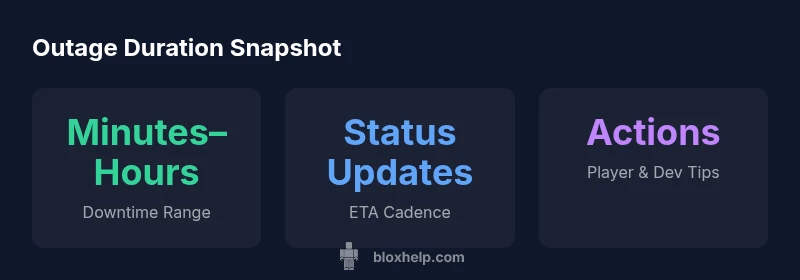
How long will Roblox be down for? Downtime length varies by incident. In practice, outages can last anywhere from a few minutes to several hours, depending on root cause, regional impact, and whether the issue is planned maintenance. Always check the Roblox Status page for the most current ETA and follow official social updates for real-time timing.
How long will Roblox be down for: understanding outage durations
When a Roblox outage hits, the big question on everyone’s mind is how long it will last. The phrase you’ll hear most often is that duration depends on the underlying cause. If it’s a routine maintenance window, you can usually expect a short, predictable interval. If the issue is unexpected—whether due to server load, infrastructure, or a bug—the duration becomes more uncertain. In 2026, the best-practice approach is to treat any outage as a fluid timeline and rely on official channels for updates. To minimize frustration, prepare a plan that assumes updates may come in waves rather than a single ETA. In practice, the answer to how long will Roblox be down for remains highly situational and time-bound to the incident.
The Roblox Status page is your primary source of truth during an outage. It aggregates incident details, current impact, and ETA advancements. Community forums, official social channels, and developer blogs often echo these updates, but the status page is the first stop for an authoritative timeline. If you’re watching for a precise duration, use the live tickers on status.roblox.com and corroborate with official posts to avoid misinformation.
Roblox outage communication channels: where to look for timing
Transparency is critical during downtime. Roblox maintains a central status hub where incidents are posted with impact scope, regions affected, and estimated times to resolution. In addition to the status page, official Twitter/X accounts and Roblox Help articles provide curated updates and practical steps for affected users. For developers, subscribing to update feeds in the Roblox Developer Forum and Discord channels can help you coordinate code freezes, feature flags, and rollback plans. The cadence of updates varies by incident, but early updates tend to arrive within the first 15–30 minutes, followed by more detailed ETAs as engineers diagnose root causes. Always verify any timing information against the status page to avoid conflicting reports.
Planned maintenance vs. unplanned outages: duration expectations
Planned maintenance is typically scheduled with a window and communications in advance. That means players can expect a defined downtime interval, with updates signaling progress and a firm ETA. Unplanned outages, conversely, often begin with limited information and extend as the engineering team identifies fixes. In many cases, maintenance windows are shorter than major outages, but exceptions occur when multi-region rollback or data integrity checks are needed. For both scenarios, the key to managing expectations is consistent updates from official channels and a clear plan for what users should do during the downtime.
Key factors that influence outage duration
Outage length is influenced by several factors: the root cause (server overload vs. code bug vs. infrastructure failure), the scale of the impact (regional vs global), platform (PC, mobile, console), time of day (peak vs. off-peak), and the speed of incident response. Regional discrepancies can occur due to data-center diversity or routing differences. If a fix requires rolling back a deployment or applying a hotfix across many regions, the downtime can extend. Conversely, well-prepared runbooks and automated rollout checks can shorten the window. In all cases, monitoring dashboards, post-incident reviews, and rapid communication help set accurate expectations for how long Roblox will be down for.
How to estimate ETAs during outages: a practical workflow
Start by checking the Roblox Status page for an initial ETA. If the ETA is missing, look for progress updates and the estimated time to confirmation of fix. Compare incident duration patterns from prior outages to gauge potential windows, but remember that each incident is unique. For players, consider batching activities that don’t require Roblox (offline games, other platforms) to minimize downtime impact. For developers, prepare release checkpoints that can be safely paused or postponed if the outage extends. In all cases, document guidance from official channels and avoid relying on rumors or third-party rumors.
What players and developers can do during downtime: practical steps
During a downtime window, players can switch to offline Roblox activities, such as building offline in Roblox Studio or planning new game ideas. Developers should use this time to review upcoming features, refine code in staging, or prepare rollback strategies in case the outage affects live deployments. Keeping a backlog of tasks that don’t require live servers helps teams stay productive. After updates resume, test-critical flows in a controlled manner to minimize post-outage risk. Remember to communicate clearly with your community about what’s possible during downtime and what’s not.
Case study: a typical outage timeline (fictional example for planning)
12:00 UTC – incident detected on status page; initial ETA set for 60 minutes. 12:25 UTC – updates indicate root cause identified, with a revised ETA of 90 minutes. 13:15 UTC – incident progress shows partial restoration in North America; Europe and Asia remain partially degraded. 14:05 UTC – full restoration confirmed; final checks begin; users begin to regain access. 15:30 UTC – all services back to normal with post-incident notes published. This fictional timeline illustrates how ETA updates evolve and why estimates can shift during outages.
Proactive strategies to reduce downtime impact for the future
Plan for outages by maintaining offline tasks and by implementing robust rollback procedures. Use feature flags to limit risky deployments, maintain automated health checks, and keep a clear communication plan for your community. For players, building resilience means having offline activities ready and subscribing to official status alerts. For developers, conducting post-incident reviews helps identify bottlenecks in the incident response and improve future MTTR (mean time to recovery).
Typical outage scenarios and expected durations
| Scenario | Typical duration | What to expect |
|---|---|---|
| Planned maintenance | Minutes to 2 hours | Official status updates and scheduled window |
| Unplanned outage | Minutes to several hours | Live ETA updates; regional impact varies |
Questions & Answers
What counts as downtime for Roblox?
Downtime refers to periods when Roblox services are not fully reachable due to outages or maintenance. This includes the main platform, Roblox Studio, and related game servers. Planned maintenance is scheduled with ETA; unplanned outages occur without advance notice. Durations vary.
Downtime means Roblox services aren’t available due to outages or maintenance. Check the status page for updates.
How can I check the status of Roblox's outage?
Use the Roblox Status page at status.roblox.com; follow Roblox official channels for updates; these sources provide ETA and region-specific impact.
Check the Roblox Status page or official channels for the latest updates.
Does downtime affect all regions at once?
Not always. Outages may impact some regions or platforms first; updates may roll out gradually as engineering teams confirm fixes.
Regions can vary; updates come as fixes roll out.
Will Roblox provide compensation after long outages?
Roblox’s public policies don’t guarantee compensation for every outage. Check official announcements for any restitution or policy changes.
Roblox doesn’t guarantee compensation during outages; look for official notices.
How can developers minimize downtime impact during outages?
Prepare rollback plans, reuse staging environments, and maintain offline tasks when servers are down. Use hotfixes and feature flags to reduce post-outage risk.
Plan ahead, use staging and rollbacks to reduce outage impact.
What should players do during downtime to stay productive?
Switch to offline Roblox activities, check community guides, or work on personal projects in Roblox Studio when feasible. Avoid panic and monitor official updates.
Use downtime to plan or learn; check official status.
“Transparent updates and clear ETAs help outages feel manageable for players and developers alike. Consistent communication reduces confusion during incidents.”
The Essentials
- Monitor the Roblox Status page for ETA and updates
- Distinguish between planned maintenance and unplanned outages
- Expect durations to vary by incident and region
- Prepare offline activities and rollback plans
- Communicate clearly with your community during outages