Are Roblox Servers Down? Real-Time Outage Guide for 2026
Are Roblox servers down? This real-time outage guide explains how outages are detected, how to verify status, and practical steps for players and developers while Roblox recovers in 2026.


Short answer: Roblox servers do occasionally go down for maintenance or network issues. To confirm, check the official Roblox status page and recent posts from the Roblox Support channel. If you’re affected, try basic troubleshooting steps and monitor reliable outage trackers until services resume.
Are Roblox Servers Down Right Now? Quick Reality Check
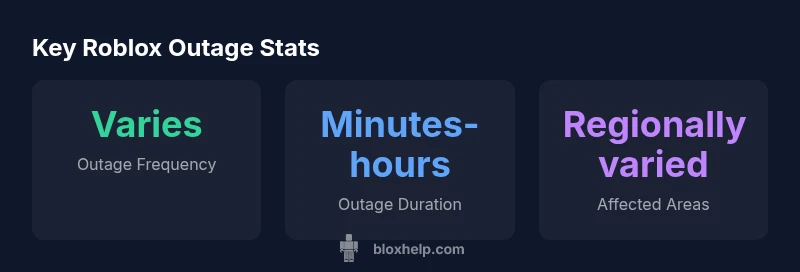
If you’re trying to play Roblox and something isn’t loading, you’re not alone. A quick scan of social feeds often amplifies reports, but the real question remains: are roblox servers down across the entire platform, or is the issue isolated to your connection? The phrase are roblox servers down captures a common user concern during outages, and the answer is not always obvious. In many cases, outages arise from routine maintenance, unexpected hardware hiccups, or network routing problems that ripple through multiple regions. According to Blox Help, outages can be region-specific or global, and the reliability of your experience depends on data-center health, ISP peering, and how Roblox routes traffic to players. To differentiate a platform-wide outage from a local hiccup, start with official signals and corroborate them with independent status trackers. While you wait, you can still be productive by checking your own setup and preparing a plan for when services return. Being systematic here helps you avoid chasing phantom problems and keeps your gaming session on track when the dust settles.
How to Verify Roblox Server Status
Verifying whether roblox servers are actually down requires a structured approach. Start with the official signals: visit the Roblox Status page at status.roblox.com, which shows current incidents, affected services, and regional health. Cross-check the information with Roblox’s official channels, such as the Roblox Support account, which often posts updates during outages. For broader visibility, corroborate with independent outage trackers and community reports, but treat them as supplementary rather than definitive. Finally, assess your own network conditions—test other online services, reboot your router, and confirm your device clocks are accurate. If you find a mismatch between official status and your experience, document timestamps and report them through Roblox Support to help the community stay informed.
Common Outage Scenarios and How They Affect You
Outages can manifest in several ways, and understanding the scenario helps you triage quickly. A platform-wide outage typically blocks login, game joining, and some in-game features across many regions. A regional outage affects only players in specific countries or data centers, so you might still access Roblox from other locations. Some outages hit only certain features, like avatar shop, game invites, or Premium purchases. In all cases, you’ll usually see error codes, loading loops, or timeouts. During any outage, keep an eye on the official status page and community threads for the latest signals. If you’re in a region with a degraded service, consider playing offline content or planning around maintenance windows until the issue is resolved.
Troubleshooting When You Suspect a Local Issue
If you suspect the problem is local to your setup rather than a Roblox-wide outage, step through a standard triage checklist. First, confirm your internet connection is stable by testing other apps and devices. Then, try a wired connection or switch Wi‑Fi networks to rule out local routing problems. Restart devices, clear DNS caches, and consider changing DNS to a fast, public option (for example, 8.8.8.8 or 1.1.1.1). Disable or temporarily bypass firewall or parental controls that might block Roblox services. Finally, verify that your system time is correct, as time drift can affect secure connections. If the issue persists after these steps, report it to Roblox Support with timestamps and screenshots.
Regional Outages vs Global Outages: What Changes for You
Understanding whether an outage is regional or global changes your next steps. Global outages usually require waiting for Roblox to complete backend maintenance or resolve a platform-wide issue, which means you’ll benefit from monitoring the official status page and Roblox Help channels. Regional outages may let you access Roblox from nearby regions or reduce the issue to a subset of servers. In such cases, you might try switching to another region (if applicable to your account and game) or simply wait for a regional fix. The distinction matters for planning: regional issues can affect only certain players, while global outages impact the entire ecosystem of Roblox experiences and assets.
How Roblox Communicates Outages: Status Pages, Social, and Support
Communication during outages is essential to reduce confusion. The primary channel is Roblox Status, which provides real-time incident updates and service health metrics. Roblox Support and the official Roblox Twitter/X account often post timely announcements, expected resolution times, and workarounds. In-game notifications may also surface alerts when availability changes. For developers and creators, subscribing to Roblox’s status updates and developer forums ensures you’re aware of incident timelines that could affect live experiences, launches, or monetization windows. Reliable communication helps players stay informed and reduces rumor-driven reports.
Impact on Developers: What Outages Mean for Games and Economy
Outages can disrupt game launches, scheduled events, and in-game economies. For developers, outages may delay new content drops, affect server-side scripting uptime, and complicate data synchronization across regions. It’s important to plan release windows around known maintenance periods and to implement robust saving and retry logic in your experiences. When outages occur, maintain transparent communication with your player base, provide clear workarounds, and publish status updates to minimize frustration. Overall, outages underscore the importance of resilient design, offline planning, and proactive player engagement in Roblox development.
Best Practices to Stay Ready for Outages
Proactively build resilience into your Roblox routines. Maintain a checklist for outages that includes: monitoring official status channels, bookmarking reliable outage trackers, and having offline or low-latency activities ready during downtime. For players, keep a local backlog of tasks, such as learning a scripting concept or planning a new game idea, so you can stay productive even when the platform is temporarily unavailable. For creators, maintain automatic backups of assets and code, and keep communications open with your community about incident impacts and anticipated recovery times. By adopting these practices, you’ll minimize downtime anxiety and maximize productive use of time during interruptions.
Outage status overview
| Status | Meaning | Recommended Action |
|---|---|---|
| Platform-wide outage | Affects many players across multiple regions | Check the official status page and official channels; wait for Roblox to fix |
| Regional outage | Limited to specific regions or data centers | Monitor status signals; try a different region if possible; stay updated |
Questions & Answers
Is Roblox down for everyone or just me?
Outages can be global or regional. Start by checking the Roblox Status page and official Roblox accounts. If the status shows an incident, most users will be affected for a short period while Roblox resolves the issue.
Outages can affect many users at once or only a region, so start with the official status page to confirm.
Where can I check the official Roblox status?
Visit status.roblox.com to see current incidents, service health, and regional impacts. Cross-check with Roblox Support posts for additional context.
Check the official status page at status.roblox.com for real-time updates.
What should I do first if I suspect an outage?
Open the Roblox Status page, check Roblox's official channels, and verify your local connection. If incidents are reported, wait for updates before making broader changes.
Check the status page and official posts first, then troubleshoot locally if no outage is reported.
Why do outages last longer in some regions?
Outages depend on regional infrastructure, data-center health, and routing. Regions with complex routing can experience longer resolution times, while others may recover quickly.
Regional issues can take longer due to infrastructure and routing differences.
Are outages related to Roblox patches or maintenance?
Maintenance and patches can cause planned outages. Check official notices for scheduled windows and expected duration to plan around downtime.
Maintenance is usually announced; check notices for timing.
“Outages are a normal part of large online platforms. Staying informed through official status pages reduces confusion and speeds resolution.”
The Essentials
- Check official status pages first to confirm outages.
- Differentiate between platform-wide and regional issues.
- Use reliable third-party trackers for corroboration.
- Try basic local troubleshooting if the problem seems device-specific.
- Conclusion: The Blox Help team recommends relying on official status sources and having a backup plan for play.