How to Host a Roblox Party: A Step-by-Step Guide
Learn how to host a safe, engaging Roblox party with a private server, themed activities, and clear rules. This educational guide covers planning, setup, activities, moderation, and troubleshooting to ensure a fun, smooth party roblox experience.


Learn how to host a successful Roblox party: choose a theme, secure a private server, invite players, plan activities, and set ground rules. This quick guide covers pre-party setup, in-game activities, safety tips, and how to coordinate chat and moderation so your party roblox session runs smoothly and stays fun for everyone.
Why hosting a Roblox party matters
According to Blox Help, hosting a well-organized Roblox party can help players connect, learn teamwork, and practice group problem-solving in a low-pressure, game-enabled setting. If you’re introducing new players to Roblox, a party vibe can ease onboarding by giving everyone a shared goal and a friendly, social atmosphere. When you plan a party roblox event with deliberate structure, players stay engaged longer, friendships form more easily, and your group builds a positive culture around collaborative play. This section explains why a party approach works and what you should aim to achieve.
First, define your goals. Do you want to practice teamwork and communication? Are you hoping to showcase user-generated content or a particular game mode? Setting a clear objective helps you select activities and pacing that fit your group. A great Roblox party blends casual social time with deliberate activities—like obstacle runs, build challenges, scavenger hunts, or cooperative missions—so attendees feel motivated to participate rather than drift away.
Next, manage expectations upfront. When participants know what’s expected, they’re more likely to follow guidelines and respect others. Create a simple rule list and share it before the event start. In a party roblox context, you’ll want to decide how you’ll handle chat, what content is allowed, and how long each activity will run. Short, well-structured blocks of play prevent fatigue and keep momentum high.
From a safety perspective, hosting a party on Roblox should emphasize age-appropriate content, moderated chat, and a clearly communicated moderation plan. If you plan to invite players outside your usual circle, consider a quick onboarding session where you demonstrate controls, show examples of acceptable behavior, and explain how to report problems. The goal is to create a welcoming atmosphere where participants feel safe to participate and take breaks when needed.
Tools & Materials
- Roblox account with access to private servers(Ensure you can create or join a private server for your party session)
- Private server access or game pass enabling private servers(Needed to isolate the party session from the public lobby)
- Stable internet connection(Reliable upload/download speeds to support multiple players)
- Invite list with player usernames(Prepare a guest list to manage who joins)
- Moderation plan & chat rules(Outline rules and a process for handling issues)
- Optional: Headset or microphone for voice chat(Useful if you enable voice chat)
- Optional: Pre-made party activities or games(Pre-select activities to save time during the event)
Steps
Estimated time: 1.5-3 hours
- 1
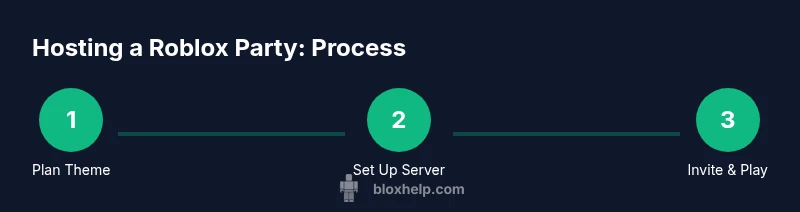
Plan your party theme
Choose a cohesive theme that guides activities, visuals, and rewards. A strong theme helps players jump into the vibe quickly and reduces decision fatigue during the event. Decide on 2-4 activities that fit the theme and a rough timeline for each.
Tip: Link each activity to the theme so players see a clear flow from start to finish. - 2
Set up a private Roblox server
Create or assign a private server for your chosen game or experience. Configure privacy settings to restrict access to invited players, and disable disruptive features if possible. Test joining from a guest account to confirm everyone can participate.
Tip: Limit access to your invite list to minimize unexpected guests. - 3
Create invitations and schedule
Draft a simple invitation with date, start time, and expected duration. Include a short list of house rules and what players should bring or prepare (headsets, accessories, etc.). Send invites well in advance and set reminders.
Tip: Use a shared calendar link or messaging thread to keep everyone aligned. - 4
Select and test activities
Choose 2-4 activities that fit your theme, such as obstacle courses, build challenges, or mini-games. Test each activity in a private server beforehand to fix bugs and ensure smooth transitions between games.
Tip: Always run a quick dry-run with a trusted friend to catch issues early. - 5
Establish chat moderation and safety rules
Publish clear chat rules, designate moderators, and enable reporting. Consider filters for younger audiences and set consequences for rule violations. Share how to report issues during the party.
Tip: Assign a co-host or assistant moderator to handle disruptions so you can focus on hosting. - 6
Conduct a dry run
Invite a small test group to simulate the party flow. Check timing, transitions between activities, and audio quality. Use this run to calibrate the pace and adjust the schedule as needed.
Tip: Use a timer to keep segments tight and prevent drift. - 7
Host the party live
Greet players as they join, explain the rules, and guide them through each activity. Monitor chat and adjust pacing if engagement drops. End with a closing activity or recap to reinforce community spirit.
Tip: Have a backup plan in case a game runs long or tech hiccups occur.
Questions & Answers
What is a Roblox party and why should I host one?
A Roblox party is a planned, private session where players join a game to socialize, play activities, and complete shared goals. It’s a great way to onboard new players, practice teamwork, and build a positive community.
A Roblox party is a private group event in Roblox where friends join to chat, play games, and have fun together.
Do I need Roblox Premium to run a private server?
Many private-server options require Roblox Premium or specific game permissions. Check the game’s privacy settings and server options before planning your party.
Yes, private servers often require Roblox Premium or a special permission in some games.
How many players can join a Roblox party?
The number of players depends on the private-server capacity of the game you choose and your computer or device’s performance. Plan for a manageable group to keep things smooth.
It depends on the game and server limits; start small to ensure a smooth experience.
What safety measures should I implement for party Roblox?
Set clear chat rules, use moderators, enable chat filters, disable in-game purchases for the duration, and have a simple reporting process so issues can be addressed quickly.
Set rules, use moderators, and enable filters to keep the party safe.
Can I host a Roblox party on mobile?
Yes, Roblox parties can be hosted on mobile as long as players have access to the same game or private server and the host can manage the session.
You can host from mobile, but confirm compatibility with the game you’re using.
What should I do if the party lags or has tech issues?
Check your internet, reduce the number of players on the server, lower graphics settings, and ensure the private server is stable. Have a fallback activity ready.
If things lag, reduce players, adjust settings, and switch to a backup activity.
Watch Video
The Essentials
- Plan a cohesive theme and activities
- Use a private server to isolate the session
- Moderate chat to keep the vibe friendly
- Invite a manageable group with clear rules
- Gather feedback to improve future events