How to Stop a Roblox Party: A Practical Moderator Guide
Learn practical steps to stop a Roblox party safely, control participation, and protect players. This guide from Blox Help covers quick actions, privacy settings, and reporting to keep communities healthy.


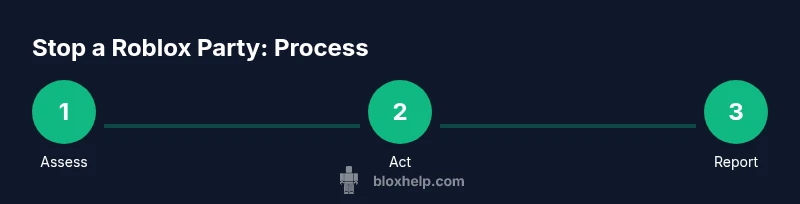
To stop a Roblox party, start with assessment and host controls, then remove disruptive players, adjust privacy settings, and file reports if needed. End the session or mute attendees using host tools, and communicate clearly to wrap things up. This method keeps players safe and aligned with community rules.
Why stopping a Roblox party matters
Parties in Roblox are player-hosted gatherings that can range from casual hangouts to competitive events. When a party grows loud or unruly, it's essential to act promptly to protect younger players and maintain a positive community environment. If you're wondering how to stop a roblox party, the goal is to minimize disruption while preserving safety for everyone involved. According to Blox Help, proactive moderation starts with clear rules, accessible controls, and calm, consistent communication. You can think of stopping a party as a last resort after warning players and attempting better management. The stakes are higher when minors are present or when the party takes on a false impression of safety—then swift action is prudent. In practice, stopping a party doesn't have to feel punitive; it can be about reestablishing boundaries, pausing activities to address toxicity, or shifting to a more controlled, private setting. By understanding these dynamics, you can protect players and uphold Roblox's community standards. The key is to combine technical controls with respectful dialogue, so participants know what is expected and what happens if those expectations aren't met. This creates a safer, more enjoyable experience for everyone involved and demonstrates responsible leadership online. If you’re curious how to stop a roblox party, this guide breaks down practical steps you can take today.
Assess the situation: when stopping is appropriate
There are a few red flags that signal it may be time to stop a Roblox party. Repeated harassment, hate speech, or sharing personal information during a session are clear indicators to intervene. If a host or trusted moderator observes persistent disruption despite warnings, stopping or pausing the party becomes justified. Always start with the least invasive action: warn the players, mute or temporarily disable chat, and enable privacy settings that limit new joiners. According to best practices advocated by Blox Help Editorial Team, you should document incidents and evaluate whether the issue is a one-off or part of a pattern before escalating. In some cases, moving the event to a private session or a controlled lobby reduces risk and keeps the experience enjoyable for compliant players. Remember: your primary objective is safety and inclusivity, not punishment. When used thoughtfully, stopping a party preserves trust and helps teach players the boundaries of acceptable behavior.
Immediate actions you can take in-game
If the situation calls for quick intervention, you have several options to stop a Roblox party effectively. First, pause or end the session using host controls if you hold those privileges. If you cannot end the party outright, mute disruptors or eject them from the session to restore order. Simultaneously, enable privacy settings to restrict who can join next or view the party. Keep a record of what happened, including timestamps and usernames, in case you need to file a report later. In many Roblox games, hosts can temporarily disable chat or switch to a private server to prevent further issues while the line of communication is maintained via notices. The point is to act decisively, but with fairness and transparency so participants understand the action taken and the reasons behind it. Pro tip: after the immediate action, inform players that the session has been paused or moved to a private setting and explain the next steps.
Using Roblox privacy controls to limit future parties
Preventing recurrence starts with tightening who can join and how they interact. Review your party’s privacy settings: set the session to friends-only or invite-only, restrict voice chat where available, and disable general join permissions for the moment. If you’re managing events regularly, create a reusable template for privacy configurations so you can apply safe defaults quickly. Consider enabling age-appropriate filters and enabling the party to automatically restrict new players for a cooling-off period after incidents. Blox Help emphasizes that consistent settings reduce confusion and help maintain a safe environment even when a party grows unexpectedly. Documented policies also enable you to train future moderators more effectively, reducing the risk that a similar issue arises in the future.
How to communicate with participants calmly and clearly
Clear communication is essential when stopping a Roblox party. Use a brief, firm message to announce the action, such as: The session is temporarily paused to ensure safety and fair play. We will re-open when guidelines are met. If you are removed, offer a brief apology and a path to rejoin under safe conditions. Avoid personal attacks and keep a neutral tone to de-escalate tension. Provide a point of contact or a short explanation of the next steps so players know what to expect. If you’re posting a notice in chat, keep it concise and aligned with community rules. During pauses, maintain visibility by offering a scheduled re-opening time or a private session link for those who meet criteria. Practicing calm, respectful wording helps maintain trust and reduces backlash from participants. As you craft messages, remember that moderation is about guiding behavior, not policing personalities.
When to involve Roblox support and reporting
Not every issue can be resolved with host controls alone. If you encounter harassment, threats, or illegal activity, report the incident to Roblox safety channels. Use in-game reporting to flag players, and collect evidence like screenshots or chat logs to accompany your report. In more serious or persistent cases, contact Roblox Support through their official channels with a clear summary of what happened, when, and who was involved. The goal of reporting is to protect players and preserve the integrity of the platform. Blox Help recommends timely reporting to ensure moderation teams can follow up and take appropriate action. Remember to preserve user privacy and avoid sharing sensitive information in public spaces.
Troubleshooting common issues that prevent stopping a party
Even with the best intentions, you might run into problems when stopping a Roblox party. The host controls may not be accessible due to permissions, or a party may automatically re-open after a short period. If chat continues despite muting, try disabling chat entirely for the session or moving to a private server. In some games, users may be able to rejoin quickly; in these cases, enforcing a cooldown on re-entry can help. If the party remains disruptive, escalate to Roblox safety channels with a consolidated incident report. Keeping a short incident log will help you identify patterns and determine if broader policy changes are needed. Collaboration with other moderators or game developers can also help craft standardized responses that minimize confusion.
Best practices for responsible moderation in Roblox events
Responsible moderation is proactive and consistent. Set clear community rules before events begin, and communicate them at the start of each session. Use privacy and join settings to limit access to vetted players, particularly for events that involve younger audiences. Document incidents thoroughly, and use a calm, non-judgmental tone when addressing participants. Train new moderators with a standard operating procedure so responses remain uniform, predictable, and fair. Encourage players to report problems via official channels and ensure they know what to expect after a report is filed. By aligning with Roblox community guidelines and Blox Help’s recommended practices, you can maintain a welcoming environment while minimizing risk during parties.
Alternatives to ending a party and preserving fun
Ending a party isn't always the only path. If the goal is to preserve the fun, consider converting the event into a private, invitation-only session with a few well-known players you trust. You can also pause the party momentarily and re-open with updated rules or a stricter join policy. For ongoing events, create a recurring schedule with safety safeguards and a clear process for handling issues. If safety concerns persist, provide players with a private alternative activity or guide them to a different, moderated room. The objective is to protect players while still delivering an engaging experience when possible. In all cases, communicate transparently about what changed and why, so participants understand the reasoning and feel respected.
Authoritative sources and ongoing guidance
To support safe online play, refer to established safety guidelines and resources from credible organizations. For example, you can consult official online safety resources from consumer protection agencies and educational organizations to reinforce best practices in your Roblox communities. These sources provide guidelines on reporting, privacy, and safe interactions, which can be adapted to your in-game moderation process. Always verify that any guidance you apply aligns with Roblox’s terms of service and community standards.
Tools & Materials
- Stable internet connection(Wired or strong Wi-Fi; avoid interruptions during moderation)
- Host/admin privileges in the game(Must be authorized by game developers or event organizers)
- Roblox account with moderator privileges(Use a dedicated moderation account if possible)
- Device with up-to-date Roblox app(Mobile or PC; ensure chat and moderation tools are accessible)
- Documentation tool (notes or log)(Record timestamps, usernames, actions taken)
- Access to Roblox Safety resources(Useful for escalation and reporting guidance)
Steps
Estimated time: 10-15 minutes
- 1
Verify host privileges
Confirm you have the necessary permissions to end or pause the party. If you lack rights, report the issue to the official host or game developer and await guidance.
Tip: Never attempt to end a party without legitimate permissions; it can create confusion and conflict. - 2
Pause or end the session
If you can, use host controls to pause or end the party. This immediately reduces disruption and gives you time to reassess safety measures.
Tip: If ending isn’t possible, switching to a private lobby is a solid interim move. - 3
Mute or eject disruptive players
Remove or silence players who violate rules. This prevents ongoing harassment and protects other participants.
Tip: Document the players involved and actions taken for future reference. - 4
Adjust privacy settings
Tighten join permissions and chat features to prevent repeat issues. Consider moving the party to a private server if needed.
Tip: Predefine safe defaults for future events to save time. - 5
Report abuse when necessary
Submit evidence to Roblox safety channels if rules are violated. Include timestamps, usernames, and screenshots.
Tip: Keep reports factual and concise to speed up review. - 6
Communicate the outcome clearly
Tell participants what happened, why it happened, and what comes next. Offer a path to rejoin under safer conditions.
Tip: End with a constructive note to preserve trust and encourage positive behavior.
Questions & Answers
What is a Roblox party, and when should I intervene?
A Roblox party is a player-hosted gathering within a game, not an official Roblox event. Intervene when safety, harassment, or rule violations occur, especially with younger players. Use host controls first, then escalation if needed.
A Roblox party is a player-hosted game session. Intervene if safety or rules are violated, starting with host controls and escalating as needed.
Can I stop a Roblox party if I'm not the host?
If you lack host privileges, report the issue to the host or a moderator. Roblox safety channels can be used for serious violations, but you generally need appropriate permissions to end a party.
If you’re not the host, report issues to the moderator or host. For serious violations, contact Roblox Safety.
How do I mute or eject disruptive players?
Open the players list, select the disruptive player, and choose mute or eject. If the game allows, move them to a spectator or restricted lobby while you address the situation.
Mute or eject the disruptive player from the party; consider moving them to a restricted lobby while you handle it.
What should I report to Roblox safety?
Report harassment, threats, doxxing, or other safety breaches with evidence like chat logs and timestamps. Use official channels to ensure appropriate review.
Report harassment or safety breaches with evidence through Roblox safety channels.
Will stopping a party affect my Roblox account?
Proper moderation actions do not inherently harm your account. Misuse of moderator tools can lead to penalties, so follow official procedures and document decisions.
Moderation actions are fine when done correctly; avoid misuse of tools to prevent penalties.
Watch Video
The Essentials
- Define host privileges before events start.
- Use the minimum needed action first (mute, then end).
- Document incidents and report when required.
- Tighten privacy controls to prevent future issues.