Buying Roblox: A Practical Guide to Robux & Safety
Learn how to buy Roblox safely, understand Robux, use gift cards, and protect your account with practical steps, warnings, and tips for beginners online safety.


With this guide, you’ll master buying Roblox safely and effectively. You’ll learn official ways to buy Robux, how much you might purchase, and how gift cards work, plus tips to avoid scams. The process is simple when you use official channels and keep receipts. According to Blox Help, prioritize security and verify every purchase before you confirm.
Why buying Roblox can be tricky for newcomers
Buying Roblox for the first time can feel straightforward, but the online market around Robux is full of traps. Many players encounter confusing pricing, fake offers, or scams that promise instant riches. When you hear phrases like “best deal” or “instant Robux,” the alarm bell should ring. Buying Roblox the right way means sticking to official channels, understanding the currency, and knowing how to verify a purchase receipt.
According to Blox Help, the most common pitfalls for beginners are: chasing small top-ups too aggressively, not budgeting for ongoing play, selecting third-party sellers, and assuming every offer is legitimate. The good news is that a simple plan can prevent most problems. Start by clarifying your goals: Are you aiming to unlock cosmetic items, access premium features, or simply support your favorite games? Once you have a goal, you can map it to a Robux amount and a legitimate payment method.
In this section we’ll outline the core concepts you need to know before clicking “Buy Robux.” You’ll learn how Robux fits into Roblox’s economy, what kinds of purchases make sense for casual players versus enthusiasts, and how refunds and receipts work when you stay with official sources. The emphasis is on security and value. With that mindset, buying Roblox becomes a deliberate choice rather than a risky impulse. The Blox Help team found that most safe purchases come from planning, not impulse buys, and from using a single trusted wallet rather than multiple payment methods.
Understanding Robux pricing and bundles
Robux pricing is presented in official Roblox channels as a currency bundle, with different amounts and accompanying bonuses that Roblox occasionally tests with special offers. The concept of value is central: a larger Robux bundle can be more economical per Robux when you know you’ll spend over time. Blox Help analysis shows that many players misjudge the value of smaller top-ups and miss the opportunity to plan purchases around ongoing play. Casual players often benefit from setting a monthly or per-game budget, while enthusiasts may take advantage of larger bundles when they have a clear gaming roadmap. Always compare the per-Robux cost across options and avoid paying for features you don’t plan to use. Understanding when to buy—today versus waiting for a sale—helps you stretch your Roblox dollars further.
In short: know the price tiers, compare value, and plan purchases to maximize what you get for each Robux unit. The official channels publish the current offers; stick to those to ensure you aren’t overpaying or exposing your data to risky sites.
Safe, official channels to buy Robux and gift cards
Always use the official Roblox site, mobile app, or authorized retailers when buying Robux or Roblox gift cards. Third-party sites can clone the look of Roblox but may expose you to phishing, data theft, or invalid codes. Robux purchased through official channels is instantly credited to your account balance and linked receipts appear in your purchase history.
Key tips: bookmark the official Roblox store URL, avoid clicking arbitrary links in emails or ads, and never enter your password on a page you don’t recognize. Gift cards from reputable retailers can be redeemed directly on the Roblox site or app, and receipts are your proof of purchase. If you ever receive a prompt to input your credentials on a third-party page, stop and verify through official channels. This approach helps you avoid scams and fraudulent codes.
The goal is consistency: use official sources, verify your receipts, and keep a record of every transaction for easy reference if you need a refund or support.
How to plan your purchases with a budget
A practical budget for buying Roblox involves setting monthly limits and assigning a purpose to each purchase. Start by listing your in-game goals—cosmetic items, passes, or game access—and estimate how much you’re willing to spend per month. Break the total into smaller, intentional purchases rather than a single large transaction. This approach reduces impulse buys and helps you monitor your spending more effectively.
Practical steps include:
- Create a simple spending cap for Robux each month.
- Allocate a portion for gifts or premium memberships if you enjoy ongoing benefits.
- Review your receipts weekly to detect any unauthorized activity and adjust your budget as needed.
- Use official gift cards when you can’t access a credit card or digital wallet.
By planning ahead, you’ll align your Roblox spending with your gaming goals and avoid surprise charges. As you gain experience, you can refine the budget to match your in-game activities and community engagement.
Account safety and scams to watch out for
Protecting your Roblox account is essential when you’re buying Robux. Scammers often try to trick players with fake offers, phishing emails, or websites that look like the official Roblox page. Always enable two-factor authentication (2FA) if available and keep your login details private. Never share verification codes or passwords with anyone, and be cautious with links received in chat, messages, or emails.
If a deal seems too good to be true, it probably is. Always verify the source, use the official Roblox app or website, and check the retailer’s legitimacy before entering payment details. If you suspect fraud, contact Roblox Support immediately and review your account activity for unfamiliar purchases. Staying vigilant keeps your in-game assets and personal information safer.
Common mistakes and how to avoid them
Common mistakes include buying Robux impulsively, ignoring receipts, and using untrusted sources. It’s easy to fall into a trap when a promotional banner promises riches or “instant Robux.” To avoid these pitfalls, always purchase through official channels, save receipts, and set a spending cap. Another frequent error is neglecting account security; enabling 2FA and reviewing account activity regularly helps catch unauthorized purchases early. Finally, don’t rely on unknown sellers or suspicious third-party pages—Roblox’s economy relies on trust and verified transactions.
Getting started: a sample plan for new players
If you’re new to Roblox, start with a simple, staged plan. Week 1: create a clear goal for your Roblox play style and budget. Week 2: decide whether a Robux package or Roblox Gift Card best fits your plan. Week 3: set up 2FA and review your receipts monthly. Week 4: re-evaluate your goals and adjust your budget accordingly. This gradual approach places security and value first, helping you enjoy Roblox without overspending. The Blox Help team recommends following official channels and sticking to a plan to maximize value and minimize risk.
Authority sources
- Official Roblox terms and safety basics (roblox.com)
- FTC consumer safety and online purchasing guidelines (https://www.ftc.gov)
- Consumer protection resources (https://www.consumer.ftc.gov)
- University resources on digital commerce and security (https://www.harvard.edu)
Tools & Materials
- Roblox account(Must be active with access to the official Roblox platform)
- Device with internet access(PC, Mac, tablet, or smartphone with the Roblox app or web browser)
- Payment method(Official methods (credit/debit, PayPal, or Roblox gift cards))
- Roblox Gift Card (optional)(Can be used to add Robux without a credit/debit card)
- 2FA setup (recommended)(Enable two-factor authentication for extra security)
Steps
Estimated time: 15-25 minutes
- 1
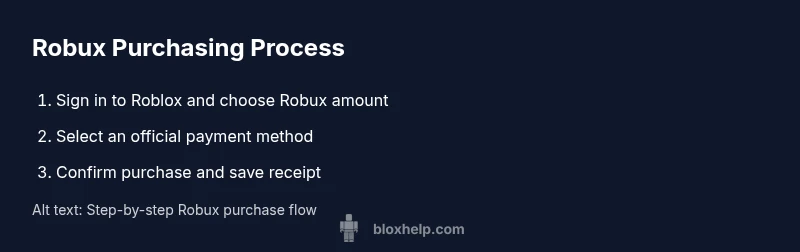
Sign in to Roblox
Open the official Roblox site or app and log into your account using your username and password. This step establishes your identity and ensures you receive the correct Robux balance after purchase.
Tip: Use a trusted device and avoid public computers to reduce risk of credential theft. - 2
Decide your Robux amount or gift card approach
Choose the amount of Robux you want to add or select a Roblox Gift Card option that matches your budget. Consider how you’ll use the Robux to avoid over-purchasing.
Tip: If you’re unsure, start small and monitor usage before expanding. - 3
Choose an official payment method
Select an officially supported payment method. Avoid third-party sites and never enter your password on untrusted pages.
Tip: If a payment prompt looks unfamiliar, back out and use a known Roblox channel. - 4
Complete the purchase and save the receipt
Finish the checkout and save the receipt for future reference. Receipts help verify purchases and can assist with refunds if needed.
Tip: Take a screenshot or export the receipt to a secure location. - 5
Enable security features
Turn on two-factor authentication and review account activity after purchases to spot unauthorized transactions early.
Tip: Set recovery options to keep access even if you forget credentials. - 6
Plan future purchases with a budget
Review your Robux balance and spending monthly. Adjust future purchases to align with your goals and avoid overspending.
Tip: Create a monthly cap and track every transaction.
Questions & Answers
What is Robux and why would I buy it?
Robux is Roblox's in-game currency used to buy items, passes, and access. Players buy Robux to customize avatars and accelerate gameplay features. Always purchase through official channels to ensure balance is credited and receipts are legitimate.
Robux is Roblox’s in-game currency for purchases like outfits and passes. Buy only from official channels to ensure your balance and receipts are legitimate.
Where can I safely buy Robux or gift cards?
Robux and gift cards should be bought through Roblox’s official site or authorized retailers. Avoid third-party pages that imitate Roblox, as they can lead to scams or invalid codes.
Use Roblox’s official site or trusted retailers for Robux and gift cards to avoid scams.
Can Robux be transferred to another account?
Robux is tied to the account you purchase it on and cannot be transferred between accounts. If you need more Robux, you must buy it on the target account or gift via official methods.
Robux stays with the account you bought it for; transfers aren’t supported.
What should I do if a payment fails?
If a payment fails, retry with an official method or contact Roblox Support. Check your payment provider for issues, ensure your account isn’t flagged, and review the purchase history after attempting again.
If payment fails, retry with an official method and contact Roblox Support if problems persist.
Are there cheaper options for Robux?
Official bundles and occasional promotions can provide better value if you plan to spend regularly. Avoid unofficial sellers that promise a miracle deal, as they risk your account and data.
Look for official bundles and avoid unofficial sellers for better value and safety.
Is gifting Robux supported?
Gift cards are a common method to add Robux to your account. Redeem a card through the official Roblox site or app. The specifics may vary by region, so check Roblox’s support pages for your area.
Gift cards work through the official Roblox site; redeem them on the official app if possible.
How can I stay safe while buying Robux?
Always use official channels, enable 2FA, review receipts, and avoid sharing credentials. Be cautious of deals that seem too good to be true and report suspicious activity to Roblox Support.
Stick to official channels, enable 2FA, and report anything suspicious.
What sources can I trust for safety guidance?
Rely on official Roblox support pages and recognized consumer safety resources (like FTC guidance) for general online purchasing safety. Always verify before entering payment details.
Use Roblox’s official support pages and trusted consumer safety resources.
Watch Video
The Essentials
- Plan Robux purchases before buying.
- Use official channels to avoid scams.
- Set a monthly budget and track receipts.
- Enable 2FA and monitor account activity.