How to Trade in Roblox: A Complete Beginner’s Guide
Learn how to safely trade items in Roblox. This beginner-friendly guide covers prerequisites, step-by-step processes, safety tips, and common questions for Roblox Premium users.


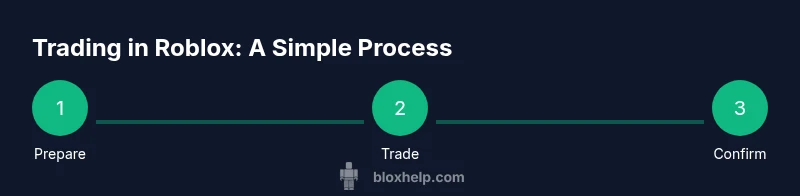
In this guide you’ll learn how to trade in Roblox, including who can trade, what items are tradable, and how to make and review offers. You’ll also get safety tips to avoid scams and practical steps to complete a trade from start to finish. By the end, you’ll trade confidently.
Understanding Roblox Trading: What it is and how it works
Trading in Roblox allows players to exchange tradable items with others through a designated trade flow. The goal is to balance value between your inventory and the items you request in return. The process is designed to be simple for beginners, yet nuanced enough to require careful consideration of item rarity, demand, and your own goals as a collector or trader. According to Blox Help, most new traders start by learning which items are eligible for trading and how values are estimated before attempting any deal. This foundation reduces frustration and helps you navigate the market with confidence.
- Nature of trades: item-for-item exchanges within the Roblox ecosystem
- Where to start: your inventory and item pages, then the trade window
- Key mindset: verify, compare, and negotiate with respect
By understanding these basics, you’ll approach trades with clarity rather than impulse, and you’ll be prepared for both simple swaps and more complex multi-item offers.
Prerequisites: Premium, security, and account setup
To participate in trades, you typically need an active Roblox Premium membership, which unlocks access to the official trade system. Beyond eligibility, set up solid account security: enable two-factor authentication (2FA) where available, choose a strong password, and review connected devices. These safeguards protect you from unauthorized trades and potential account takeovers. The Blox Help team emphasizes that a secure account is the foundation of any trading activity. If you ever suspect foul play, stop and reassess before proceeding.
- Premium eligibility is commonly required to access trading features
- Always enable 2FA and keep recovery information up to date
- Trade only with trusted users and never share login details
Establishing these basics upfront minimizes risk and helps you trade with greater peace of mind.
What items are tradable and how value is estimated
Tradable items in Roblox are typically Limited items and certain accessories that are marked as tradable on their item page. Common non-tradable items are left out of the trade flow, so it’s important to verify each item’s tradability before proposing or accepting a trade. Values are not fixed; they reflect scarcity, demand, and recent trading activity. Based on Blox Help analysis, new traders often start by focusing on a handful of tradable items to learn how offers are formed and how negotiation can influence perceived value. Always compare multiple offers and avoid assuming one item is worth another based solely on appearance.
- Tradable items: Limiteds and select accessories with a tradable flag
- Non-tradables: Some base items and limiteds may be restricted from trading
- Value factors: scarcity, condition (if applicable), demand, recent trades
Keep in mind that item values can shift with in-game events or changes to availability. Use multiple sources to inform your intuition and avoid overpaying.
Finding trades and initiating offers
Start by locating items you want to trade for and review the owner’s inventory to see what they’re willing to move. The trade window is typically reached from an item’s page or your inventory. When you find a potential partner, propose a trade by selecting items you’re offering and listing the items you want in return. Clear communication helps prevent misinterpretation of intent, and it signals you’re serious about a fair deal. Remember, trades are a negotiation—there’s room to adjust offers as both sides assess value.
- Inspect both sides’ inventories for eligible items
- Be explicit about quantities and item names in your offer
- Start with a reasonable initial offer to keep negotiations civil
A thoughtful first offer sets the tone for a constructive exchange and reduces back-and-forth friction.
Proposing a trade: a practical approach
Proposing a trade begins with selecting your own tradable items and then choosing what you’d like in return. Focus on transparency: include exact item names, quantities, and any trade specifics (such as preferred color or variant). After submitting, stay attentive to the other player’s response—counter-offers are common, and patience is key. If the other party requests changes, evaluate whether the new offer aligns with your goals and risk tolerance.
- Clearly identify offered items and requested items
- Include any important constraints (e.g., item variant, bundle size)
- Be prepared to adjust the offer if the other party counters
This approach helps both sides reach a fair compromise without unnecessary delays.
Reviewing offers, negotiation, and etiquette
When you receive an offer, compare it carefully to your initial expectations. Look beyond raw item counts to the qualitative aspects—rarity, desirability, and potential future value. If an offer seems lopsided, politely present a counter-offer with reasonable adjustments rather than outright rejection. Maintain respectful communication; trades built on mutual respect are more likely to close smoothly. If a trade stalls, propose a small concession or offer an alternative item to reframe the deal.
- Compare item quality, rarity, and potential future value
- Use respectful, concise language in negotiations
- Offer small concessions to keep momentum going
Polite persistence often yields better outcomes than aggressive pushing, especially in a crowded trading landscape.
Safety: scams, red flags, and verification
Safety in Roblox trading hinges on vigilance. Watch for common scam signals such as requests for your password or login information, pressure to rush a decision, or offers that promise unrealistically high returns. Always verify traders’ reputations by checking their trade history and, if available, player feedback. Use the built-in report tools if you notice suspicious behavior. Never accept trades from unknown users who dodge questions or request sensitive data.
- Never share login credentials or 2FA codes
- Be cautious of urgent or high-pressure tactics
- Review trade history and report suspicious activity
Following these steps helps keep your account secure while you learn the mechanics of trading.
Completing a trade: steps and follow-through
Once both sides agree, the trade is carried out within the Roblox trade window. Confirm the exact items you’re sending and the items you’ll receive before finalizing. After you submit, monitor the outcome: if the opposing party accepts, the items exchange automatically and the trade is final. If there’s a problem, contact Roblox support promptly and document the exchange with screenshots. Keeping a record can help resolve disputes quickly.
- Double-check item names and quantities before submitting
- Ensure both sides are present and ready to confirm
- Save screenshots for future reference and verification
A careful, well-documented approach reduces confusion and helps you learn from each experience.
Common mistakes and best practices for new traders
New traders often rush into deals without sufficient due diligence. Avoid overpaying on hopeful promises and never trade items you don’t fully understand. A best practice is to start with small, low-stakes exchanges to build confidence, then gradually tackle more valuable trades as you gain experience. Regularly review market activity, follow trusted guides like those from Blox Help, and maintain a steady pace rather than chasing every hot trade.
- Start with low-value trades to learn the process
- Verify item tradability and current values before offering
- Document each trade to track long-term trends
These habits help you grow as a trader without taking unnecessary risks.
Troubleshooting and where to get help
If a trade doesn’t go as planned, first re-check the trade details for accuracy. If you suspect foul play, report the user through Roblox’s safety tools and seek guidance from reputable sources. The Blox Help Editorial Team suggests using community resources, comments, and guides to confirm you’re following best practices. When in doubt, pause, reassess, and seek help before proceeding with a high-stakes trade.
- Verify details and expiration times if applicable
- Use official reporting channels for suspicious activity
- Consult trusted guides for updated best practices
Getting help quickly can prevent losses and accelerate learning.
Tools & Materials
- Roblox account with Premium(Essential for access to the trading system)
- Stable internet connection(Reliable network to avoid incomplete trades)
- Device (PC or mobile)(Access to the Roblox trading interface)
- Notes or screenshots(For documenting trades and decisions)
Steps
Estimated time: 45-60 minutes
- 1
Prepare your account
Verify you have an active Premium subscription and enable two-factor authentication. Review your trade history and update security settings before you begin trading to prevent unauthorized activity.
Tip: Enable 2FA on the primary email and note your recovery options. - 2
Identify tradable items
Scan your inventory for tradable Limited items and verify which items are eligible for trading. Note their current desirability and any known fluctuations in value.
Tip: Keep a short list of 3-5 items you’re comfortable trading first. - 3
Open the trade window
Navigate to an item’s page or your inventory and select the option to trade. This opens the trade window where you’ll propose your offer.
Tip: Ensure you’re in the latest Roblox app or browser version. - 4
Choose your offer
Select the items you’re willing to trade from your side. Decide which items you want in return and how many you expect.
Tip: Be precise about item names and variants to avoid confusion. - 5
Add desired items
In the trade window, add the items you want from the other player. Include any constraints (like color or edition) to align expectations.
Tip: If you’re unsure, ask for clarification before sending. - 6
Review the trade details
Double-check item names, quantities, and the total perceived value. Look for any discrepancies or missing accessories before confirming.
Tip: Take a screenshot of the trade draft for reference. - 7
Submit and wait for a response
Send the trade offer and wait for the other player to accept, decline, or counter. Be prepared to negotiate.
Tip: If they counter, assess whether the new offer aligns with your goals. - 8
Accept or counter-offer
If you receive a counter-offer, decide whether to accept, reject, or propose another adjustment. Keep communication respectful.
Tip: Avoid rushing; quality over speed reduces mistakes. - 9
Complete and verify
Once accepted, verify that both sides received the agreed items. Save a record of the completed trade and report any anomalies.
Tip: If something seems wrong, contact Roblox support immediately.
Questions & Answers
Do I need Roblox Premium to trade, and how do I enable it?
Trading generally requires Roblox Premium. To enable, upgrade your account through the Roblox site or app and follow the prompts to confirm your plan. Once active, you’ll access the trade window from eligible items.
Yes, Premium is required to trade, and you can enable it in your account settings on Roblox.
What items can be traded, and how do I determine value?
Tradable items are usually Limited items and certain accessories flagged as tradable. Value is not fixed and depends on scarcity, demand, and recent activity. Compare multiple offers and consider negotiating for a fair deal.
Only Limited items and some tradable accessories can be traded; values depend on scarcity and demand.
How do I start a trade and what should I include?
Open the trade window from an item or inventory, select your offered items, and list the items you want in return. Be explicit about item names and variants to avoid miscommunication.
Open the trade window, pick items you’re offering, and specify what you want in return.
What should I do if I suspect a scam or feel pressured?
If you suspect a scam, stop trading and report the user using Roblox’s safety tools. Never share login information or personal data, and reach out to support if you’re uncertain about a trade.
If something feels off, don’t trade and report the user.
How long does a trade take, and can I cancel?
Trade processing is typically immediate once both sides accept. If a trade is not accepted within a reasonable window, you can cancel and reinitiate with a clearer offer.
Trades complete quickly after both sides agree; waiting too long isn’t normal.
Watch Video
The Essentials
- Trade with premium and security in mind
- Verify tradability and item values before offers
- Communicate clearly and respectfully in negotiations
- Document trades for future reference
- Pause if something feels off and seek help when needed