Create Roblox Account: A Step-by-Step Guide
Learn how to create a Roblox account quickly and safely. This educational guide covers prerequisites, step-by-step signup, security tips, common issues, and how to manage privacy after you sign up.


Here's how to create account on roblox in minutes: follow this step-by-step guide. You'll need a device with internet access, a username, and a strong password. You can sign up on either desktop or mobile, and you’ll have the option to add age and security features during setup. This early setup helps protect younger players and makes recovery easier if you forget login details.
Why you should create an account on Roblox
Roblox offers a vast library of games, social experiences, and creative tools that come alive once you have an account. Creating an account unlocks access to multiplayer games, personalized profiles, and the ability to save progress across devices. For beginners, having a dedicated account helps you track your in-game achievements, friends, and privacy settings from a single place. The following guidance reflects best practices for a safe and delightful first Roblox experience. According to Blox Help, starting with a supported device and a secure setup makes the experience smoother and safer for everyone.
As you explore, you’ll encounter terms like identity verification, password recovery, and account security features. Knowing how these pieces fit together helps you stay in control of your Roblox journey and reduces the risk of unwanted access.
Supported signup methods and prerequisites
To begin, you need a device with internet access and a chosen username. Roblox supports signup on web browsers and the mobile app, with optional recovery options like an email address to help you regain access if you forget login details. You’ll also need a password that you can remember but others cannot guess. Before you start, consider any regional age requirements and parental-consent considerations if the account is for a child. In many regions, you must provide a birth date during signup, which influences available features and safety settings.
For security-minded players, enabling optional recovery options (like a backup email) greatly simplifies account recovery and provides extra protection against losing access.
The step-by-step signup flow: what to expect
When you sign up, you’ll move through a clean, guided flow that minimizes guesswork. Expect to enter your birth date to verify age, choose a unique username, create a strong password, and complete a quick CAPTCHA to prove you’re human. Roblox’s terms of service and privacy policy appear as part of the process, so set aside a moment to review them. If you’ve enabled accessibility features, you can adjust font size and contrast to improve readability as you go.
If you provide an email address during signup, you’ll receive confirmation messages and can use email-based password recovery later. For younger players, parental controls and account restrictions may apply automatically or offer easy toggles from the main settings screen. The process is designed to be straightforward on both desktop and mobile platforms.
Common issues and quick fixes during signup
Tight character rules or non-allowed symbols can cause username errors. If your chosen name is taken, try a small modifier (numbers, case variations, or a different but related word). Password requirements often require a mix of upper and lower case letters, numbers, and symbols; if your password is rejected, adjust length or character variety and try again. CAPTCHA challenges sometimes fail due to full-page reloads or slow connections—refresh the page, ensure images are visible, and try a different browser if needed. If you encounter a regional restriction, check you’re using a compatible device and your birth date format matches local expectations.
Security, privacy, and parental controls when creating an account
Security should come first. Consider enabling two-factor authentication (where available) and linking a recovery email to improve account safety. Review who can contact you and who can see your activity in your privacy settings. Parental controls are important for under-13 accounts and can limit interactions with others, restrict chat features, and manage in-game communications. Always use a strong, unique password and avoid sharing it with friends or family members.
Getting started after account creation
After you’ve created your Roblox account, personalize your avatar, explore your favorite games, and start joining friends. Adjust your privacy and security settings to fit your comfort level, invite friends, and enable safety features such as chat filters and reporting options. Regularly review your account activity for signs of unauthorized access and update your password if you suspect a leak.
Authority sources
For further reading about account creation and general online safety, you can consult major publications:
- https://en.wikipedia.org/wiki/Roblox
- https://www.britannica.com/topic/Roblox
These sources provide broad context about Roblox and industry-standard practices for online accounts.
Final setup tips
- Always use a device with a reliable internet connection.
- Choose a username that doesn’t reveal personal information.
- Keep your password long and unique; enable recovery options for safety.
- Review privacy settings after signup to tailor your Roblox experience.
note":null}
Step-by-step signup flow: a concrete walkthrough
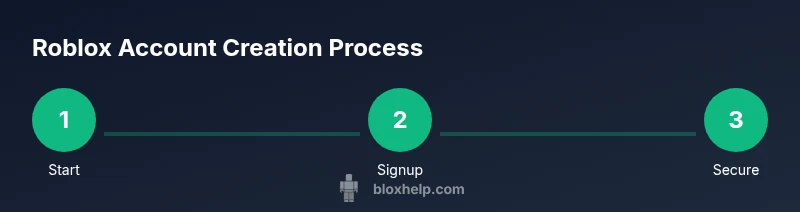
This section guides you through the signup path with concrete actions you can perform right away. The flow is designed to minimize friction and help you understand where to provide essential details. You’ll begin by preparing your chosen username and password, then proceed to fill out basic information, verify your identity, and finish with optional security enhancements.
- Open the Roblox signup page on your device and choose to sign up. This is the entry point where you’ll begin collecting the pieces you need for your account. Pro tip: use a desktop when you want to type more comfortably or a mobile device for quick signup on the go.
- Enter your birth date to verify your age. Age verification determines available features and helps enforce safety rules for younger players. If you’re signing up for a child account, parental controls may automatically adjust in-app access and chat capabilities.
- Pick a username. Aim for something unique that doesn’t reveal personal information. If your first choice is taken, try related variants and consider adding a small number or a favorite hobby to differentiate it.
- Create a strong password. A robust password typically includes at least 12 characters, a mix of uppercase and lowercase letters, numbers, and symbols. Don’t reuse passwords from other sites.
- Complete the CAPTCHA and agree to terms. This confirms you’re a human and that you understand Roblox’s rules and privacy commitments. If the CAPTCHA is hard to read, refresh the challenge or try a different browser.
- Optional: add an email for recovery. An email helps you regain access if you forget your password or get locked out. It also enables additional security features like two-factor authentication.
- Configure security settings. If available, enable two-factor authentication and review recovery options. Customize who can contact you and what information is visible on your profile.
- Verify your account if prompted. Email confirmations or SMS codes confirm ownership and strengthen security. Keep the verification code in a secure place.
- Review and finish. Double-check all information, update privacy settings, and start exploring Roblox with confidence. This final check lowers the chance of later access issues.
Estimated total time: 15-25 minutes
tip":"Always choose a password that you can remember but others cannot guess. Use a password manager if you struggle to maintain strong, unique passwords across services."}
Common issues and troubleshooting for signup
During signup you may encounter common hiccups that are easy to resolve with the right steps. If your username is rejected, verify that it avoids real names, common phrases, and offensive terms. If a password is rejected, ensure you meet minimum length, variety of characters, and avoid repeating patterns. CAPTCHA challenges sometimes fail due to network connectivity; refresh, switch browsers, or clear cache before retrying. If your birth date or age doesn’t align with regional rules, check your device’s date and time settings and retry.
If you lose access to your recovery email or phone, use the platform’s help options to recover your account. Avoid opening phishing messages or sharing verification codes with anyone. Finally, if you’ve created multiple accounts by mistake, prioritize the one you’ll keep and close duplicates to minimize confusion.
Pro tip: Enable password recovery options early so you don’t get locked out if you forget credentials. Routine checks on login activity can help you spot unauthorized access before it becomes a problem.
tip_2":"Phishing warnings: Roblox will never ask for your password in chat or email. If you receive unusual messages asking for login details, report them through Roblox support and secure your account."}
Security, privacy, and parental controls after signup
Security and privacy need ongoing attention after signup. If you’re managing a child account, review Roblox’s parental controls and set strict chat and friend request limits. For all accounts, activate two-factor authentication if available and attach a recovery email; this ensures you can regain access even if you forget your password. Regularly review who can see your profile and interact with you in games. Privacy settings can be adjusted to match your comfort level, reducing exposure to strangers while maintaining a positive social experience.
If you’re an adult or responsible guardian, consider digital hygiene practices: create strong, unique passwords for Roblox, monitor connected devices, and regularly audit connected apps and login activity. Keeping software up to date and using a reputable anti-phishing approach adds layers of defense against common online threats.
note":"It’s safer to perform signup on a trusted device rather than public computers."}
Getting started after account creation
With your Roblox account active, you can customize your avatar, join friends’ games, and start collecting achievements. Explore the catalog to personalize your look, adjust privacy settings to suit your preferences, and set up minimal parental controls if needed. Start with beginner-friendly experiences to learn the basics of navigation, in-game chat etiquette, and safe online interactions. Remember to revisit security settings periodically and after major updates to ensure continued protection.
voiceAnswer":"After creating your account, personalize your avatar, explore beginner games, and review privacy settings to stay safe while you play."
mainTopicQuery":"Roblox account"],
toolsMaterials":{"items":[{
name': 'Device with internet access (PC, tablet, or smartphone)','required':true,'note':'Desktop browser or Roblox mobile app'},{
name": 'Stable internet connection','required':true,'note':'Wi-Fi or mobile data with reliable speed'},{
name": 'Username and password','required':true,'note':'Unique username; strong, memorable password'},{
name": 'Email address (optional)','required':false,'note':'Helpful for recovery and security features'},{
name": 'Two-factor authentication option','required':false,'note':'Optional but adds security'}]},
Tools & Materials
- Device with internet access (PC, tablet, or smartphone)(Desktop browser (Chrome/Edge/Firefox) or Roblox mobile app)
- Stable internet connection(Wi-Fi or mobile data with at least mid-range speed)
- Username and password(Choose a unique username and a strong password (minimum 8-12 chars))
- Email address (optional)(For recovery and optional security features)
- Two-factor authentication option(Enable where available for extra protection)
Steps
Estimated time: 15-25 minutes
- 1
Prepare signup details
Decide on a unique username and a strong password. Gather any recovery options you want to add, such as an email address, in advance to speed up signup.
Tip: Having a shortlist of username ideas can speed up the process if your first choice is unavailable. - 2
Open the Roblox signup page
Navigate to the Roblox signup page on your device and choose to create an account. A clean forms-based flow helps you input details with minimal friction.
Tip: Use a desktop for easier typing or a mobile device for signup on the go. - 3
Enter birth date and age
Provide your birth date to verify age. This step determines available features and safety options for your account.
Tip: Accurate age information helps enforce appropriate safety controls. - 4
Choose a username
Enter your selected username and check its availability. If taken, try a related variant or add a small numeric suffix.
Tip: Avoid real names or personal data in usernames for privacy. - 5
Create a strong password
Create a password using a mix of uppercase, lowercase, numbers, and symbols. Longer passwords tend to be more secure.
Tip: Consider using a password manager to keep track of complex credentials. - 6
Complete verification steps
Complete any CAPTCHA challenges and accept the terms. This confirms you’re human and agrees to Roblox policies.
Tip: If CAPTCHA fails, try a different browser or refresh the page. - 7
Add recovery options
Link an email or phone number if you want extra recovery options. This helps you regain access if you forget credentials.
Tip: Keep recovery details secure and up to date. - 8
Configure security settings
Enable two-factor authentication if offered and set privacy options. Review who can contact you and view your profile.
Tip: Security settings give you more control over interactions. - 9
Finish signup and review
Review all entered information, confirm consent to terms, and complete signup. Then dive into Roblox safely.
Tip: Take a moment to customize privacy and safety preferences.
Questions & Answers
Do I need an email to create a Roblox account?
An email is optional but recommended for recovery and security features. You can create an account without one, but adding an email later improves access recovery and enables additional protections.
An email isn’t required to create Roblox, but attaching one helps with recovery and security.
Can I create an account for my child under 13?
Roblox offers account controls for younger players. If you’re signing up for a child, use parental controls and set safety options accordingly from the start.
Yes, there are child accounts with protective settings that guardians can manage.
What if I forget my password or lose access to my email?
Use the recovery options you set up during signup. If you can’t access recovery, contact Roblox support for assistance and identity verification.
If you forget your password, use your recovery options or contact support for help.
Are there different signup options for mobile vs desktop?
The signup flow is designed to be consistent across devices. You can start on desktop or mobile, then switch between platforms without losing progress.
Signup works similarly on mobile and desktop; just follow the prompts.
How can I improve the security of my Roblox account after signup?
Enable two-factor authentication if available, review privacy settings, and keep recovery contact details up to date. Regularly update passwords and monitor login activity.
Turn on extra security features and keep your recovery info current.
What should I do if I encounter a username already taken?
Try related variants or add numbers, but avoid personal data. If you’re stuck, use Roblox’s suggested alternatives during the signup flow.
If the name is taken, tweak it a bit and try again.
Watch Video
The Essentials
- Choose a unique username you can remember
- Use a strong, unique password and enable recovery options
- Complete signup on a trusted device with a secure connection
- Review privacy settings after creation
- Enable two-factor authentication where available