Roblox: Getting Started with Games and Studio
Learn how to start with Roblox: create an account, explore games, and begin building with Roblox Studio. This beginner-friendly guide covers safety, basics, and best practices for aspiring Roblox developers.


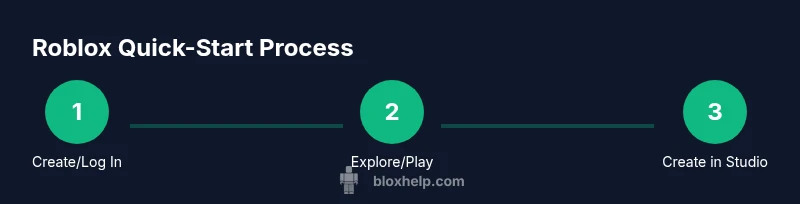
According to Blox Help, Roblox is a vibrant platform built on user-generated experiences where you can play, customize avatars, and even create your own games. This quick-start guide shows you how to set up an account, find experiences to play, and begin learning Roblox Studio for creation. You’ll need a device with internet, a Roblox account, and a safety-minded approach to online play.
What Roblox Is and Why It Matters
Roblox is not a single game—it's a vast platform that hosts millions of user-created experiences, ranging from simple obstacle courses to expansive role-playing adventures. Players can explore, socialize, and unlock customizations for their avatars, while creators can publish their own games and experiences with Roblox Studio. Roblox emphasizes community, creativity, and cross-device play, making it a unique ecosystem where learning by doing is central. For Roblox players and aspiring developers, understanding the core ideas—experiences, avatars, assets, and the economy—helps you decide where to invest time and effort. The platform also provides safety features, parental controls, and learning resources to help beginners grow into proficient creators. As noted by the Blox Help Editorial Team, starting with the basics and practicing regularly accelerates your progress and confidence.
- Experiences: Interactive user-made games and spaces you can join or build.
- Avatars and customization: Personalize your look and gear.
- Roblox Studio: The creation tool for building your own games.
- Robux and economy: The in-game currency used for cosmetics, upgrades, and experiences.
This guide uses simple, practical steps to move from curious player to confident creator, with safety and community tips woven in throughout.
Getting Set Up: Accounts, Devices, and Safety
Getting started with Roblox is straightforward, but setting up correctly saves time and reduces frustration later. Start by creating a Roblox account on the official site or mobile app. Choose a strong password, enable any available two-factor authentication, and review privacy settings to control who can contact you and what information is visible. Next, confirm your device compatibility: Roblox supports PC, Mac, iOS, Android, and Xbox, but performance varies by device. Ensure your device has a stable internet connection and enough storage for apps and games. If you will share the device, consider enabling Family or parental controls and setting age-appropriate chat filters. For younger players, a supervised setup can help avoid unintentional purchases or unsafe chats.
Core Roblox Concepts: Games, Experiences, and Roblox Studio
Roblox combines two big ideas: playing experiences created by others and creating your own experiences with Roblox Studio. A typical day as a player might involve exploring new games, joining friends in co-op adventures, and customizing your avatar with outfits and accessories. If you want to build, Roblox Studio is your main tool. It provides a sandbox environment with parts, scripts (Lua-based), and a collaborative publishing workflow. Understanding the difference between a game and an experience helps you pick the right path: play games to learn design ideas, or build to practice coding and level design. The Roblox economy, via Robux and developer exchanges, offers opportunities to monetize, learn budgeting, and track progress. The more you practice, the more you’ll understand fundamental game design concepts like pace, progression, and player feedback.
How to Play: Finding Games, Friends, and Basic Interactions
To jump into Roblox quickly, start with the Discover or Games tabs to browse curated experiences. Use filters like genre, popularity, or new releases to find games that match your interests. When you join a game, pay attention to mechanics, controls, and in-game goals. Add friends to your list to connect outside of individual games, and use chat and in-game messaging within safety boundaries. Turn on privacy settings if you want to limit who can join your experiences or send requests. Remember to respect community guidelines and report any behavior that violates terms of service or safety policies. Regularly reviewing your account security, including password hygiene and device protections, keeps your Roblox experience safe and enjoyable.
How to Create: Roblox Studio Basics for Beginners
Roblox Studio is the official creation tool for building worlds, designing gameplay, and scripting interactions. Begin by installing Roblox Studio from the Roblox website, then create a new project. Start with a simple terrain or baseplate, add objects (blocks, models, and lighting), and learn basic manipulation: move, rotate, and scale. Scripting introduces interactivity; start with simple Lua scripts that trigger events when a player touches a platform or collects an item. Use the built-in tutorials and sample projects to learn about Actors, Parts, and Properties. As you gain confidence, publish a test experience to see how others interact with your creation. Collaboration with friends can accelerate learning and provide feedback to refine your concepts.
Monetization, Safety, and Best Practices
Roblox’s ecosystem includes optional purchases via Robux for cosmetics, upgrades, and access to premium experiences. If you are a creator, learn the basics of monetization, pricing, and safe transaction handling to avoid common pitfalls. Safety is essential: enable privacy controls, use safe chat settings, and monitor friend requests, especially for younger players. Maintaining clear boundaries between personal and in-game identities helps protect privacy. Develop a regular practice schedule for learning—set small, incremental goals for your creation or gameplay, and track your progress with a simple plan. Staying engaged with the Roblox community, reading policy updates, and participating in official tutorials fosters responsible and sustainable growth as a player and maker.
Troubleshooting Common Issues and Getting Help
Most issues in Roblox can be resolved with a few targeted steps: ensure your app is up to date, check your internet connection, and verify device compatibility. If a game fails to load, try closing other applications, lowering graphics settings, or rejoining after a short wait. If you encounter payment issues, review your account balance, payment method, and age-appropriate restrictions. For account security concerns, enable 2FA where available and change passwords regularly. When you’re stuck, the Roblox community offers many tutorials, forums, and official support channels. Always prefer official documentation for core guidance and use the community for practice-oriented tips and troubleshooting tips, but avoid sharing sensitive data in public forums.
Tools & Materials
- Roblox account(Create an account on roblox.com or via the mobile app.)
- Compatible device(PC, Mac, iOS, Android, or Xbox. Ensure the device meets minimum specs.)
- Stable internet connection(Broadband or strong Wi‑Fi; avoid mobile data for large downloads.)
- Headphones or speakers(Optional for chat clarity and immersion.)
- Parental controls (if needed)(Set limits and privacy options for younger players.)
Steps
Estimated time: 60-90 minutes
- 1
Create or log in to your Roblox account
Open the Roblox site or app and follow the prompts to create an account or sign in. Choose a strong password and enable two-factor authentication if available. This protects your profile and keeps your progress safe as you explore games and Roblox Studio.
Tip: Tip: Use a unique password and turn on 2FA for extra security. - 2
Choose your device and install Roblox
Verify your device compatibility and install the Roblox app or Roblox Studio if you intend to create. Ensure you have enough storage and a stable internet connection before downloading large files.
Tip: Tip: If you’re on a tablet or phone, ensure you’re on a reliable Wi‑Fi network during download. - 3
Explore games and experiences
Use the Discover tab to browse curated experiences, try different genres, and save favorites. Join friends to play together and observe how game designers structure progression and challenges.
Tip: Tip: Start with popular, well-rated games to learn solid design patterns. - 4
Open Roblox Studio and start small
Launch Roblox Studio, create a new place, and add basic parts. Practice moving and resizing objects, then experiment with a simple script to trigger an action when a player interacts with an object.
Tip: Tip: Follow official beginner tutorials to grasp Studio workflows quickly. - 5
Publish and invite feedback
Test your project locally, fix issues, and then publish to the Roblox platform. Share with friends or the community to gather feedback, then iterate on your design to improve gameplay and user experience.
Tip: Tip: Use the test mode to simulate players before publishing to a broader audience.
Questions & Answers
What is Roblox and how does it work?
Roblox is a platform hosting millions of user-created games and experiences. You can play, customize avatars, and build using Roblox Studio. It operates on cross-platform devices and a shared economy based on Robux for in-game purchases.
Roblox is a platform with user-created games where you can play and build with Roblox Studio across devices.
Is Roblox free to play?
Yes, Roblox is free to download and play. Optional purchases use Robux, the in-game currency, for cosmetics and access to certain experiences.
Yes, you can start playing for free, with optional purchases using Robux.
How do I create a game in Roblox?
Start with Roblox Studio, learn the basics through official tutorials, and build a simple project. Gradually add scripts and custom assets to craft your gameplay.
Begin with Roblox Studio and follow beginner tutorials to create your first game.
Is Roblox safe for kids?
Roblox offers safety features and chat filters, but parental oversight is encouraged. Use privacy settings and report inappropriate behavior.
Roblox includes safety features, but parents should review settings and supervise young players.
What equipment do I need to start playing Roblox?
A compatible device with internet access and a Roblox account are the basics. Optional accessories like a headset can enhance chat and immersion.
You mostly need a device, internet, and a Roblox account; a headset is optional.
How can I learn Roblox scripting?
Begin with Lua basics in Roblox Studio and follow official tutorials. Practice small scripts and gradually tackle more complex interactions.
Start with Lua basics in Roblox Studio and build up with hands-on practice.
Watch Video
The Essentials
- Create an account and secure it with strong passwords.
- Explore experiences to learn about game design and player flow.
- Roblox Studio enables hands-on creation with Lua scripting.
- Prioritize safety, privacy, and responsible online behavior.