How to Create Roblox Pass: A Complete Step-by-Step Guide (2026)
Learn how to create a Roblox game pass, set pricing, implement in-game purchases, test thoroughly, and launch with best-practice tips from Blox Help.


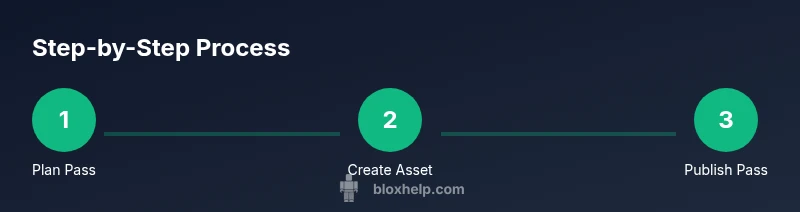
To create a Roblox game pass, first plan a value-adding pass, then design and upload its thumbnail image. Next, create the pass on the Roblox website, set a price in Robux, and note the pass ID. In-game, add a purchase prompt using MarketplaceService, test thoroughly with friends, then publish and monitor sales.
What is a Roblox game pass and when to use it
A Roblox game pass is a purchasable, one-time upgrade that unlocks special capabilities, cosmetics, or access within a specific game. Game passes are distributed through the Roblox Marketplace and are designed to add value beyond the base game. For developers, they offer a flexible monetization option that complements in-game purchases and virtual goods. According to Blox Help, game passes should clearly articulate the benefit players receive and be priced to reflect that value. This helps ensure players understand what they’re buying and that the offer remains attractive over time. If you’re building a game with recurring content or exclusive features—like extra abilities, premium areas, or cosmetic boosts—a pass can be a natural fit. The goal is to provide a meaningful upgrade without造成 a pay-to-win impression; balance and clarity are key.
Planning your create pass: concept, pricing, and scope
Before you create anything, clarify the pass concept and how it fits into your game loop. Start with a single, well-defined benefit that feels valuable without breaking game balance. Consider whether you’ll offer one tier or multiple tiers, and how each tier changes gameplay or customization. When it comes to pricing, set a Robux amount that aligns with perceived value and player expectations; this often means testing a few price points (e.g., low, mid, high) and observing purchaser behavior. Document the scope of the pass—the exact features unlocked, whether it expires, and how it interacts with other in-game purchases. Based on Blox Help research, passes that tie to tangible progression or unique cosmetics tend to perform better than generic add-ons. Finally, plan a marketing angle: what problem does the pass solve, and how will you communicate its benefits to players?
Asset design and preparation
The thumbnail and branding for your pass are the first impression players get, so quality matters. Create a square thumbnail (512x512 px is common) with a clean, legible design that mirrors your game’s art style. Include the pass’s name and a visual cue for its benefit. Prepare a short description that highlights the most compelling value, and draft a few bullet points detailing specific perks. If you plan multiple passes, maintain consistent color schemes and typography to reinforce brand recognition. Ensure any artwork you use is original or properly licensed to avoid copyright issues. As you design assets, test their visibility across different backgrounds and UI scales in your game so that players can recognize the offer in various contexts.
Create the pass on Roblox: setup and metadata
Go to your game's Creator page and choose the option to add a new Game Pass. Upload the prepared thumbnail image, provide a clear and concise description of what the pass unlocks, and set the price in Robux. Roblox will generate a unique passId when you save the pass; record this ID carefully because you will need it for scripting purchases. Double-check that the pass name matches the asset and that the image adheres to Roblox guidelines. This phase is about translating your plan into a tangible item players can purchase. After saving, you can enable a storefront description and ensure the pass appears under your game’s storefront listings.
Implement in-game purchases: scripting the buy flow
To enable players to buy the pass in game, you’ll use Roblox Studio scripting with MarketplaceService. The essential steps are to reference MarketplaceService, store the generated gamePassId, and invoke PromptGamePassPurchase for the player. Here is a simplified example:
local marketplaceService = game:GetService("MarketplaceService")
local gamePassId = 1234567 -- replace with your actual Game Pass ID

-- call this where appropriate, e.g., when a player clicks a UI button
marketplaceService:PromptGamePassPurchase(player, gamePassId)
In addition, you’ll want to handle the callback to unlock features after a successful purchase. Make sure players cannot exploit repurchases if the script runs multiple times for the same session. Testing is essential to ensure reliability, responsiveness, and a smooth user experience across devices.
Testing and quality assurance: verify every step
Testing a game pass involves ensuring the purchase flow appears correctly, the unlocks function as intended, and there are no edge-case issues with partial progress, anti-cheat triggers, or cross-device behavior. Use a private server or a test account to simulate real purchases without spending real Robux. Verify that the pass is granted after purchase, that the user interface updates immediately, and that the feature remains accessible in future sessions. A thorough QA pass checks for broken links, incorrect pass IDs, and UI clippings where captions might overflow. Collect tester feedback on clarity, perceived value, and any friction in the buying process; your goal is a frictionless, trustworthy experience that encourages positive sentiment and repeat purchases.
Launch, marketing, and post-launch support
Once you’re confident in the pass’s value and the purchase flow, publish and announce it to your players. Create a short trailer, a pinned in-game announcement, and a product page summary that highlights the benefits and pricing. Track key metrics like pass sales, owner retention, and feedback scores to gauge performance. Prepare to update the pass based on player demand or balance changes in the game. Provide a support channel (in-game messages or a dedicated Roblox group) for players with issues or questions about the pass. By maintaining communication and iterating on feedback, you can sustain interest and improve long-term revenue from game passes. The Blox Help team emphasizes the importance of transparent value and ongoing optimization for lasting success.
Common pitfalls and troubleshooting
- Overpromising: Avoid stating benefits that aren’t delivered by the pass, which can lead to dissatisfaction and refunds. - Mispricing: Price too high or too low relative to perceived value; run A/B tests to find a sweet spot. - Incomplete QA: Skipping tests can leave edge cases that break purchases; always test with multiple devices and accounts. - Copy and asset mismatches: Ensure the thumbnail and description accurately reflect what’s offered. - Policy compliance: Adhere to Roblox terms to avoid removal or penalties. Regularly review your pass’s description, perks, and code to prevent drift from the intended experience.
Tools & Materials
- Roblox account with Creator access(Ensure you have permission to create passes for your game.)
- Game thumbnail artwork(512x512 px or similar high-quality image; licensed or original artwork.)
- Computer with internet access(Used to access Roblox creator pages and Studio.)
- Roblox Studio and Creator page access(Needed to implement pass purchase in-game and to manage assets.)
- Code editor or IDE (optional)(Helpful for scripting purchase logic and testing scripts.)
Steps
Estimated time: 3-6 hours
- 1
Plan pass concept
Define the pass’s value, benefits, and target audience. Decide whether to offer a single tier or multiple tiers, and sketch how each tier affects gameplay or cosmetics.
Tip: Document expected player value in one paragraph to guide asset design and marketing. - 2
Prepare assets
Create a clean, branded thumbnail and any associated icons or cosmetics. Ensure assets meet Roblox guidelines and licensing requirements.
Tip: Use consistent art style and color palette to reinforce recognition. - 3
Create the pass on Roblox
Navigate to your game’s Creator page and add a new Game Pass. Upload the thumbnail, enter a clear description, and set a price in Robux. Note the generated passId for scripting.
Tip: Double-check the pass name and description for accuracy before saving. - 4
Set price and description
Choose a price that reflects the pass’s value and aligns with player expectations. Write a concise description listing exact perks.
Tip: Consider offering a promotional price for the first week to boost early adoption. - 5
Capture the Game Pass ID
Record the numerical passId provided by Roblox; you’ll use this in your purchase script to grant access after purchase.
Tip: Store the ID securely and annotate its association with the correct pass. - 6
Implement purchase flow
Add code to trigger the purchase process in-game, using MarketplaceService:PromptGamePassPurchase(player, gamePassId).
Tip: Guard the call with proper event handling to avoid duplicates and ensure a smooth UX. - 7
Test the purchase flow
Test on multiple devices or accounts, using a test environment to simulate purchases without real Robux. Verify that perks unlock after purchase.
Tip: Test for edge cases: failed purchases, repeated purchases, and cross-session access. - 8
Publish and monitor
Publish the pass and monitor sales metrics, feedback, and any reported issues. Be ready to adjust pricing or perks if necessary.
Tip: Set up a simple feedback loop so players can report problems quickly. - 9
Iterate post-launch
Use player feedback to refine perks or add new passes. Regular updates keep interest high and can boost lifetime value.
Tip: Plan a content calendar for updates tied to game events or seasons.
Questions & Answers
What is a Roblox game pass and how does it work?
A Roblox game pass is a one-time purchase that unlocks specific in-game benefits for a single game. It is owned by the player and grants access to perks such as exclusive abilities or cosmetics. You manage passes through the Roblox Creator page, then implement a purchase flow in-game so players can buy and immediately receive their perks.
A Roblox game pass is a one-time upgrade for a single game. It unlocks perks and can be bought via the in-game purchase flow you implement.
Can I create multiple passes for one game?
Yes, you can create multiple game passes for a single game, each with distinct perks and pricing. Plan tiers that complement each other and avoid overlap so players understand what each pass offers.
Yes, you can create multiple passes with different perks. Make sure each one offers unique value.
How do I set a price for a game pass?
Set a Robux price that reflects the perceived value and aligns with player expectations. Start with a modest tier and iterate based on sales data and player feedback.
Choose a price that matches the value, then adjust based on sales data and feedback.
How can I test the game pass purchase flow?
Test using a private server or test accounts to simulate real purchases without spending Robux. Validate UI prompts, pass grants, and subsequent access across sessions.
Test purchases with a private server and test accounts to ensure everything works end-to-end.
What are best practices for designing passes?
Design passes with tangible value, clear benefits, and transparent descriptions. Use cohesive branding and avoid overpromising to maintain player trust and long-term engagement.
Provide clear, valuable perks with honest descriptions and consistent branding.
What should I do if a pass isn’t selling well?
Reassess pricing, perks, and marketing. Gather player feedback, adjust the offer if needed, and consider promotions or bundling with other content to boost appeal.
If sales lag, adjust price or perks and promote the pass through in-game announcements.
Watch Video
The Essentials
- Plan value-first: a clear, compelling pass improves conversion.
- Prepare assets that match your game's art style and brand.
- Test purchases thoroughly before launch to avoid user friction.
- Monitor sales and iterate with player feedback.
- Keep compliance and support front-and-center for long-term success.