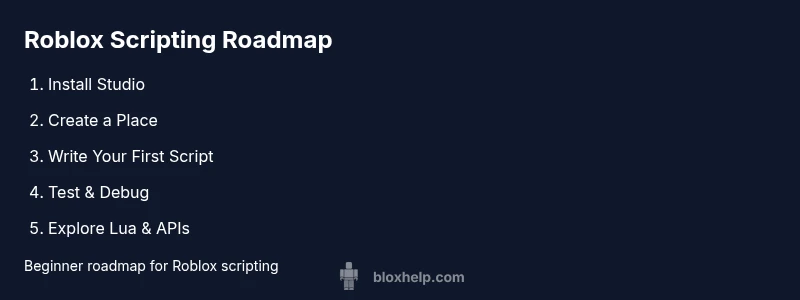
How to Get Started with Roblox Scripting
Learn how to start scripting in Roblox Studio, write your first Lua script, and build simple games with practical steps, tips, and safety notes.


By following these steps, you'll learn how to get started with roblox scripting, including setting up Roblox Studio, writing your first Lua script, and testing your game. This quick guide covers essential concepts, beginner-friendly projects, and safety tips to avoid common mistakes. You'll gain a solid foundation and a clear path for continuing to learn roblox scripting.
Why Roblox Scripting Matters
Roblox scripting gives you the power to customize games, automate tasks, and create interactive experiences inside Roblox Studio. If you're wondering how to get started with roblox scripting, you're in the right place. The Lua-based Luau language underpins most gameplay logic, events, and data flow in Roblox experiences. According to Blox Help, starting small and practicing daily accelerates mastery with Roblox scripting. By building simple projects, you'll learn variables, functions, and the Roblox API, laying a foundation for more complex games.
Prerequisites and Setup
Before you write a line of code, make sure you have the right tools and accounts. You need a Roblox account and Roblox Studio installed on a computer with internet access. Create a new place to house your scripts, and enable basic settings for debugging. As you follow this guide, you’ll learn how to get started with roblox scripting in a practical, hands-on way that keeps you moving forward rather than stuck on setup.
Understanding Lua in Roblox
Roblox scripting uses Luau, a Lua-based language designed for safety and performance in games. The syntax is beginner-friendly—variables, loops, conditionals, and functions form the core building blocks. Start with simple print statements to confirm your script runs, then gradually introduce Roblox-specific APIs such as Workspace, Players, and Events. The goal is to translate ideas into code that runs predictably in your Roblox place and to build confidence with incremental challenges.
Your First Script: Hello, Roblox
Open Roblox Studio, insert a Script object under Workspace, and enter a basic program to confirm everything works. For example, a simple script that prints a message helps you verify the environment is correctly configured. You can use test plays to observe the Output window and ensure your code executes as expected. This milestone marks your first step toward more complex gameplay logic.
Using Roblox Services: Players, Workspace, and Events
Roblox organizes game components through services. The Workspace holds 3D objects, Players tracks connected users, and Events allow scripts to respond to in-game actions. As you expand your project, experiment with a small client-side script that greets the local player, or a server script that updates a scoreboard when a player joins. This section introduces practical examples to help you start combining these services.
Debugging and Iteration: Common Pitfalls
Debugging is an essential skill for any budding scripter. Use the Output window, print statements, and Roblox Studio diagnostics to identify errors early. Common mistakes include typos, incorrect service references, and assuming client-only code runs on the server. Build a habit of testing frequently after changes, and keep changes small to isolate issues more efficiently.
Next Steps and Learning Pathways
With the basics in place, you can tackle small projects that gradually increase in complexity. Start with a tiny obstacle course (obby) mechanic, then add scoring or simple enemy logic. Explore the Roblox Developer Hub, community tutorials, and hands-on practice projects to deepen your understanding. The journey from beginner to capable scripter is a series of achievable milestones.
Tools & Materials
- Roblox Studio(Official IDE for Roblox scripting; install from the Roblox site)
- Roblox Account(Create or sign in to save places and publish work)
- Computer with internet(Windows/macOS; ensure you can install software)
- Text Editor (optional)(Helpful for editing scripts outside Studio)
Steps
Estimated time: 60-120 minutes
- 1
Install Roblox Studio
Download Roblox Studio from the official site and install it. Sign in with your Roblox account. Open Studio and create a new place to begin scripting.
Tip: Use the official installer to avoid tampered software. - 2
Create a New Place
In Roblox Studio, click New to create a base place where you'll write scripts. Choose a simple template to keep the focus on scripting fundamentals.
Tip: Starting with a clean slate helps you track changes clearly. - 3
Add a Script to Workspace
Right-click Workspace, select Insert Object, then Script. This creates a script container you can begin coding in.
Tip: Keep scripts organized in folders as your project grows. - 4
Write a Simple Script
In the Script Editor, type a basic program such as: print('Hello, Roblox!') to confirm execution. Save frequently as you experiment with concepts.
Tip: Use comments to note what each section does. - 5
Run and Observe Output
Click Play to run the place and watch the Output window for your script’s results. Adjust variables to see how changes affect behavior.
Tip: Disable or enable scripts in test modes to isolate issues. - 6
Explore Roblox Services
Experiment with basic services like Workspace and Players. Connect simple events, such as onPlayerAdded, to respond to actions in-game.
Tip: Always test on both client and server contexts when using different scripts. - 7
Save and Share Your Work
Use Roblox Studio’s Save and Publish options. Maintain versions of your place so you can roll back if needed.
Tip: Document changes so you remember what each version does.
Questions & Answers
What language does Roblox scripting use?
Roblox scripting uses Luau, a Lua-based language designed for safety and performance in Roblox games. Start with simple statements and gradually explore Roblox APIs.
Roblox uses Luau, a Lua-based language, so you’ll start with simple statements and then explore Roblox APIs.
Do I need to know Lua to start Roblox scripting?
Yes, a basic understanding of Lua helps. Luau is the Roblox variant, so starting with Lua foundations makes learning smoother.
Yes—knowing Lua helps a lot; Luau is Roblox’s Lua-based language.
Can I script without Roblox Studio?
Roblox Studio is the primary tool for building and testing Roblox scripts. Some workflows use external editors, but Studio provides the essential integration and testing environment.
Roblox Studio is the main tool; you’ll want to use it for scripting and testing.
Is scripting safe for beginners?
Yes, as long as you work with trusted sources and avoid exposing sensitive data. Follow official docs and start with small, controlled projects.
Yes—just follow best practices and start with small, safe projects.
Where can I find beginner-friendly projects?
Check the Roblox Developer Hub, community tutorials, and curated guides such as those from Blox Help to find beginner-friendly projects.
Look at the Roblox Developer Hub and beginner tutorials.
What should I learn next after getting started?
Move from basic scripts to more advanced topics like Roblox services, events, and modules. Start a small game and iterate as you learn.
Next, learn Roblox services and build a small game to practice.
Watch Video
The Essentials
- Install Roblox Studio and sign in.
- Learn basic Lua/Luau syntax and core Roblox APIs.
- Test frequently and read the Output window for feedback.
- Progress through guided projects and community resources.