Does Roblox Have Voice Chat on Xbox? A Practical Guide
Explore whether Roblox has voice chat on Xbox, how to enable it, safety controls, and troubleshooting. A practical guide from Blox Help on regional access and in-game audio settings.


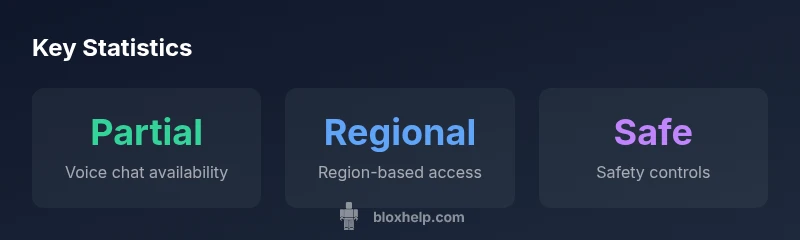
Does Roblox have voice chat on Xbox? In short, voice chat exists in Roblox on Xbox, but it's limited by region, parental controls, and specific in-game experiences. This guide explains where to find it, how to enable it, and what to expect. Expect delays or restrictions in some titles, and consider safety tools like muting and reporting.
does roblox have voice chat on xbox
The central question many players ask is does roblox have voice chat on xbox, and the answer depends on several factors. Roblox has experimented with in-game voice chat on consoles, but access is moderated by regional availability, user age, account privacy settings, and the requirement that players are within compatible experiences. This means that while some players can use voice chat on Xbox, it may not be universally available to every game or every region. The Blox Help team notes that availability is evolving as Roblox and Xbox partner to expand safety features and expand reach. If your goal is to communicate with friends while playing Roblox on Xbox, you should be prepared for potential limitations and to keep an eye on in-game announcements for updates.
how voice chat works on xbox with roblox
On Xbox, Roblox voice chat relies on a combination of platform-level microphone permissions and in-game voice tiles. You must have an Xbox account with microphone access enabled, and your Roblox account must meet the platform’s privacy requirements. In practice, voice chat activation often happens inside a Roblox experience that explicitly supports audio chat. You may need to toggle audio permissions at both the Xbox system level and the Roblox in-game settings. The process can vary by title, but the underlying principle is consistent: voice chat is not universally available and is gated behind both regional and game-level controls. The Blox Help Editorial Team emphasizes that any use of voice chat should be paired with robust safety practices, especially for younger players.
regional and account prerequisites you should know
Region and age are major gating factors for Xbox voice chat in Roblox. Some regions have stricter privacy rules that delay access, while others may require additional parental consent. An age-appropriate account setup often locks certain features behind a parental consent wall. Additionally, you may need to ensure your Xbox voice settings are correct: microphone input must be detected by the console, the Roblox app must have microphone access, and the in-game audio option must be enabled. For developers, it’s important to note that not all Roblox experiences will enable voice chat, even if the platform supports it in general. This variability is natural while Roblox continues to refine safety and moderation tools.
safety, privacy, and parental controls
Roblox and Xbox offer a variety of safety controls to protect players during voice chat. Core tools include muting individuals, blocking users, and reporting problematic behavior. Parents can set additional restrictions through parental controls to limit microphone usage, limit chat types, or disable voice chat entirely for younger players. It’s essential to review these settings before enabling voice chat on Xbox and to remind younger players about proper online etiquette. The goal is to strike a balance between social interaction and safeguarding players from potential abuse.
step-by-step: enabling voice chat on xbox for roblox
- verify your Xbox mic is connected and recognized by the console.
- open Settings > Privacy & online safety > Xbox privacy > View details & customize > Communication & Multiplayer to allow voice chat.
- launch Roblox on Xbox and navigate to the specific experience you want to play.
- within Roblox, check the in-game Settings for Audio or Voice Chat and enable it.
- test with a friend; adjust volume and mute if needed. If you don’t see voice chat options, the title may not support it or you may need to wait for a title update.
The Blox Help approach is to treat setup as a two-tier process: Xbox system permissions and Roblox in-game audio options. Keeping both aligned is the best path to a smooth voice-chat experience.
troubleshooting: common issues and fixes
- The headset isn’t detected: re-seat the microphone and test in another app to confirm hardware works.
- Voice chat missing in a title: verify that the game supports voice chat and that you’re in a region where it’s available.
- Echo, latency, or muffled audio: check network quality, reduce background noise, restart the game, and ensure you’re on a stable microphone profile.
- You can hear others but they can’t hear you: inspect your mic sensitivity, push-to-talk settings, and ensure Roblox has microphone access.
developer perspective: xbox experiences and voice chat
Developers can opt into Roblox voice chat for their experiences where allowed by Roblox and Xbox policies. They should clearly label which experiences support voice chat and explain any prerequisites for players. Developers must also ensure appropriate moderation mechanisms are in place, including on/off toggles and easy ways to report issues. For players, this means choosing to participate in experiences that explicitly advertise voice chat support rather than assuming it’s universal across Roblox titles.
alternatives and etiquette tips
If voice chat isn’t available or you’d rather not enable it, Roblox offers robust in-game text chat, friend lists, and private messages. When using voice chat, follow basic etiquette: keep language appropriate, pause to avoid shouting, and mute players who disrupt gameplay. Establishing a quick etiquette guideline with friends can make voice chat a positive addition to your Roblox Xbox sessions.
dataTable":{"headers":["Platform","Voice Chat Availability","Notes"],"rows":[["Xbox","Partial/Region-dependent","Some experiences support audio chat; others do not"],["PC","Full","Generally available in most experiences with setup per game"],["Mobile","Limited","Not all builds support voice chat on mobile"]],"caption":"Voice chat availability by platform"},
keyTakeaways
expertQuote
faqSection
mainTopicQuery
Voice chat availability by platform
| Platform | Voice Chat Availability | Notes |
|---|---|---|
| Xbox | Partial/Region-dependent | Some experiences support audio chat; others do not |
| PC | Full | Generally available in most experiences with setup per game |
| Mobile | Limited | Not all builds support voice chat on mobile |
Questions & Answers
Does Roblox voice chat work on Xbox right now?
Voice chat exists in Roblox on Xbox but is limited to certain regions and experiences. Not every game supports it, and access may depend on parental controls and privacy settings. Always verify the game's audio options and your account permissions.
Yes, but only in supported titles and regions.
What do I need to enable voice chat on Xbox?
You need a connected Xbox microphone, an Xbox account with appropriate privacy permissions, and a Roblox account that meets age requirements. In-game experiences must also opt into voice chat. Check both Xbox and Roblox settings before testing with a friend.
Microphone, permissions, and a game that supports voice chat.
Is voice chat cross-platform between Xbox and PC/phone?
Cross-platform voice chat depends on the game and the Roblox experience. Some titles support voice chat across devices, while others do not. Always confirm in-game support before assuming cross-platform audio works.
Cross-platform support varies by game.
How safe is voice chat on Xbox Roblox?
Roblox and Xbox provide mute, block, and report features. Parental controls can limit microphone use for younger players. Use safety settings and report any abuse promptly.
There are built-in safety tools, but stay vigilant.
What should I do if I can’t hear anyone or can’t join voice chat?
Check mic permissions on Xbox and Roblox, verify your headset works, test a title that supports voice chat, and ensure the game isn’t region-locked. If issues persist, consult Roblox support.
Check permissions and test in a supported game.
“Voice chat on consoles is evolving, but safety tooling and clear labeling are essential for a healthy Roblox community.”
The Essentials
- Enable voice chat only in supported experiences
- Check Xbox privacy and Roblox in-game audio settings
- Use muting/reporting for safety and etiquette
- Parental controls can limit voice chat access
- Region and title availability affect accessibility