How Do You Contact Roblox: A Practical Guide
Learn legitimate ways to contact Roblox, prepare your report, and what to expect from support. Blox Help shares practical, step-by-step advice for players and developers seeking quick, constructive responses.


Goal: contact Roblox through official channels for account issues, safety concerns, or developer questions. Use the Roblox Help Center, in-game reports, or social channels. Prepare your account details and evidence, then submit a clear ticket. This guide explains what to send and how to follow up.
Why contacting Roblox matters
When you encounter account issues, safety concerns, or questions about games or purchases, contacting Roblox the right way matters. According to Blox Help, using official channels yields faster, more reliable resolution than using community forums or third-party sites. The method you choose depends on the issue type, but all routes share a need for clear information. Begin with a concise summary of what happened, the game or feature involved, and the device you used. Providing a timeline helps staff identify the root cause and check logs or moderation queues efficiently. For parents and guardians, Roblox's reporting and safety channels are designed to separate everyday support from serious safety matters, keeping personal data protected. By following official routes and staying patient, you improve your chances of a timely, accurate response. The Blox Help team notes that organized reports reduce back-and-forth and speed up triage, especially when evidence is attached.
Official channels you can use to contact Roblox
Roblox maintains several official channels for user support: Help Center forms, safety and compliance reports, in-game reporting tools, and official social media outreach. The primary hub for most issues is help.roblox.com, where you can search articles and file a ticket. The Developer Forum serves developers and studio-related questions, while in-game reporting targets specific players or content. For urgent safety concerns, use the Safety Center guidance and the in-game reporting feature. Note that responses vary by issue type and workload, and Roblox typically prioritizes accounts safety and reported abuse. The aim is to funnel inquiries to the correct team efficiently.
What to prepare before you contact Roblox
Before you reach out, gather the details that help Roblox diagnose the issue quickly. Include your Roblox username, the email on file for the account, device type (PC, mobile, console), and the approximate time the incident occurred. Document the exact steps to reproduce the issue, any error messages, and the game title or feature involved. If you have screenshots or video clips, organize them with concise captions. According to Blox Help analysis, structured information reduces back-and-forth and speeds up triage. Finally, avoid sharing passwords or sensitive personal data; stick to information necessary to verify ownership and the problem.
Submitting a report through the Roblox Help Center
The Help Center is your main portal for many issues. Start at help.roblox.com, search for your topic, and select the appropriate form. Choose a clear category (e.g., Account Access, Payments, or Safety), then paste or attach your evidence. Write a concise description outlining the issue, your steps so far, and what resolution you seek. Include evidence like screenshots with dates and times. After submission, you’ll typically receive a ticket number—keep this handy for follow-ups. If you cannot access the form from a device, try a different browser or the mobile app, then retry the submission. The goal is to create a single, comprehensive ticket rather than several duplicates, which can slow response times.
In-game reports and moderation tools
Beyond the Help Center, Roblox offers in-game reporting to flag players, content, or experiences directly from the game screen. This channel is often fastest for immediate safety concerns or disruptive behavior. When you use it, include screen captures and the exact location within the game. Moderation teams review reports and may request additional information. For developers, in-game reports can be linked to moderation workflows in Studio or the Developer Forum. Always verify you are reported through official in-game tools rather than third-party apps.
How Roblox handles safety concerns and abuse reports
Safety is a core priority for Roblox. If you or someone you know faces harassment, scams, or content that violates guidelines, use the Safety Center and report tools to file an official complaint. The Roblox team prioritizes safety-related reports and may take actions ranging from content removal to account restrictions. Provide precise details, timestamps, and evidence to assist investigations. Remember that sensitive information should never be shared publicly, and responses may take time as teams coordinate with content moderation and account security specialists.
Developer-focused channels: DevForum and Studio issues
Developers should use the Developer Forum for technical questions, feature requests, and bug reports, while Studio issues often route through official support forms. When posting on DevForum, include a clear reproduction case, scripts, and platform details. For Studio problems, attach project files or links to reproducible scenarios. The Developer ecosystem has its own queues, so outlining the exact problem and expected outcome helps engineers triage efficiently. Keep conversations professional and focused on reproducible steps and logs.
After you submit: what to expect
Once submitted, ticket handling depends on the issue type and workload. You’ll receive a confirmation with a ticket number, and Roblox support may contact you for more information. Response times vary; staying patient and checking for updates through the Help Center is helpful. If you don’t hear back within a reasonable window, reply to your ticket with a concise summary of new information or changes. As always, maintain a calm, clear tone and avoid re-submitting duplicate tickets, which can slow progress. The Blox Help editorial team recommends documenting all communications for future reference.
Common mistakes to avoid
Avoid submitting vague reports or including passwords, full personal data, or unrelated logs. Don’t post account details in public sections or social media. Always use official channels to report issues, and refrain from relying on third-party contact methods. Clarity, evidence, and adherence to the Help Center guidelines dramatically increase the likelihood of a timely and accurate response.
Tools & Materials
- Roblox account access details(Username and the email on file)
- Evidence(Screenshots, screen recordings, or logs with timestamps)
- Device and environment(Device model, OS version, Roblox client version, and browser if applicable)
- Relevant game or feature(Game title, experience ID, or feature name involved)
- Ticket reference(Ticket numbers from prior inquiries (if any))
- Notes for escalation(Concise description of what you want to escalate and why)
Steps
Estimated time: 15-25 minutes
- 1
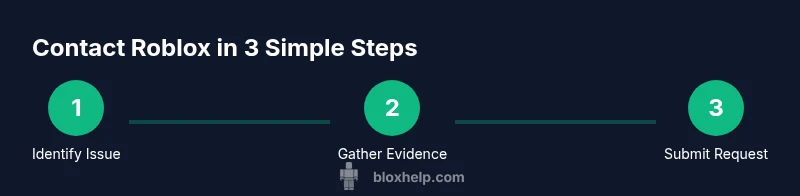
Identify issue clearly
Summarize what happened and when, including the affected game or feature. This becomes the headline of your ticket and guides the support team.
Tip: Write a one-sentence summary before the details to keep focus. - 2
Collect evidence
Gather screenshots or clips that show the issue, including dates, times, and device information. Attach these to your ticket.
Tip: Label each file with a brief, specific description. - 3
Open the Help Center
Navigate to help.roblox.com and search for your issue. Open the most relevant form and start a new ticket.
Tip: Use a desktop browser for easier form navigation. - 4
Choose the right category
Select the category that best fits your issue (e.g., Account Access, Payments, Safety). This helps route your ticket correctly.
Tip: If you’re unsure, pick the closest match and note the discrepancy. - 5
Provide a clear description
Explain the problem in 3-5 sentences, include steps to reproduce, and state the desired outcome.
Tip: Avoid emotional language; focus on facts and impact. - 6
Attach evidence
Upload screenshots or videos with labels and timestamps. Ensure sensitive data is redacted.
Tip: Keep file sizes reasonable to avoid upload errors. - 7
Submit and note the ticket ID
Submit the form and record the ticket number. This is your reference for follow-ups.
Tip: Set a reminder to check for updates within the expected window. - 8
Follow up calmly
If you don’t receive a response, reply with new information or request escalation via the same ticket.
Tip: Do not create duplicate tickets; it slows resolution. - 9
Escalate when needed
If the issue remains unresolved, request escalation through the Help Center after providing new information.
Tip: Document each communication for reference.
Questions & Answers
What is the best way to contact Roblox for account issues?
Use the Roblox Help Center to submit a ticket under Account Issues. Include your username, email, device, and a clear description with evidence.
Start with the Roblox Help Center and provide precise details and evidence to speed up resolution.
Can I contact Roblox for safety or harassment concerns?
Yes. Use the Help Center's Safety section or the in-game reporting tool to file a formal report. Provide timestamps and evidence where possible.
Roblox supports safety reports through the Help Center and in-game tools.
How long does Roblox take to respond to tickets?
Response times vary by issue and workload. Check the Help Center for updates and avoid submitting duplicate tickets.
Responses depend on the case, but you can follow up through the same ticket.
Is there a Roblox phone number for support?
Roblox does not publish a general support phone line. Use the Help Center and official channels for inquiries.
There isn’t a public Roblox support phone line; use the Help Center instead.
What information should I include when submitting a ticket?
Include username, account email, device, game title, timestamps, and a concise description with attached evidence.
Provide your basic account details, the issue specifics, and clear evidence.
How can I escalate a stalled ticket?
Reply to the existing ticket with new information and request escalation if no progress is seen after a reasonable wait.
If you’re not getting answers, ask to escalate the ticket with new details.
Are there developer-specific contact channels?
Yes. Developers should use the Developer Forum for technical issues and the Help Center for Studio-related questions.
Developers use the DevForum for technical topics and Studio issues via Help Center.
What should I do if I still can’t access the Help Center?
Try a different device or browser, then use official social channels to seek guidance while waiting for access.
If Help Center is down, reach out through official channels and try again later.
Watch Video
The Essentials
- Prepare complete evidence before contacting Roblox
- Use official channels to improve response quality
- Provide precise reproduction steps and expected results
- Follow up calmly and avoid duplicate tickets