Roblox Contact Guide: How to Reach Support in 2026
Learn the best ways to contact Roblox in 2026, including official Help Center steps, what information to prepare, and tips for faster responses. A practical, data-driven guide for players and aspiring developers.


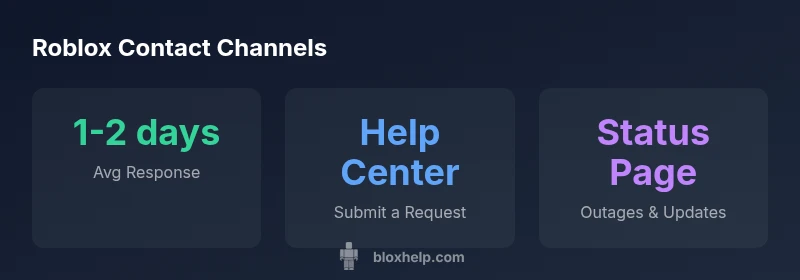
If you need help with Roblox, your fastest path is the official Roblox Help Center. Use the Submit a Request form there for account issues, billing, or moderation concerns. For quick updates or less urgent questions, check the Roblox Status page and community-supported guides. This Roblox contact overview points you to the most reliable route for 2026.
Understanding Roblox's Support Model
Roblox operates a multi-channel support model designed to help players, parents, and developers. The core of official support is the Roblox Help Center, which houses self-service articles and a Submit a Request form for reporting issues, account problems, and billing disputes. This channel is the most reliable for formal inquiries because it routes your issue with the correct category and collects essential information up front. In 2026, the Roblox support ecosystem also relies on status updates, community forums for peer help, and monitored social channels to address high-visibility issues quickly. When you search for how to contact Roblox, you’ll often see guidance that emphasizes starting at the Help Center before exploring secondary options. A solid plan for roblox contact starts with the official form and ends with a clear summary of your issue for faster processing.
Official Contact Options
The primary path for roblox contact is the Help Center, where you can submit a request. This form adapts to different issue types, such as account problems, payments and billing, or moderation and enforcement matters. In addition to the form, Roblox maintains a public status page that notes outages or service disruptions, which can be helpful to check before reporting a problem. For those seeking faster, more informal channels, the Roblox community forums and official social media channels may provide status updates and guidance, but they should not be treated as your formal complaint route. Always start with the official form to ensure your case is tracked.
Step-by-Step: How to Submit a Help Request
- Go to the Roblox Help Center and select the issue category that best fits your situation.
- Gather and attach relevant details: your Roblox username, email, device type, and any screenshots or receipts.
- Write a concise, chronological summary of the problem, including when it started and any error messages.
- Submit the form and note the ticket number for future reference.
- Monitor your email and the Help Center dashboard for updates, and be prepared to provide additional information if requested. If you don’t hear back within the typical window, you can follow up using the same ticket number.
What Information to Prepare Before Contacting Roblox
Before you start the process, assemble essential information to prevent back-and-forth:
- Roblox username and account email
- A clear description of the issue and steps to reproduce
- Device details (PC, mobile, tablet), OS version, and app version
- Screenshots or clips of the problem and any error codes
- Purchase details (transaction IDs) if it concerns billing or items Having this ready reduces back-and-forth and speeds up resolution.
Common Contact Scenarios and the Best Channel
Moderation appeals, account security concerns, and billing disputes typically go through the official Help Center Submit a Request. For general guidance, product updates, or self-service tips, you can consult the Roblox Help Center articles and community resources. If you suspect a scam or fraud, report it through the Help Center as a formal issue rather than posting in public forums. For urgent incidents affecting many players, monitoring the Roblox Status page can provide real-time updates while you prepare your formal ticket.
Tips for Faster Resolutions
- Be precise and concise in your description; include dates and steps.
- Attach relevant evidence (screenshots, receipts, transaction IDs).
- Use the exact category for your issue to avoid misrouting.
- Include your ticket number if you have already submitted a request.
- Check the Status page for outages that might explain delays and plan your next steps accordingly.
What to Expect After You Contact Roblox
After submitting a request, you should receive a confirmation email with a ticket number. Roblox support teams typically respond within a business day or two, depending on issue complexity and workload. Some issues may require additional information; in those cases, the ticket will be updated with requests for more details. If escalation is necessary, you’ll be informed about the next steps. In all cases, maintain patience and keep a local record of your communications.
Community Resources and Self-Help Tips
While the Help Center is the official route, community-driven resources can offer additional context and troubleshooting steps. Be cautious with information from third-party sources, and always verify recommendations against Roblox’s official articles. When in doubt, returning to the Help Center for the definitive guidance is the safest path. You can also engage with Roblox developers and experienced players in recognized forums to learn best practices, but remember that changes to policy and processes occur over time.
Final Checklist Before Submitting a Ticket
- Confirm you have selected the correct issue category.
- Gather all relevant identifiers (username, email, device, game, transaction IDs).
- Prepare a concise, chronological description of the issue.
- Attach supporting materials and note any error messages.
- Save your ticket number and monitor updates in the Help Center.
A Quick Note on Security and Scams
Always use official Roblox channels when submitting a request. Do not share passwords or security codes via email or public forums. If you receive suspicious messages, report them through the Help Center and avoid clicking on unknown links. This simple awareness helps protect your account during the roblox contact process.
Roblox contact channels overview
| Channel | What it is | Estimated response time | Best For |
|---|---|---|---|
| Help Center (Submit a Request) | Official form-based support | 1-2 business days | Accounts, billing, moderation |
| Community Forums / Help Articles | Self-service guidance | Varies (generally days) | Informational issues and self-help |
| Twitter/X / Social Updates | Public updates and alerts | Varies | Urgent or high-visibility issues |
Questions & Answers
How do I contact Roblox for an account issue?
Begin at the Roblox Help Center and select the issue category that matches your problem. Provide your username, email, device details, and a clear description. Attach any relevant screenshots and submit the request. You will receive a ticket number for follow-up.
Go to the Roblox Help Center, choose the right issue, fill in your details, attach screenshots, and submit. You’ll get a ticket number to track your request.
What is the typical response time for Roblox support?
Response times vary by issue and workload, but the Help Center typically aims for a reply within 1-2 business days. If your case is more complex, it may take longer. You can monitor updates in the ticket and the Roblox Status page for outages.
Most responses come within 1-2 business days, though complex cases may take longer. Check your ticket updates for progress.
Can I contact Roblox via social media for help?
Social channels can provide status updates or community guidance, but formal issues should go through the Help Center’s Submit a Request form to ensure proper tracking and resolution.
Social media can help with updates, but for official help use the Help Center form so Roblox can track your issue.
What information should I prepare before contacting Roblox?
Collect your Roblox username, account email, device type and OS, app version, a detailed description of the issue, steps to reproduce, and any receipts or transaction IDs if billing is involved. Screenshots or screen recordings are highly valuable.
Have your username, email, device details, a clear issue description, and any receipts ready before you submit.
What should I expect after I submit a request?
You should receive a ticket number by email. Roblox will respond based on urgency and complexity. If more information is needed, you’ll get a follow-up message. You can monitor progress in the Help Center.
You’ll get a ticket number by email, and Roblox will reply as they review your case. Expect follow-ups if more details are needed.
Is there a Roblox contact path for payment disputes?
Billing concerns go through the Help Center’s Submit a Request form with a clear description and transaction details. Include receipts, order IDs, and dates to accelerate handling.
For billing issues, use the Help Center form and attach receipts and order IDs to speed things up.
What if I don’t hear back after submitting a ticket?
If you haven’t heard back within the expected window, check the Status page for outages, verify your ticket number, and consider submitting a follow-up message referencing your ticket. Avoid creating duplicate tickets.
If there’s no reply, check for outages and follow up with your ticket number instead of submitting a new ticket.
“Clear issue categorization and complete evidence dramatically reduce resolution time for Roblox support inquiries.”
The Essentials
- Start with the official Help Center for roblox contact
- Prepare essential info to speed up the ticket
- Check Roblox Status for outages before submitting
- Attach evidence and keep ticket numbers handy
- Use community resources with caution and verify against official articles