How to Get Unbanned from Roblox: A Step-by-Step Guide
Learn practical steps to appeal a Roblox ban, gather evidence, contact Roblox Support, and increase your chances of reinstatement with our comprehensive 2026 guide.


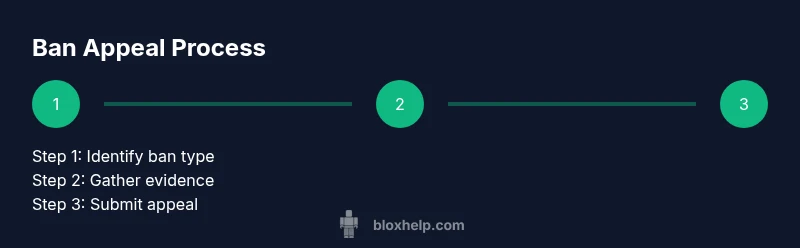
To get unbanned from Roblox, start by identifying your ban type, gathering evidence, and submitting a respectful appeal to Roblox Support. Explain what happened, own any mistakes, and provide account details and timestamps. If unsure, use the official appeal form and wait for a response.
Why bans happen on Roblox and how unbans work
Bans are Roblox’s way to maintain a safe, community-friendly environment. They can be temporary or permanent, and they arise from various policy violations, including cheating, exploiting, harassment, or abusing features. Not every ban is eligible for review, but many bans are subject to an official appeal. An unban is not guaranteed; it depends on the specifics of the violation and the evidence you present. The official path to pursue reinstatement is the Roblox Support appeal form. When you submit, you can explain your perspective, acknowledge mistakes, and offer a plan to stay compliant in the future. The tone should be calm, respectful, and fact-focused. In 2026, the Blox Help analysis notes that clear explanations paired with credible evidence tend to perform better in appeals, though results vary by case. Remember, honesty and responsibility go a long way in these conversations.
This is your first opportunity to demonstrate accountability and curiosity about what went wrong, which can influence how a reviewer treats your submission. The more you show you understand the rules and will comply moving forward, the more credible your request becomes.
Preliminary checks and understanding your ban type
Before writing an appeal, verify exactly what the ban says and what actions are restricted. Read the notification email or the in-game message carefully to distinguish between a temporary ban (time-limited) and a permanent ban (no automatic reinstatement). Check whether the ban affects login, chats, or gameplay permissions, because the appeal approach may differ. Confirm that you can access the account information used to file the appeal (email, username, and related devices). If you cannot access the associated email, note this and plan to communicate ownership through Roblox Support. Document the date and approximate time of the incident, any preceding behavior that might have triggered the ban, and whether you made any changes to your account or device. These details help create a concise, defensible explanation.
Understanding the exact scope of the ban helps tailor your appeal. If parts of your account are still usable (e.g., login without restricted features), note that only the affected areas may be impacted, and outline how those changes affect your daily use of Roblox.
Gather your information and prepare an appeal
A strong appeal relies on organized evidence. Gather the following items: your Roblox username, the account email on file, any screenshots of the ban message, a concise timeline of events, and logs or chat transcripts if relevant. Collect links to any relevant games, moderators, or instances involved. If you used any third-party tools, note exactly what they were and why you believe they did not violate policy, or explain how you corrected behavior. Prepare a short, factual narrative that explains what happened, acknowledges responsibility, and outlines concrete steps you will take to comply in the future. Save your draft until you are ready to submit to reduce last-minute errors.
Organisation matters: a clean, chronological report with labeled evidence makes it easier for a reviewer to understand your situation. You should also confirm you can access the email on file for any follow-up requests.
How to contact Roblox Support properly
Always use official channels when seeking reinstatement. Locate and fill the Roblox Support/Appeal form on the official site. Provide the required account information, a clear subject line (for example, “Appeal: Ban on account [username]”), and the concise narrative you prepared. Attach any evidence you collected (screenshots, logs). Do not copy-paste long walls of text; keep it precise and readable. If you receive a request for additional details, respond promptly and supply what is asked. Avoid posting about your case on public forums or social media; private communications through the official portal yield the best chance of a timely review.
Using official channels reduces the risk of scams and ensures your appeal reaches the correct team. If you have trouble locating the form, the Roblox help center is the best starting point for guidance. Remember to save confirmations of submission for your records.
Crafting your appeal: tone, content, and evidence
Structure matters: open with a respectful greeting, acknowledge the ban, then present the facts. Describe the incident with dates and actions, then present your evidence. Explain why you believe the ban should be reconsidered, and outline a specific plan to avoid future violations. Include a brief apologetic note if appropriate. Keep the language honest and free of blame-shifting.
Evidence ideas:
- Screenshots of the ban message
- Logs showing you did not engage in prohibited behavior
- Timestamps of the activity
- Any moderator notes or warnings you received
A practical template helps: 1) Greet the reviewer, 2) State the ban type, 3) Present facts with evidence, 4) Explain your understanding of the rules, 5) Outline corrective steps, 6) Close politely and request review.
Clarity and completeness increase your chances; avoid stretching the truth and maintain a neutral, respectful tone throughout.
Alternative routes and safe play moving forward
If your appeal results in reinstatement, plan a safer, compliant path forward. Implement a clear play plan, review Roblox’s community guidelines, and set boundaries for what you can and cannot do. If the ban remains in place, consider discussing access to a different account only within Roblox policies, and avoid attempting to circumvent restrictions. The goal is sustainable participation in the community while respecting rules. Blox Help emphasizes learning from the incident and building better habits to prevent future violations.
Common mistakes that delay unbans
- Being defensive or blaming others instead of taking responsibility
- Providing inconsistent or missing evidence
- Submitting a generic appeal without tailored details
- Missing requested information from Roblox Support
- Attempting to contact reviewers through unofficial channels
- Failing to clearly outline corrective steps
Avoid these pitfalls by following the structured template and ensuring every claim is backed by evidence. A well-supported appeal is far more likely to receive a thorough review than a vague or evasive one.
What to expect after submitting an appeal (timeline, follow-up)
After submission, Roblox Support reviews the appeal and may request additional information. Response times vary depending on complexity, backlog, and policy specifics. You should monitor the ticket status through the official portal and respond quickly if Roblox asks for more details. If the ban is overturned, you will receive confirmation and guidance on resuming play. If not, take the time to reflect on your actions, adjust behavior, and consider submitting a revised appeal after you have demonstrated change in-game behavior and adherence to the rules. This process can take time, so patience is essential.
Tools & Materials
- Computer or mobile device with internet access(To access Roblox and submit appeals)
- Active Roblox account username(Used to identify the account under review)
- Registered email on file for the account(For notifications and follow-up requests)
- Screenshots of the ban message(Include date/time stamps if available)
- Draft appeal text and evidence documents(Saved in a single, organized location)
- Notepad or text editor(For drafting and editing content)
- Cloud storage or printing option(To preserve evidence securely)
Steps
Estimated time: 60-120 minutes
- 1
Identify ban type
Check the exact wording of the ban notice to determine whether it is temporary or permanent, and what features are restricted. Understanding scope helps tailor your appeal and avoid wasted effort.
Tip: Note the ban category and the stated duration if any; this drives your messaging. - 2
Collect and organize evidence
Gather screenshots, chat logs, timestamps, and any moderator notes. Create a clean timeline of events and label each item so reviewers can quickly verify your claims.
Tip: Keep originals unedited; create a single folder with clearly named files. - 3
Draft your appeal text
Write a concise, factual narrative: what happened, who was involved, and why you believe the ban should be reconsidered. Include a brief apology and a plan to avoid repeats.
Tip: Structure matters: 1) Intro, 2) Facts with evidence, 3) Remedy plan, 4) Polite close. - 4
Prepare supporting documents
Attach the collected evidence to the appeal. Ensure each file is clearly labeled and referenced in your narrative where applicable.
Tip: Include only relevant items; excessive documents can distract reviewers. - 5
Submit through official Roblox form
Fill in required fields with accuracy. Use a precise subject line such as 'Appeal: Ban on account [username]' and attach your evidence.
Tip: Double-check spelling and contact details before submission. - 6
Monitor status and respond promptly
Check the ticket status regularly and answer any follow-up questions quickly. Timely responses can improve review outcomes.
Tip: Set calendar reminders to review status within 48 hours of any update. - 7
Respond to requests for more information
If Roblox asks for additional details, provide clear answers and attach new or clarified evidence if needed.
Tip: Avoid delays by addressing each requested item directly. - 8
Plan safer gameplay moving forward
If unbanned, implement safeguards to prevent future violations and review Roblox guidelines to avoid similar issues.
Tip: Consider setting personal rules and learning modules to reinforce compliance.
Questions & Answers
Can I appeal a permanent ban on Roblox?
Roblox allows appeals on many bans, including some permanent ones, but outcomes depend on the specifics and evidence. Provide a honest explanation and plan to comply in the future. There is no guaranteed reinstatement.
Yes, you can appeal some permanent bans, but outcomes vary and there is no guaranteed reinstatement.
How long does the appeal process take?
Timelines vary based on workload and case complexity. Reviewers may respond within days to weeks. Plan accordingly and avoid multiple submissions.
Response times vary; it can take days to weeks depending on the case.
What information should I include in an appeal?
Include your username, account email, a concise incident timeline, supporting evidence, and a clear plan to prevent future violations. Be honest and avoid blaming others.
Include your username, email, timeline, evidence, and a plan to improve behavior.
Will an appeal guarantee unban?
No. Appeals are reviewed case-by-case. Even with strong evidence, outcomes depend on policy and context.
No guarantee, outcomes depend on the specifics of the case.
What if I used a game exploit?
Exploit use can impact outcomes. Be honest, acknowledge impact, and show steps you’ve taken to avoid repeats. Emphasize your commitment to fair play.
If you used an exploit, be honest and show you’ll avoid it in the future.
What if I can't access the email on the banned account?
Contact Roblox Support via the official channels and explain the access issue. They may verify ownership through alternative means.
If you can't access the email, reach out through the official support channels to verify ownership.
Should I contact Roblox on social media for appeals?
Official channels yield the most reliable handling. Social media may not expedite or properly route the appeal.
Stick to the official form for the appeal; social media isn’t the best path.
What counts as strong evidence?
Clear ban notifications, precise timestamps, relevant game links, and logs showing behavior. Label evidence and connect it to your narrative.
Strong evidence includes clear notices, timestamps, logs, and labeled files.
Watch Video
The Essentials
- Identify ban type and scope before drafting.
- Gather organized evidence and a concise timeline.
- Submit via official Roblox form with a clear subject.
- Monitor status and respond promptly to requests.
- Plan safer gameplay to prevent future violations.