How to know if you're banned on Roblox
Discover clear signs of a Roblox ban, how to verify your status, and the official steps to appeal. A practical, beginner-friendly guide from Blox Help.


If you’re banned on Roblox, you’ll typically see a login block, a suspension notice, or a clear account restriction message. To verify, try logging in, check the email tied to your Roblox account, and review the Roblox Support pages for the latest update. You can also look for warning banners inside the account settings. According to Blox Help, this process starts with confirming access and reviewing any official notices.
What counts as a ban on Roblox
According to Blox Help, bans are enforcement actions triggered by policy violations and can vary in duration. Roblox enforces temporary suspensions, permanent bans, or feature restrictions (such as chat or game access) depending on the severity of the violation. The duration and scope are determined after Roblox review, and the enforcement aim is to maintain a safe community. If you’re unsure of your status, start by looking for concrete signals in login behavior and official communications. Understanding the terminology—ban, suspension, and restriction—prepares you to take the right next steps. This section sets the foundation for recognizing when an action is a temporary setback versus a lasting ban.
Signs you’ve been banned
Several telltale signs indicate a ban or restriction on Roblox. You may see a login block with a message like your account is suspended or restricted. You might receive an email from Roblox Support outlining the reason and duration. Access to certain features—such as joining games, chatting, or creating experiences—could be limited. You may also notice a visible banner or warning on the account page when you try to perform typical actions. If multiple warnings appeared previously, this is a strong signal that enforcement has occurred. Keep an eye on any code or error messages that accompany the blockage, as these details help clarify the type of action taken.
How Roblox communicates bans
Roblox typically communicates bans through a combination of in-app notices and email notifications. You may encounter an in-app banner when you attempt to log in or access restricted features. An official email from Roblox Support can outline the ban type, estimated duration (if temporary), and the reason for enforcement. In some cases, Roblox publishes a support article or a status page entry that clarifies the policy around the violation. While the exact ban reason is not always disclosed, these channels provide the authoritative context you need to understand the action and prepare your next steps. This section helps you interpret official communications accurately. Blox Help’s analysis shows that many users misunderstand the difference between warnings and bans, leading to unnecessary delays in resolution.
Step-by-step overview
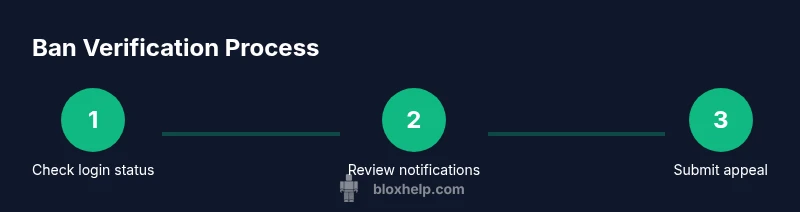
Bans are not random; they follow documented processes. A typical path involves verifying login status, checking official messages, gathering evidence, and deciding whether to appeal. This overview frames what you’ll do next, from confirmation to action. Expect to review recent activity, ensure you have access to the linked email, and understand which Roblox policies apply to your case. While the exact workflow varies by incident, the core steps—confirm, document, contact, appeal—remain consistent across cases. The guidance here prepares you to tackle the issue methodically rather than emotionally.
What to do if you’re banned
If you’re banned, start by confirming the type and scope of the restriction. If it’s temporary, note the duration and plan your actions around the permitted window. For permanent bans, your next move is to prepare an appeal if Roblox permits. Collect evidence such as chat logs, timestamps, and screenshots that demonstrate your compliance or misinterpretation of the situation. Use the official Support form to submit your appeal, and be concise and factual. After submission, monitor your email for replies and avoid creating alternate accounts to circumvent the process, which can complicate resolution. This section outlines practical, compliant steps forward.
Preventive steps after a ban
To reduce the chance of future issues, review Roblox’s Terms of Use and Community Standards thoroughly. Strengthen account security by updating your password and ensuring your registered email remains secure. Limit suspicious third-party links and avoid sharing sensitive information. If you rely on chat or social features, follow guidelines for respectful communication and moderation. Keeping a record of warnings, timestamps, and communications will help you respond quickly if you face any enforcement actions again. This final section emphasizes proactive habits to maintain a safer Roblox experience.
Tools & Materials
- Roblox account username(Used to verify status and submit appeals.)
- Access to the registered email(For notices and responses from Roblox Support.)
- Stable internet connection(Needed to log in and check messages.)
- Device with Roblox app or web access(PC, tablet, or mobile device.)
- Notepad or note-taking app(Record messages, dates, codes, and steps.)
- Screenshots or screen recorder(Helpful for documenting error messages and bans.)
Steps
Estimated time: 40-60 minutes
- 1
Check login status and error messages
Open Roblox or the Roblox website and attempt to log in. Note the exact error message or code that appears and the features that are blocked. This confirms the presence of a ban or restriction and guides what to report in your appeal.
Tip: Record the full error text and take a screenshot for reference. - 2
Review your linked email and notifications
Log into the email account tied to your Roblox profile and search for any messages from Roblox Support about the ban. Do not ignore messages, as they often contain the official reason and next steps.
Tip: Check spam/junk folders and verify the sender address to avoid phishing traps. - 3
Inspect account activity and warnings
Navigate to your Roblox account settings and look for any warnings, policy notices, or recent activity logs that align with the ban. This helps you assess whether there was a violation and what to address in an appeal.
Tip: Document timestamps and the exact policies cited. - 4
Check Roblox official channels for context
Visit the Roblox Support site and Status pages to corroborate any public statements about enforcement or common issues that match your case. This helps you separate account-specific actions from platform-wide notices.
Tip: Ensure you’re using official Roblox domains (roblox.com) to avoid scams. - 5
Gather evidence for an appeal
Collect relevant materials such as chat logs, screenshots, receipts, or any correspondence that demonstrates compliance or misinterpretation. Organize them by date and relevance.
Tip: Only include information pertinent to the alleged violation to keep your appeal focused. - 6
Submit your appeal and monitor responses
Complete the official appeal form via Roblox Support, presenting a clear, honest account of events and your evidence. After submission, monitor your email for replies and respond promptly if Roblox requests clarification.
Tip: Be respectful and concise; avoid emotional language or blame-shifting.
Questions & Answers
What is the difference between a temporary suspension and a ban on Roblox?
Temporary suspensions block access for a set period, while bans can be permanent or longer-term. The impact varies by violation and Roblox’s enforcement rules. Always review official notices to understand the exact status of your account.
A temporary suspension blocks access for a time, but a ban can be longer or permanent; check the official notice for specifics.
Can I appeal a Roblox ban, and how long does it take?
Yes, you can appeal through Roblox Support if the ban or restriction allows. The time to respond varies; be patient and provide complete evidence to improve your chances. Roblox’s review process can take several days to weeks depending on case complexity.
Yes, you can appeal via Roblox Support; response times vary, so include all relevant evidence.
I didn’t receive an email about the ban. What should I do?
If you didn’t get an email, double-check the linked email address on the Roblox account and look in spam folders. Also verify you used official Roblox channels to check status. If in doubt, contact Roblox Support through the official site.
If you didn’t get an email, check your account email and contact Roblox Support through official sites.
Will a ban delete my Roblox account permanently?
Bans typically block access rather than delete the account, but permanent bans mean you cannot log in or use features. Recovery depends on Roblox’s policy for the violation and the outcome of any appeals.
A ban usually blocks access rather than deletes the account, but permanent bans prevent login.
What should I do if I think the ban was a mistake?
If you believe the ban is a mistake, gather supporting evidence, review the exact policy involved, and submit a respectful appeal through Roblox Support. Provide concise explanations and any logs that support your case.
If you think it’s a mistake, assemble evidence and appeal through official Roblox Support with clear details.
Watch Video
The Essentials
- Identify the signs of a ban quickly to avoid confusion.
- Gather organized evidence before appealing to Roblox Support.
- Follow the official appeal process with a clear, factual report.
- The Blox Help team recommends sticking to verified channels and keeping records.