How to Talk to Roblox: A Practical Guide for Players and Developers
Learn how to contact Roblox support and community moderators effectively. This step-by-step guide covers channels, evidence, messaging templates, and best practices for players and developers to get faster, clearer responses.


You're about to learn how to talk to Roblox—covering when to contact, which channels to use, and what information to gather for a fast resolution. You’ll know how to phrase issues clearly, attach relevant details (account name, device, time), and follow up effectively. By the end, you’ll communicate confidently with Roblox support and community moderators.
Why talking to Roblox matters
According to Blox Help, understanding how to talk to roblox effectively can dramatically shorten response times and improve the outcome for both players and aspiring developers. Clear communication helps Roblox staff collect the exact facts they need, reduces back-and-forth, and minimizes misunderstandings. When you know what to include and which channel to use, you turn a potentially frustrating experience into a constructive dialog. This section lays the groundwork for why proper communication matters and how it benefits your Roblox journey. As you read, notice how tone, precision, and evidence elevate your requests rather than just describing symptoms. The Blox Help team believes that every good support request starts with a plan and a calm, respectful approach.
Know the right channels
Roblox offers several channels for contact, each suited to different issues. For account-related problems, start with the official Roblox Help Center (help.roblox.com) and the “Contact Us” flow. For moderation or community concerns, the Roblox Developer Forum or official social channels (like Twitter @RobloxSupport) can be effective. If you’re reporting a bug, attach reproducible steps and logs through the Help Center. Using the right channel matters because it routes your report to the team most equipped to respond quickly. This section compares channels, highlights when to use each, and emphasizes avoiding unofficial forums or third-party DMs that may mislead or expose you to scams.
What to gather before you reach out
Preparation is the backbone of a fast, accurate resolution. Before you contact Roblox, assemble essential details: your Roblox username, email on file (if any), device and OS, browser version, and a precise time and location of the issue. Capture screenshots or screen recordings that illustrate the problem, error messages, and any relevant transaction IDs or receipts. A concise, reproducible description helps agents understand the problem without guesswork. If you suspect account compromise, describe suspicious activity and change your password before you submit a report. Collecting evidence upfront reduces the need for follow-up questions and speeds up the process.
Step-by-step: contact Roblox support
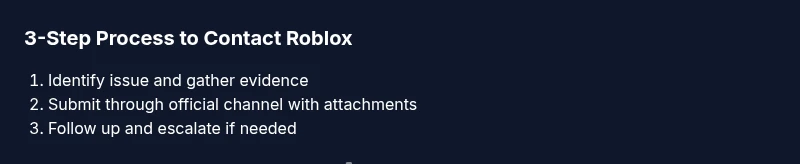
This overview aligns with the detailed steps in the dedicated Step-by-Step section. It focuses on the preparation, channel selection, and documentation you’ll use when you reach out. Start by navigating to the Roblox Help Center, sign in if needed, and choose the most appropriate contact option. Attach your evidence, use a clear subject line, and describe the issue in 3–5 concise sentences. After submission, note your ticket number and check for a confirmation email. If there’s no reply within the typical waiting window, plan a polite follow-up. This section emphasizes practical actions and emphasizes a calm, organized approach to maximize the chance of a timely and accurate resolution.
Templates and language that help
Templates save time and ensure consistency across support requests. Use a short subject line, a one-paragraph summary of the issue, then bullet points for key facts (username, device, time, steps to reproduce, and evidence). Include links or attachments to screenshots or logs. Avoid emotional language or personal attacks; focus on objective facts. The templates below can be tailored for account issues, purchases, or bug reports so you always present a clear, professional request when you talk to roblox.
Managing responses and follow-ups
Responses can vary in timing, depending on volume and complexity. Track your ticket using the reference number, and set a polite follow-up reminder if you haven’t heard back within a reasonable window. When replying, reference your original ticket and summarize any new information succinctly. If the issue isn’t resolved, consider escalating through the Help Center’s escalation options or the appropriate moderator channels. Keeping a log of all communications helps you stay organized and increases your chances of a satisfactory outcome.
Authority sources
For broader online-safety and responsible communication guidelines, consult reputable sources such as:
- https://www.ftc.gov
- https://www.nih.gov
- https://www.edutopia.org
These references provide general frameworks for digital etiquette, safety, and effective communication that complement Roblox-specific procedures. They help you understand how to structure messages, protect your information, and seek assistance responsibly.
Real-world examples: message templates
Here are ready-to-use templates you can customize before you talk to roblox. Replace the placeholders with your own facts and attach any evidence you’ve collected. Examples cover common scenarios like account issues, purchases, and reporting bugs, and they demonstrate how to keep language precise and courteous.
Common mistakes to avoid
Avoid vague descriptions like “my Roblox isn’t working.” Instead, give precise symptoms, steps to reproduce, and expected versus actual results. Never share passwords or verification codes, and avoid posting private information in public threads. Don’t skip attaching evidence or skip the initial review stage—clear, structured requests almost always outperform rambling notes.
Tools & Materials
- Device with internet access(Smartphone, tablet, or computer; stable connection)
- Roblox account username and email on file(Your exact username and the email associated with the account, if available)
- Screenshots or screen recordings(Clear visuals showing the issue with timestamps if possible)
- Purchase receipts or transaction IDs (if applicable)(Include IDs or receipts for disputes or refunds)
- Drafted message template(Have a ready-to-send outline and tailor it per issue)
Steps
Estimated time: 60-90 minutes
- 1
Identify the issue clearly
Define the problem in one to two sentences and list the exact behavior you expect versus what happened. Note when it started and any actions that preceded it.
Tip: Summarize the issue in 25 words or less to keep focus. - 2
Gather evidence and context
Collect screenshots, logs, device details, and any error messages. Record time stamps and steps to reproduce.
Tip: Label files clearly (e.g., login_error_2026-03-11.png). - 3
Choose the right channel
Select the Roblox Help Center for account or bug reports, or Twitter/Developer Forum for moderation and community issues.
Tip: Always use official channels to avoid scams. - 4
Draft a concise subject and message
Create a clear subject line and 3–5 sentence description with bullet-point facts. Attach evidence and reference your ticket number if available.
Tip: Lead with the most important fact first. - 5
Submit and save the reference
Submit through the chosen channel and save the ticket or confirmation number. Take note of any expected response window.
Tip: Screenshot the confirmation page for your records. - 6
Wait and monitor for a reply
Allow 1–2 business days for a response in most cases. Check your email and the Roblox Help Center inbox regularly.
Tip: Set a reminder to follow up if you don’t hear back. - 7
Follow up politely if needed
If no response after the waiting period, send a concise follow-up referencing your ticket and any new evidence.
Tip: Keep a respectful tone to improve cooperation. - 8
Escalate if unresolved
If still unresolved after follow-up, use escalation options in the Help Center or contact Roblox via official social channels.
Tip: Escalation should be a last resort after attempts through standard channels.
Questions & Answers
What channels can I use to contact Roblox?
Roblox support can be reached through the Help Center at help.roblox.com, via Twitter at @RobloxSupport, or through the Roblox Developer Forum for community and development-related issues. Choose the channel based on the issue type for faster responses.
Use the Help Center for most issues; for community or moderation matters, try the official Twitter or Developer Forum for faster engagement.
What information should I include in my report?
Include your Roblox username, email on file, device and OS, a precise description of the issue, steps to reproduce, timestamps, and attached evidence like screenshots or logs. Clear context helps agents understand and resolve faster.
Provide your username, device details, steps to reproduce, and attach screenshots to speed up the process.
Can I contact Roblox without logging in?
Many issues can be reported via the Help Center without a full login, but some requests may require signing in to attach evidence or verify identity. Check the specific submission form for login requirements.
Some forms may require login to attach evidence or verify your account. Check the form you’re using.
What should I do if I don’t get a response?
If there’s no reply within the typical window, submit a polite follow-up referencing your ticket number and any new information. If still unresolved, consider escalating through official channels.
If you don’t hear back, follow up politely with your ticket number, then escalate if needed.
Are there safety tips when contacting Roblox as a minor?
Never share passwords or codes, use official channels, and avoid giving or requesting sensitive personal information. For younger players, involve a parent or guardian when making reports.
Never share passwords, and have a parent or guardian assist with reports if you’re a minor.
How can I improve the chances of a quick resolution?
Provide precise, reproducible steps, attach high-quality evidence, and reference any prior messages. A respectful, factual tone helps staff prioritize and respond efficiently.
Be precise, attach good evidence, and stay courteous to speed up the process.
Watch Video
The Essentials
- Prepare before contacting Roblox
- Use official channels and attach evidence
- Be concise, factual, and courteous
- Follow up if you don’t receive a timely reply