Is www roblox com down? Quick troubleshooting guide
Is www.roblox.com down? Learn how to verify outages, diagnose causes, and fix common Roblox access issues with practical steps from Blox Help.


When is www.roblox.com down, Roblox.com is typically affected by a service outage or DNS issue. Check Roblox Status first, then social channels for confirmations. If there’s no outage, try basic fixes: refresh, clear cache, switch devices or networks, and verify firewall settings. For persistent problems, follow the full guide from Blox Help to diagnose accurately.
What happens when is www roblox com down
Is is www roblox com down? Not necessarily the whole platform; outages can be regional or global, or stem from local network quirks. The Blox Help team notes that most outages surface first on the official Roblox status page and through Roblox social channels. If you’re staring at a blank page, error code, or spinning icon, this often points to a connectivity hiccup rather than a permanent failure on your device. The goal is to verify the outage status independently so you don’t waste time chasing a problem that isn’t yours. Stay calm and document what you’re seeing as you troubleshoot, since precise details speed up recovery.
Immediate checks you can perform now
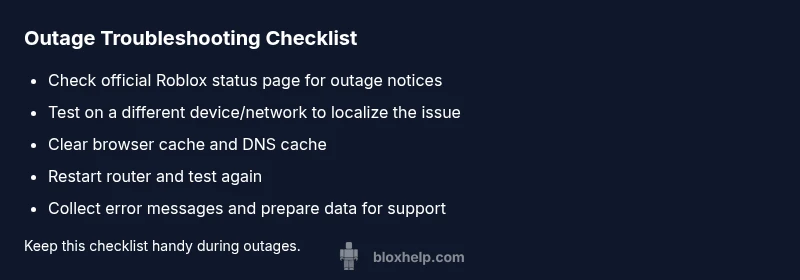
Start by checking the Roblox Status page (status.roblox.com) and Roblox’s official social channels for outage alerts. If the status shows an active outage, you’re likely experiencing a service disruption outside your control. If there is no outage, test your connection with a quick network switch—try mobile data or a different Wi‑Fi network—and see if the site loads there. Clear your browser cache and cookies, or try a different browser or device. Restarting your router and device can resolve many transient issues, and note any error messages you see, as they point to DNS, certificate, or blocked access problems. If the problem persists across devices, you’re probably facing a broader outage or a regional routing issue.
Distinguishing outages from local issues
Outages tend to affect many users in a region or worldwide, with uniform error messages or status updates from Roblox. Local issues are more sporadic and often tied to your DNS cache, firewall settings, antivirus interference, VPNs, or malware. According to Blox Help, taking a few diagnostic steps can differentiate the two: load other websites to confirm general connectivity, then retry Roblox after flushing DNS or disabling VPNs. Checking for similar reports in community forums can also reveal if others share the same problem. If your tests succeed on another network, the fault likely resides with your primary connection.
Diagnostic flow and what to expect
A structured diagnostic flow keeps you from guessing. Start with the most common causes and move toward rarer ones. Symptom: Roblox won’t load or shows an error. Causes in order of likelihood: outage (high), DNS caching or misconfiguration (medium), local network blocks or firewall (low). Fixes flow: check status, test across networks, flush DNS, clear cache, and try alternate devices. If none works, consider broader outages or provider-level throttling and plan next steps accordingly.
Step-by-step preview (high-level) for the most common fix
This section previews the concrete steps you’ll see in the dedicated Step-by-Step guide below. You’ll start by confirming an outage, then move through network tests, DNS and cache clearing, and finally testing on alternate devices or networks. The goal is to restore access or definitively confirm an outage so you can adjust expectations and avoid redundant troubleshooting.
Prevention and best practices
To reduce future outages, keep Roblox or launcher clients up to date, maintain a stable network, and periodically clear DNS caches. Use reputable DNS resolvers and avoid suspect VPNs that could interfere with routing. Regularly back up browser data and test connectivity after major system changes. If you rely on Roblox for work or learning, set up a secondary connection (mobile hotspot) for quick access during outages.
Steps
Estimated time: 15-25 minutes
- 1
Verify outage status
Open status.roblox.com and review any outage notices. Note the reported scope and time. If a confirmed outage exists, you can wait for updates rather than troubleshooting locally.
Tip: Take a screenshot of the outage page for reference - 2
Test across networks
Try loading Roblox on a different network (mobile data or a neighbor’s Wi‑Fi) to see if the issue follows you. If it loads on another network, your primary network is likely the culprit.
Tip: Avoid using public networks for sensitive accounts - 3
Clear cache and try alternate browser
Clear your browser cache and cookies or use a private/incognito window to rule out cached data. If possible, try a different browser or the Roblox launcher.
Tip: Incognito mode helps isolate caching problems - 4
Flush DNS and reset router
Flush your DNS cache (commands vary by OS) and restart your router. Give the network a minute to re‑establish connections and then retry Roblox.
Tip: If you’re on a corporate network, consult IT before changing DNS - 5
Test on a different device
Check Roblox on a different device (phone, tablet, or another computer) to confirm whether the issue is device‑specific.
Tip: If it works on a mobile data connection, issue may be home network related - 6
Contact Roblox support if unresolved
If Roblox still won’t load after all tests, gather device information, OS, browser version, and exact error messages and contact Roblox support.
Tip: Provide timestamps and steps you’ve already tried
Diagnosis: Roblox.com not loading or showing errors
Possible Causes
- highOutage or service disruption
- mediumDNS caching or DNS misconfiguration
- lowLocal network block, firewall, or VPN interference
Fixes
- easyCheck Roblox Status page and official channels for outage announcements
- easyTest on another device or network to rule out device-specific issues
- easyFlush DNS, clear browser cache/cookies, and try a different browser
- easyRestart router/modem and temporarily disable VPN/firewall to test accessibility
- mediumIf issues persist, collect error messages and contact Roblox support with logs
Questions & Answers
Why is www.roblox.com down for me but others can still access?
This could be a local network issue or a regional outage. Start by checking the official Roblox status page and try another network. If other sites load but Roblox does not, proceed with DNS or cache troubleshooting.
If Roblox is down for you but others can access, check the status page and try a different network.
How can I confirm Roblox is truly down?
Check status.roblox.com and official Roblox social channels for outage notices. If they report a disruption, it’s an official outage. You can also monitor community forums for corroborating reports.
Check Roblox status pages and social channels to confirm an outage.
What should I do first if Roblox is down?
First, verify outage status from official sources. If there’s no outage, run basic troubleshooting: refresh, clear cache, try another device or network, and restart your router.
Start by checking status pages, then troubleshoot your connection and cache.
Does Roblox sometimes throttle access by region?
Regional outages or routing issues can cause partial access problems. If you suspect regional throttling, test on multiple networks and monitor official notices for updates.
Regional issues can limit access; test across networks and watch official updates.
When should I contact Roblox support?
If outages persist after standard fixes and status pages show no active outage, contact Roblox support with details of your device, OS, browser, and timestamps of attempts.
Reach out to Roblox support if the issue remains after basic troubleshooting.
What error codes should I note during troubleshooting?
Note any error codes or messages displayed. They help support teams diagnose DNS, certificate, or connectivity problems more quickly.
Record any specific error messages to help with diagnosis.
Watch Video
The Essentials
- Check official Roblox status first
- Test across devices and networks
- Clear caches before deeper fixes
- Document times and steps taken
- Escalate to support if outages persist