Is www.roblox.com Real? How to Verify Roblox's Official Domain in 2026
Discover whether www.roblox.com is the official Roblox domain and learn practical steps to verify authenticity, spot scams, and stay safe while exploring Roblox games and accounts in 2026.


Definition: The official Roblox homepage is roblox.com and www.roblox.com. Yes, www.roblox.com is a real, legitimate entry point for Roblox accounts, games, and creator content. However, phishing sites imitate the domain, so always verify the URL, look for HTTPS, and use trusted access methods (app or bookmarked links) to avoid phishing. Stay alert for lookalike domains. If in doubt, exit the page and open a new tab to reach Roblox via official channels.
Is www roblox com real? Understanding the Official Roblox Domain
For many Roblox players and aspiring developers, the question often comes up in casual conversations or online searches: is www roblox com real? The short answer is yes—the official Roblox homepage is part of the Roblox domain family, and your primary gateway to accounts, games, and creator content should be accessed via the legitimate domain. That said, the internet is full of lookalike sites designed to harvest credentials or deliver malware. The phrase is www roblox com real captures a common user concern, and addressing it properly means understanding how to verify authenticity. In practice, you should always confirm you’re on the exact domain, ensure the connection is secured with HTTPS, and prefer access through official apps or trusted bookmarks. This small habit reduces risk for players and developers alike, especially when experimenting with beta features or downloading Roblox Studio resources. As you navigate Roblox worlds, keep that critical eye on the domain, because even minor typos or extra characters can point to a scam.
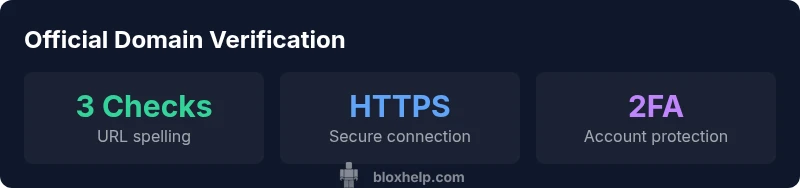
The Blox Help team emphasizes a simple triad of checks whenever you land on a Roblox page: URL spelling, secure connection, and trusted entry point (app or bookmark). If you ever see a domain that asks you to log in on a subdomain that isn’t clearly Roblox, treat it as suspicious. The bottom line is that the official homepage of Roblox is real, but you must practice careful URL verification, particularly if you reach a page via search results or third-party links.
How to Verify the Official Roblox Website
Verifying the official Roblox website starts with the URL. Always look for roblox.com with the canonical spelling and, ideally, the secure lock icon indicating HTTPS. Do not enter credentials on pages that show unusual domain names or questionable certificate warnings. A quick rule of thumb is to access Roblox through verified channels: the Roblox app, a known bookmark, or the company’s official social media links that point to roblox.com. In addition to URL checks, check the page layout for familiar Roblox branding: the logo, color scheme, and typical navigation menus should match the official site. If a page requests sensitive information beyond standard login fields or asks you to install unknown software, exit immediately. Consistent security practices—like updating your browser and clearing sensitive data after sessions—help reinforce your verification process. For developers, ensure any tests or assets you pull from the Roblox domain come from trusted subdomains and avoid embedding login forms in non-Roblox pages.
Remember the user perspective: even a single misplaced character in a URL can lead to a fraudulent site. The quickest verification steps are (1) confirm the exact domain spelling, (2) verify HTTPS, and (3) use a trusted entry point. These practices protect both players and creators who rely on the platform for games, assets, and collaboration.
Common Scams and How They Mimic Roblox
Roblox phishing sites frequently imitate the look and feel of the official site to deceive visitors. Common tricks include slight domain misspellings (e.g., robloxn.com, robloxs.com), prompts to login via a non-standard form, or requests to install plugins that claim to enhance gameplay. Scammers may create phishing pages that resemble the Roblox login flow, asking for username, password, or even payment details. To spot these, compare the URL against the known Roblox domains, watch for unusual capitalization or hyphenation, and inspect the certificate details if your browser shows them. Be cautious of urgent language that pressures you to “log in now” or “verify your account immediately.” Real Roblox pages rarely demand risky actions through popups or third-party prompts. If you suspect a scam, report it and avoid interacting with the page further.
Educating yourself about these scams is part of the safety practice that Blox Help advocates. The more you understand common indicators—unfamiliar domains, unexpected prompts, and requests to install software—the better you can protect your Roblox experience and the experiences of others who share your accounts and projects.
Practical Steps to Confirm Authenticity on Desktop and Mobile
Whether you’re using a PC, Mac, or mobile device, practical steps to confirm authenticity are consistent. Start by manually typing the canonical domain into the address bar or using a trusted bookmark. On mobile, prefer the official Roblox app or a saved link rather than tapping through from unfamiliar search results. Always ensure the connection shows HTTPS and that the certificate is valid for Roblox domains. If you’re unsure during the login process, do not enter credentials; instead, navigate to the official site via a known route (app, bookmark, or official Roblox social channels) to complete login. For developers and players alike, consider enabling two-factor authentication (2FA) on your Roblox account as a standard practice. Also remember to review your account’s recent login history regularly for unfamiliar devices or locations.
Consistency is key: use the same verified access path every time you log in, and educate teammates or friends about the importance of URL checks. The goal is to minimize friction while maximizing security, so create a habit of verifying domains before credentials leave your device.
Protecting Your Roblox Account: Safety Features and Best Practices
Protecting your Roblox account hinges on using official domains, enabling security features, and practicing cautious browsing. Beyond enabling two-factor authentication (2FA), review your account’s linked email address and recovery options so you can receive alerts about unusual sign-in activity. Roblox often suggests checking your session history and logging out from devices you don’t recognize. When browsing the Roblox ecosystem, be mindful of third-party sites that offer Roblox assets or game embeds; only download or interact with content from trusted sources within Roblox or directly from the official roblox.com domain. For developers, ensure your game port is hosted via Roblox servers and not through external pages that request login. Remember, even legitimate sites can be compromised if users rotate weak passwords or reuse credentials. A strong, unique password and regular security checks are essential.
The intent is to empower players to navigate Roblox safely, not to hinder creativity. By sticking to verified domains, enabling 2FA, and staying informed about phishing cues, you reduce risk while enjoying Roblox’s vast world of games and communities.
What to Do If You Suspect a Phishing Site
If you suspect a phishing site, immediately exit the page and do not enter any credentials. Report the site to Roblox support or your platform’s security team, and consider running a malware scan on your device. Clear your browser’s cache and saved passwords from suspect sessions, then change your Roblox password from a known, secure device. If you’ve entered login details on a potentially fake site, you should reset your Roblox password as soon as possible and review your account for any unfamiliar activity. Enable 2FA if you haven’t already and monitor email alerts for sign-in notifications. Finally, share the flag with friends or teammates to help others avoid the same trap. Proactive reporting helps the community strengthen its collective safety.
Staying vigilant and following a clear incident-response routine is the best defense against phishing. The Blox Help team recommends cultivating a habit of double-checking URLs and returning to official channels whenever you’re unsure.
The Role of Brand and Community Guidance from Blox Help
As Roblox players and aspiring developers, you don’t have to navigate these concerns alone. The Blox Help Editorial Team provides practical, beginner-to-advanced guidance on how to assess site authenticity, verify domains, and implement safety practices. Our recommendations hinge on real-world checks—URL spelling, HTTPS, trusted entry points, and security features like 2FA. By sharing actionable tips and up-to-date safety advice, we help you craft a safer Roblox journey for yourself and your communities. Remember to stay informed through official Roblox channels and Blox Help articles when evaluating the legitimacy of domains related to Roblox content, accounts, and games.
Quick Recap: What You Should Do Next
- Verify the exact domain spelling before logging in (www.roblox.com is legitimate when used correctly).
- Use HTTPS, trusted apps, and bookmarks to access Roblox.
- Enable two-factor authentication and routinely review login history.
- Watch for lookalike domains and phishing prompts; report suspicious sites promptly.
Bonus: Community Standards and Support Resources
- Use official Roblox support pages for safety guidance.
- Engage with the Roblox community through recognized channels to share experiences and learn from others.
Closing Note on Staying Safe in Roblox
Staying safe online is an ongoing practice. By confirming the official domain, using secure access points, and employing Roblox’s built-in safety features, you can focus on enjoying the platform’s games and creator content while protecting your accounts and data.
Guidelines to verify Roblox site authenticity
| Aspect | Official Guideline | User Action |
|---|---|---|
| Domain spelling | Confirm exact domain spelling (roblox.com/www.roblox.com) | Bookmark official site and type URL manually |
| URL security | Ensure HTTPS and valid certificate | Do not enter credentials on suspicious pages |
| Account safety | Enable 2FA and review login activity | Log out from unfamiliar devices and update security settings |
Questions & Answers
Is www.roblox.com the only official Roblox site?
www.roblox.com is the primary official domain for Roblox, but always verify exact spelling and avoid login prompts on suspicious pages. Roblox also hosts content via subdomains and the official Roblox app.
Yes, www.roblox.com is the main official domain, but be careful and verify the URL and HTTPS before logging in.
How can I tell a site is phishing?
Phishing sites often use misspelled domains, unusual prompts, or requests to install software. Check the URL carefully, ensure HTTPS, and avoid entering credentials on unfamiliar pages.
Look for misspelled domains, scary prompts, and requests to install software you didn’t expect.
Should I use the Roblox app instead of a browser?
Using the official Roblox app is generally safer for mobile access, while desktop users should rely on trusted bookmarks or official links. Both routes should lead to roblox.com via secure channels.
The official app is a safer option on mobile; use trusted links on desktop.
What should I do if I suspect a scam?
Exit the page, do not enter credentials, report the site, and change your Roblox password if you may have been affected. Enable 2FA and review account activity.
If you suspect a scam, leave the page and report it. Change your password if needed.
Does Roblox ever change its domain?
Roblox maintains official domains, but users should stay informed through official channels in case of updates. Always verify any URL changes against Roblox’s official announcements.
Roblox generally keeps its domains stable; verify any changes with official announcements.
“Accurate domain verification is a foundational skill for safely navigating Roblox online; always cross-check the URL and use trusted access points.”
The Essentials
- Verify the exact domain spelling before logging in
- Always use HTTPS and trusted access points
- Enable two-factor authentication on Roblox
- Watch for lookalike domains and report phishing
- Access Roblox through app or bookmarked links