Roblox 404 Page Not Found: Quick Fixes You Need Now
Urgent guide to tackling Roblox 404 page not found errors with proven steps, diagnostics, and prevention tips for players and developers.


What a Roblox 404 Page Not Found Means
When a Roblox 404 page not found occurs, it signals that the browser or device asked Roblox servers for a resource that does not exist at the requested URL. For players, this usually pops up when clicking a link from an external site, chat, or a user-created game that has since changed structure. The message is not a network-wide outage; it’s a broken pointer. According to Blox Help, these errors are almost always solvable from the user side with a few quick checks.
The Blox Help team found that most 404s happen at the edge of on-page routing: the URL contains a mistyped path, the asset moved to a new location, or a session cached an old link. In Roblox, where assets range from game pages to textures and decals, the problem is often just a stale link or a mis-typed code. This is why a systematic approach works: confirm the URL, refresh, and verify connectivity before diving deeper. The urgency comes from the fact that a 404 halts progress, and Roblox players want fast, reliable access to their adventures and creations.
Common Causes of a Roblox 404
404 errors pop up for a handful of repeatable reasons. The most common is a broken or mistyped URL—an easy fix if you re-check the exact address. A moved or renamed asset without an updated link is the next frequent culprit, especially in Roblox games that update assets or rebody pages. Outdated caches can also trigger the page not found message, particularly on slower networks or after long gaming sessions. Finally, a temporary server routing issue can affect a subset of users; while rarer, it’s worth validating on multiple devices.
To prevent confusion, think of 404 as a pointer error rather than a global outage. By isolating the cause to either client-side factors (URL, cache) or server-side changes (resource relocation), you can apply the smallest, fastest fix first. For developers, it highlights the importance of robust link handling and version control for assets used in Roblox experiences.
Quick Fixes to Try Right Now
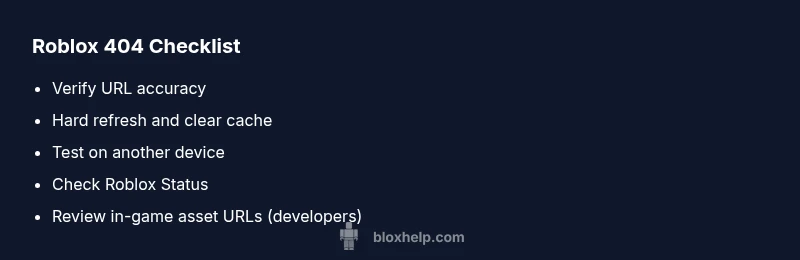
- Verify the URL: meticulously check every character, including slashes, case sensitivity, and query parameters. A single misplaced character can land you on a 404 page not found.
- Refresh and hard-reload: perform a hard refresh (Ctrl+F5 on Windows, Cmd+Shift+R on Mac) to bypass cached responses.
- Clear cache and cookies: stale data can cause repeated 404s; clearing cookies ensures you load fresh content from Roblox servers.
- Try another browser or device: moving from a PC to a mobile device or vice versa can reveal if the issue is device-specific.
- Check Roblox status: visit the official Roblox Status page or community dashboards to rule out a broader outage.
- For developers: verify asset URLs in your game scripts or Roblox Studio projects, ensuring paths point to the current resource locations.
- Reproduce the error: if possible, document steps leading to the 404 so you can report precise details to support.
If none of these resolve the issue, proceed to the next level of diagnostics or contact Roblox Support with the URL, screenshots, and device details.
Step-by-Step Fix: The Most Likely Cause
- Confirm the exact URL you’re trying to access and copy it exactly. A small typo breaks the request immediately. Open the URL in a new tab to isolate the issue. Tip: use the copy-paste method rather than manual typing.
- Clear your browser cache and cookies. Cached data can keep pointing you to an outdated, non-existent resource. After clearing, re-enter the URL.
- Try a different device or network. If the problem goes away on another device, the issue is likely your current device or local network configuration.
- Check Roblox Status for outages. If Roblox is experiencing a service disruption, you’ll see related advisories. If there’s an outage, waiting for Roblox to fix the server-side issue is often the only option.
- If you’re a developer, review asset references. Ensure that any relocated assets have updated URLs, filename changes are reflected in code, and version-controlled releases don’t point to old paths.
- Reproduce with logging. Capture the exact URL, browser user agent, and timestamps. Share this with Roblox Support to speed up diagnosis.
- Contact Roblox Support if the problem persists after all checks. Provide the affected URL, device type, and steps to reproduce so specialists can investigate core server or routing issues.
How to Diagnose Across Devices and Browsers
Cross-device testing helps distinguish between client-side and server-side problems. Start on your primary device and browser, then attempt the same URL on a mobile device, tablet, or another computer. If the 404 appears everywhere, it’s more likely server-side or a widespread asset relocation. If it only occurs on one device, cache, extensions, or local DNS may be at fault. In corporate environments, VPNs or firewalls can alter routing and trigger 404s, so test with and without VPNs.
Document the results with timestamps. This data helps support teams reproduce the problem quickly and determine whether a resource was renamed, moved, or removed. For players, ensure you’re not relying on a bookmarked link that no longer points to an active Roblox resource.
Preventing 404s in Roblox Projects
Proactive steps reduce future 404 incidents in Roblox experiences. Use stable asset URLs and maintain versioned paths, so asset migrations don’t break by default. Build error-safe navigation in your games by providing fallback assets or redirected routes during updates. Employ a robust content delivery strategy: host critical assets on reliable endpoints, monitor resource availability, and maintain a changelog for any URL changes. Regularly audit external links used in guide pages, forums, or community content to make sure they remain current.
Additionally, implement automated tests that fetch key URLs weekly to catch broken paths early. As a player, bookmark resolved URLs or use Roblox’s internal search to navigate to pages rather than relying solely on external links. This minimizes fallout from 404s when updates occur.
When to Seek Official Roblox Support
If you have exhausted ordinary fixes and the 404 continues to appear on multiple devices or across different networks, it’s time to escalate. Seek official Roblox Support with a concise report: include the exact URL, the steps you took, your device and browser, and any error timestamps. This information helps Roblox determine whether the issue is resource relocation, a server-side routing fault, or a user-specific block.
Support responsiveness varies, but providing precise evidence speeds resolution. In urgent cases, monitor Roblox Status pages and community channels for real-time updates while awaiting a fix. Remember: persistent 404s disrupt gameplay and development pipelines, so timely communication with support is essential.
Final Best Practices for Roblox 404 Handling
Adopt a concise three-tier approach: verify, isolate, and escalate. Verify the URL precisely, isolate whether it’s a client or server problem by cross-device testing, and escalate to Roblox Support if the issue endures. Maintain a local log of affected URLs and outcomes to speed up future troubleshooting. In all communications, include the exact 404 message, URL, device type, browser, and timestamps. Staying proactive reduces downtime and keeps Roblox experiences smooth for players and developers alike.
Quick Summary Checklist
- Confirm exact URL and casing to prevent typos
- Clear cache and reload across devices
- Check Roblox Status before deeper digging
- Test on alternative browsers/devices to isolate issues
- Review in-project asset URLs if you’re a developer
- Collect reproduction steps and logs for support
- Monitor official Roblox channels for outages and advisories