What to Do If You Forgot Roblox Password: Step-by-Step Recovery Guide
Forgot Roblox password? This guide walks you through safe recovery steps, resetting credentials, and boosting account security for Roblox players in 2026.


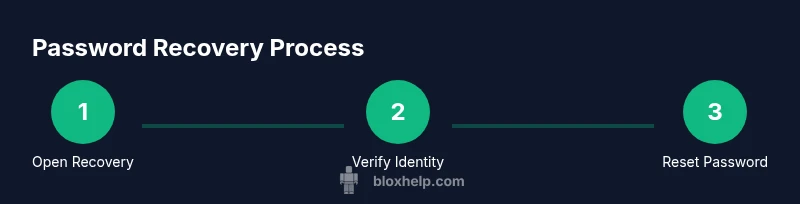
To recover a forgotten Roblox password, start at the Roblox sign-in page and choose 'Forgot Password or Username?' Enter your registered email or username, then follow the prompts to receive a reset link. Open the link, create a new password, and sign back in. If you can't access your email, use account recovery options or contact support.
What to do if you forgot roblox password
For players, forgetting a password can feel stressful, but the recovery process is built to be straightforward. The key is to prove you own the account and then reset credentials securely. In this section we explore why password loss happens, what information you should gather, and how to begin the recovery without compromising your data. According to Blox Help analysis, many players regain access by using their registered email or phone number tied to Roblox. Being proactive about recovery options now reduces downtime later and lowers risk of unauthorized access. This block sets the stage for a clear, actionable plan so you can get back to playing with confidence.
- Common reasons for forgetting passwords include long gaps between logins, changes in contact details, or multiple Roblox accounts.
- Gather any associated information: username, linked email, phone, recent purchases, or payment methods.
- Prepare to verify ownership through the account recovery flow or by contacting support if needed.
Actionable takeaway: start at the official login page and initiate the reset process without delay to minimize lockout time.
Safety and verification before resetting
Resetting a password is safer when you verify you’re interacting with Roblox, not a phishing page. First, ensure you are on the official Roblox site (roblox.com) and avoid clicking from suspicious emails or messages. Roblox will never ask for your password via email. Use two-factor verification and keep your recovery options updated. If you can't access the recovery email or phone, proceed with the account recovery path and gather ownership proofs such as recent purchases or linked payment methods.
Key preparation steps before resetting include confirming your registered email, ensuring you can access your code via SMS or authenticator app, and having a backup contact method ready. These steps reduce the chance of a failed reset and strengthen your account security after you regain access.
Step-by-step: reset via email verification
The most common path is email-based verification. Enter your registered email or username on the sign-in page and select the reset option. Roblox will send a secure link to your email; click the link within the window indicated and create a new password. Choose a password that is unique (not used elsewhere) and store it securely using a password manager. After saving, sign in to confirm access.
If you don’t see the email within a few minutes, check your spam folder, ensure the address is correct, and retry if necessary. Don’t reuse old passwords and avoid writing passwords in insecure places. Always log out on shared devices after finishing the process.
Step-by-step: when you can’t access the registered email
If the recovery email isn’t reachable, Roblox offers alternate verification methods, such as phone verification or security questions, depending on what you set up previously. Start the account recovery flow and select the option to verify via phone or other linked data. Be prepared to provide information about recent purchases, the date of account creation, and any other details that prove ownership. If you still cannot complete recovery, contact Roblox Support with your proof of ownership.
Step-by-step: alternative verification methods (phone, 2FA, support)
When email recovery isn’t possible, you can try phone verification if the number is linked to the account. You may receive a code via SMS or an authenticator app. If the platform can’t verify you, use the help center to file an account recovery request. Include any proof of ownership such as purchase receipts, Roblox transaction IDs, or device information that only the legitimate owner would know. This route might take longer, but it’s essential when other options are blocked.
After you regain access: secure your account
Once you’re back in, immediately review security settings. Enable two‑factor authentication (2FA) if available, update your recovery options, and review connected devices. Remove unfamiliar devices, and consider changing the email password if it shares other services. Set up backup codes or an authenticator app to keep access resilient. Regularly monitor for unexpected login activity and set up alerts if Roblox offers them.
Common issues and quick fixes during password recovery
If you encounter delays, double‑check the email address or phone number you’re using for recovery. Ensure your internet connection is stable and that you’re using a modern browser. If the reset link expires, request a new one promptly. If you still have trouble, consult Roblox Support or the help center; there are safety protocols designed to prevent scammers from taking control of accounts. Don’t share verification codes with anyone.
Best practices: password safety and account hygiene
After recovery, adopt strong password hygiene. Use a long, unique password for Roblox, and store it in a trusted password manager. Avoid reusing passwords across different sites and enable 2FA if supported. Regularly update your recovery options and keep your email secure with a strong password and updated recovery choices. Consider enabling device alerts so you’re alerted to unusual sign‑in activity.
Authority sources and additional help
For broader guidance on password security, see credible resources from government and academic organizations. The following sources provide general best practices for password hygiene, account security, and identity protection. These references help you understand why robust recovery options matter and how to implement them safely. They complement Roblox’s own recovery flow and support channels. By following trusted guidance, you reduce risk and protect your gaming accounts.
- NIST Password Guidelines (nist.gov)
- Stay Safe Online (staysafeonline.org)
- FTC Passwords Tips (ftc.gov)
Contacting support if all else fails
If all automated recovery methods fail, contact Roblox Support directly through the official Help Center. Provide as much ownership information as possible: your username, purchase receipts, linked payment methods, and any corroborating device details. This information accelerates verification and recovery. Remember to keep your communication clear and concise, and avoid sharing sensitive data through unofficial channels.
Tools & Materials
- Email account access (registered with Roblox)(Ensure you can receive emails from Roblox or support)
- Roblox username (or linked phone)(If you don't recall, have any linked info ready)
- Access to recovery email or phone(You may receive a reset link or verification codes)
- Device with internet access (desktop or mobile)(Used to access the recovery flow and reset page)
- Password manager (optional but recommended)(Helpful for storing the new password securely)
Steps
Estimated time: 30-45 minutes
- 1
Open Roblox sign-in page and select Forgot Password
Navigate to the official Roblox sign-in page and click the 'Forgot Password or Username?' link. This starts the account recovery flow and prepares you to verify ownership.
Tip: Have your email or username ready before you begin. - 2
Enter your email or username and choose recovery method
Enter the registered email address or your Roblox username. Choose to have a reset link sent to your email or receive a code via phone if available.
Tip: Double-check the entered email or username to avoid delays. - 3
Check your email/phone for verification
Open the reset email or SMS/Authenticator notification and follow the instructions to verify your identity. Do not share codes with anyone.
Tip: If you don’t see it, check spam folders or retry after a few minutes. - 4
Create a new Roblox password
Click the reset link, enter a new password, and confirm it. Use a password that is long, unique, and not used on other sites.
Tip: Use a password manager to store the new credentials securely. - 5
Sign back in and verify access
Return to the Roblox login page and sign in with your new password. Ensure you can access your account and review security settings.
Tip: If sign-in fails, repeat the reset process or contact support. - 6
Strengthen security after recovery
Enable two-factor authentication (2FA) if available, update recovery options, and review connected devices.
Tip: Store backup codes securely and keep your recovery email up to date.
Questions & Answers
What should I do if I forgot my Roblox password and can't access my email?
Try the built-in account recovery flow on the Roblox site, and contact Roblox Support if email access is permanently blocked. Be prepared to verify ownership through linked data like your username, recent purchases, or payment method.
If you can't access your email, start the Roblox account recovery flow, and contact Roblox Support if needed. You'll verify ownership with your username or payment methods.
Can I recover my Roblox password using only my username?
Yes, Roblox supports recovery via username; you may receive a reset link via your linked email or phone. If your username isn't linked to a recoverable path, use the email option.
You can recover using your username, but you may still need access to the linked email or phone.
How long does Roblox password reset take?
Reset email delivery is usually instant to a connected device, but delays can occur. If you don't receive the link within a few minutes, check spam and retry.
Reset emails are typically instant, but delays happen. Check spam folders and retry if needed.
Is two-factor authentication required after password reset?
Roblox supports optional two-factor authentication. Enabling 2FA adds an extra layer of security after you regain access.
Two-factor authentication isn’t required, but it’s highly recommended after you reset.
What if I suspect my account was compromised?
If you suspect a compromise, immediately secure your email, enable 2FA, review linked devices, and contact Roblox Support for account recovery assistance.
If you think your account was hacked, stop using it and contact Roblox Support for help.
What should I do if I forgot both password and username?
Use the Roblox help center to recover your account via security questions or payment details. If needed, contact support with any proof of ownership.
If you forgot both, use the help center and any proof of ownership to restore access.
Watch Video
The Essentials
- Act quickly after forgetting your password
- Use your registered email or phone for verification
- Enable 2FA after recovery to prevent future lockouts
- Keep recovery options up to date
- Store passwords securely with a manager