What Is Roblox's Email? Official Support Guide 2026
Discover whether Roblox publishes a public support email, how to contact Roblox via the Help Center, and best practices for submitting tickets in 2026.


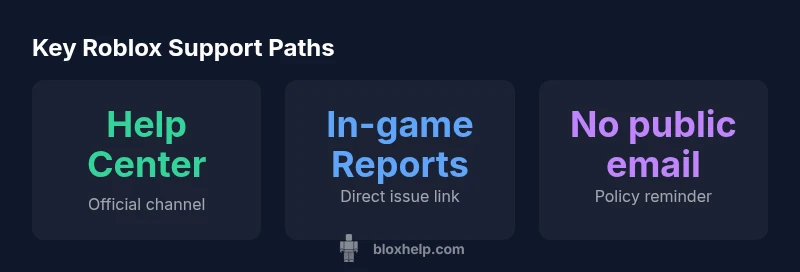
Roblox does not publish a universal public email for support. The official way to reach Roblox is through the Help Center at help.roblox.com, where you can submit a ticket for account, billing, or game issues. For security, never share passwords via email or chat. The general policy is to route requests through the Help Center to ensure proper tracking and response.
How Roblox Handles Contact and the Question "what is roblox's email"
Determining what is roblox's email is a common question among players and developers. In practice, Roblox does not publish a universal support address. Instead, the company channels user inquiries through the Help Center at help.roblox.com. This setup keeps conversations organized and makes it easier to route requests to the right team, whether the issue is a login problem, billing dispute, or bug report. According to Blox Help, the absence of a public inbox is intentional; it helps protect user data and reduces the risk of phishing. For legitimate inquiries, starting at the Help Center ensures you receive official updates and a documented trail. The Help Center also provides status pages and guidance on typical response times, plus contact options for account security and parental controls. This section helps the reader understand the basic channel and security considerations when seeking help.
The Official Route: Help Center and Support Tickets
The official route to contact Roblox is the Help Center. Here you submit a ticket for issues ranging from account access to billing questions. You’ll choose a category, provide a description, and attach relevant details. The system then routes your request to the appropriate Roblox team. Because tickets are tracked, you’ll receive updates and a reference number you can use to follow up. For developers or power users, the Help Center also offers documentation, troubleshooting steps, and status alerts that can speed up resolution. The goal is to create a documented, auditable trail for every interaction with Roblox support.
Why There Isn’t a Public General Email
Roblox’s policy of not publishing a general support email is designed to protect user data and ensure requests reach the right department. Without a single inbox, there’s less risk of phishing and misrouted messages. This approach also helps Roblox funnel requests into structured workflows and maintain a consistent response process. If you search for a Roblox email address, you’ll commonly see references to help.roblox.com rather than a direct mailbox. This distinction matters for both account security and user privacy, and it aligns with modern customer-service best practices that favor ticket-based systems over open-inbox models.
Step-by-Step: How to Submit a Roblox Support Ticket
- Open help.roblox.com and sign in if possible. 2) Click “Submit a request” or the equivalent support link. 3) Select the category that best fits your issue (account, billing, or game-related). 4) Provide a concise description, steps to reproduce, and any relevant timestamps. 5) Attach screenshots or logs if available. 6) Submit and monitor the ticket status in the Help Center. This process ensures your request is properly categorized and tracked from start to finish.
What Information to Include in Your Ticket
To improve your chances of a fast, accurate response, include: a clear summary of the issue, the Roblox username, the email tied to the account, the approximate time when the issue began, steps to reproduce the problem, and any error messages. If you’re reporting a security concern, describe unusual activity and include any evidence you have without sharing passwords in the ticket. The more precise you are, the better Roblox support can triage your request.
Response Times and What to Expect
Response times for Roblox support tickets vary based on category, ticket volume, and the specifics of the issue. In general, you should expect periodic updates as the team reviews your submission. The Help Center often includes an estimated timeline and status indicators. While you wait, you can browse Help Center articles for self-service solutions and check the Roblox status page for ongoing outages that might affect your case. This helps set realistic expectations and reduces extra follow-ups.
Special Cases: Account Security, Hacking, and Password Issues
For account security concerns, use the Help Center’s security-related categories and follow the prompts to file a security ticket. If you suspect your account has been compromised, act quickly to secure your login and update credentials. Do not share passwords in any public channel or non-official chat. Roblox emphasizes using the Help Center to initiate security-related inquiries so the issue is properly investigated and the incident is logged with an audit trail.
Privacy and Security Tips When Reaching Out
Always protect sensitive information. Do not reveal passwords, full personal data, or recovery codes in public forums or chat channels. When submitting a ticket, redact unnecessary details and attach only the information needed to verify ownership or troubleshoot the problem. If you receive suspicious messages claiming to be Roblox support, report them and avoid clicking links. Following these practices helps keep your data safe while you seek help.
Alternatives and Community Resources for Roblox Help
Beyond the Help Center, Roblox provides official documentation, frequently asked questions, and developer resources that can resolve many common issues without opening a ticket. Community forums and third-party guides exist, but use them as supplementary resources rather than replacements for official Roblox support. Always verify information against help.roblox.com or official Roblox announcements to avoid misinformation.
Final Notes on Roblox Email and Support
In summary, there is no universal Roblox email; the Help Center is the official path for all support requests. Use the ticket system to ensure your issue is properly tracked and routed. For account security and privacy, never share credentials, and rely on Roblox’s documented procedures for the best outcome. The Blox Help team recommends prioritizing official Help Center channels for reliability and traceability.
Official Roblox support contact methods
| Method | What it offers | Pros | Cons |
|---|---|---|---|
| Help Center form | Official Roblox support form | Tracks requests, ensures routing | May take longer to respond |
| In-game reports | Directly tied to in-game issues | Fast for specific problems | Limited scope for broad inquiries |
Questions & Answers
Does Roblox publish a general support email?
Roblox does not publish a universal support email. Users should use the Help Center at help.roblox.com to submit a ticket and receive official responses.
Roblox doesn't share a general support email; use the Help Center to file a ticket.
How can I contact Roblox for account security issues?
For security or login problems, go to the Help Center and submit a ticket under the appropriate category. This ensures your request gets routed to the right team.
Go to Help Center and file a security ticket.
What information should I include in a Roblox support ticket?
Provide a concise description, steps to reproduce, affected account details, and any relevant timestamps. Avoid sharing passwords or sensitive data via email.
Include what happened, when, and how to reproduce it.
How long does Roblox take to respond to tickets?
Response times vary based on ticket volume and category. Check the Help Center for status updates and estimated timelines.
Times vary; check Help Center for updates.
Are there alternatives to Help Center for Roblox support?
Official guidance focuses on the Help Center; social channels may post announcements, but support requests should go through the Help Center to guarantee tracking.
Stick to the Help Center for support requests.
What should I avoid sharing through Roblox support channels?
Never share passwords or full personal data in public or non-official channels. Use the Help Center for sensitive issues and keep credentials private.
Never share passwords; use the official Help Center.
“Roblox does not publish a universal support email; the Help Center is the official path for tickets and inquiries.”
The Essentials
- Use the Help Center as the primary contact channel.
- Do not share passwords or personal data through email or chat.
- Include clear details and steps when submitting a ticket.
- Check Help Center updates for expected response times.