What Causes Roblox Error Code 277 and How to Fix It
Discover what triggers Roblox error code 277 and fix it fast with network checks, updates, DNS tweaks, and safe configuration tips. Learn when to seek help from Blox Help.


According to Blox Help, Roblox error code 277 usually signals a client-side block or unstable network rather than a Roblox outage. The quick answer is to refresh the connection, update the Roblox client, and rule out VPNs or proxies. If the issue persists, a DNS tweak and reinstall may be necessary.
What Roblox error code 277 means
Roblox error code 277 is a generic connectivity error that stops a game from loading or causes a crash. It often points to issues on the user's end: blocked traffic, outdated software, or network quirks rather than a global Roblox outage. As the Blox Help team notes, the best first step is to verify your connection and ensure your Roblox client is current. When connection stability is restored and security settings aren’t blocking traffic, 277 tends to disappear. This guide explains what causes the error, how to verify you’re in a good state, and exactly what to do next.
Symptoms and quick indicators
Common signs of error 277 include an empty loading screen, a sudden game crash, or Roblox returning to the home screen with the code in a pop-up. You may notice high latency, intermittent disconnects, or messages about blocked traffic. These symptoms usually reflect a client-side block or network problem rather than a global Roblox outage. Quick checks—confirming active internet, trying a different device, and disabling potential blockers—often resolve the issue.
Most common causes in practice
In most cases, error 277 arises from network or software factors. The top culprits are a fluctuating internet connection, a congested DNS resolver, or an out-of-date Roblox client. VPNs, proxies, or firewall rules can also block Roblox traffic and trigger 277. Less common but possible causes include corrupted game files on the device or background security software interfering with Game services. Understanding these causes helps you prioritize fixes.
Quick at-home fixes you can try now
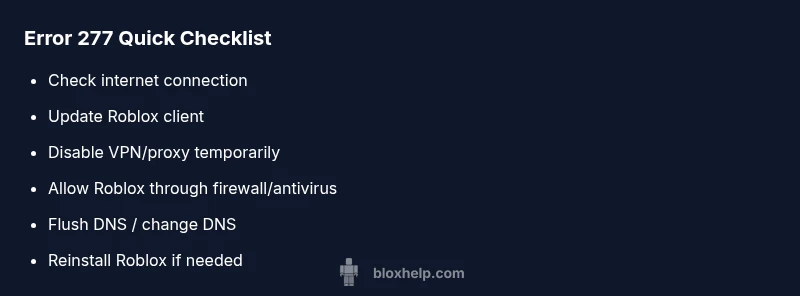
Start with the simplest fixes first. Restart your router and test a direct connection to Roblox. Update the Roblox app and your operating system. Temporarily disable VPNs or proxies and ensure Roblox is allowed through firewall and antivirus settings. Clear Roblox cache and local app data if possible, then relaunch Roblox. If the problem continues, flush DNS and switch to a reliable DNS like Google’s 8.8.8.8. These steps are free and can be completed within minutes.
Diagnostic flow you can follow (basic checks)
If the above fixes don’t help, continue with a structured approach: verify device time settings, test with a different network (mobile hotspot), and check Roblox’s server status. Review firewall logs for blocked Roblox traffic and temporarily disable security overlays to test connectivity. This methodical approach reduces guesswork and points to the root cause more quickly.
Other common causes and fixes you should know
Beyond the obvious network issues, anti-malware software, parental controls, or device-specific bugs can trigger error 277. Ensure your device time is accurate and synchronized, and verify that parental-control settings aren’t restricting Roblox. Reinstalling Roblox remains a valid option if nothing else works, but backup saved data before proceeding. The key is to stay methodical and document each change you make.
Steps
Estimated time: 45-60 minutes
- 1
Check internet connection
Verify you have stable broadband or mobile data. Run a speed test and try a different site to confirm general connectivity.
Tip: If you’re on Wi‑Fi, move closer to the router or switch to Ethernet if possible. - 2
Update Roblox and OS
Install any available Roblox updates and ensure your operating system is current. Reboot after updates complete.
Tip: Restart devices after updates to ensure changes take effect. - 3
Temporarily disable VPNs/proxies
Turn off VPNs or proxies to see if Roblox loads normally. If needed, add Roblox as an exception in the VPN app.
Tip: Some VPNs route traffic unusually; a direct connection often fixes 277. - 4
Check firewall/antivirus settings
Ensure Roblox.exe is allowed through firewall and that antivirus isn’t blocking Roblox components.
Tip: Add Roblox to the exceptions list if you use security software. - 5
Flush DNS/change DNS server
Open a command prompt or Terminal and run DNS flush commands. Switch to a reliable DNS like 8.8.8.8 or 1.1.1.1 if needed.
Tip: Temporary DNS changes can resolve blocked traffic without reinstall. - 6
Test with a different network
Connect to a mobile hotspot or another network to rule out local network issues.
Tip: If the issue goes away on another network, your home network is the likely culprit. - 7
Reinstall Roblox (last resort)
Uninstall Roblox, clear leftover data, reinstall fresh from the official site or app store.
Tip: Back up any saved data if applicable before reinstall.
Diagnosis: Roblox displays error code 277 and the game won't load
Possible Causes
- highUnstable or blocked network connection
- mediumOutdated Roblox client or OS compatibility issues
- lowVPN/proxy interference
- lowFirewall or antivirus blocking Roblox
Fixes
- easyRestart router and test a direct connection
- easyUpdate Roblox client and operating system
- easyDisable VPN/proxy and configure exceptions
- easyAllow Roblox through firewall/antivirus
- easyFlush DNS and try a different DNS (e.g., 8.8.8.8)
- mediumReinstall Roblox if the issue remains
Questions & Answers
What causes Roblox error code 277?
Error 277 is usually caused by client-side or network blocks, VPNs, or firewall rules. It is not typically a server outage. Systematically testing network settings and software often reveals the culprit.
277 usually comes from your device or network, not Roblox servers. Check your connection and software first.
Can a Roblox server outage trigger error 277?
Generally no; 277 is more likely a client or network issue. If Roblox is down, you’ll see other outage reports and a different message.
277 isn’t typically a Roblox server outage. Check your network and software first.
Does using a VPN or proxy cause error 277?
Yes. VPNs or proxies can block Roblox traffic and trigger error 277. Temporarily disabling them helps determine if they’re the cause.
VPNs or proxies can cause 277; try disconnecting them to test.
Will updating Roblox fix error 277?
Keeping Roblox and your OS updated fixes compatibility issues that can lead to 277. After updating, restart and test again.
Updates often fix 277 by keeping things compatible—retest after update.
When should I reinstall Roblox to fix 277?
Reinstall is a last resort if nothing else works. It clears corrupted files and resets settings that may block traffic.
Reinstall if other fixes fail, but back up data first.
How long does it take to resolve error 277?
Resolution time varies with cause. Quick network fixes may resolve it within minutes; deeper software issues could take longer.
Fix time depends on the cause; some users resolve it quickly, others need more steps.
Watch Video
The Essentials
- Identify root cause with a structured flow
- Start with quick, safe fixes before deep changes
- DNS and firewall settings are common culprits
- If needed, reinstall Roblox as a last resort