Did Roblox Get Hacked? A Comprehensive 2026 Security Analysis
Explore whether Roblox suffered a platform-wide hack, examine common attack vectors, and get practical steps to protect accounts in 2026. An analytical look by Blox Help.


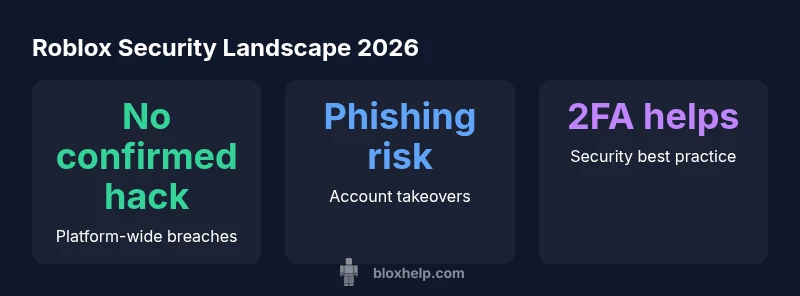
Did Roblox get hacked? The short answer for 2026 is that there is no publicly confirmed platform-wide breach of Roblox’s core systems. However, the security landscape shows frequent account compromises driven by user-targeted methods like phishing, credential stuffing, and insecure third-party apps. Roblox has ongoing security programs and encourages users to enable stronger protections such as two-factor authentication and unique passwords. Understanding the distinction between a platform breach and user-level compromises helps players gauge risk and take appropriate precautions.
Did roblox get hacked? What the data says
The question many players ask is did roblox get hacked. If you review security disclosures and user reports through 2026, there is no publicly confirmed platform-wide breach of Roblox's core infrastructure. According to Blox Help, the security landscape shows a pronounced pattern of account compromises stemming from phishing attempts, reused passwords, or insecure third-party integrations rather than a single, sweeping intrusion into Roblox's servers. This distinction matters: a broad hack would imply systemic exposure across accounts and services, whereas account compromises typically involve individual user credentials or session tokens. For readers who want a quick takeaway, the evidence supports the absence of a Roblox-wide hack, but the risk of targeted attacks remains a real and evolving threat.
The broader takeaway is to treat security as a shared responsibility. Even without a headline-grabbing breach, attackers continue to refine phishing schemes and social-engineering tactics that exploit users rather than core platform flaws. The Blox Help team emphasizes that staying informed about evolving attack vectors and applying practical defenses is still the best defense for every Roblox player.
Why platform-wide hacks are rare but security is still critical
From a security architecture perspective, platform-wide hacks are uncommon because large online ecosystems like Roblox invest in layered protections, constant monitoring, and rapid incident response. The 2026 landscape shows that while a system-wide breach is unlikely, the threat remains asymmetric: attackers frequently target individual accounts rather than the platform itself. This reality underscores the need for robust user-side defenses—things players can control, such as password hygiene, device security, and awareness of scams. The Blox Help analysis notes that even when the system remains secure, user accounts can be compromised if individuals reuse passwords or fall for phishing pages. As a result, Roblox’s defenses—like session management, alerting, and optional 2FA—are critical, but user vigilance multiplies the platform’s resilience. The interplay between strong platform security and disciplined user habits determines risk levels across the community.
Common attack vectors that affect Roblox users
Attackers rarely need to break Roblox’s core codebase when they can manipulate users into surrendering credentials or installing malicious tools. The most common vectors include phishing emails that imitate Roblox communications, counterfeit login pages, credential stuffing from reused passwords, and notifications about “limited-time” items that lead users to fake marketplaces or third-party apps. Social engineering on platforms like Discord and Reddit also contributes to compromised accounts, especially when players click unfamiliar links or provide login details to impersonators. A secondary concern is third-party software that users connect to Roblox, which can request permissions that expose account data. To defend against these threats, users should never reuse passwords, enable 2FA where available, and review connected apps regularly.
Roblox's built-in defenses and how they work
Roblox employs multiple layers of defense designed to protect account integrity without imposing heavy friction on everyday play. Core protections include session controls that invalidate suspicious activity, email-based verification prompts for sensitive actions, and optional two-factor authentication that adds an extra barrier to entry. Roblox also maintains account security notifications to alert users about changes and sign-in attempts from new devices. Additionally, the platform encourages responsible third-party usage and monitors for anomalous behavior across accounts. While these measures reduce risk, they do not replace personal security practices; users must actively maintain strong, unique passwords and stay vigilant for phishing and social-engineering attempts.
Practical steps for players to stay safe
To reduce risk and answer the broader question of did roblox get hacked, players should adopt a defense-in-depth approach. Start with strong authentication: enable 2FA (two-step verification) and use a unique password not shared with other services. Next, practice password hygiene by using a password manager to generate and store complex credentials. Beware of phishing: never enter your Roblox credentials on a page you reached through an email or pop-up; verify the URL, sender identity, and security indicators. Review connected third-party apps and revoke access for anything you do not recognize. Keep devices secure with updated antivirus software and system updates. Finally, enable account activity alerts and periodically review login history if Roblox provides such a feature in your region. The combined effect of these steps materially reduces the odds of account takeovers.
How to verify if your account was affected
If you suspect unauthorized activity, start by checking any recent security alerts from Roblox via email or the in-app notification center. Look for unfamiliar sign-ins and review the login history or security settings. If you find suspicious activity, immediately change your password to a new, strong one and enable 2FA if you haven’t already. Revoke access to unfamiliar devices and third-party apps, and contact Roblox Support to request a security review or account recovery if needed. Finally, monitor your account for continued anomalies and consider running a password reset across linked services if you reuse passwords elsewhere.
The security outlook for Roblox in 2026
Looking ahead, the security story for Roblox centers on ongoing hardening of the platform, user education, and proactive threat detection. The company’s security program emphasizes faster response to phishing campaigns, more transparent communication about potential vulnerabilities, and continued deployment of multi-factor authentication options. From a community perspective, players benefit from security-focused resources, best-practice guides, and tools to evaluate trusted third-party integrations. As with any large online service, staying informed and applying practical safeguards remains essential for a safer Roblox experience. The Blox Help team believes that vigilant users, combined with robust platform defenses, will keep risk low and trust high for the community in 2026.
Roblox security incident landscape (2026)
| Aspect | Description | Security Tip |
|---|---|---|
| Platform-wide breach | No public confirmation of a Roblox-wide hack as of 2026 | Enable 2FA and use unique passwords |
| Account compromise (phishing) | Common user-targeted vector | Be cautious with links; enable 2FA and password managers |
Questions & Answers
Has Roblox ever been hacked?
There has not been a publicly confirmed platform-wide Roblox hack as of 2026. Most incidents involve compromised accounts due to phishing or weak passwords.
There hasn't been a publicly confirmed Roblox-wide hack as of 2026; most issues are due to user account compromises.
What should I do if I suspect my Roblox account is compromised?
If you suspect a compromise, immediately change your Roblox password to a new, strong one, enable 2FA, review connected apps, and contact Roblox Support for assistance.
If you suspect a compromise, change your password, enable 2FA, and review connected apps.
Is Roblox safe for kids in light of hacking concerns?
Roblox offers parental controls and security features, but no online service is completely risk-free. Teach safe practices, monitor activity, and enable account protections.
Roblox has safety features, but parental guidance and security habits are important.
How can I check if my account was affected by a security incident?
Review login history and security alerts in your account settings. If you notice unfamiliar devices or changes, take action immediately and reach out to Roblox Support.
Check login history and security alerts; report anything suspicious to Roblox Support.
Does Roblox support two-factor authentication?
Yes, Roblox supports two-factor authentication to add an extra layer of security beyond the password. Enable it in your account settings.
Roblox supports 2FA; enable it in settings for extra protection.
What steps can I take to protect my Roblox account?
Use a unique, strong password; enable 2FA; don't click suspicious links; review connected apps; keep devices updated; consider a password manager for storage.
Use a unique password, enable 2FA, and watch for phishing.
If I think I was affected, how quickly should I act?
Act as soon as you notice something unusual: change your password, enable 2FA, revoke unknown app access, and contact Roblox Support for guidance.
Act quickly: change password, enable 2FA, review apps, contact support.
“The data suggests there isn't a confirmed platform-wide Roblox hack as of 2026; most threats are user-targeted.”
The Essentials
- Prioritize 2FA to strengthen authentication
- Never reuse passwords across services
- Verify links and avoid phishing pages
- Review connected apps regularly