How Do Roblox Accounts Get Hacked: A Practical Guide
Learn how do roblox accounts get hacked, identify common attack vectors, and adopt practical steps to protect your Roblox account, including phishing awareness.


Protecting a Roblox account begins with recognizing common attack vectors like phishing, reused passwords, and insecure devices. Enable two-step verification (2FA), use a unique password, and review recent activity. These steps dramatically reduce risk and make recovery easier if a breach occurs.
How do Roblox accounts get hacked: common pathways
According to Blox Help, many Roblox account breaches start with user actions rather than a flaw in Roblox itself. Hackers often exploit weak passwords, reused credentials across sites, and careless email habits. In practice, the question how do roblox accounts get hacked becomes a guide to what players should avoid. The goal is to recognize risky behavior and build a defense that's easy to maintain. This section outlines the main pathways criminals use to gain control, from social engineering to device compromises, so you can map your weaknesses and shore them up before a breach occurs.
Key takeaways include the importance of unique passwords, cautious clicking, and keeping software up to date.
Common attack vectors in Roblox accounts
Attackers leverage several vectors to gain access: phishing pages that imitate Roblox, social engineering via friend requests, and credential stuffing where stolen passwords are tried across sites. When a user reuses a password or clicks a link that asks for Roblox login, the attacker can capture credentials and enter Roblox with that data. Third‑party apps requesting Roblox login can act as gateways if you grant access without verifying legitimacy. Malware on a device can log keystrokes or steal clipboard data, silently collecting login details. Outdated browsers or operating systems also heighten risk, so regular updates are essential.
Being aware of these vectors helps you build a robust defense rather than reacting after a breach.
Immediate steps to secure an account after suspected compromise
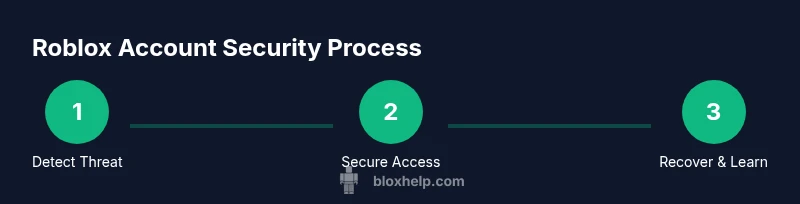
If you suspect a compromise, act quickly: first, log out of all sessions from the Roblox account page to sever active access. Then, change your password to a fresh, strong one that you have not used elsewhere. Enable two‑step verification (2FA) wherever available and verify that your linked email is secure. Review connected apps and revoke access to anything unfamiliar. Check recent activity for unauthorized purchases or changes, and report anything you did not authorize. Run a malware scan on your devices and update security software. Pro tip: use a password manager to store unique passwords and reduce reuse.
Long-term security habits to prevent future hacks
Adopt a layered approach to security that lasts. Use unique passwords for Roblox and your email, enable 2FA on both accounts, and avoid linking to untrusted apps. Keep devices updated with the latest security patches, and practice phishing awareness so suspicious messages are ignored or reported. Consider using a dedicated email for gaming activities to compartmentalize risks. Do not save passwords in browsers, and enable login alerts so you’re notified of unfamiliar access. Establish a monthly security routine to review active sessions and connected devices.
Understanding Roblox's security features and policies
Roblox provides several security features designed to protect accounts, including 2FA options, security alerts for new logins, and an account recovery flow. Enabling these features improves resilience against breaches. Roblox also offers guidance on recognizing phishing attempts and securing linked emails. While no system is perfect, combining Roblox protections with user hygiene dramatically lowers risk and improves likelihood of quick recovery after compromise.
How to report and recover a hacked account
If you become a victim, use the official Roblox Help Center to start the recovery process. Gather essential information such as your username, the last known password, and any evidence of unauthorized activity. Provide a secure contact email and details about the device used during the breach. Do not share your password with anyone, including support agents, and follow Roblox's verification steps. Recovery times vary, but staying proactive with evidence and communications accelerates the process.
The role of phishing emails and social engineering
Phishing remains a dominant entry point for hacks. Attackers imitate Roblox communications, create fake login pages, or urge you to click urgent links. Always check the URL carefully, avoid entering credentials on unfamiliar sites, and never share verification codes. Practicing skepticism about unsolicited messages is a powerful defense against social engineering. Regularly review security notifications from Roblox and your email provider for anomalies.
Device hygiene and network safety
Secure devices with reputable antivirus software, enable automatic updates, and avoid using public or shared networks for gaming sessions. If you must use public Wi‑Fi, consider a VPN and ensure your firewall is active. Regular malware scans, cautious app installations, and limiting permissions on apps reduce the risk of credential theft through compromised devices.
Password hygiene and password managers
Create long, unique passwords for Roblox and your email accounts. A password manager helps generate and store these credentials securely, eliminating the temptation to reuse passwords across sites. Enable 2FA on both Roblox and your email, and regularly review recovery options to ensure they remain current. Strong password hygiene is a cornerstone of long-term security.
Common myths and misconceptions about Roblox account hacking
A common myth is that Roblox accounts cannot be hacked if you only play games. Reality shows that any account with a connected email and login credentials can be compromised, especially when users fall for phishing or reuse passwords. Another misconception is that turning off all notifications prevents hacks; in reality, you should monitor and respond to security alerts. Staying informed and proactive reduces risk dramatically.
Tools & Materials
- Password manager (recommended)(Choose a reputable manager; generate unique passwords for each service.)
- 2FA-capable device(Enable 2FA via authenticator app or security key if available.)
- Updated antivirus/anti-malware software(Run regular scans on all devices used for Roblox.)
Steps
Estimated time: 45-60 minutes
- 1
Audit current security
Review your Roblox account settings, linked emails, and recent login activity. Note any unfamiliar sessions or devices. This clarifies the scope of any potential breach.
Tip: Record dates and times of unusual activity to support evidence if you file a recovery request. - 2
Secure credentials
Change your Roblox password to a new, long, and unique password. Do the same for your linked email account. Avoid using similar phrases or reuse across sites.
Tip: Use a passphrase with mixed case and symbols; a password manager can generate it for you. - 3
Enable two‑step verification
Turn on 2FA for Roblox and your email if possible. Use an authenticator app or security key rather than SMS where available.
Tip: Store recovery backup codes in a secure location separate from your devices. - 4
Revoke suspicious access
In the account settings, review connected apps and revoke anything unfamiliar or untrusted. This prevents unauthorized third‑party access.
Tip: If in doubt, remove all nonessential third‑party connections and reauthorize only trusted apps. - 5
Secure devices and network
Run malware scans, update software, and avoid logging into Roblox on shared networks. Consider network security measures for home setups.
Tip: Keep your devices cleared of suspicious software and avoid installing dubious programs. - 6
Prepare for recovery
If access is lost, collect usernames, evidence of unauthorized activity, and last known good password. Contact Roblox support through the official channel.
Tip: Do not share your password with anyone, even if they claim to be support.
Questions & Answers
What is the most common way Roblox accounts are hacked?
Phishing and credential stuffing are among the most frequent entry points. Users who click suspicious links or reuse passwords across sites are particularly at risk.
Phishing and credential stuffing are the most common entry points for Roblox hacks.
How can I tell if my Roblox account is compromised?
Look for unfamiliar login times, changes to settings, new devices, or purchases you did not authorise. If you notice anything odd, take protective steps immediately.
Unusual logins or changes to your account are red flags; act quickly if you notice them.
Can Roblox security prevent hacks entirely?
Roblox security features, like 2FA and vigilant account monitoring, greatly reduce risk but cannot guarantee complete prevention. User diligence remains essential.
Security features greatly reduce risk, but user vigilance is still essential.
What should I do if I fall for a phishing scam?
Change your password immediately, secure your email, scan devices for malware, and contact Roblox support through official channels for recovery guidance.
If you fall for phishing, change passwords, secure your email, and contact official Roblox support.
Is it safe to use third-party apps that require Roblox login?
Only authorize trusted, official apps and review permissions carefully. Avoid apps that request more access than necessary.
Only trust official or well‑established apps and check permissions closely.
Does Roblox support recovery for hacked accounts?
Yes. Use the Roblox Help Center to start the recovery process, provide required information, and follow verification steps to regain access.
Roblox support can help you recover access if you follow the official process.
Watch Video
The Essentials
- Identify common hacking paths and defend them.
- Enable 2FA and maintain unique passwords.
- Regularly review account activity and recover options.
- Know how to report and recover a hacked account.