How to Change Your Roblox Age: Safer Alternatives & Policy
Learn why Roblox does not allow changing birthdates on existing accounts, plus safe alternatives like privacy settings, parental controls, and how to contact Roblox Support for age-related concerns. A practical guide from Blox Help.


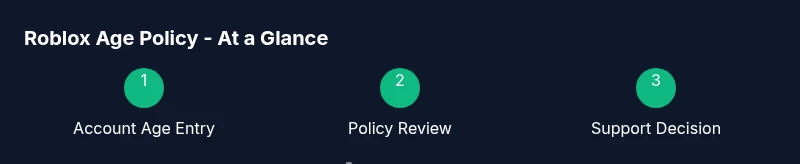
Roblox does not support changing the age on an existing account; age data is tied to safety and platform terms. If you need an updated age for privacy or parental controls, contact Roblox Support and review your options. This guide explains the policy and safe alternatives. It clarifies what is allowed, what isn’t, and how to proceed with official channels.
Why Roblox Treats Age as Inflexible
If you're wondering how to change your age roblox, Roblox does not support changing the birthdate on an existing account. Roblox treats the birthdate as a core account attribute tied to safety, parental controls, and content restrictions. The platform uses this data to determine what content a player can access and which safety features should be active. According to Blox Help, the system is designed to preserve a consistent age profile across devices and sessions to protect players, especially younger users. While it might seem convenient to adjust your age after creating an account, policy and security reasons prevent this, ensuring a stable and trustworthy online environment for the Roblox community. If you’re trying to correct a mistaken birthdate, the documented route is to engage official support rather than attempting in-app changes.
Safety-focused guidance also means that changing age retroactively could undermine protections meant for minors. In practice, most requests are reviewed individually, and outcomes depend on your specific circumstances. The key takeaway is that you should not attempt hacks or workarounds that bypass age protections, as these can lead to account suspension or loss of access.
What Age Data Affects on Roblox
The birthdate you entered affects default privacy settings, parental controls, chat capabilities, and access to age-restricted content. Roblox uses age data to tailor the experience and enforce safety practices, such as notices for younger players or limited chat features. Roblox treats this information with care because it informs how features are presented and what protections are active for a given profile. This data is tied to your account across devices, which is why changing it after the fact is not provided as a user-facing option. If accuracy is needed for guardianship or privacy, the official support route remains the proper channel. Keep in mind that some information is immutable, and changes could require identity verification or policy review.
Safe Alternatives: Focus on Privacy and Controls
If your goal is to improve privacy or adjust how your age affects your Roblox experience, you have safe options that don’t involve changing birthdates. You can tighten privacy settings, disable or limit chat with younger players, and enable account-wide safety features that align with your real age without altering the account data itself. Parents can leverage Parental Controls to set screen time limits, spending controls, and content filters. These measures protect players while staying compliant with terms. Blox Help recommends starting with the lowest-risk settings that meet your needs and gradually increasing privacy as you see fit.
Practical steps include reviewing the Privacy, Security, and Contact Settings on your account, then testing the changes across devices to ensure consistency.
Parental Controls and Age-Related Safety
Parental controls provide a front-line defense for younger players. Even if you are older, enabling or adjusting these controls can help reduce exposure to unwanted content or interactions. The controls can restrict who can message you, who can interact with your avatar, and what content you can access. For guardians, the emphasis is on open communication and setting clear expectations about online behavior. Implementing these controls early helps prevent risky situations and creates a safer Roblox environment for everyone involved.
How to Contact Roblox Support for Age-Related Concerns
If you believe there’s a mistake in the age data or you need an official review, the only safe path is to contact Roblox Support. Start by visiting the Roblox Support page and submitting a ticket. Provide your username, the current birthdate on file, and a concise explanation of why you’re requesting a review. Include any verification or documentation Roblox requests. The support team will review the case and respond with next steps.
What to Expect During a Review
Reviews are handled case by case, and outcomes vary depending on policy and evidence. Expect slower response times during busy periods, and be prepared to provide identifying information if requested. If a change isn’t approved, you’ll receive guidance on permissible alternatives and safety settings to adjust. The key is to stay patient and maintain respectful communication with the support team.
Best Practices for Younger Players and Guardians
For players under 18, prioritize safety by keeping account details private, avoiding sharing birthdates beyond what is necessary for verification, and using parental controls. Guardians should educate young players about online safety, model responsible behavior, and monitor activity through available tools. Regularly review account settings and content filters to ensure ongoing protection.
Common Misconceptions About Changing Age
One common misconception is that you can freely edit your birthdate to bypass age restrictions. In reality, age data is closely tied to safety protections and policy; attempting to alter it can lead to penalties or loss of access. Always rely on official channels rather than third-party hacks.
Where to Start: Quick Action Steps
If you still want to pursue a policy-aligned path, start by compiling your username, current birthdate, and any related correspondence with Roblox Support. Then submit a formal request through the support portal and await guidance. While you wait, review your privacy and parental-control options to improve the current Roblox experience.
Tools & Materials
- Roblox account(Active account to discuss with support)
- Email access on file(Used for support communications)
- Patience for support response(Responses vary by case)
- Identity documents (if requested)(Only if Roblox requests verification)
Steps
Estimated time: varies by case
- 1
Gather account details
Collect your username, current birthdate, and the email on file. This helps speed up the support review and reduces back-and-forth, which can slow down the process.
Tip: Have any prior messages or tickets handy to reference. - 2
Submit a clear support request
Go to Roblox Support, choose the relevant category, and provide a concise description of your concern with the exact outcome you want. Include your account info and date in question.
Tip: Keep the tone respectful and stick to facts. - 3
Provide identity verification if asked
If Roblox requests verification, supply the required documents promptly to avoid delays. This step ensures the review is legitimate and protects everyone.
Tip: Only share documents through official channels. - 4
Monitor the response and follow up
Check your email and Roblox support portal for replies. Respond with any requested information and be prepared for a potentially extended wait.
Tip: Do not create a new account during the review.
Questions & Answers
Can I change my Roblox age after creating an account?
Roblox does not support changing the birthdate on an existing account. The age data is integral to safety settings and content restrictions, and changes must go through official support with policy review.
Roblox cannot change the birthdate on an existing account; contact support for official guidance.
What should I do if my age is entered incorrectly?
Contact Roblox Support to request a review. Provide your username, current birthdate, and a clear explanation. Identity verification may be needed.
Reach out to Roblox Support with your details for a review.
Will parental controls adjust automatically with age?
Parental controls are separate from the age field and can be customized by guardians. They help manage who can message you and what content is visible.
Parental controls are adjustable and independent of your account's birthdate.
Is it safe to share my birthdate with Roblox?
Only share necessary information through official channels. Roblox treats birthdate data with sensitivity and requires verification through proper procedures.
Share birthdate only through Roblox's official process when required.
How long does a support review take?
Response times vary by case. Expect a turnaround that could extend across several days depending on verification needs.
Response times vary; wait for Roblox support to respond.
Watch Video
The Essentials
- Age changes on Roblox are not supported on existing accounts.
- Use official Roblox Support for any age-related concerns.
- Adjust privacy and parental controls for safety without altering birthdates.
- Respect policy to avoid account penalties.