How to Delete Roblox Account: A Complete 2026 Guide
Learn how to delete Roblox account with our practical, beginner-friendly guide. We cover official options, data implications, and how to submit a deletion request to Roblox Support for a clean privacy exit.


How to delete Roblox account: This guide walks you through the official path to remove your account and data. Roblox does not offer a self-serve delete button in the app, so you must contact Roblox Support and verify your identity to request deletion. Gather your linked email, recent purchases, and any data you want removed, and understand potential retention policies before proceeding.
Understanding the deletion option for Roblox accounts
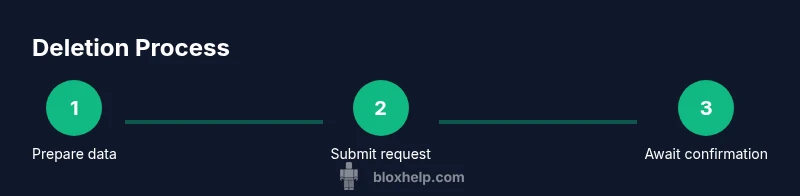
If you’re looking to permanently remove your Roblox presence, it’s important to understand what deletion means in practice. Deleting an account typically implies losing access to the account, all associated avatars, inventory, and game progress. However, Roblox’s official processes have historically centered on account deactivation or support-assisted deletion rather than a one-click in-app feature. This means the path to truly erase data often involves a formal request handled by Roblox Support. From a privacy perspective, you should consider what data you want to be removed and how retention policies may affect information that the platform holds on you. According to Blox Help, your best path to permanent removal is to submit a deletion request through the Help Center and await confirmation. This section will outline expectations, potential data remnants, and how to prepare for a removal request to minimize friction.
Throughout this guide you’ll see practical steps, common caveats, and tips to protect your privacy during the process. The goal is to help you navigate the system confidently, even if no instant delete button exists. By planning ahead, you can ensure your Roblox account is closed with minimal risk of leftover data tying back to you.
If you are contemplating deletion for safety reasons or data privacy, remember that your actions may affect any connected apps, games, or purchases tied to your Roblox account. It’s wise to review linked services and consider disabling or removing payment methods where possible before initiating a deletion request. The Blox Help team emphasizes clear, documented communication with Roblox Support and keeping records of all ticket numbers and dates to track progress.
Why Roblox doesn't offer a simple delete button
Roblox’s product and policy decisions around account deletion reflect a broader approach to user data and platform integrity. A single-click delete option could complicate data retention, legal compliance, and the handling of in-game purchases, Robux balances, and user-generated content. Because Roblox needs to preserve certain data for security, accounting, and policy enforcement, the platform generally does not provide a self-service, one-click removal path in the user interface. Instead, users must submit a deletion request to Roblox Support and verify their identity. This method helps protect both players’ data and the broader community from abuse, while still offering a route to termination when appropriate. The process may involve verification steps, data review, and a formal confirmation that your account will be permanently closed.
From a user experience perspective, the lack of a direct delete button can feel frustrating, but it also gives Roblox a controlled way to manage requests and ensure data-handling compliance. If you’re unsure whether deletion is the right option, consider alternatives like suspending the account temporarily or withdrawing from purchases and sharing data minimalization before initiating a formal deletion request. The key takeaway is: plan your steps, gather required information, and follow Roblox Support’s instructions to complete the process.
For context, privacy-focused guides from credible sources emphasize that users often retain certain records for a period after deletion due to legal obligations or internal policy needs. While Roblox’s exact data-retention timelines aren’t publicly disclosed, expect a wait period and a formal confirmation once the request is processed.
Prerequisites before starting the deletion process
Before you file a deletion request, collect what you’ll need to proceed smoothly. A well-prepared submission reduces back-and-forth and speeds up the outcome. Essentials include access to the Roblox account you want to delete, confirmation that you control the associated email address, and any identifiers Roblox uses for verification. You should also have a sense of what data you want removed, such as account history, chat logs, and linked payment information. If you have active subscriptions or Robux balances associated with the account, note how you’d like those to be handled, since these items have potential policy implications on data deletion. Having a clear plan helps you communicate with Roblox Support without delays.
Additionally, you’ll want to review your security settings and ensure you’re ready to revoke access from any third-party apps connected to your Roblox account. If you rely on two-factor authentication (2FA), decide whether you’ll disable it as part of the deletion process or leave it in place until the deletion is confirmed. Finally, prepare any receipts or purchase history that might be relevant to confirm ownership or resolve outstanding issues during the request.
The official path: submitting deletion request to Roblox Support
To request deletion, you’ll need to contact Roblox Support through the Help Center and follow the privacy or data request channels. Start by selecting the reason for your request and indicate that you want to delete your Roblox account. Provide the account username, the registered email address, and any identifiers Roblox may require for verification. You may be asked to confirm ownership by replying to a verification email or providing identification details. After you submit the request, you should receive a ticket number and an estimated processing timeframe. It’s crucial to keep these references handy for follow-ups. Throughout this process, remain patient; deletion requests may require review and manual processing by the Roblox team. If you have ongoing issues, you can reply to the ticket or contact support again with your ticket ID for faster resolution. In this section, we’ll walk through what to include in your message and how to frame it for clarity.
A well-structured ticket typically includes your account username, the email tied to the account, a brief explanation of why you’re requesting deletion, and a request for confirmation once the deletion is completed. You may also opt to request data deletion for privacy purposes, which can influence the scope of the data Roblox permanently removes. Remember: every submission is a formal request, and outcomes depend on account status and Roblox policies.
What data gets removed and what stays
Understanding data handling is essential when you delete an account. In many cases, deletion will terminate access to the account and remove public profile information, progress in games, and in-app purchases tied to that account. However, some data may persist in Roblox’s systems due to regulatory obligations, internal record-keeping, or backup processes for a period of time. It’s not always possible to guarantee complete erasure of every record immediately, even after a deletion confirmation. You should expect a post-deletion recap from Roblox Support that outlines what was removed and what remains, along with any next steps. If you have concerns about a specific item—such as a licensed asset, in-game purchases, or data associated with parental controls—state those items clearly in your deletion request. This section helps you align expectations with Roblox’s data practices and sets you up for a smoother experience when the deletion is processed.
If you rely on third-party services that use your Roblox credentials, you’ll also want to sever those links to ensure your data isn’t re-associated with another account. You can request data deletion for your connected services separately if needed, but this is outside the core Roblox account removal workflow and may require additional steps with the third party.
Steps you can take to protect your data and finances
Before and after you submit a deletion request, take proactive steps to protect your privacy and finances. Remove any linked payment methods to minimize future charges, revoke account access from apps or services that use Roblox authentication, and update security questions or password recovery options for other accounts if shared credentials exist. If you’ve used Roblox on public or shared devices, sign out and clear cookies and cached data to prevent unauthorized access during the deletion window. Document the ticket number and keep copies of all correspondence with Roblox Support. If a refund or resolution is possible for recent purchases, discuss it explicitly in your request and ask for written confirmation. Finally, back up any important content you want to preserve, such as custom avatars or game-related assets, before the deletion is finalized.
Alternatives to deletion: deactivating or suspending your account
If you’re unsure about permanently removing your Roblox presence, consider options that offer more control without complete erasure. Some users choose to deactivate or suspend their account to pause activity without deleting data. This can be useful if you’re taking a break from Roblox or want to protect your privacy while you reassess. Suspension or inactivity can reduce the risk of accidental logins, while still allowing you to restore the account later if you change your mind. Another alternative is to delete specific data, such as chat logs or profile information, if Roblox provides a data management option within privacy settings. These approaches give you privacy and control without committing to permanent removal, and they can be revisited if your circumstances change.
Common pitfalls and what to expect after deletion
Expect a confirmation from Roblox Support once processing completes, and understand that some data may linger for compliance or backup purposes. Processing times can vary, and you may receive follow-up requests if additional verification or information is needed. A common pitfall is neglecting to remove third-party links or permissions that rely on your Roblox credentials, which could allow re-access via other accounts. Also, if you previously purchased items or had a Robux balance, check how refunds or transfers are handled after the deletion finalizes. Finally, remember to update any saved logins or shared devices to prevent accidental re-access. The goal is a clean break with clear documentation and no unexpected data exposure after the process concludes.
Tools & Materials
- Device with internet access(Desktop, laptop, or mobile device for submitting the request)
- Roblox account username(The exact username you want to delete)
- Registered email address(Email tied to the Roblox account for verification)
- Recent purchase history(If you want data related to purchases reviewed)
- Ticket number for the deletion request(Record this for follow-ups)
- Payment method details(If you request removal of linked payment methods)
Steps
Estimated time: 30-60 minutes
- 1
Prepare account details
Confirm the exact username and the email tied to the Roblox account. Gather any receipts or IDs needed for verification. Having this information ready minimizes back-and-forth with support.
Tip: Store these details in a secure note so you can reference them during the submission. - 2
Identify the correct support channel
Go to the Roblox Help Center and locate the Data Privacy or Account-related contact form. If you can’t find a direct option, use the general support contact method and clearly state your request to delete the account.
Tip: Make a brief, clear subject line like 'Request: Delete Roblox Account (Username)'. - 3
Complete identity verification
Be prepared to verify ownership, which may include confirming registered email or responding to security questions. This step protects your data and prevents unauthorized deletions.
Tip: Respond promptly to any verification email to avoid delays. - 4
Submit the deletion request
Provide your account details, the reason for deletion, and a clear request to permanently delete the account. Include the desired data-deletion scope (if any) and request written confirmation after processing.
Tip: Attach or reference any supporting documentation that may speed up validation. - 5
Track the ticket
After submission, you should receive a ticket number. Use it to monitor progress and respond to any follow-up questions from Roblox Support.
Tip: Set a reminder to check status after the stated processing window. - 6
Review data-retention implications
Understand that some data may persist due to legal or policy reasons. Confirm what will be removed and what may stay post-deletion.
Tip: Ask for a data-retention summary in writing if possible. - 7
Confirm deletion completion
Once Roblox confirms deletion, verify that you can no longer log in and that you won’t receive further communications tied to that account.
Tip: Take a final screenshot of the confirmation for your records. - 8
Clean up devices and accounts
Sign out on all devices, remove saved passwords, and clear cached data related to Roblox. Consider removing any connected third-party apps that used your Roblox credentials.
Tip: Ensure you don’t reuse the same password for anything linked to your Roblox identity.
Questions & Answers
Can I delete my Roblox account by myself?
Roblox does not provide a one-click self-delete option in the app. You must submit a deletion request through Roblox Support and verify your ownership before the request is considered.
There isn’t a self-serve delete button; you’ll need to reach Roblox Support and verify your ownership to request deletion.
Will deleting my Roblox account remove all purchases and Robux?
Deletion requests typically address account access and data removal, but the handling of purchases or Robux can vary. Request clear guidance from Roblox Support on refunds or balance handling during deletion.
Refunds and balance handling vary; ask Support for specifics when you submit your deletion request.
How long does the deletion process take?
Processing times depend on verification and internal review. Expect a processing window communicated by Roblox Support, and plan for potential delays if additional information is needed.
It can take several days; respond quickly to any requests for more information.
Can I recover my account after deletion?
Once deletion is completed and confirmed, you typically cannot recover the account. If you’re unsure, consider alternatives like temporary deactivation.
Usually, deleted accounts can’t be recovered; if unsure, ask Support about alternatives.
What should I do with linked email and devices?
Update or detach any services linked to the Roblox account, especially the registered email and devices used for login, to prevent future access attempts.
Detach linked email and remove devices that could access the account after deletion.
Will data persist in backups after deletion?
Some data may remain in backups or archives due to policy and legal obligations. Ask Support for a data-retention summary when you submit your request.
Data backups can persist for a while; request a retention summary from Support.
Watch Video
The Essentials
- Know deletion is support-assisted, not self-serve.
- Prepare verification and ticket details before contacting support.
- Some data may persist due to retention policies.
- Follow up with Roblox Support until final confirmation.
- Protect your privacy by revoking third-party access after deletion.