Recovery Roblox Account: Step-by-Step Guide 2026
Learn how to recover a Roblox account safely. This beginner-to-advanced guide covers verification, password resets, and when to contact Roblox support, with actionable steps and safety tips.


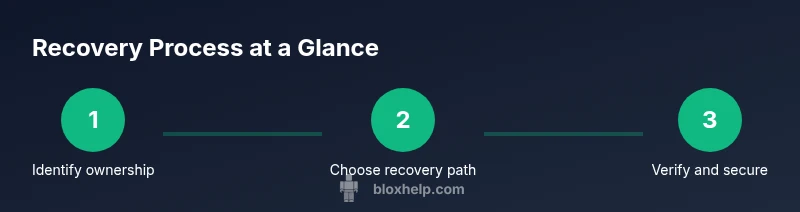
Goal: recover a Roblox account after losing access or forgetting credentials. This guide covers identity verification, password resets, and when to open a Roblox support ticket. You’ll need your username, access to the registered email or phone, and any proof of ownership like recent purchases if available.
What counts as a recoverable Roblox account
According to Blox Help, a recoverable Roblox account is one where you can demonstrate ownership and regain access through official channels. Common scenarios include forgetting your password, a password change you didn’t authorize, or losing access to the email or phone number linked to the account. Roblox supports several recovery pathways, but the key is proving ownership. The stronger your own-proof, the higher the chance of successful recovery. In practice, most accounts can be recovered when you provide identity-verification details, accurate account identifiers, and historical purchase information. If you cannot verify ownership with basic data alone, you may need to escalate through Roblox support and provide additional context or documentation. Remember: you’re aiming to show consistent, traceable activity for your account.
What to expect during recovery
Expect a verification window where Roblox may send codes via email or SMS to confirm ownership. If you no longer have access to the linked email, you’ll need to demonstrate ownership through alternative methods offered by Roblox, such as completing security questions or providing device history. The process emphasizes security and may take time if there are inconsistencies in the information you provide. Stay patient and gather as much corroborating detail as possible before starting.
Why ownership proof helps
Proof of ownership acts like a digital “key” that links you to the account. Purchases, subscription data, or last payment method can tie you to the Roblox profile. Even if you forgot your password, a traceable history of activity demonstrates legitimate ownership. Collecting receipts, transaction IDs, or last four digits of payment cards improves your odds. If you can’t locate purchase history, Roblox may still verify through other signals such as device fingerprints, login times, or saved settings. Always aim to present multiple independent data points.
Identity verification: what Roblox asks for
During recovery, Roblox may request information such as your username, registered email/phone, and access to the recovery codes sent to your contact method. In some cases you might be asked for a recent in-game purchase, account creation date, or alliance with any linked accounts (like Roblox Premium). The goal is to confirm you are the legitimate owner. Be precise and honest in your responses to avoid delays. If you’re unsure about a request, use official Roblox channels and avoid sharing sensitive data with third-party sites.
Safety and phishing awareness
Phishing attempts often pretend to be Roblox support. Always verify the sender’s email address and avoid clicking unknown links. Roblox will never ask you for your password via email. If you suspect a scam, go directly to the Roblox official site and start the recovery flow from there. Keep your devices secure, use unique passwords, and enable two-factor authentication where possible to prevent future lockouts.
After you regain access: securing your account
Once recovered, immediately secure your account: update your password with a strong, unique one, enable two-factor authentication, review linked devices, and check account recovery options. Update your contact information so you can recover more easily in the future. Regularly review security settings and keep a record of your latest login activity to detect anomalies early.
When to escalate to Roblox support
If you cannot verify ownership through self-service steps, escalate to Roblox support with detailed context: your username, last known payment methods, purchase IDs, and any correspondence with Roblox. Include a concise timeline of events leading up to the lockout. Roblox support may request additional information; respond promptly to keep the process moving. Patience is important here, but persistence with accurate data pays off.
Tools & Materials
- Roblox username(Exact username you used when creating the account)
- Registered email address or phone number(Primary contact linked to the Roblox account)
- Access to the email/phone for verification(You may need to receive codes or reset messages)
- Recent purchase receipts or payment method details(Helpful if you made in-game purchases)
- Original device/IP details (optional)(Helpful for anomaly checks during verification)
- Proof of ownership documents (if any)(Screenshots of support tickets or confirmations)
Steps
Estimated time: 30-60 minutes
- 1
Identify yourself with core account details
Gather your Roblox username, any linked emails or phone numbers, and recent purchase references. Clear, precise information speeds up verification and reduces back-and-forth with support.
Tip: Prepare at least two independent data points (e.g., username + last payment method). - 2
Initiate a password reset via official channels
Use the Roblox login page to request a password reset. Follow the prompts to receive a reset link or code via your registered contact method.
Tip: Do not reuse old passwords; choose a unique, strong password. - 3
Submit the account recovery form if needed
If you can’t reset the password, fill out the official recovery form with all requested details. Include any proofs of ownership to strengthen your claim.
Tip: Be thorough but concise; include a chronological timeline of events. - 4
Check your email/phone for verification codes
Enter any codes sent to your verified contact method promptly. Delays can slow the recovery process.
Tip: If you don’t see messages, check spam folders and make sure your contact method isn’t blocked. - 5
Engage Roblox support with a complete context
If you’re asked to contact support, provide a compact but complete report: username, known details, and timeline. Attach receipts or IDs when possible.
Tip: Keep your ticket numbers handy for reference in future messages. - 6
Secure the account after recovery
Once access is restored, update your password, review linked devices, and enable two-factor authentication to prevent future lockouts.
Tip: Document new recovery options and store them securely.
Questions & Answers
What should I do if I no longer have access to my registered email?
Use Roblox’s alternative verification methods or contact support with alternative proof of ownership. Provide as much detail as possible about the account and past activity.
If you’ve lost email access, use Roblox’s alternative verification and provide as much detail as you can about the account.
How long does the recovery process take?
Recovery times vary based on the information you provide. Be patient and respond promptly to any requests from Roblox support.
Recovery times vary; stay responsive to Roblox support requests for the quickest result.
Is there a fee to recover a Roblox account?
Roblox recovery through official channels is free. Be cautious of third-party services that promise guaranteed recovery for a fee.
Account recovery through Roblox is free; avoid paid third-party services.
What information should I gather before starting?
Collect your username, linked contact details, recent purchase receipts, and any correspondence with Roblox. Having these ready accelerates verification.
Prepare your username, contact details, and any receipts to speed up verification.
How can I prevent future account lockouts?
Enable two-factor authentication, secure your email, and review connected devices regularly. Update recovery options after each major change.
Enable 2FA, secure your email, and review devices to prevent future lockouts.
What if Roblox asks for information I’m unsure about?
Provide what you can and ask for clarification through official Roblox channels. Don’t share sensitive data with non-official contacts.
If unsure, ask for official guidance and avoid sharing sensitive data outside Roblox channels.
Can I recover a premium or paid account?
Yes, premium accounts follow the same verification process; ensure your purchase history is ready as proof if applicable.
Premium accounts follow the same steps; have your purchase history ready as proof.
Watch Video
The Essentials
- Verify identity with concrete data.
- Use official channels for recovery steps.
- Secure your account after recovery with 2FA.
- Keep documentation of purchases for proof.
- Escalate to Roblox support if self-service fails.