Roblox Without Signing In: A Practical Guide
Discover how to safely explore Roblox without signing in, what you can access, the limitations, and when to create a full account. Practical tips for privacy, safety, and choosing the right path.


You can access some Roblox experiences without signing in via guest play or demo modes, but most features require an account. This guide covers what works, what doesn’t, and how to safely explore Roblox content without an account. You’ll learn limitations, how to switch to a full sign-in, and best practices for privacy, security, and progress when you decide to create an account.
What does 'roblox without signing in' mean?
In practical terms, this phrase describes how a portion of Roblox content can be loaded or previewed without creating or using a personal account. Depending on the platform, you might be able to view trailers, browse public game pages, or try sandboxed experiences that don’t require login credentials. The Blox Help team emphasizes that unsigned access varies by device and publisher settings, so expectations should be modest. According to Blox Help analysis, understanding these boundaries helps players protect their privacy while still enjoying the platform. The core idea is to separate what you can explore from what you can do with a fully signed-in account. This distinction is crucial for younger players and parents who want to minimize data exposure while still engaging with Roblox’s ecosystem. For many users, this means testing the waters before committing to an account, especially when deciding what games or experiences to pursue long-term. In short, roblox without signing in is about limited access, not a full Roblox experience.
What you can do in unsigned sessions and why it matters
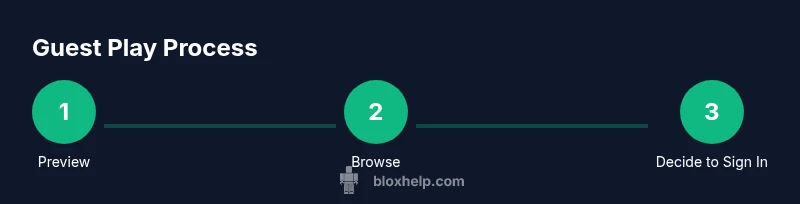
Unsigned sessions often let you preview a game’s visuals, read a description, and gauge whether you want to invest time into an account-based experience. You might also view avatars or public leaderboards without posting messages or saving progress. This is beneficial for cautious players who want to explore titles before sharing personal details. From a privacy perspective, avoiding sign-in reduces the amount of personal data collected during initial exploration. However, it also restricts your ability to save progress, unlock features, or customize experiences. The Blox Help team notes that while unsigned play can be convenient, it should never be treated as a substitute for responsible account setup, especially when younger players are involved. Always respect terms of service and platform-specific rules, and avoid attempting to bypass login requirements, which could violate policies.
Limitations of unsigned sessions: what’s not possible
Even when a platform lets you browse without signing in, several capabilities remain off-limits. You likely cannot:
- Save progress or personal settings across sessions
- Participate in social features like chats, friend lists, or in-game parties
- Make purchases or earn robux through official channels
- Access parental controls or account recovery options Each platform may implement its own constraints, so read the prompts and warnings carefully. These limitations are designed to protect you and other players. If you need features like saving progress or joining friends, you’ll need to create an account or sign in. The upside is a lower barrier to entry for initial exploration, which is helpful when trying to decide if Roblox is right for you. The key takeaway is to treat unsigned access as a preview rather than a complete Roblox experience.
How to access Roblox content without signing in on different devices
On web browsers, look for experiences labeled as “guest” or “preview” when available, and attempt to load public pages without logging in. On mobile apps, some devices offer a limited sandbox that loads without an account, though you may still encounter prompts to sign in. Desktop consoles generally require a log-in for most features, and some pages won’t render fully without authentication. If you’re unsure whether a particular game supports unsigned access, consult the official help pages or the game’s description. The goal is to test interest safely without exposing personal information. Always close any session that asks for sensitive data or links to external sites requesting login credentials.
Pros and cons of playing Roblox without signing in
Pros:
- Reduced exposure of personal data during initial exploration
- Quick access to trailers, descriptions, and public game pages
- Lower barrier to trying Roblox for new users
Cons:
- Limited ability to save progress or customize experiences
- No access to social features such as chats or friends
- Some content will require sign-in to unlock Balancing these factors helps you decide whether unsigned play is suitable for your goals. If you plan long-term engagement, signing in sooner rather than later offers a richer, more personalized experience.
Transitioning to a full Roblox account: when and how
If you decide to switch to a full account, prepare by choosing a strong password and reviewing privacy settings before sign-up. Start by visiting the official Roblox sign-up page, entering your date of birth, email, and desired username. Verify your email and enable two-factor authentication if available. After creating an account, you’ll unlock features like saved progress, personalized avatars, and in-game purchases. Consider using a separate, strong password manager and keeping recovery information up to date. The transition is straightforward and worth it for ongoing engagement and access to the platform’s full breadth of content.
Privacy, safety, and best practices when exploring without signing in
Always prioritize safety. Do not share personal information, passwords, or payment details in unsigned sessions. Use two-factor authentication when you sign up, and regularly review your privacy settings. Teach younger players to recognize phishing attempts and to avoid any prompts asking for sign-in details on third-party sites. Use official Roblox portals for any authentication steps, and rely on reputable sources like the FTC and CISA for general online-safety tips.
Alternatives for educators and curious learners: watching, not playing
If you’re curious about Roblox’s ecosystem without signing in, consider watching official trailers, creator videos, or DevForum discussions. Educational channels and documentation can provide insights into game development and platform rules without requiring you to log in. These alternatives are helpful for students, parents, and educators who want to learn about Roblox concepts, safety practices, and development basics before diving into interactive experiences. This approach supports informed participation when you eventually decide to create an account.
Authoritative sources and practical guidance
To reinforce safe internet habits, refer to established safety guidelines and official resources. For general online-safety best practices, see resources from reputable authorities. These sources help you stay informed about privacy protections, account security, and responsible online behavior while using Roblox or any online service.
Tools & Materials
- Web browser or Roblox-supported device(Desktop, laptop, tablet, or smartphone with internet access)
- Stable internet connection(Prefer a reliable connection (at least 5 Mbps))
- Official Roblox help pages(Use trusted sources to verify unsigned access options)
Steps
Estimated time: 15-30 minutes
- 1
Decide on unsigned exploration
Clarify whether your goal is to preview content, learn about mechanics, or simply browse public pages without logging in. This helps set expectations about what you can and cannot do in unsigned sessions.
Tip: State your goal before you start to avoid chasing features that require sign-in. - 2
Open Roblox on your device
Launch Roblox on your preferred device and navigate to public pages. Look for hints like “Preview,” “Guest,” or limited access indicators before attempting to play.
Tip: If prompted to sign in, back out and continue browsing other pages to avoid unnecessary data exposure. - 3
Test a few experiences
Click on a few experiences that appear accessible without sign-in and observe what loads. Avoid entering chat or saving progress if you are not signed in.
Tip: Note which features rely on an account so you know what to expect later. - 4
Review privacy prompts
Pay attention to any privacy warnings or data collection notes. Do not share emails, passwords, or personal identifiers during unsigned sessions.
Tip: Respect platform rules to prevent unwanted data collection. - 5
Decide whether to sign up
If you enjoy the content, plan a sign-up workflow with a strong password and two-factor authentication to unlock full features and progress saving.
Tip: Prepare recovery options before signing in to protect your account. - 6
Set up safety preferences
After signing in, revisit privacy controls and parental settings if needed to keep your Roblox experience secure.
Tip: Enable two-factor authentication for extra protection. - 7
Keep learning and iterate
Continue exploring Roblox resources to understand how signing in changes your access and learning paths in game development and social play.
Tip: Document your observations to compare unsigned vs signed experiences later.
Questions & Answers
Can I play Roblox without creating an account?
Yes, you may access some Roblox experiences without signing in, but most features require a registered account. Expect limited capabilities and the inability to save progress.
You can access some Roblox experiences without signing in, but most features require an account.
What features are available in unsigned sessions?
Unsigned sessions generally allow you to browse games, view trailers, and read descriptions. Interactive features like chat, friends, and purchases typically require sign-in.
Unsigned sessions usually let you browse and view content, but chats and purchases require signing in.
Is it safe to play Roblox without signing in?
Playing unsigned is safer for data exposure, but you should still follow general online-safety practices and avoid sharing personal information.
Unsigned play can be safer for your data, but still follow general safety practices.
Will my progress be saved if I play without signing in?
Progress is typically not saved without a sign-in. Creating an account helps you preserve progress and personalize experiences.
Progress usually isn’t saved without signing in; saving progress needs an account.
How do I sign in later after exploring unsigned content?
Visit the Roblox sign-in page, create or use an existing account, and enable security features like two-factor authentication.
To sign in later, go to the sign-in page, create or use an account, and enable extra security.
Are there official resources to learn about unsigned access?
Yes, consult Roblox official help pages and safety guidance from recognized authorities for general online-safety practices.
There are official help pages and safety resources you can consult for unsigned access.
Watch Video
The Essentials
- Understand unsigned access limits and capabilities
- Prioritize privacy and safety during exploration
- Sign in when you want full features and progress saving
- Use official guidance to protect your account