Roblox Without Email: How to Sign In and Stay Safe
Learn how to access Roblox without a dedicated Roblox email, including sign-in options, safety tips, and recovery steps. Practical, beginner-friendly guidance to stay connected while protecting privacy.


Accessing Roblox without a separate Roblox email is possible by using platform-based sign-ins and careful account management. This guide explains available options, trade-offs, and practical steps to stay connected without sharing a personal email. You’ll learn when an email is required, how to use platform accounts where offered, and how to recover or secure an account if you prefer not to link a Roblox email.
Roblox without email: what it means and what you can do
In today’s Roblox ecosystem, the phrase Roblox without email often means you’re exploring ways to access games and creator tools without tying a new Roblox account to a dedicated Roblox email address. For many players—especially younger gamers and those prioritizing privacy—this can feel appealing. However, it’s important to understand the trade-offs and official requirements. According to Blox Help, Roblox generally encourages account verification through an email to improve security and recovery options. Still, there are legitimate paths to keep playing if you prefer to minimize email sharing, particularly on devices that support platform-based sign-ins. This section sets expectations, outlining what’s realistically achievable and what’s not, while staying within Roblox’s terms of service and best practices.
What you’ll gain by avoiding a separate Roblox email may include reduced exposure of personal information and a more streamlined signup on some devices. What you may lose is a direct, independent recovery channel and, in some cases, fewer options for two-factor authentication. The key is to balance privacy with safety: don’t skip essential protections or information that could help you recover access if you ever forget the password or run into a login issue. As you read, keep in mind that your actual availability hinges on the platform and device you’re using. The Blox Help team recommends prioritizing secure, platform-based sign-ins where available and only linking a Roblox email later if you need more flexibility or advanced security features.
For those who are just starting, this article will cover decision points, platform options, and practical steps to stay connected without a dedicated Roblox email. You’ll also learn how to prepare a transition path if you decide to add an email later, plus tips to protect your account without exposing unnecessary personal data.
Tips from the field: while it’s possible to play without a Roblox email, always check upcoming platform changes. The landscape can shift as Roblox updates its authentication options, so periodically verify what’s available for your device and region. Based on Blox Help analysis, 2026 shows growing attention to platform-based sign-ins as a privacy-conscious pathway, but with caveats related to verification and recovery flexibility.
note”:null},
bodyBlocks2
Sign-in options you may have without a Roblox email
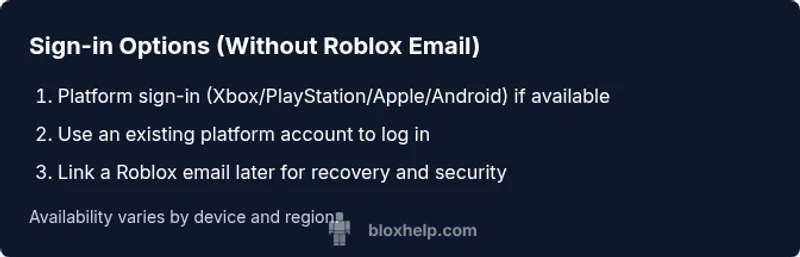
On many devices, Roblox supports sign-ins tied to the platform account rather than a separate Roblox account. For example, a console or mobile device might offer a sign-in flow that uses your existing platform credentials. If your device supports this, you’ll be prompted to select Sign in with Platform, or another option that leverages your device’s account. In these cases, you do not immediately create or link a new Roblox email. This can simplify the process and reduce the amount of personal data you share with Roblox directly, though you should still be mindful of privacy settings on the platform itself.
Key considerations:
- Availability varies by device, region, and Roblox’s current policy.
- You will typically enter your platform account credentials, and Roblox will rely on that account for authentication.
- Some platform sign-ins may still require a verification step that uses the platform’s email or phone validation, funnelling through a single trusted channel instead of a separate Roblox email.
From a usability perspective, platform sign-ins can offer quick onboarding, but they come with trade-offs in flexibility. If you later decide you want to have an independent Roblox email, you’ll need to create one and link it to your existing Roblox profile. This is often possible without losing access to your games, but it adds another layer to your account management. The Blox Help team suggests trying platform sign-ins first, and only adding a Roblox email if you need broader recovery options or two-factor authentication across Roblox services.
Security note: even when using platform sign-ins, enable whatever security settings are offered by the platform (like two-factor authentication) to reduce risk. If you use a mobile device, ensure biometric or passcode protections are enabled to prevent unauthorized access.
note”:null},
bodyBlocks3
Why privacy-conscious players may still want an email at some point
If you’re opting to keep your Roblox exposure minimal, you might avoid linking a separate Roblox email initially. However, there are legitimate reasons to consider adding one later. An officially linked email can simplify password recovery and verification if you ever lose access to your platform account. It also supports two-factor authentication more comprehensively across Roblox services, which can be a strong layer of protection for creators and players alike.
From a privacy perspective, having a dedicated Roblox email means you can compartmentalize your online presence—your Roblox activity stays separate from other email communications. This can mitigate cross-site tracking and reduce the chance that a single breach exposes multiple accounts. If you decide to add an email, choose a new address that does not reveal personal identifiers, enable security alerts, and practice good password hygiene.
Based on Blox Help analysis, 2026 emphasizes a measured approach: use platform sign-ins as a primary method when possible, but consider linking an email to improve recovery and security options. If you’re under parental supervision, discuss the decision with a guardian and review Roblox’s parental controls to ensure age-appropriate protections are in place.
Practical takeaway: keep your options flexible. You don’t have to commit to an email forever, but having a plan for secure recovery will save you headaches later.
note”:null},
bodyBlocks4
How to create a safe transition path to an email later
If you start with a platform-based sign-in and later decide to attach a Roblox email, plan the transition to minimize friction. Begin by creating a dedicated, privacy-respecting email address that you don’t reuse for other services. Then, log into Roblox and follow the account settings to link the new address. You may be asked to verify via the platform or Roblox itself. This transition should be deliberate and well-documented so you don’t lock yourself out.
Security best practices for this transition:
- Use a password manager to store the email credentials securely.
- Enable two-factor authentication if Roblox offers it for linked emails.
- Review connected devices and sessions after linking the email to ensure no unknown logins.
As you proceed, keep in mind that the process can differ by device and Roblox update cycles. The Blox Help Editorial Team suggests performing the transition during a quiet window to avoid disruptions during gameplay or game development work.
Recovery and privacy tips:
- Maintain an alternate recovery method (phone or secondary email) in case you lose access.
- Periodically review connected apps and services.
- Be mindful of phishing attempts that target email accounts tied to game platforms.
If you run into issues, contact Roblox Support with your platform account details and any proof of ownership. This route is often the most reliable way to regain access when you’re navigating sign-in options that don’t rely on a Roblox email.
note”:null},
bodyBlocks5
Troubleshooting common issues when signing in without an email
This section covers typical blockers and practical workarounds so you can stay in the Roblox ecosystem without a standalone Roblox address. Remember to document your steps, keep a plan for later email linking, and use a trusted device for login attempts.
Common issues include:
- Platform sign-in not appearing on your device.
- Verification prompts failing due to a platform service outage.
- Inability to access your account after a device reset.
- Difficulty linking a Roblox email later due to missing recovery data.
How to address these situations:
- Check platform compatibility and Roblox’s current sign-in options for your device.
- Ensure your device’s time and date settings are correct; incorrect settings can interrupt authentication.
- If a sign-in method is unavailable, log out and attempt again after a short wait to avoid session conflicts.
From a data perspective, base recommendations on official Roblox guidance and privacy-conscious practices. The Blox Help team notes that policy changes can alter which sign-in methods are available by device and region, so always verify the latest options before committing to a long-term setup.
note”:null},
bodyBlocks6
Realistic expectations and when you should consider adding an email
The most practical approach is to balance convenience with security by starting with platform sign-ins and then assessing whether adding a Roblox email makes sense for your long-term goals. If you value account recovery options, two-factor protection, and easier password resets, linking an email later is a sensible upgrade. If privacy remains your top priority, keep the signup method simple on supported devices and periodically review options.
In practice, many players begin with a platform-based login and only link a Roblox email when they want to enable more robust security features or cross-device recovery. The Blox Help team recommends this staged approach: test the waters with minimal data exposure, then expand only when necessary. As you move forward, remember to monitor Roblox announcements for changes in sign-in policies and adapt accordingly.
For educators, guardians, and younger players, it’s essential to review parental controls and safety settings regardless of whether you use a Roblox email. Set boundaries, discuss data privacy with caregivers, and keep devices secure to ensure a safe and enjoyable Roblox experience for all.
note”:null},
toolsMaterials__items
[]
Tools & Materials
- Device with internet access(Any computer, tablet, or phone that can run Roblox (Windows/Mac/iOS/Android or a console).)
- Web browser or Roblox app(Use the latest version for smooth sign-in and updates.)
- Platform-specific sign-in option(If available on your device (e.g., Sign in with Xbox, Apple, Google, or other platform accounts).)
- Alternate contact method (optional)(A phone number or secondary email can help with recovery if you later link a Roblox email.)
- Notepad or password manager(To securely store any new credentials or recovery codes.)
Steps
Estimated time: 30-60 minutes
- 1
Check available sign-in options
Open Roblox on your device and navigate to the sign-in screen. Look for any option that says Sign in with Platform or a similar alternative. This will determine whether you can proceed without a Roblox email.
Tip: If you don’t see platform options, you may need to update the app or check device compatibility. - 2
Choose a platform-based sign-in if offered
Select the platform option and sign in using your device’s account credentials. This routes authentication through the platform rather than a separate Roblox email.
Tip: Have your platform account credentials ready and ensure two-factor authentication is enabled if available. - 3
Complete first login and review settings
After logging in, review Roblox privacy and security settings. Enable available protections like two-factor authentication and review connected devices and sessions.
Tip: Set a strong, unique password for the linked platform account and avoid reusing passwords. - 4
Decide on email linking later (optional)
If you want enhanced recovery options, consider creating and linking a dedicated Roblox email later. Follow Roblox account settings to link a new address and verify ownership.
Tip: Choose a new email specifically for gaming and use a password you don’t reuse elsewhere. - 5
Set up recovery options
Add backup recovery options (phone or secondary email) if the platform allows. This safeguards access in case you forget credentials.
Tip: Test the recovery method by signing out and attempting a password or account recovery. - 6
Document credentials securely
Record your login details in a secure place. Consider a password manager if you’re adding an email later.
Tip: Never share credentials with others and watch for phishing attempts.
Questions & Answers
Can I create a Roblox account without an email?
Roblox generally requires an email for verification, but some devices allow sign-in via platform accounts rather than a dedicated Roblox email. If platform sign-in isn’t available, you may need to create and link an email later.
Roblox typically asks for an email, but you can sign in with a platform account on some devices. If that’s not available, you might need to create and link an email later.
Is it safe to use a temporary email for Roblox?
Temporary emails can work for quick testing, but they’re risky for long-term access and often blocked for verification. It’s better to use a stable email address you control.
Temporary emails aren’t ideal for long-term access; use a stable address you control instead.
What about password security if I avoid emails?
Even without an email, you should use a strong, unique password for Roblox and enable any available security features on the platform. Regularly review account activity.
Keep a strong password and enable security features to protect your Roblox account, even if you’re not using a separate email.
How do I recover my Roblox account without an email?
Recovery depends on the platform sign-in method. If you lose access, contact Roblox Support with identifying information and the platform details to assist in verification.
If you can’t sign in, reach out to Roblox Support with details about your account and platform used to help recover access.
Can adults use Roblox without linking an email?
Adults can often sign in via supported platform accounts, but availability varies by device and Roblox policy. Check your device’s options and Roblox’s current guidance.
Some platform sign-ins are available for adults, but it depends on your device and policy.
Do parental controls affect sign-in without email?
Parental controls may influence sign-in options and verification steps. Review your Roblox parental controls to ensure age-appropriate settings are in place.
Parental controls can affect how you sign in, so review them to keep things appropriate.
Watch Video
The Essentials
- Try platform sign-ins first to reduce data sharing
- You can add a Roblox email later if needed
- Enable security features on both platform and Roblox
- Keep recovery options up to date
- Document credentials securely