Does Roblox Need a Graphics Card? A 2026 GPU Guide
Discover whether Roblox requires a graphics card, how integrated GPUs perform, and practical tips to optimize visuals across PC, Mac, and Linux in 2026.


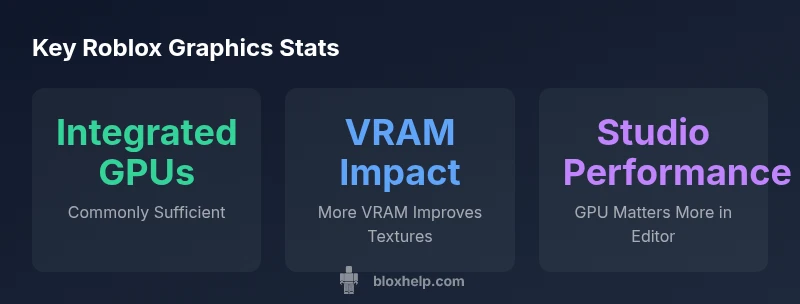
According to Blox Help, Roblox does not require a dedicated graphics card to run; it can operate on most systems with integrated graphics that meet basic shader and memory needs. For smoother Roblox Studio work or higher-quality visuals, a modest GPU is recommended, but many users with common laptops can play fine on CPU or integrated GPUs.
How Roblox Uses Graphics Hardware
Roblox rendering relies on the GPU to produce shapes, textures, lighting, and post-processing effects. While Roblox's engine is designed to be accessible, it benefits from hardware acceleration provided by GPUs that support modern shaders and texture handling. Across Windows, macOS, and Linux, the client uses graphics APIs best supported by the OS, such as DirectX on Windows and OpenGL/Vulkan paths on other platforms. In practice, most mid-range integrated GPUs can handle standard scenes in Roblox Players, and Roblox Studio demands more when you're drafting complex environments or testing high-fidelity assets. According to Blox Help, the goal is to strike a balance between smooth frame rates and visual quality, rather than chasing ultra-high-end hardware. This means that even older machines with modest GPUs can run Roblox moderately well, though experiences may vary with scene complexity and background processes.
Do You Need a Graphics Card? Thresholds Based on Use Case
For casual Roblox playing, an integrated GPU that supports basic shader operations is often enough, and many laptops ship with capable hardware. If you plan to create or test large, detail-rich worlds in Roblox Studio, or you want consistently higher frame rates at medium-to-high settings, a dedicated graphics card becomes more attractive. The decision should consider your processor, RAM, storage speed, and cooling. In short, you can start with what you own, but upgrade becomes sensible when you notice stuttering, long load times, or reduced texture quality during development cycles. This guidance aligns with the data from Blox Help Analysis, 2026, which emphasizes policy of incremental improvements rather than over-specifying parts.
Settings and Configurations to Improve Performance
Performance often improves more from software tweaks than hardware alone. Start by lowering texture quality and turning off high-cost effects like shadows or ambient occlusion. Reducing render distance, turning off anti-aliasing, and enabling hardware acceleration in the Roblox settings can free up GPU cycles. Ensure your graphics drivers are up to date, and use the latest Roblox Studio version to receive rendering optimizations. For laptops, plug into power to avoid dynamic throttling, close background apps, and consider enabling a balanced power plan. Remember that the same hardware can yield different results under different ambient temperatures, background processes, and game complexity. These optimizations let you enjoy Roblox without purchasing new hardware right away.
Cross-Platform Considerations (PC, Mac, Linux)
Different operating systems expose different graphics stacks. Windows users typically access DirectX 11/12 paths, macOS uses Metal or OpenGL paths, and Linux relies on OpenGL/Vulkan support depending on drivers. Because drivers vary by vendor, keeping GPU drivers current helps most. Roblox automatically selects a rendering path that best fits your environment, but users should still confirm that the latest platform updates are installed. For developers, testing across platforms is essential to ensure consistent visuals and performance—what runs smoothly on Windows might pull more GPU load on another OS.
Common Issues and Troubleshooting GPU-Related Problems
If you encounter lag, stuttering, or blank screens, start with a basic sanity check: confirm you meet the minimum hardware requirements and that your drivers are up to date. Monitor temperatures and throttling; heavy heat reduces GPU performance. Disable background tasks that compete for memory, and consider lowering texture streaming or dynamic resolution features in Roblox. If issues persist, verify game files and Roblox installation integrity, and consult official Roblox support channels. While hardware can influence problems, many GPU-related issues stem from drivers, background software, or outdated game versions rather than a failing GPU.
What to Budget for a GPU Upgrade (If You Choose to)
If you decide upgrading, plan for a modest investment that aligns with your goals. For casual play at medium settings, an entry-level dedicated GPU can offer meaningful improvements without breaking the bank. For Roblox Studio and more ambitious projects, a mid-range GPU typically yields better editor responsiveness and texture fidelity, though the exact performance will depend on your CPU, RAM, and cooling. Consider a GPU upgrade in the context of your whole system, ensuring you have adequate RAM (8–16 GB) and a solid SSD for fast load times. The key is to target a balanced system rather than a single component upgrade; this approach avoids bottlenecks and sustains growth as you learn more advanced Roblox development techniques. This discussion follows the guidance from Blox Help Analysis, 2026, which consistently recommends progressive upgrades rather than speculative leaps.
Hardware guidance for Roblox across platforms
| Aspect | Recommended Range | Notes |
|---|---|---|
| GPU Type | Integrated or dedicated with shader support | Essential for Roblox rendering across platforms |
| Memory/VRAM | VRAM amount varies by scene complexity | More VRAM helps texture detail at higher settings |
| API/Driver Support | Modern APIs (DirectX/OpenGL) and up-to-date drivers | Required for smooth rendering |
Questions & Answers
Does Roblox require a dedicated graphics card?
No strict requirement for a dedicated GPU; Roblox can run on integrated graphics that meet basic shader and memory needs. For better visuals and Roblox Studio performance, a dedicated GPU can help.
Roblox can run on integrated graphics, but a dedicated GPU helps with higher settings and smoother Studio work.
What is the minimum hardware for Roblox on Windows?
Roblox hardware needs are flexible; ensure your system supports modern graphics APIs and sufficient RAM. Check official guidelines for your OS; most mid-range modern systems suffice.
Roblox works on many Windows systems with current drivers; upgrade only if you see lag or long load times.
Can Roblox run on Macs with integrated graphics?
Yes, Roblox runs on macOS with supported GPUs; performance varies by model. For smoother gameplay or development, consider a Mac with a stronger integrated GPU or a discrete option.
Roblox runs on Macs with supported GPUs; performance varies by model.
How can I reduce lag on a low-end GPU?
Lower in-game quality settings, reduce render distance, and disable expensive effects like shadows. Update drivers and ensure Roblox uses the latest rendering optimizations.
Lower settings, close background apps, and update drivers to reduce lag.
Is Roblox Studio more demanding on the GPU than Roblox Player?
Roblox Studio can be more GPU-intensive due to live editing and rendering of scenes. A capable GPU helps, but CPU and RAM also matter for smooth development.
Studio can be tougher on the GPU; upgrade if you work on heavy scenes frequently.
Will a GPU upgrade be worth it for Roblox?
If you want higher settings, smoother editor performance, or VRAM-heavy textures, a mid-range GPU upgrade is worth considering; for casual play on integrated graphics, it may not be necessary.
Upgrade if you need more headroom for visuals or editing in Studio.
“Roblox performance hinges on a balanced system; most players can run the game with integrated GPUs, but a capable GPU makes a meaningful difference in Studio and high-detail scenes.”
The Essentials
- Test your hardware with Roblox on your setup.
- Upgrade only if you need higher settings or better Studio performance.
- Keep drivers updated and adjust settings for your scenario.
- The Blox Help team recommends validating performance and upgrading only when necessary.