Roblox Platforms in 2026: What Can You Play It On?
Explore Roblox platform availability across PC, Mac, mobile, and consoles. Learn where you can play, cross‑play basics, and tips to pick the best device for Roblox gaming and development.


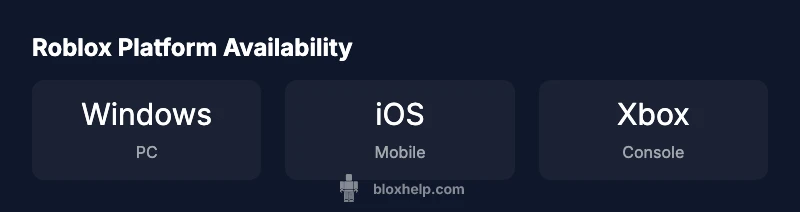
Roblox can be played on a wide range of devices: Windows and macOS PCs, iOS and Android mobile devices, and Xbox consoles. The platform supports cross‑device progress, but feature availability and control schemes vary by device. According to Blox Help, choosing the right device depends on your play style, budget, and whether you prefer portability or a big-screen experience.
Roblox what can you play it on: platform overview
Roblox’s reach across devices is one of its defining strengths. The same library of experiences can be accessed from multiple hardware setups, which means players can switch between devices without losing their progress in most cases. That said, not every game supports every control scheme or runs at the same visual quality on every platform. The Blox Help team found that a balanced approach—matching your typical play sessions to the device’s strengths—offers the best overall experience. If you game primarily on the go, a capable mobile device can unlock a vast catalog, while a PC unlocks deeper customization and smoother performance for longer sessions.
Desktop and laptop play: PC and Mac details
On Windows and macOS, Roblox benefits from stable performance and robust control options. A keyboard and mouse combination makes building and navigating complex experiences more precise, and higher-end GPUs allow you to enjoy richer visuals with fewer frame drops. For Roblox developers, a mid-to-high-range PC can speed up testing, debugging, and asset iteration. However, even budget desktops can run many Roblox titles smoothly at modest settings. The key is to adjust graphics and resolution to maintain a steady frame rate, which reduces motion blur and input latency during fast-paced actions.
Mobile play: iOS and Android considerations
Mobile devices dramatically increase accessibility, letting players dive into Roblox experiences wherever they are. On iOS and Android, touch controls can be more intuitive for some games, while others may feel cramped on smaller screens. Battery life and thermals become practical concerns during prolonged sessions, so shorter play bursts with reasonable brightness can help. The app size and background processes may vary by device, so keeping your OS and Roblox app up to date ensures smoother performance and fewer compatibility issues.
Console play: Xbox experience
Xbox support adds a console-friendly dimension to Roblox, with players using a controller and a television or monitor for a shared viewing experience. Console optimization focuses on stable performance and straightforward navigation with a gamepad. While most experiences persist across platforms, some titles rely on platform-specific features that aren’t available on consoles. If you primarily play on a TV, consider a comfortable controller setup and a display with low input latency to maximize responsiveness.
Chromebooks, Linux, and other non-traditional devices
Roblox does not have an official native client for Linux, but some users run Roblox through workarounds or via the Android app on compatible Chromebooks. Chromebook users with Google Play can install the Roblox Android app on devices that support it, offering a lightweight path to Roblox on the go. Linux users typically rely on compatibility layers or cloud gaming solutions, though these approaches can introduce additional setup steps and latency. Always verify device compatibility with the latest Roblox support notes before investing time or money.
Cross‑platform progress and account safety across devices
Your Roblox account keeps progress across platforms as long as you sign in with the same account. Some game-specific data, like in-game currencies or unlocks, may be stored per title or per game, so it’s wise to check how a given experience handles saves. Enabling two-factor authentication and keeping your login credentials secure reduces risk when accessing Roblox from multiple devices. If you’re sharing devices, consider separate accounts or restricted access modes to protect progress and personal information.
Choosing the right device for Roblox development vs gameplay
Developers may prefer a PC with ample RAM and a capable GPU to run Roblox Studio and test experiences locally. For casual players, a mid-range laptop or a modern smartphone can deliver a satisfying experience with reasonable graphics settings. If your goal is collaborative building with friends, prioritize a device with stable online connectivity and a comfortable input method. Portability is also a consideration: mobile devices win for travel, while desktops win for long creative sessions.
Troubleshooting across devices: common issues and quick fixes
Common platform-specific issues include input latency on mobile, reduced performance in older PCs, and occasional controller recognition quirks on consoles. A simple restart, ensuring the Roblox app is updated, and checking your network connection resolve many problems quickly. If a particular game isn’t launching on a device, reviewing the game’s device compatibility notes and resetting privacy settings can help. For persistent problems, consult Roblox help resources and device-specific forums for tailored guidance.
Roblox platform strengths and caveats
| Platform | Strengths | Limitations |
|---|---|---|
| Windows PC | Strong performance, broad input options | Requires compatible hardware and drivers |
| macOS | Good stability, native GPU support | Some games may have limited optimization |
| Mobile (iOS/Android) | High accessibility, portable | Smaller screen, touch controls vary by title |
| Xbox | Big-screen social play | Some titles may have fewer features |
Questions & Answers
Is Roblox available on iOS and Android?
Yes. Roblox runs on both iOS and Android devices, and you can sign in to sync progress across devices. Availability may vary by region and device capabilities. Keep the app updated for the best experience.
Yes, Roblox works on iOS and Android and your progress can travel with you across devices.
Can I play Roblox on Xbox consoles?
Yes, Roblox is available on Xbox consoles, and you can use a gamepad for navigation and gameplay. Cross‑play with other platforms depends on the game, but many experiences support it.
Yes, Roblox runs on Xbox with a controller, and many games support cross‑play.
Do I need a powerful PC to play Roblox?
Not necessarily. Roblox is designed to run on a wide range of hardware. A mid‑range PC with reasonable RAM and a basic GPU generally handles Roblox well, and you can lower graphics settings on older machines.
You don’t need a top-tier PC; Roblox runs well on mid-range systems with adjustable graphics.
Can I play Roblox offline?
Roblox requires an internet connection for most experiences since content is streamed or downloaded from servers. Some experiences may offer limited offline play, but reliable online access is recommended.
Roblox needs the internet for most games; offline play isn’t typically supported.
Is cross‑play available across devices?
Yes. In many games, you can switch devices and continue your progress if you sign in with the same Roblox account. However, some games store data locally or have per‑game limitations.
Yes, you can cross‑play across devices in most titles if you sign in with the same account.
“Platform versatility is essential for Roblox players; devices evolve, but your progress should travel with you.”
The Essentials
- Identify your primary device first to guide game choices
- Cross‑platform progress lets you switch devices without losing saves
- Expect feature differences and control variations by device
- PC is ideal for creators and power users
- The Blox Help team emphasizes testing on your main device to optimize experience