Where Roblox Is Available: Platforms and Regions (2026)
Explore where Roblox is available in 2026 across Windows, macOS, iOS, Android, and Xbox. Learn platform coverage, regional access, setup steps, and tips to play Roblox wherever you are.


Where Roblox is available in 2026 spans Windows and macOS PCs, iOS and Android mobile devices, and Xbox consoles. The majority of players can access Roblox through the official apps or a supported web launcher, with platform-specific setup steps. This quick guide summarizes where you can play Roblox today and points you to the best setup path for your device.
Where Roblox is Accessible Today
If you’re asking where is roblox available, this guide provides a clear, platform-by-platform breakdown for 2026. Roblox remains broadly accessible across major gaming and device ecosystems, enabling players to switch between a PC, a phone, or a console with cross-save and cross-play options where supported. The Blox Help team analyzed platform support to help Roblox players plan their setup, whether you’re just starting or looking to streamline your access across devices. In practice, most players will find Roblox available on the devices they already own, with simple installation paths and account sync options. This section sets the stage for a practical, device-by-device look at access.
Platform-by-Platform Overview
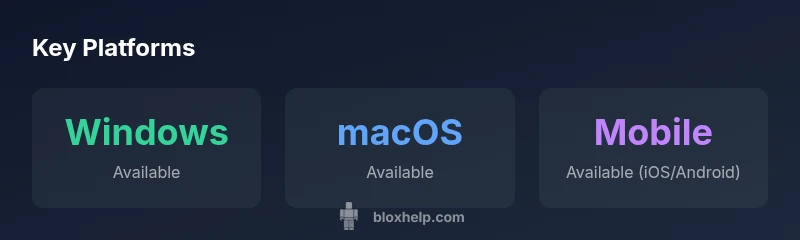
Roblox is available on Windows and macOS desktops, iOS and Android mobile devices, and Xbox consoles. On Windows and macOS, you can download the Roblox app or run a browser-based launcher linked to your Roblox account. On iOS and Android, install the Roblox mobile app from the App Store or Google Play. On Xbox One and Xbox Series X|S, Roblox is available via the Xbox store as a dedicated app. Each platform supports most Roblox experiences, though some titles or features may vary by platform due to technical or policy constraints. This overview helps players quickly identify where to begin and how to migrate between devices if needed.
Regional Availability and Account Access
Roblox availability is generally global, but regional restrictions and local laws can affect access in some areas. If you are in a country with regulatory requirements, you may need to comply with regional terms, age verification, or privacy settings when creating or using a Roblox account. The key to smooth access is ensuring your device meets the platform’s minimum requirements, that you have a compatible app version, and that you are signed into a Roblox account with proper regional settings. The goal is to minimize barriers and keep access straightforward, even when traveling or switching networks.
Installing Roblox on Windows or macOS (Step-by-Step)
To get Roblox on a Windows PC, visit the official Roblox website and click a game to trigger the launcher installation. The installer will guide you through creating or signing into a Roblox account, after which you’ll be ready to launch experiences. For macOS, the process is similar, but you’ll want to ensure you have the latest macOS version and a supported web browser. Once installed, you can pin Roblox to your dock or start menu for quick access, and your progress will sync to your account across devices when you’re online.
Installing Roblox on iOS and Android (Mobile Setup)
On iOS, go to the Apple App Store and search for Roblox, then install the app. On Android, visit Google Play and download Roblox from the store. After installation, log in with your Roblox account to resume your games or join new experiences. Mobile devices support most Roblox facets, including avatar customization and social features, though some games may require a larger screen or higher-end device to run optimally.
Roblox on Xbox: Getting Started
Roblox on Xbox is available through the Xbox storefront as a free-to-play app. Install it, sign in with your Roblox account, and you can continue progress across platforms. Some experiences support cross-play on Xbox with other devices, and the controller-friendly layout makes it easy to navigate and enjoy multiplayer modes with friends on console. Be sure to check for updates and verify region-specific access if you encounter any sign-in issues.
Safety, Privacy, and Parental Controls for Accessing Roblox
Accessibility is as important as availability. Roblox provides parental controls and privacy settings to tailor content, friend requests, and communication features for younger players. If you’re enabling Roblox for children, consider setting a strong parental PIN, limiting in-game chat options, and reviewing the account’s connected devices. These controls help ensure a safer experience while enjoying Roblox across supported platforms.
Troubleshooting Common Access Issues
If you can’t access Roblox on a given device, start by checking your internet connection, ensuring the app is up to date, and confirming your account status and region settings. Clearing cache, re-installing the app, and validating system requirements can resolve many issues. If you still have problems, consult the Roblox help pages for platform-specific guidance or reach out to support with details about your device, OS version, and the exact error message.
The Road Ahead: Future Availability and Regional Expansion
Roblox continues to evaluate new markets and device integrations. While the core platforms remain stable, ongoing updates may expand regional support, optimize performance on mobile devices, and enhance accessibility on consoles. Stay tuned to official Roblox channels and Blox Help updates for the latest information about new device launches or regional rollouts.
Roblox platform availability (2026)
| Platform | Availability (2026) | Notes |
|---|---|---|
| Windows (PC) | Available | Official Roblox app on Windows; launcher via website |
| macOS | Available | Official Roblox app on macOS; browser launcher optional |
| iOS (iPhone/iPad) | Available | Roblox mobile app from App Store |
| Android | Available | Roblox mobile app from Google Play |
| Xbox One/Series X|S | Available | Roblox app via Xbox Store |
Questions & Answers
Is Roblox available on Windows and macOS PCs?
Yes. Roblox is available on both Windows and macOS with launcher and app options. You can sign in with your Roblox account and start playing right away, with cross-device progress where supported.
Yes, Roblox works on Windows and Mac—just install and sign in.
Can I play Roblox on iOS and Android devices?
Roblox supports both iOS and Android through its mobile apps. Install from the App Store or Google Play, sign in, and you’re ready to play anywhere on your mobile device.
Absolutely—Roblox is on both iOS and Android.
Is Roblox available on Xbox consoles?
Yes. Roblox is available on Xbox One and Xbox Series X|S. Install the Roblox app from the Xbox Store and sign in to access your games and friends.
Yes, you can play Roblox on Xbox by installing the app.
Is Roblox available in every country?
Roblox aims for broad global availability, but some regions may have restrictions or additional verification requirements. Check local app stores and Roblox’s regional notices for details.
Roblox tries to be global, but some regions have restrictions.
What about Roblox on VR or other headsets?
Roblox has limited VR support through compatible hardware and experiences. Availability varies by headset and region; verify device compatibility before purchasing or installing.
VR support exists but varies by headset.
“Roblox availability across major platforms remains strong in 2026, with consistent cross-platform support that helps players stay connected regardless of device.”
The Essentials
- Know exactly where Roblox is available by device type
- Follow platform-specific setup steps to get started quickly
- Review regional access and age-appropriate controls
- Keep Roblox apps up to date to avoid sign-in issues
- Check for cross-platform play options on your devices