How Long Does Roblox Premium Last? A Comprehensive Duration Guide
Learn how long Roblox Premium lasts, how renewal works, and what happens after cancellation. This guide covers end-of-cycle access, tier changes, and how to manage duration for a smooth Roblox experience.


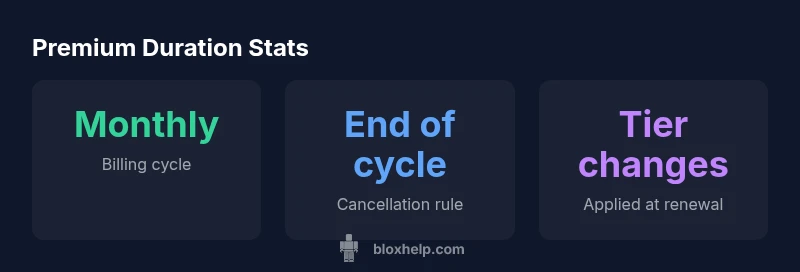
Roblox Premium lasts as a recurring monthly subscription. It continues until you cancel, and you won’t lose benefits until the current billing period ends. You can cancel anytime in your account settings, and you can switch premium tiers at renewal. After cancellation, access remains through the end of the current cycle.
What Roblox Premium Is and How It Works
The phrase "how long does roblox premium last" gets at the core idea: Roblox Premium is a monthly, recurring subscription tied to your Roblox account. Premium isn’t a single purchase with a fixed end date; it remains active as long as you keep paying and your account meets the required conditions. Each billing cycle grants access to Premium benefits for that period, and you’ll see the renewal on your payment history. For newcomers, understanding this duration model helps in planning purchases and avoiding surprise charges. In practice, many players treat Premium as a flexible tool to access exclusive perks while they game, learn from guides, and experiment with new in-game content. The exact benefits scale with the tier you select, and the duration aligns with your subscription status rather than a one-off cap.
Renewal and Billing Cadence
Roblox Premium renews on a monthly cadence, with the renewal date tied to when you first subscribed or last upgraded. The duration is inherently ongoing unless you take explicit action to cancel or downgrade. If you cancel, you still retain Premium benefits until the end of the current billing period, after which access ends. This setup means your effective duration is governed by your renewal cycle rather than any fixed term. You can view and manage your renewal date in your account settings, where you can see upcoming charges and the exact date your current cycle ends. Regularly reviewing this info helps align Premium with your play schedule and budget without interruptions.
End-of-Cycle Access After Cancellation
A common point of confusion is whether cancelling ends access immediately. In reality, Roblox Premium maintains access through the end of the ongoing billing cycle. Once the cycle ends, Premium benefits halt unless you renew. This means there is a built-in grace period that protects ongoing access and gives you time to adjust settings or plan a renewal. If you intend to stop Premium, scheduling the cancellation near the renewal date avoids unwanted gaps and ensures you’re not charged for the next period. Always verify your ending date in the account panel to avoid surprises.
Switching Tiers at Renewal and What It Means for Duration
Premium tier changes are typically applied at the next renewal. You can upgrade or downgrade your tier without losing the current cycle’s benefits, but the new tier takes effect on the next billing date. This approach keeps the duration predictable: you pay for the current period with the old tier, then automatically transition to the new tier when the next cycle starts. If you switch tiers mid-cycle due to a sale or a rearranged budget, expect the change to reflect at renewal, not instantly.
How to Check Premium Status and Manage Your Subscription
To manage Premium duration effectively, start from the Roblox account console. Look for the Premium or Subscriptions section, where you’ll find your current tier, renewal date, and cancellation options. You can cancel, upgrade, or downgrade there. If you’re using the Roblox mobile app, the same options are usually available under Settings > Premium. After any change, verify your next renewal date to confirm the new cycle aligns with your plans. Keeping an eye on these settings helps you control how long your Premium lasts in practice.
Practical Scenarios and Best Practices
- If you plan to take a break: consider canceling just before the renewal date but note you’ll retain access through the end of the current period. This prevents an unwanted charge and preserves your progress.
- If you’re testing new games or tools: time your upgrade to align with a game launch or event, since tier changes take effect at renewal.
- If you’re budgeting: set a calendar reminder for your renewal date and review benefits associated with your current tier to see if an upgrade offers better value for your playstyle.
Duration and renewal basics for Roblox Premium
| Aspect | Duration/Status | Notes |
|---|---|---|
| Billing cadence | Monthly recurring | Access continues through renewal cycle if canceled |
| Cancellation effect | End of current cycle | No immediate loss of benefits until cycle ends |
| Tier changes | Apply at renewal | Upgrade/downgrade takes effect next renewal |
Questions & Answers
Does Roblox Premium renew automatically?
Yes. Roblox Premium renews monthly unless you cancel. You can manage auto-renew in your account settings.
Yes, Premium renews every month unless you cancel, and you can manage that in your settings.
How do I cancel Roblox Premium?
In your Roblox account settings, go to Premium and select Cancel. You’ll keep benefits until the end of the current cycle.
Go to Premium settings and cancel; you’ll stay active until the cycle ends.
Will I lose Premium benefits immediately after cancel?
No. Benefits persist through the current billing period; after that, access ends.
No—your benefits last through the current cycle, then end when it closes.
Can I upgrade or downgrade my Premium tier?
Yes. Tier changes take effect at the next renewal date after you select a new tier.
Yes. Changes apply at your next renewal date.
Does Roblox Premium have a trial period?
Roblox Premium does not publicly offer a standard trial; you must subscribe to a tier.
There isn’t a standard trial period for Premium.
What happens if my payment fails?
Access can be paused if a payment fails, and you’ll need to resolve billing to continue after the current cycle ends.
If payment fails, access may pause until you fix the payment.
“Roblox Premium is designed as a monthly, cancel-anytime service. Your access continues through the current billing cycle after you initiate cancellation, and tier changes take effect at the next renewal.”
The Essentials
- Cancel anytime to stop renewal
- Access lasts through the current cycle after cancellation
- Tier changes apply at renewal
- Check renewal date in account settings to manage duration