How to Refund Items on Roblox: A Step-by-Step Guide
Learn how to refund Roblox purchases, what qualifies, and how to submit a refund request using official channels. This guide covers eligibility, needed proof, review timelines, and practical tips from Blox Help to improve your chances.


You can refund eligible Roblox purchases by using the official Roblox support channels. This guide explains who qualifies, what to prepare, and the exact steps to submit a refund request. You will learn where to start, how to gather purchase details, and how Roblox reviews refunds. Note that refunds are considered case-by-case and are not guaranteed.
What qualifies for a Roblox refund?
Refund eligibility in Roblox is evaluated on a case-by-case basis and depends on the purchase type and delivery status. According to Blox Help, refunds are more likely for accidental purchases, duplicate charges, or items that were not delivered as described. Always check the official Roblox refund policy from Roblox Support before starting. If you purchased something that violates Roblox terms or was not delivered as expected, you may have options through the support team. Be mindful that in-game items, cosmetics, and Robux purchases may carry different considerations, and refunds are not guaranteed. This section sets expectations and helps you decide if you should proceed with a refund request.
From a strategic standpoint, remember that policies can evolve, so always verify the latest guidance on Roblox’s official help center.
What you need before you start: Gather proof
Before you file, collect all relevant details to speed up the review. This includes the exact purchase date, order ID or receipt, the item name, the Roblox username, and any screenshots showing the transaction page and the item in-game. If you are under 18, have a parent or guardian assist, since some requests require confirmation from a responsible account holder. Keeping these documents organized will help you present a clear case and minimize back-and-forth with Roblox Support. According to Blox Help, having precise evidence improves the chances of a smooth review.
Roblox refund policy basics and limitations
Roblox refunds operate under a framework where the reviewer weighs the context of the purchase, including whether the item was used or consumed. General consumer guidance emphasizes that refunds for digital goods are not guaranteed and approvals depend on the platform’s policies. Roblox typically considers factors like accidental purchases, charge errors, and items not delivered, while emphasizing that responses can take time. This section gives you a realistic view of what outcomes to expect and helps you manage expectations as you proceed.
How to initiate a refund request (official process)
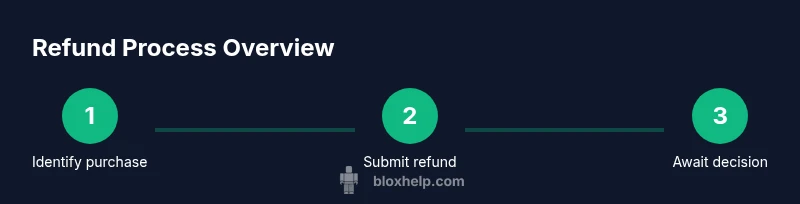
Start by logging into your Roblox account and visiting the official Help Center. From there, locate the refund request form under the Purchases or Billing section. Fill in the required fields with accurate information: your account name, purchase date, order ID, item name, and a concise reason for the refund. Attach any supporting screenshots or documents. Submitting via the official form ensures your request is routed to Roblox Support for review. If you’re a minor, involve a guardian in the submission to comply with policy requirements.
What happens after you submit (review & outcomes)
After submission, Roblox Support reviews the request against policy criteria. You may receive an automated acknowledgment followed by a human review. The outcome can vary: it may be approved, denied, or require additional information. Timelines differ, but staying proactive—checking your email and the Help Center status—helps. If additional details are requested, provide clear, concise responses and supply any missing proof promptly. Remember, outcomes are not guaranteed and depend on the specifics of the purchase.
Common mistakes to avoid and how to improve chances
Avoid common pitfalls such as submitting duplicate requests for the same purchase, providing vague reasons, or failing to include key proof like order IDs. Always use the official refund form rather than third-party channels. Prepare screenshots showing the transaction and the item as purchased. If the request is denied, review the stated reasons, re-check policy details, and consider asking a guardian for assistance or exploring alternative remedies through your payment method.
Authority sources and references
For broader consumer guidance, trusted government resources emphasize that refunds for digital purchases depend on platform policy and consumer protections. See official government resources for general principles:
- https://www.ftc.gov
- https://www.consumer.ftc.gov
Tools & Materials
- Roblox account login(Username and password for the Roblox account tied to the purchase)
- Proof of purchase(Order ID, receipt, or transaction details)
- Device with internet access(PC, tablet, or mobile to access Roblox Help Center)
- Email access(Email linked to the Roblox account for confirmations)
- Screenshots or video evidence(Useful to illustrate the issue or delivery problems)
Steps
Estimated time: 20-40 minutes
- 1
Verify purchase and eligibility
Log into Roblox and locate the purchase in your order history. Confirm the item type and whether it appears eligible for a refund under the current policy. If the item has been used or consumed, eligibility may be affected. This helps you decide whether to proceed.
Tip: Pro tip: Note the exact date/time of purchase and the item name for the form. - 2
Gather proof of purchase
Collect order IDs, receipts, and any screenshots showing the transaction page and item. Clear proof prevents delays and improves clarity in your refund request. If you are under 18, involve a guardian to confirm the submission.
Tip: Pro tip: Save screenshots as PNG for clarity and attach the highest-quality version you have. - 3
Open the official Roblox Help Center
Navigate to the Roblox Help Center and locate the refund or billing support form. Using the official site ensures your request is routed to the right team for review.
Tip: Pro tip: Use a desktop browser if possible to simplify multi-field forms and uploads. - 4
Fill out the refund request form
Enter your account name, purchase date, item name, and order ID. Provide a concise reason for the refund and attach supporting evidence. Double-check all details before submitting to avoid delays.
Tip: Pro tip: Be specific in your reason; mention accidental purchase or duplicate charge if applicable. - 5
Submit and monitor status
Submit the request and regularly check your email and the Help Center for status updates. Roblox may ask for additional information, so respond promptly with clear answers.
Tip: Pro tip: Set a reminder to follow up if you haven’t heard back after several business days. - 6
Respond to any information requests
If Roblox asks for more details, provide them quickly and include any missing proof. Delays often occur when information is incomplete.
Tip: Pro tip: If you edited the original screenshot, clearly annotate why the new image supports your claim. - 7
Review outcome and next steps
When a decision is issued, review the result carefully. If approved, note the refund method and expected timeframe. If denied, read the stated reasons and consider next steps or a follow-up request with additional evidence.
Tip: Pro tip: Keep a copy of all communications for future reference.
Questions & Answers
Is every Roblox purchase refundable?
Not every purchase qualifies for a refund. Refund eligibility depends on the item, usage, and Roblox policy, and refunds are evaluated on a case-by-case basis.
Refund eligibility depends on the item and usage, and Roblox reviews each request individually.
How long does Roblox take to process refunds?
Processing times vary by case. Roblox reviews refund requests periodically and may contact you for additional information, which can affect timelines.
Refunds can take several days depending on the details and what Roblox needs from you.
What information do I need to submit a refund request?
You should have your Roblox username, purchase date, order ID, item name, and any relevant receipts or screenshots to attach with your request.
Prepare your username, date, order ID, item name, and receipts before you submit.
Can I refund gifts or Premium purchases?
Gifts and Premium purchases follow the same general policy, but success depends on the specifics of the purchase and Roblox’s decision.
Gifts and Premium items go through the standard refund process and aren’t guaranteed.
What if my refund is denied?
If denied, review the stated reasons, consult the policy, and consider whether additional information could change the outcome. You may pursue other remedies through your payment method if appropriate.
If denied, read the reason, check policy, and decide if you want to appeal or pursue alternatives.
Can I speed up the refund process by contacting another channel?
Using the official refund form is recommended. Other channels may not speed up the decision and could complicate the review.
Stick to the official refund channels for the fastest, most reliable handling.
Watch Video
The Essentials
- Verify eligibility before filing a refund request.
- Gather precise purchase proof to accelerate review.
- Submit through Roblox's official Help Center form.
- Refund decisions vary and may take time.
- Keep records and follow up if needed.