How to Get a Refund on Roblox: A Complete Guide
Learn how to request a Roblox refund with practical steps, policy basics, and tips to maximize your chances. Gather purchases, submit in Help Center, and understand outcomes in 2026.


To get a refund on Roblox, review the official policy, locate the purchase, and submit a refund request through the Roblox Help Center with order details and evidence. Include the exact order number, item name, platform, and purchase date to speed up the review. Roblox decides on a case-by-case basis, and processing times vary.
Understanding Roblox refund eligibility
Roblox refunds are not automatic, and eligibility depends on several factors. According to Blox Help, the core idea is to verify that the purchase is recent, the content hasn’t been fully used, and that you can provide a reasonable reason for the request. Start by checking the Roblox Help Center's refund articles to understand which purchases can be considered for refunds, and note that decisions are at Roblox's discretion. If you bought something accidentally, or a game item isn’t as described, you may have a stronger case. Keep a record of your order number, item name, date, platform, and payment method. This preparation will speed up the review and prevent unnecessary back-and-forth.
Roblox refund policy overview
Roblox’s refund framework centers on customer support discretion. The company directs users to the Help Center for submitting refund inquiries and relies on human review to determine if a purchase qualifies for reimbursement or credit. While some platforms and payment methods have their own terms, Roblox makes decisions based on the information you provide, the nature of the item purchased, and whether the item was used or consumed. It’s essential to be precise about what was bought and why it doesn’t meet expectations. Remember that results vary and refunds are not guaranteed.
Common refund scenarios you might encounter
Many refund inquiries arise from accidental purchases, duplicate charges, or items that fail to function as advertised. Other frequent cases include items that cannot be accessed due to account issues, or purchases made on a platform where marketplace terms differ. In each scenario, a clear narrative and supporting evidence (screenshots, receipts, and timestamps) help the review team understand the situation. Be honest and specific about the outcome you want, whether it’s a full refund, store credit, or replacement.
Step-by-step guide to submitting a refund request (preparation)
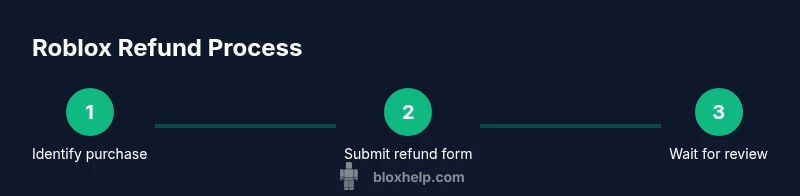
Before opening the help form, gather essential details: the exact item name, order number, purchase date, platform, and payment method. If possible, capture screenshots of the transaction confirmation and any error messages. This preparation is a small investment that pays off in faster processing and a clearer review trail.
Step-by-step guide to submitting a refund request (submission)
Navigate to the Roblox Help Center and locate the refund option. Fill out the refund form with accurate purchase details, a concise reason for the refund, and attach any supporting evidence. Double-check everything before submitting, then save the confirmation number for your records. Submitting a complete dossier reduces delays and back-and-forth communications.
What happens after you submit
Roblox reviews each request individually. You’ll typically receive an email notification about the status, and you may be asked for additional information. If approved, the refund method will reflect the decision (refund to original payment method or store credit, depending on policy). If denied, you’ll often have an opportunity to seek clarification or appeal through the Help Center.
Alternatives if a refund is denied
If a refund isn’t granted, consider requesting a goodwill credit, especially for legitimate issues with service. You can also review platform-specific store policies (iOS App Store, Google Play, or Steam, if applicable) for possible alternative remedies. Lastly, you may contact consumer protection resources for guidance on pursuing a resolution, while keeping records of all communications.
Tools & Materials
- A device with internet access(Desktop, laptop, tablet, or smartphone)
- Roblox account credentials(Username and password ready to access Help Center)
- Purchase details or receipts(Order number, item name, platform, and purchase date)
- Screenshots or evidence(Supportive images of the transaction or error messages)
- Access to Roblox Help Center refund form(Direct link from Roblox support site)
- Patience for review(Processing times vary; stay organized and check email)
Steps
Estimated time: Approximately 15-30 minutes to prepare and submit; review times vary by case
- 1
Gather purchase details
Collect the exact order number, item name, platform, and purchase date. Having this information ready prevents delays and makes the refund request more credible.
Tip: Keep digital receipts or screenshots organized in a dedicated folder. - 2
Open the Roblox Help Center
Navigate to the Roblox Help Center and locate the refund option. This is the official channel for submitting requests and tracking status.
Tip: Bookmark the refund form for quick access in the future. - 3
Fill the refund form accurately
Enter purchase details exactly as they appear on receipts, choose the appropriate reason, and attach any relevant evidence. Accuracy speeds up review.
Tip: Avoid vague reasons; specify what went wrong and what you expected. - 4
Attach supporting evidence
Upload screenshots, receipts, or error messages that corroborate your claim. Clear visuals reduce ambiguity during review.
Tip: Label files clearly (e.g., receipt-Order1234.png). - 5
Submit and save confirmation
Submit the form and note the confirmation number. This number helps you track the refund request and follow up if needed.
Tip: Take a screenshot of the confirmation details for your records. - 6
Monitor your email for updates
Review the inbox for Roblox’s response and be prepared to supply additional information if requested.
Tip: Check spam/junk folders if messages don’t arrive in your main inbox. - 7
Respond if requested
If Roblox asks for clarification or extra data, respond promptly with the requested details to prevent further delays.
Tip: Respond within a reasonable timeframe to keep the review on track. - 8
Decide on next steps
If approved, confirm how the refund will be issued. If not approved, review alternatives or consider appeals as guided by Help Center policy.
Tip: Document all communications in case you need to escalate.
Questions & Answers
What qualifies for a Roblox refund?
Refund eligibility depends on Roblox policy and the specifics of your purchase. Check the Help Center for guidance and ensure you include accurate details and evidence when requesting a refund.
Refunds depend on policy and your specific purchase; check Help Center and include clear details when requesting.
How do I request a refund from Roblox?
Go to the Roblox Help Center, locate the refund option, fill out the form with accurate purchase details, attach evidence, and submit. Save the confirmation number for tracking.
Visit the Help Center, fill the refund form with your details, attach evidence, and submit. Keep your confirmation number.
Will Roblox refund purchases made on mobile stores?
Mobile platform refunds depend on the store’s own policy (iOS/Android). Check the respective app store terms for refunds and how they interact with Roblox purchases.
Platform refunds vary by the store; check the iOS or Android store terms for refunds.
How long does a Roblox refund review take?
Roblox does not publish exact timelines; you’ll be notified by email about the decision and any required follow-up.
Roblox will email you with updates; timing varies by case.
Can I appeal a denial of my refund request?
Yes, you can ask for clarification or re-evaluation through the Help Center, providing new or clarified information if needed.
If denied, you can request a reconsideration via the Help Center.
Watch Video
The Essentials
- Check eligibility in the Roblox Help Center before submitting.
- Gather order details and evidence to speed up the review.
- Submit a complete, specific refund request to reduce back-and-forth.
- Monitor email for updates and respond promptly if asked for more info.
- If denied, explore alternatives and keep records for follow-up.