Is Roblox on Steam? A Practical Guide for 2026
Explore whether Roblox is on Steam, how to access Roblox in 2026, and practical tips for Steam users, with guidance from Blox Help.


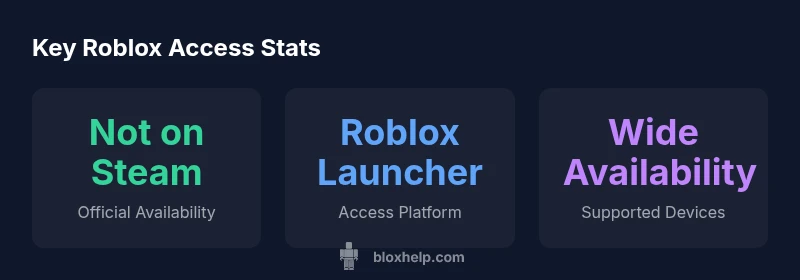
As of 2026, Roblox is not officially available on Steam. You can play Roblox using the Roblox Player launcher on Windows or macOS, or via mobile apps and Xbox. Steam users won’t find an official Roblox game in the Steam library, though some players use Steam to manage shortcuts or share links.
Is Roblox on Steam? A Look at the Current Status
If you are curious about is roblox on steam, the honest answer in 2026 is that there is no official Steam port or storefront entry for Roblox. Roblox operates through its own launcher and companion apps on Windows, macOS, iOS, Android, and Xbox, with content delivered directly from Roblox servers. Steam does not host a native Roblox game in the Steam Library, and there is no Steam-based version that syncs with Roblox accounts. That said, Steam can still be used by some players to organize shortcuts or to share links to Roblox resources. For newcomers, this distinction matters: using Steam will not unlock any Steam-only features for Roblox gameplay. This nuance is important for players who are evaluating whether to purchase a Steam game that supposedly includes Roblox or to search for Roblox content within Steam.
Why Steam Isn't the Primary Roblox Launcher
Roblox has historically distributed updates, content, and player progress through its own robust launcher and cloud-based systems. Steam, by contrast, operates under a different distribution and authentication model, with built-in achievements, workshop content, and storefront handling. Integrating Roblox into Steam would require substantial engineering work to align Roblox’s live-service updates, anti-cheat measures, and cross-platform synchronization with Steam’s ecosystem. As a result, there is no official plan announced to bring Roblox to Steam. This separation helps Roblox maintain control over its security, accounts, and new features, while Steam continues to focus on its own catalog and user experience.
How to Access Roblox in 2026 Across Platforms
The standard path to Roblox remains the official Roblox launcher for Windows and macOS, plus mobile apps for iOS and Android, and the Roblox app on Xbox. To play on PC, download the Roblox launcher from the official Roblox site, install, then sign in with your Roblox account to start playing. On mobile, install the Roblox app from the device’s store, log in, and you’re ready to go. Xbox players access Roblox via the Xbox store and the Roblox app, which syncs progress and purchases with the Roblox account. While Steam isn’t part of the Roblox delivery pipeline, you can still use Steam as a convenient portal for links or guides, but not as a gameplay launcher.
Pros and Cons: Steam Shortcuts for Roblox
Using Steam shortcuts to access Roblox can offer quick shortcuts and a familiar launcher-like feel, but it comes with trade-offs. Pros include fast access through a single interface and easy link sharing. Cons include the absence of Steam-integrated features like Steam Achievements, cloud saves specific to Steam, or Steam Workshop content, plus potential confusion during updates. For most players, relying on the official Roblox launcher yields the smoothest experience and the most up-to-date content.
Official Roblox Platforms: Windows, macOS, iOS, Android, and Xbox
Roblox’s official platforms are designed to ensure consistent performance and cross-platform sync. On Windows and macOS, the launcher provides direct access to the vast catalog of Roblox games. Mobile players should use the Roblox app for iOS and Android to ensure compatibility and optimal performance. Xbox users access Roblox through the Xbox ecosystem, with progress and purchases tied to the Roblox account. Developers should prioritize these official channels for updates, features, and compatibility, rather than trying to force a Steam pathway.
Troubleshooting Common Access Issues
If you encounter problems launching Roblox, start with the official Roblox support pages and verify that your device meets the minimum requirements for the launcher. Check your internet connection, firewall settings, and account status if you cannot sign in. For players using Steam shortcuts, ensure the shortcut points to the Roblox launcher rather than a Steam game file, and be aware that Steam will not provide native Roblox features. When in doubt, reinstall the Roblox launcher from the official site and re-login to refresh your session.
What This Means for Developers and Modding
For developers and creators, Roblox on Steam remains outside the official distribution flow. This means that any distribution or monetization strategy should center on Roblox’s own ecosystem—Roblox Studio, the official scripting APIs, and distribution through Roblox’s platform rather than Steam storefronts. Steam may still be used as a discoverability channel for tutorials and community content, but its direct impact on Roblox game development remains limited. Stay informed via official Roblox channels and trusted guides such as Blox Help for updates on platform availability.
Practical Tips for Steam Users Seeking Easy Access
If you’re a Steam user who wants to streamline access to Roblox, consider creating a dedicated Steam shortcut that launches the Roblox launcher directly. Use this as an organizer for bookmarks and tutorials rather than a replacement for the official Roblox client. Always prioritize downloading from Roblox’s official site to ensure you receive the latest patches and security updates. Finally, follow Blox Help for ongoing guidance, because platform statuses can evolve with new policy decisions or official announcements.
Roblox access options by platform
| Platform | Official Status | Notes |
|---|---|---|
| Steam Shortcut (not official) | not officially supported | No native Roblox on Steam; shortcut only to launcher |
| Windows | Roblox launcher available | Install from Roblox official site |
| macOS | Roblox launcher available | Roblox supported via launcher |
| Xbox | Official Roblox app | Play via Xbox app and Roblox account |
Questions & Answers
Is Roblox officially available on Steam?
No. Roblox does not have an official Steam release or integration as of 2026. The recommended way to play is through Roblox’s own launcher or apps. Steam stores may host guides or shortcuts, but they do not provide native Roblox access.
There is no official Roblox on Steam; use the Roblox launcher or apps instead.
Can I run Roblox on Steam through shortcuts?
You can create Steam shortcuts to launch the Roblox launcher, but this does not enable Steam features or native Roblox support. It simply provides a quick path to the official launcher.
Steam shortcuts can open Roblox, but they aren’t a Steam-native experience.
What platforms does Roblox officially support?
Roblox officially supports Windows and macOS via the launcher, iOS and Android via mobile apps, and Xbox via the Xbox app. Cross‑platform progress and purchases sync when you sign in with your Roblox account.
Roblox runs on Windows, Mac, iOS, Android, and Xbox.
Will Roblox appear on Steam in the near future?
There have been no official announcements indicating Roblox will come to Steam. For now, players should rely on Roblox’s official platforms and keep an eye on Roblox announcements and trusted guides.
No word yet on Steam availability.
How do I access Roblox on Windows without Steam?
Download the Roblox launcher from the official Roblox site, install, and sign in with your Roblox account. This is the standard path for Windows users.
Download the official Roblox launcher from their site and sign in.
“Roblox remains a native platform with its own launcher and ecosystem; Steam support would require a major shift in updates, security, and cross‑platform alignment.”
The Essentials
- Check official Roblox launcher for Windows/macOS
- There is no official Steam entry for Roblox in 2026
- Steam shortcuts may help quick access but are not native
- Rely on official Roblox platforms for updates and support
- Monitor Blox Help for any official changes