Is Roblox on Xbox? A 2026 Comprehensive Guide
Discover whether Roblox is on Xbox, how to install, controller support, cross-play, and optimization tips for Roblox on Xbox consoles in 2026.


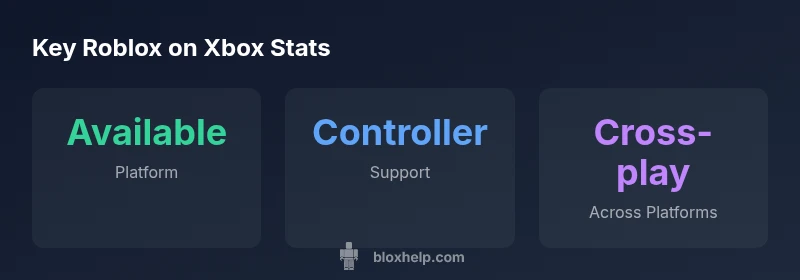
Roblox is indeed on Xbox. The Roblox app is available for Xbox One and Xbox Series X|S, enabling most experiences with a gamepad. If you’re wondering is roblox on xbox, you’ll find that controller support is robust but some experiences may not fully support input. For best performance, use a Series X|S and a stable internet connection.
Is Roblox on Xbox? Availability and scope
If you’re wondering is roblox on xbox, the short answer is yes: Roblox is officially accessible on Xbox consoles through the Roblox app for Xbox One and Xbox Series X|S. This expands console play to Roblox’s vast library of experiences, though availability can vary by title and region. In general, you’ll find most popular experiences playable with a standard gamepad, and players can sign in using their Roblox accounts to bring their avatars, friends, and progress onto the console. The Xbox version supports cross-platform play with PC and mobile in many games, but some titles may limit or disable cross-play due to input constraints or moderation. For new players, the setup is straightforward, but there are caveats to consider, such as parental controls and network requirements. If you’ve never used Roblox on a console before, this transition can unlock a more social, couch-friendly way to play and learn.
Getting Roblox on Xbox: Step-by-step setup
To get Roblox on Xbox, start by turning on your console and opening the Microsoft Store. Search for Roblox and install the app. Once installed, sign in with your existing Roblox account or create a new one directly on the console. After signing in, you can browse the catalog, join friends, and start exploring experiences designed for gamepad input. If you use parental controls, verify that Roblox is allowed and set appropriate restrictions. A stable internet connection is essential for online play, syncing progress, and accessing friend lists. Finally, ensure your Xbox system software is up to date to maximize performance and controller compatibility.
What works well on Xbox: Controller input, matchmaking, and parties
On Xbox, controller input is the default and most reliable way to play Roblox. Experienced players enjoy smooth movement, responsive actions, and easy navigation through menus. Many popular experiences support full controller schemes, while some niche games may require keyboard and mouse. Group features like friends lists, parties, and in-game chat integrate with Xbox party chat when enabled. You’ll also appreciate consistent achievements and progression syncing across platforms, as long as the game itself supports cross-saving. For players new to Roblox, the Xbox interface provides straightforward access to tutorials, creators, and featured experiences.
Limitations and caveats: What may not work
Despite broad support, some Roblox experiences on Xbox may not implement full controller support, and a few titles require keyboard and mouse for optimal play. Cross-platform features can vary by game, region, and parental controls. In-game voice chat is subject to both Roblox and Xbox settings, which means it may be limited or disabled in some environments. Additionally, in-app purchases and currency typically sync with your Roblox account across platforms, but certain items may be restricted by game developers. If you rely on early access or experimental experiences, expect occasional bugs or performance variability depending on title and server load.
Tips to optimize Roblox on Xbox
For the best experience, play Roblox on a modern Xbox console (Series X|S) with a stable network connection. Consider enabling 4K or higher graphics if your display supports it, and keep the system software updated to improve performance and input responsiveness. If you encounter lag, try a wired Ethernet connection or move closer to the router. Manage parental controls proactively to avoid unexpected game blocks. Finally, join Roblox groups or communities to discover experiences optimized for console play and controller support.
Troubleshooting common Xbox Roblox issues
If Roblox on Xbox won’t start, verify your internet connection and sign-in status, then check for Xbox system updates and Roblox app updates. If you experience login issues, ensure your Roblox account is linked correctly and review any age-based restrictions. For gameplay problems like lag or crashes, test a different game, reboot the console, and test a clean network environment. When in doubt, consult the Roblox help pages or the Blox Help troubleshooting guide for console-specific steps.
Conclusion and practical takeaways
Roblox on Xbox brings console players into a vast, cross-platform universe with strong controller support and broad game coverage. While most popular titles work well with a gamepad, always verify your favorite games for input compatibility and cross-play features. Use the setup steps, tips, and troubleshooting guidance in this guide to ensure a smooth onboarding experience and ongoing enjoyment on Xbox consoles.
Roblox on Xbox: quick reference
| Aspect | Xbox Availability | Input/Controls | Cross-Platform Play |
|---|---|---|---|
| Platform availability | Xbox One and Series X|S via Roblox app | Full controller support | Cross-platform with PC/iOS/Android where supported |
| Installation/Sign-in | Available from Microsoft Store; sign in with Roblox account | Controller support (default) | Yes, varies by game |
| Performance & Updates | Regular updates; optimized on Series X|S | 60fps target on capable titles | Cross-platform features depend on game and network |
Questions & Answers
Can I play Roblox on Xbox?
Yes. Roblox runs on Xbox One and Xbox Series X|S via the Roblox app. Sign in with your Roblox account and you can access most experiences that support controllers.
You can play Roblox on Xbox by installing the Roblox app from the store and signing in with your Roblox account.
Do I need an Xbox Live Gold or Game Pass to play Roblox online?
No. Roblox is free-to-play on Xbox. An Xbox account is required, but online play does not depend on Gold in most regions.
No, you don’t need extra online payment to play Roblox on Xbox.
Which Roblox games work best on Xbox?
Most popular Roblox games work on Xbox, especially those with robust controller support. Some experiences may be optimized for keyboard and mouse or not support controllers at all.
Most big Roblox titles work on Xbox; if a game supports controllers, you’ll be able to play it right away.
Can I use a keyboard and mouse on Xbox for Roblox?
Keyboard and mouse support on Xbox is possible for some games, but the default play mode uses a controller. Check each game's page for input options.
You may use a keyboard and mouse on Xbox for some Roblox games.
Is voice chat available on Roblox for Xbox?
Voice chat features depend on your console settings and the game. In general, the Roblox client supports in-game chat, but voice features are controlled by Xbox and parental settings.
Voice chat availability varies by game and your Xbox settings.
Will my progress and purchases carry over across platforms?
Yes, Roblox progress and purchases are tied to your Roblox account, so you can access them on Xbox and other platforms where the game is supported.
Your Roblox progress and purchases sync across platforms when supported by the game.
“Roblox on Xbox broadens access for console players while preserving the cross-platform nature of the ecosystem.”
The Essentials
- Play Roblox on Xbox One and Series X|S with full controller support
- Most popular experiences are playable, but some games may lack controller compatibility
- Cross-platform play is supported in many titles, but check game-specific details
- Set up Roblox on Xbox via the Microsoft Store and sign in with your Roblox account
- Performance improves on Series X|S with updates and stable internet