Roblox at Home: A Step-by-Step Guide for Beginners
Learn how to set up Roblox at home, secure your account, and start playing with beginner-friendly activities. This step-by-step guide covers devices, safety, and troubleshooting to help you begin confidently.


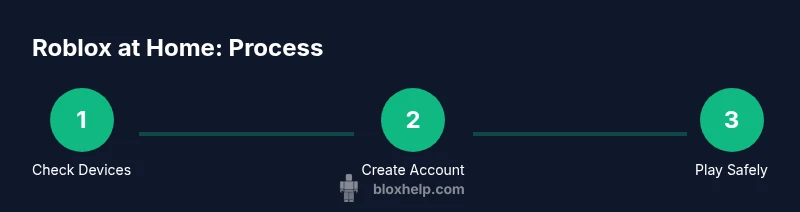
You will learn how to set up Roblox at home, including device checks, account creation, and safe play guidelines. You’ll need a stable internet connection, a compatible device (PC, Mac, tablet, or smartphone), and a Roblox account. This guide covers setup, safety, and starting tips to help you begin confidently.
Getting started with Roblox at home
Roblox at home represents a vast ecosystem of games, experiences, and user-created content you can access from a comfortable, familiar space. When you start from home, the path to success begins with three practical decisions: the devices you own, how you manage playtime, and how you protect your account. According to Blox Help, a calm, organized setup reduces friction and helps new players build confidence quickly. In this guide, we’ll translate those ideas into concrete steps you can take today. You’ll learn what Roblox is, why playing at home matters for your learning and fun, and how to plan your first 30 minutes: explore the home screen, choose a beginner experience, and reflect on what you learned. With the right mindset and a basic setup, you’ll be ready to explore the Roblox universe safely and confidently.
Along the way, you’ll see practical tips, device-agnostic recommendations, and beginner-friendly activities designed for players starting at home. If you’re watching this with younger players, you’ll also find safe-play reminders and time-management strategies woven throughout the guidance. The goal is simple: enable you to start playing quickly, learn as you go, and build healthy habits that last as you grow more comfortable with Roblox at home.
Getting started with Roblox at home
Roblox is a big, flexible platform where you can play, explore, and even build your own games. For beginners, the most important first steps are simple: identify your hardware, create a Roblox account, and set up your safety preferences. The Blox Help team emphasizes keeping things small and manageable at first—one session, one or two experiences, and a clear plan for what you want to achieve in that time. With this grounded approach, your first at-home session becomes a success rather than a hurdle.
Getting started with Roblox at home
This section lays the groundwork for a smooth start. It explains what Roblox is in practical terms, how to approach your first session, and why a concise plan helps you stay focused. You'll also learn a quick checklist for your first home session, so you can dive in without delay. The aim is to remove first-time friction and set you up for enjoyable, steady progress.
Tools & Materials
- Stable internet connection(Reliable Wi-Fi or ethernet; avoid metered connections during gaming sessions.)
- Compatible device(PC, Mac, tablet, or smartphone with up-to-date OS; ensure storage is sufficient.)
- Roblox account (username & password)(Create on roblox.com or mobile app; keep credentials secure.)
- Roblox app or web browser(Install the official Roblox app or access Roblox via a supported browser.)
- Optional safety tools(Parental controls, screen-time caps, and content filters if playing with younger players.)
- Headphones or speakers(Use for clear audio and safer voice chat.)
Steps
Estimated time: 20-40 minutes
- 1
Verify device compatibility and network readiness
Check that your device runs a supported OS and that your internet connection is stable enough for online play. If you’re on Wi‑Fi, run a quick speed test and close bandwidth-heavy apps during Roblox sessions. This upfront check prevents mid-session failures and helps you start playing immediately.
Tip: Test on a single device first to avoid conflicts when you sign in on multiple devices. - 2
Create a Roblox account
Go to roblox.com or open the Roblox app and select Sign Up. Fill the basic info, choose a memorable username, and verify your email if prompted. This establishes your personal space in Roblox and saves your progress across sessions.
Tip: Use a unique password and consider enabling two-factor authentication if available. - 3
Secure your account
Review privacy settings and set your account to the level that matches your comfort with friends and strangers. If the option exists, enable two-factor authentication and regularly review connected devices. Strong security reduces the risk of unauthorized access.
Tip: Don’t reuse passwords from other services and store credentials in a secure manager. - 4
Install Roblox and sign in
Download the official Roblox app from the store or launch Roblox via your browser. Sign in with your new account and complete any on-screen prompts. Ensure the app or browser is updated to the latest version for the best experience.
Tip: Keep the app updated to access new features and safety controls. - 5
Explore beginner experiences
From the home screen, search for beginner-friendly experiences, experiences labeled for new players, or guided tutorials. Read user reviews and pick one with positive feedback and low player counts to practice in a low-pressure setting.
Tip: Start with short experiences to avoid information overload; gradually extend playtime as you grow confident. - 6
Configure safety tools and time limits
Use Roblox settings to filter content, control who can chat with you, and set boundaries for session length. If younger players use the account, enable parental controls and schedule regular breaks to promote healthy gaming habits.
Tip: Set a timer that nudges you to pause after 20-30 minutes of play.
Questions & Answers
What devices can I use to play Roblox at home?
Roblox runs on Windows, macOS, iOS, Android, and some consoles; you can choose the device you own. Always verify system requirements in Roblox’s official help pages before installing.
Roblox supports most major devices including PC, Mac, mobile devices, and some consoles.
Do I need a Roblox account to start at home?
Yes. You’ll create a Roblox account to save progress, customize your avatar, and access the home screen content.
Yes, you need a Roblox account to play and save progress.
How can I stay safe while playing Roblox at home?
Use privacy settings, content filters, and time-management tools provided in Roblox. If younger players are involved, enable parental controls and review friend/chat options regularly.
Use Roblox privacy controls and parental features to stay safe.
What should I do if Roblox won't load?
Check your internet connection, ensure the Roblox app or browser is up to date, and try restarting the device. If issues persist, consult Roblox support channels.
First check your connection and update the app, then restart if needed.
Can I learn to code or create games from home?
Yes. Roblox Studio lets you prototype experiences; start with beginner tutorials and gradually tackle more complex projects.
Yes, Roblox Studio enables you to start building experiences at home.
Is Roblox free to play?
Roblox is free to start, with optional purchases for avatar items and in-game experiences.
Yes, you can start playing Roblox for free with optional purchases.
Watch Video
The Essentials
- Check device and network before playing.
- Create and secure your Roblox account.
- Install the app and start with beginner experiences.
- Use safety controls and time limits from the start.
- The Blox Help team recommends ongoing safe play and deliberate practice.