How to Get Started as a Roblox Dev: A Beginner Guide
Learn how to get started as a Roblox dev with Roblox Studio, Lua basics, and a practical first project. This step-by-step guide covers setup, scripting, testing, publishing, and community resources.


By the end of this guide, you will have launched your first Roblox project. Steps cover setting up Roblox Studio, creating a simple world, writing your first Lua scripts, testing, and publishing. You’ll also learn essential safety tips, a learning path, and where to find beginner-friendly tutorials. The quick-start approach keeps you focused on steady progress and tangible results.
Why start as a Roblox dev
If you’re wondering how to get started as a roblox dev, you’re stepping into a thriving ecosystem that rewards creativity and practical problem-solving. According to Blox Help, Roblox development is accessible to beginners yet scalable to ambitious projects as your skills grow. This guide aims to give you a clear, doable path: a mix of guided steps, hands-on practice, and community support. By beginning today, you’ll gain familiarity with Roblox Studio, Lua scripting, and the iterative mindset that underpins successful game development. The journey blends design thinking, game mechanics, and live player feedback, all centered on creating for a global audience.
This isn't just about building a game; it's about building a problem-solving habit. The skills you acquire—planning, debugging, and refining—transfer to other engines and programming contexts as you level up. The Blox Help team emphasizes consistency over intensity: a little daily practice compounds into real capability. With a well-scoped starter project and a structured learning path, you’ll celebrate a functional prototype sooner than you expect.
Setting up your Roblox dev environment
Before you can publish, you need the right tools and access. Start by creating a Roblox account (or log in if you already have one) and downloading Roblox Studio. Roblox Studio is the primary development environment for building spaces, scripting, and testing your games. Check your computer meets the basics: stable internet, a modest GPU, and enough RAM to run Studio smoothly. If you’re unsure, start on a mid-range PC or laptop and adjust as you learn.
Next, join the Roblox Developer Hub and the Roblox forums to access tutorials, asset libraries, and community help. Enable two-factor authentication for security and keep your project files organized in a dedicated folder. A simple version-control habit—saving incremental versions like MyGame_v1, MyGame_v2—reduces risk when you test new features. As you progress, consider setting up a separate account for development work to minimize risk to your main account.
Basic concepts you need to learn first
To build in Roblox, you’ll need a grasp of both Lua programming and Roblox-specific APIs. Start with Lua fundamentals: variables, data types, control structures, functions, and tables. Then explore Roblox services such as Workspace, Players, Lighting, and ReplicatedStorage. These services give you structural hooks for creating terrain, characters, and interactive elements.
Practice small scripts that respond to events (e.g., a player touching a part) and manipulate objects (e.g., moving a platform). As you learn, keep a cheat sheet of common commands and a quick reference of frequently used APIs. Consistency matters here: even 20 minutes a day compounds into real skill over a few weeks.
Designing your first project: plan, prototype, test
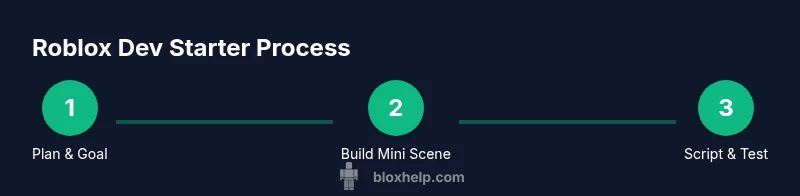
A beginner-friendly project helps you learn fast and stay motivated. Start with a simple plan: a small obstacle course (obby) or a treasure-collecting arena. Write a lightweight design document outlining core mechanics, goals, and scoring. In Roblox Studio, create a new place, lay out basic terrain and parts, and set up a few interactive elements.
Prototype early and iterate. Build a basic play area, then test with friends or family. Use their feedback to tighten mechanics, adjust pacing, and fix obvious usability issues. Document changes and track what works well vs. what needs refinement. This approach keeps your learning focused and minimizes scope creep.
Scripting essentials: getting hands-on with Lua in Roblox Studio
Lua is the backbone of Roblox scripting. Start with simple scripts that respond to in-game events, such as a door that opens when a player approaches or a platform that moves when triggered. Learn to create reusable scripts and store them in appropriate containers (e.g., StarterPlayerScripts or ReplicatedStorage) to share across parts of your game.
Practice with small, observable features: a collectible that increases a score, a door that unlocks after collecting all items, or a UI indicator that updates in real time. As you gain confidence, refactor your code for readability and add comments to explain your logic. The ability to adapt scripts to different game scenarios is the key to scalable development.
Debugging, testing, and iterating
Testing is inseparable from good game design. Use Play Solo in Roblox Studio to simulate real players and catch errors early. Watch the Output window for runtime errors, print statements for tracing, and warnings for potential issues. Regularly test on different devices if possible, since performance and input behavior can vary.
Create a simple test plan: identify test cases (e.g., “Can a player complete the level?”, “Does a script run after respawn?”), run through them, and log results. Iterate quickly: fix bugs, re-test, and collect feedback. Keeping a lightweight changelog helps you compare the impact of each adjustment and stay motivated as you watch your game evolve.
Publishing, sharing, and basic monetization concepts
Publishing is the gateway to real feedback and growth. When you’re ready, publish your game to Roblox so friends and the community can play it. Prepare appealing visuals: a clean icon, a clear thumbnail, and a concise description that communicates your game’s unique hook. Consider setting up a simple monetization model, such as optional cosmetic purchases or game pass concepts, to understand the basics of revenue without overcommitting on a first project. Always review Roblox’s guidelines and community standards to ensure your game remains compliant and welcoming.
Engage with players after release. Monitor feedback, fix critical issues, and iterate on gameplay. Iteration is essential: your first game is a learning tool, not a perfect product. Celebrate small wins and use insights to shape your next project.
Growth, learning resources, and community
A steady, curated learning path accelerates progress. Look for beginner-friendly courses, official Roblox tutorials, and community-led guides. Practice consistently, track your progress with a learning journal, and set goals for each milestone—whether it’s scripting a new mechanic, polishing visuals, or adding a user interface. Based on Blox Help analysis, beginners who follow a structured plan improve faster and stay engaged longer. Build a portfolio of tiny, polished experiences to showcase your growing competence.
Beyond tutorials, engage with the Roblox community: join developer groups, participate in game jams, and share your work for constructive feedback. Networking with other early developers helps you discover common pitfalls and best practices. The journey is iterative: keep experimenting, keep shipping, and keep learning.
Final thoughts: next steps and sustaining momentum
To stay motivated on the long path, set a regular practice routine and diversify your projects. Alternate between scripting, level design, and user experience to prevent burnout and broaden your skill set. Track milestones, celebrate progress, and use feedback to guide your next steps. The Blox Help team recommends creating a personal roadmap, maintaining a habit loop, and reflecting on what you’ve learned after each project. With dedication and curiosity, you’ll continue leveling up as a Roblox developer and eventually tackle more ambitious, bigger-scale experiences.
Tools & Materials
- Computer with internet access(Capable of running Roblox Studio smoothly)
- Roblox account(Needed to publish and test games)
- Roblox Studio(Primary development environment)
- Text editor (optional)(Helpful for organizing scripts)
- Screenshot/recording tool(Useful for documenting progress)
- Design notebook or digital doc(For planning game concepts and iterations)
Steps
Estimated time: 4-6 hours
- 1
Define your first project goal
Set a small, achievable objective (e.g., a basic obstacle course). Write a one-page plan outlining core mechanics and a simple success metric.
Tip: Start with a single mechanic and expand later. - 2
Install and open Roblox Studio
Install Roblox Studio from the official site, log in, and create a new place to begin laying out your level.
Tip: Configure basic settings (Graphics, Output) for smoother testing. - 3
Create the playing field
Use basic parts to build your first level. Experiment with color, lighting, and terrain to create a readable path.
Tip: Keep your layout simple; clutter slows learning. - 4
Add your first script
Attach a simple Lua script to a part to trigger a visual or audio effect when touched.
Tip: Comment your code to remember intent. - 5
Test in Play Solo
Run the game in Studio to see how players interact and catch obvious bugs.
Tip: Note any errors in the Output window and fix them promptly. - 6
Polish gameplay and UI
Tweak pacing, add a basic UI showing score or progress, and ensure controls are intuitive.
Tip: Ask someone new to try it and observe their experience. - 7
Publish and collect feedback
Publish a draft version and share with friends to gather feedback before a broader release.
Tip: Prepare a short description that clearly communicates your game's hook. - 8
Iterate based on feedback
Review comments, fix issues, and plan the next iteration or a new project to keep momentum.
Tip: Keep a changelog to track improvements.
Questions & Answers
What is Roblox Studio and do I need it to develop games?
Roblox Studio is the official development environment for building Roblox games. You use it to create places, write scripts, and test gameplay. Yes, you need Studio to develop and publish your games on Roblox.
Roblox Studio is the official tool for creating Roblox games. You’ll use it to build, script, and test your projects before publishing.
Do I need coding experience to start?
Some exposure to basic programming helps, but you can start with simple Lua concepts and gradually build up. Roblox's tutorials and community guides are designed for beginners and grow with you.
You don’t need prior coding experience. Start with basics and learn Lua as you build small projects.
Can I make money as a Roblox developer?
Yes, Roblox offers monetization paths like in-game purchases and DevEx opportunities for eligible creators. Begin with small, respectful monetization ideas and focus on delivering value to players.
You can earn money through in-game purchases and official developer programs, once you meet eligibility requirements.
How long does it take to learn Roblox scripting?
Learning varies by person, but a consistent routine of practice and projects typically yields meaningful progress within a few weeks to a couple of months.
Progress depends on your schedule, but steady practice usually shows results in weeks to a few months.
Is Lua the only language used in Roblox?
Lua is the primary scripting language in Roblox. Some parts of Roblox Studio use other tools, but Lua remains the central language for gameplay scripting.
Lua is the main scripting language you’ll use for game logic in Roblox.
What are good starter projects for beginners?
Simple obstacle courses, treasure hunts, or basic mini-games are great starters. They teach scripting, object interaction, and basic UI without overwhelming you.
Try a tiny obstacle course or a treasure hunt to learn core concepts quickly.
Watch Video
The Essentials
- Start with a clear, small goal
- Master Roblox Studio basics before complex scripting
- Test early, test often, and iterate
- Seek community feedback to improve quickly
- Maintain a simple roadmap to sustain momentum