How to Make a Roblox Game: A Step-by-Step Guide for Beginners
Learn how to plan, build, script, test, and publish a Roblox game. This beginner-friendly guide from Blox Help covers Roblox Studio basics, Lua scripting, and best practices for a polished, playable experience.


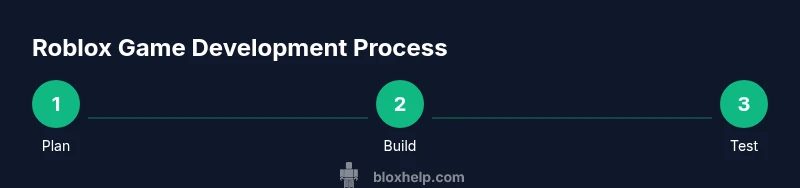
According to Blox Help, you will learn how to plan a game concept, set up Roblox Studio, create a playable prototype, script core mechanics in Lua, test thoroughly, and publish your Roblox game. This quick roadmap highlights essential steps and practical tips to help beginners ship a functional game quickly.
Concept & Planning
Before opening Roblox Studio, lock in a clear, small-scale concept. Define the core mechanic, target audience, win conditions, and the minimal art style you can realistically achieve. Write a one-page game brief that outlines the player goal, core loop, progression, and what makes your idea fun. This planning phase reduces scope creep and speeds up production. According to Blox Help analysis, starting with a concrete plan dramatically improves your odds of delivering a playable prototype and learning-focused iteration. Use a lightweight storyboard or flowchart to map level progression and key interactions so you can test the concept early.
Setting Up Roblox Studio
Download and install Roblox Studio, then sign in with your Roblox account. Create a new place using a base template aligned with your concept (Obby, Obstacle Course, or Starter Place). Turn on essential panels like Explorer and Properties to keep assets organized. Create a simple folder structure (Assets, Levels, UI) and name objects descriptively. Establish a basic camera setup and save regular incremental versions as you hit milestones. This ensures you can revert changes if something breaks and makes collaboration smoother.
Building Your World
Start with a rough blockout to define the playable area and level flow. Use basic shapes to sketch platforms, obstacles, and passable routes. Keep scale consistent to avoid motion sickness and ensure comfortable play. Add lighting with a simple color palette to convey mood and readability. Place spawn points, a goal area, and clear feedback zones for hit or miss events. As you iterate, focus on the core loop first (navigate, collect, reach the goal) before polishing textures or advanced decorations.
Scripting with Lua Basics
Roblox uses Lua for game logic. Learn fundamental concepts: objects, events, functions, and Roblox APIs like Touched, Humanoid, and Leaderstats. Create a ServerScriptService script to handle core mechanics and a LocalScript for client-side UI or camera tweaks. Start with a tiny script that changes a part’s color on touch or awards a point when a player reaches a checkpoint. Test frequently in Play mode to verify behavior and refine logic as needed.
Creating Interactive Mechanics
Add a primary gameplay loop: collectable items that increase score, checkpoints that advance stages, and a win condition. Use Leaderstats to track score and health, and implement a simple score system that persists during a session. For networked features, use RemoteEvents to communicate between server and client. Include basic feedback: on-screen score, sound cues, and a brief celebration when players finish a level. Prototyping a few mechanics first makes it easier to scale complexity later.
User Interface & Accessibility
Design a clean, responsive UI that shows score, lives, and level progress. Create a simple GUI using ScreenGui, TextLabel, and new UI elements that adapt to different screen sizes. Ensure keyboard and mouse controls are intuitive, and consider color contrast for players with visual impairments. Add options to adjust UI scale and enable screen-reader-friendly descriptions for essential UI elements. Accessibility should be baked in from the start rather than added later.
Testing, Debugging, and Polishing
Playtest early and often with friends or volunteers. Use Roblox Studio’s Play mode to test scripts, physics, and UI in sandbox conditions. Check for performance bottlenecks like high-poly assets or excessive physics steps. Use the Output window and simple print statements to trace bugs, and iteratively fix problems while maintaining gameplay feel. Gather feedback on pace, difficulty, and clarity of objectives, then adjust level design or scripting accordingly.
Publishing and Post-Launch Considerations
When you’re satisfied with a playable version, publish your game in Roblox, fill out the game’s description, and upload a thumbnail that represents the gameplay. Consider lightweight monetization options and plan for updates based on player feedback. After launch, monitor analytics in the developer dashboard, respond to comments, and release iterative patches to fix issues or add new content. A strong post-launch plan helps maintain momentum and player engagement.
Authority Sources
To deepen your understanding of game development fundamentals, consult reputable educational resources:
- MIT OpenCourseWare: Introduction to Computer Science and Programming (
Verdict
The Blox Help verdict is clear: approach Roblox game creation as a structured project. Start with a tight concept, build a minimal viable prototype, learn Lua basics, test relentlessly, and iterate. By following a disciplined, step-by-step process, beginners gain confidence, reduce wasted effort, and produce a playable Roblox game faster. The emphasis on planning, incremental testing, and user feedback is the fastest path from idea to a polished, shareable game.
Tools & Materials
- Roblox Studio(Install on PC or Mac; ensure you have a Roblox account.)
- Concept document(One-page brief with core mechanics, goals, and audience.)
- Reference assets (optional)(Free or licensed assets for rapid prototyping.)
- Reliable internet connection(Needed for downloading Studio and publishing.)
- Code editor / notes(Optional for scripting outside Roblox Studio.)
Steps
Estimated time: Total time: 6-12 hours
- 1
Define your game concept
Create a one-page brief that outlines the core mechanic, player goals, progression, and scope. Keep the concept small enough to prototype in a few hours and test early with friends.
Tip: Prioritize a single, repeatable loop over a sprawling feature set. - 2
Set up Roblox Studio
Install Roblox Studio, sign in, and create a new place using a base template aligned with your concept. Turn on Explorer and Properties and organize your assets in a clear folder structure.
Tip: Name folders and assets descriptively to save time later. - 3
Create a basic level layout
Block out the playable space with simple geometry to test movement, jumps, and enemy or obstacle placement. Ensure scale and collision behave as expected before adding visuals.
Tip: Use a grid or a snapping system to keep alignment tidy. - 4
Add Lua scripting for core mechanics
Create a ServerScriptService script to handle game logic and basic LocalScripts for UI. Start with a small script that responds to a player action (e.g., touch a block) and awards a point.
Tip: Test every script in Play mode and check the Output log for errors. - 5
Implement a simple scoring system
Use Leaderstats to track score, create a UI to display it, and add a win condition when the score reaches a threshold.
Tip: Keep the score logic centralized to simplify debugging. - 6
Build a basic UI
Create a ScreenGui with a score label and a status banner. Ensure the UI scales across different resolutions and devices.
Tip: Avoid clutter; prioritize essential information. - 7
Test and iterate
Run frequent playtests, note bugs and balance issues, and implement fixes. Iterate on level design, scripting, and UI based on feedback.
Tip: Document changes in a simple changelog. - 8
Publish your game
Publish to Roblox, upload a thumbnail, write a concise description, and announce an update plan for players. Monitor the game after launch and be prepared to patch issues.
Tip: Engage with players to build a community.
Questions & Answers
What is Roblox Studio and why should I learn Lua?
Roblox Studio is the official development environment for building Roblox games. Lua is the scripting language used to implement gameplay, interactivity, and game logic.
Roblox Studio lets you build the game, while Lua adds the rules that make it playable.
Can I publish a Roblox game without programming?
Yes, you can publish with minimal scripting by using built-in assets and simple mechanics. However, adding Lua scripting enables custom gameplay and interactive features that differentiate your game.
You can publish with less code, but coding unlocks real customization.
How long does it take to make a Roblox game?
Time varies with scope. A small, polished prototype can take several hours, while a complete game with multiple levels may take days. Start with a 1-2 hour prototype to learn the workflow.
It varies, but a focused prototype can be done in a few hours.
Are there safety or copyright concerns with assets?
Yes. Use your own assets or licensed resources. Avoid unauthorized use of others’ work and follow Roblox's asset rules to prevent takedowns or account issues.
Be careful with assets—use originals or licensed items to stay safe.
What are Roblox monetization options for beginners?
Roblox offers various monetization paths like in-game purchases and game passes. For beginners, focus on learning and growing your audience before monetizing extensively.
You can earn from games later; learn first, then consider monetization.
What’s the best way to test across devices?
Test in Studio Play modes and on real devices if possible. Use the Roblox mobile app to verify controls and UI on different screens.
Test on both PC and mobile where you can to ensure broad compatibility.
Watch Video
The Essentials
- Plan before building and keep scope small
- Master Roblox Studio basics and Lua fundamentals
- Test often and use player feedback to guide iterations
- Publish early and iterate with updates
- Organize assets and scripts for easier collaboration