Who Do You Make a Game on Roblox: A Comprehensive Guide
Learn step-by-step how to create a Roblox game from idea to publish. This beginner-friendly guide covers Roblox Studio, Lua scripting basics, testing, and post-launch tips.


Goal: You will learn to create a Roblox game from idea to launch using Roblox Studio and basic scripting. Key requirements include a Roblox account, a PC or Mac with internet access, and a willingness to iterate on your design. By the end, you’ll have a playable prototype and a plan for publishing your game on Roblox.
Who do you make a game on roblox? A practical starting point
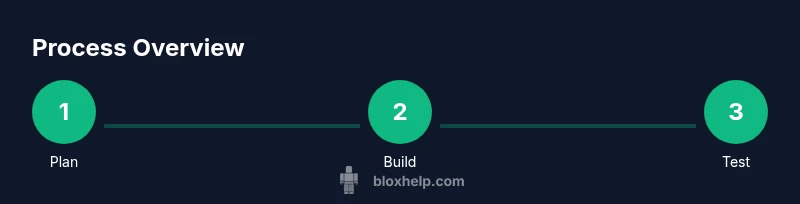
If you are wondering who do you make a game on roblox, the simplest answer is that you start with Roblox Studio, Roblox's official game-creation environment. This educational guide is designed for beginners and walks you through planning, building, scripting, testing, and publishing a playable game. By following these steps, you’ll transform a spark of an idea into a tangible, shareable experience on Roblox.
In this journey, you’ll learn to balance creativity and feasibility, pick a core mechanic, and iterate based on feedback. The process emphasizes practical, hands-on practice rather than theory alone, so you can see progress as you go.
Planning your Roblox game: concept to scope
Before touching code or building levels, define your game's core idea and scope. Ask questions like: What is the core loop? What makes this game fun for players in the first five minutes? Who is your target audience? By clearly outlining these aspects, you prevent scope creep and make the rest of development more focused. Create a one-page concept doc and a rough timeline. Include sketches or mood boards to align your vision with teammates or testers.
A practical approach is to define a minimal viable product (MVP): the smallest version of your game that still delivers the core experience. Once you have the MVP, you can plan incremental updates, adding features one by one without overwhelming yourself.
Setting up Roblox Studio and your first project
Install Roblox Studio from the official Roblox site and sign in with your Roblox account. Open Studio, create a new place, and familiarize yourself with the interface: Explorer, Properties, Viewport, and the Studio toolbar. Start with a simple cube playground to practice moving objects, creating basic terrain, and saving your project. As you work, enable the Output window to catch errors early and learn from them rather than guessing why something doesn’t work.
A recommended first project is a tiny arena or obstacle course that demonstrates movement, a basic collectable, and a win condition. This keeps the initial scope manageable while teaching you essential Studio workflows.
Scripting fundamentals: Lua basics for Roblox
Lua is Roblox's scripting language, and understanding a few core concepts will unlock your ability to add interactivity quickly. Begin with variables, functions, conditionals, and basic event handling. Practice by creating a script that prints the player's name when they join, then expand to a simple collectible that triggers a score increase. Readability matters: comment your code and name variables clearly so you and future you remember what each piece does.
Keep your scripts modular: separate logic into small, reusable functions and group related behaviors in ModuleScripts when appropriate. This practice pays off as your project grows.
Building a playable environment: level design and assets
A good Roblox game balances clear visuals, readable UI, and a compelling pace. Start with a simple layout: a straightforward path, a few hazards, and one or two rewards. Use Roblox's built-in assets and templates to avoid spending hours modeling from scratch. Importantly, keep performance in mind: low-polygon textures, efficient lighting, and simple collision shapes prevent frame drops on lower-end machines.
Focus on creating a distinct identity: color palettes, thematic lighting, and consistent typography help players understand where to go and what to do. A small, polished area beats a large, unfinished one every time.
Testing and iterating with players
Testing is where most learning happens. Invite friends or family to play your game and observe where players get stuck or bored. Use Roblox's Play Solo and Play Together modes to test single-player mechanics and multiplayer dynamics. Record feedback, categorize it into must-have, nice-to-have, and not now, then schedule updates accordingly.
Iterate rapidly: fix critical bugs first, then polish small details like UI prompts or sound cues. Consider running a public beta for a short window to gather diverse feedback and identify edge cases you hadn’t anticipated.
Publishing your Roblox game and post-launch steps
When you’re ready to publish, prepare a compelling game page: a concise title, a few descriptive paragraphs, feature images, and a critical, honest description of gameplay. Upload thumbnails and banners that convey the vibe of your game and attract players. Make sure to comply with Roblox's community guidelines and content policies before submitting for review.
After publishing, monitor player activity through the Developer Console and analytics. Schedule updates based on feedback, fix issues promptly, and consider adding new content in waves to maintain interest and engagement over time.
Common challenges and how to avoid them
Common roadblocks include scope creep, lack of clear feedback loops, and underestimating the time needed to learn scripting. To avoid these, set a weekly sprint with concrete goals, maintain a public changelog, and seek constructive criticism from peers or online communities. Remember that learning Roblox game development is a process, not a race; steady progress beats bursts of activity followed by long lulls.
Another pitfall is ignoring performance concerns. Start with a small, playable core and test on a variety of devices. Optimize assets, reduce unnecessary scripts, and profile memory usage to keep the game responsive.
Next steps and learning resources
Continue expanding your toolkit by exploring Roblox's Developer Hub, official documentation, and community tutorials. Blox Help's tutorials and guides offer practical steps and troubleshooting tips for Roblox players and aspiring developers. Plan your next project as a natural extension of what you’ve already built: perhaps a co-op mode, more objects to collect, or a level editor for player-generated content. Keep a habit of documenting what you learn and revisiting your code to refactor and improve.
Tools & Materials
- Roblox account(Must be verified to publish games)
- Roblox Studio(Download from the official Roblox site and install the latest version)
- Computer with internet access(Windows or macOS; stable connection recommended for downloads and testing)
- Idea sketch or game design document(Outline core loop, target audience, and MVP features)
- Storyboard or screenshots for levels(Helpful for planning layout and progression)
- Headset and microphone for testing(Useful for live testing sessions with friends)
Steps
Estimated time: 6-12 hours
- 1
Define your game concept
Start with a one-sentence pitch that captures the core loop and player goal. List the key mechanics and the minimum set of assets needed for a playable prototype. This clarity will guide all future decisions and prevent scope creep.
Tip: Write the one-sentence pitch and keep it visible during development. - 2
Set up Roblox Studio and create a new place
Install Roblox Studio, sign in, and create a new baseplate. Explore the Explorer and Properties panels to understand how objects, scripts, and assets are organized. Save frequently and enable the Output window to catch errors early.
Tip: Familiarize yourself with the UI by building a tiny mock-up first. - 3
Build your core loop and environment
Design a simple path or arena where players complete a task, collect an item, or reach a goal. Create a basic terrain, add a few interactive objects, and set up a win condition. Keep the environment modest to stay focused on mechanics.
Tip: Limit initial assets to keep iteration fast. - 4
Add basic scripting for interactivity
Create a Script in Roblox Studio to implement simple logic, such as collecting an item and updating a score. Comment your code and test each function individually before combining them.
Tip: Start small: a single collectable with a score works well. - 5
Test with friends and gather feedback
Invite testers to play the prototype in Play mode. Observe where players struggle and collect explicit feedback about what works and what doesn’t. Use this data to prioritize fixes and improvements.
Tip: Ask testers to think aloud while playing to reveal hidden pain points. - 6
Polish visuals and UI
Enhance lighting, add simple UI prompts, and ensure the game reads well at a distance. Replace placeholder assets with consistent visuals and optimize performance for smoother gameplay.
Tip: Polish beats quantity; a few clean assets can dramatically improve perception. - 7
Prepare for publish and submission
Write a concise, honest game description, craft an appealing thumbnail, and ensure you meet Roblox guidelines. Submit for review and wait for Roblox’s approval before sharing widely.
Tip: Check your page for accessibility: clear buttons, readable fonts, and alt text for images. - 8
Post-launch: iterate and expand
After release, monitor analytics and player feedback. Plan updates in waves to add features, fix issues, and keep players engaged over time.
Tip: Maintain a changelog so players know what changed in each update.
Questions & Answers
Do I need to know Lua to make a Roblox game?
Some scripting knowledge helps, but you can start with basic components and built-in tools. Lua becomes essential as you build custom mechanics and interactions.
You can start with no coding, but Lua scripting will be important as you add custom features.
Is Roblox Studio free to use?
Yes, Roblox Studio is free to download and use. You can create and publish games once you meet Roblox’s guidelines and requirements.
Roblox Studio is free to download and start learning today.
How long does it take to learn Roblox game development?
Learning varies with time commitment. Beginners can build simple projects in weeks, while more complex games may take months. Regular practice accelerates progress.
It depends on how much time you invest; start with small projects and scale up.
Can I monetize my Roblox game?
Roblox offers monetization options through in-game purchases and the Developer Exchange program, subject to eligibility and policy requirements.
Yes, there are monetization paths, but you must follow Roblox’s policies and eligibility rules.
Where can I find official resources?
The Roblox Developer Hub and official documentation are the best starting points, complemented by beginner-friendly guides like Blox Help’s tutorials.
Check the Roblox Developer Hub for official guidance and tutorials.
Watch Video
The Essentials
- Plan before you code
- Master Roblox Studio basics
- Test early and often
- Publish and iterate with feedback